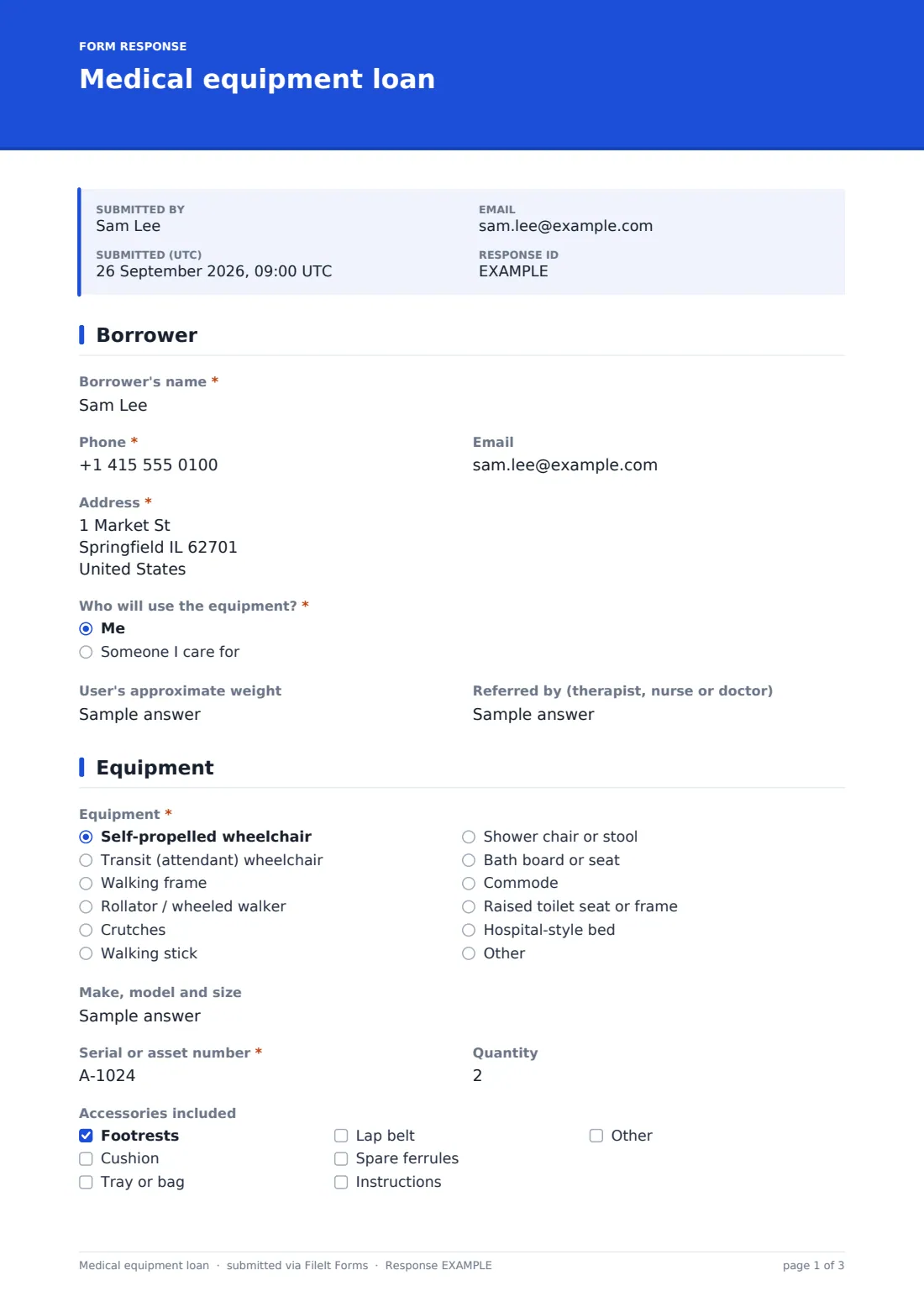
What is the medical equipment loan form template?
Charities, community health teams, pharmacies, hospices and churches often run equipment libraries that lend wheelchairs, walking frames, commodes and shower chairs to people recovering at home. Each loan needs a record of who has the item, its serial number and condition, what they were shown, any deposit, and when it's due back.
This template records the borrower and, if different, the person using the equipment, with their approximate weight so the item's weight limit can be checked and who referred them. The equipment page covers the type of item, from wheelchairs and rollators to bath boards and beds, its make and size, serial or asset number, accessories, condition and photos.
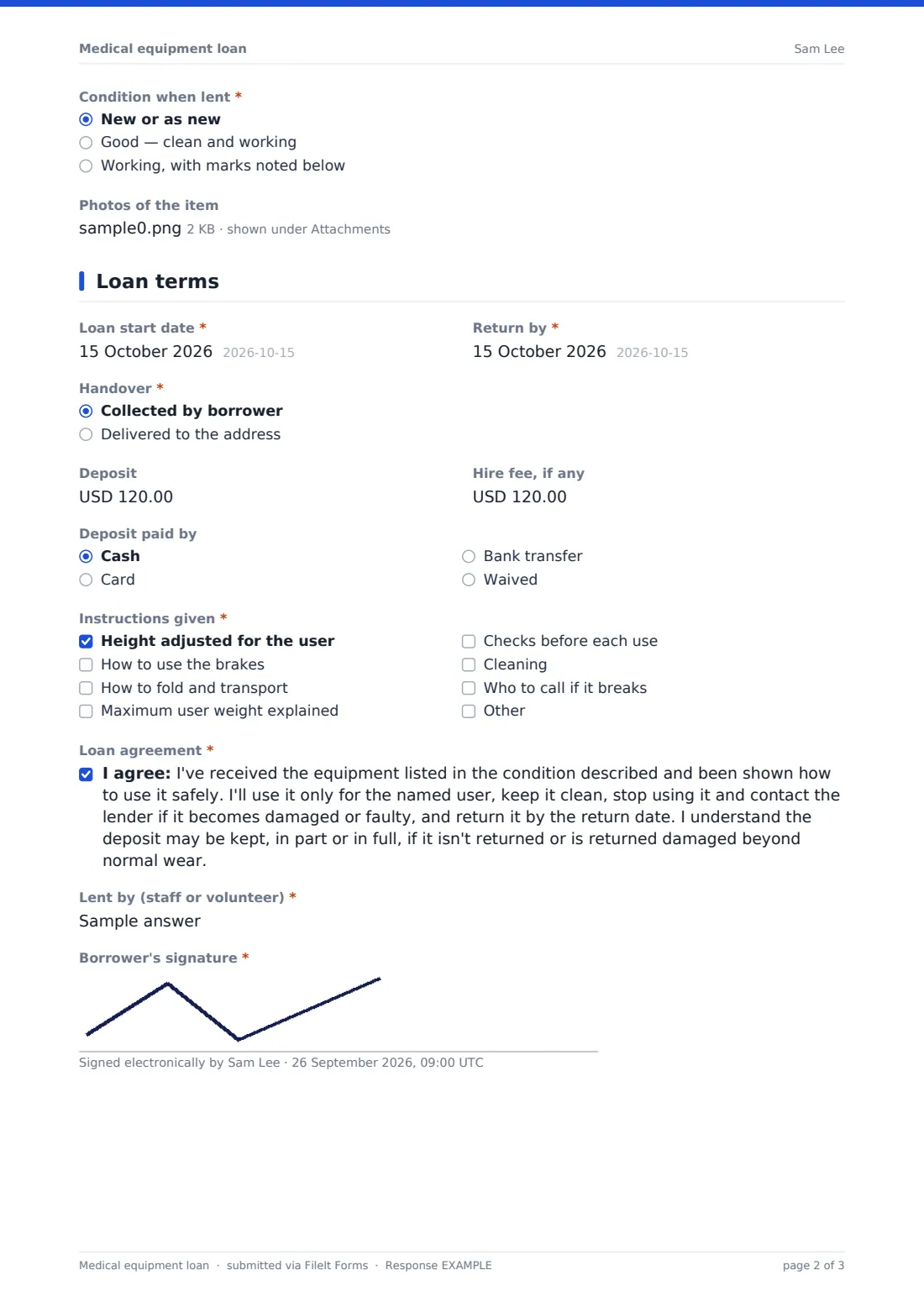
The loan terms page sets the start and return dates, whether it was collected or delivered, any deposit and hire fee, and which instructions were given — height adjustment, brakes, folding, weight limit, checks, cleaning and who to call. The borrower agrees to the loan terms and signs, and the agreement is saved as a PDF in FileIt.
- Best for
- Equipment libraries, charities, community health teams, hospices, pharmacies and churches
- Filled in by
- Staff or volunteers with the borrower, at handover
- Time to complete
- About 4 minutes
- Includes
- Borrower and user details, item and serial, accessories, condition with photos, deposit and fee, instructions checklist, loan agreement and signature
Who uses a medical equipment loan form?
- Short-term wheelchair loans after an injury or operation
- Charity equipment libraries lending to people at home
- Hospices lending commodes, beds and shower chairs
- Pharmacies offering walking aid loans
- Community physiotherapy or occupational therapy teams
- Lending equipment to visitors or holidaymakers
Questions on this medical equipment loan form
26 questions over 3 pages · includes signature, file upload, conditional questions, multiple pages, consent checkbox.
1 Borrower
- Borrower's name*
- Phone*
- Address*
- Who will use the equipment?* Me · Someone I care for
- Name of the person using it* asked only when it applies
- User's approximate weight
- Referred by (therapist, nurse or doctor)
2 Equipment
- Equipment* Self-propelled wheelchair · Transit (attendant) wheelchair · Walking frame · Rollator / wheeled walker · Crutches · Walking stick · Shower chair or stool · Bath board or seat · Commode · Raised toilet seat or frame · Hospital-style bed
- Make, model and size
- Serial or asset number*
- Quantity
- Accessories included Footrests · Cushion · Tray or bag · Lap belt · Spare ferrules · Instructions
- Condition when lent* New or as new · Good — clean and working · Working, with marks noted below
- Existing marks or damage asked only when it applies
- Photos of the item
3 Loan terms
- Loan start date*
- Return by*
- Handover* Collected by borrower · Delivered to the address
- Deposit
- Hire fee, if any
- Deposit paid by Cash · Card · Bank transfer · Waived
- Instructions given* Height adjusted for the user · How to use the brakes · How to fold and transport · Maximum user weight explained · Checks before each use · Cleaning · Who to call if it breaks
- Loan agreement*
- Lent by (staff or volunteer)*
- Borrower's signature*
The medical equipment loan form, page by page
1 Borrower
Record the borrower's name, phone, email and address, and whether the equipment is for them or someone they care for — which asks for the user's name. The user's approximate weight and who referred them, such as a therapist, nurse or doctor, complete the page.
2 Equipment
Choose the item — self-propelled or transit wheelchair, walking frame, rollator, crutches, stick, shower chair, bath board, commode, raised toilet seat or a hospital-style bed — and note the make, model and size, serial or asset number and quantity. Tick the accessories included, record the condition when lent with any existing marks, and add up to three photos.
3 Loan terms
Set the loan start and return dates and whether the item was collected or delivered. Record any deposit, hire fee and how the deposit was paid, then tick the instructions given, from height adjustment and brakes to the weight limit and who to call if it breaks. The borrower agrees to the loan terms, the staff member or volunteer is named, and the borrower signs.
Make the template yours
- Change the currency on the deposit and fee fields to your own
- Replace the equipment list with the items your library holds
- Add a returns page to record the date returned and condition
- Prefill the staff member with personal links for each volunteer
- Remove the deposit questions if all your loans are free
- File loans in a vault folder per equipment type or location
Tips for a better medical equipment loan form
- Check the item's weight limit against the user's weight before lending
- Photograph the item at handover so returns are easy to compare
- Adjust walking aids and wheelchairs for the user, not just hand them over
- Clean and check every item between loans
- Follow up on items not returned by the return date
- Give the borrower a copy with your contact number for faults
Every response becomes a PDF in your vault
Each signed loan is saved as a PDF in the vault folder you choose, with the item photos attached. The borrower can be emailed a copy if they gave an email address, and the account owner can be notified of every loan.
In Responses, filter by return date or serial number to see what's out and when it's due back, or export to CSV to keep your equipment register up to date.
- Start from this template. It opens in the FileIt Forms designer — change any question, add pages, set the rules for when questions appear.
- Share it. Turn on a public link, or send it to people by email, each with their own link. They don’t need a FileIt account.
- Get the answers as PDFs. Each response is saved as a PDF in the vault folder you choose, with uploaded files attached — and listed in a Responses table you can export to CSV.
Medical equipment loan form: frequently asked questions
Is this medical equipment loan template free?
Yes. It's part of the Forms app, included with every FileIt account, the free plan too.
Does FileIt remind borrowers when equipment is due back?
No. The form records the return date, but it doesn't send reminders on its own. Use your own calendar or a follow-up call.
Can we record the return on the same form?
As built, the form covers the loan. You can add a returns page in the designer, or use a separate form for returns.
Can the borrower sign on a tablet?
Yes. The signature is drawn on screen on any phone, tablet or computer.
Does the agreement cover our liability?
The loan terms are a plain-language starting point. Check them against your own policies and insurance, and edit them to suit.
Can I lend more than one item on a form?
Each form records one type of item with a quantity. For different items, complete a form for each so serial numbers stay clear.