What is the irrigation system audit form template?
An irrigation system can waste water for months without anyone noticing: a cracked lateral under a bed, a head knocked sideways by a mower, a controller still on its summer schedule in autumn. A structured audit finds those problems and turns them into a repair list the client can act on.
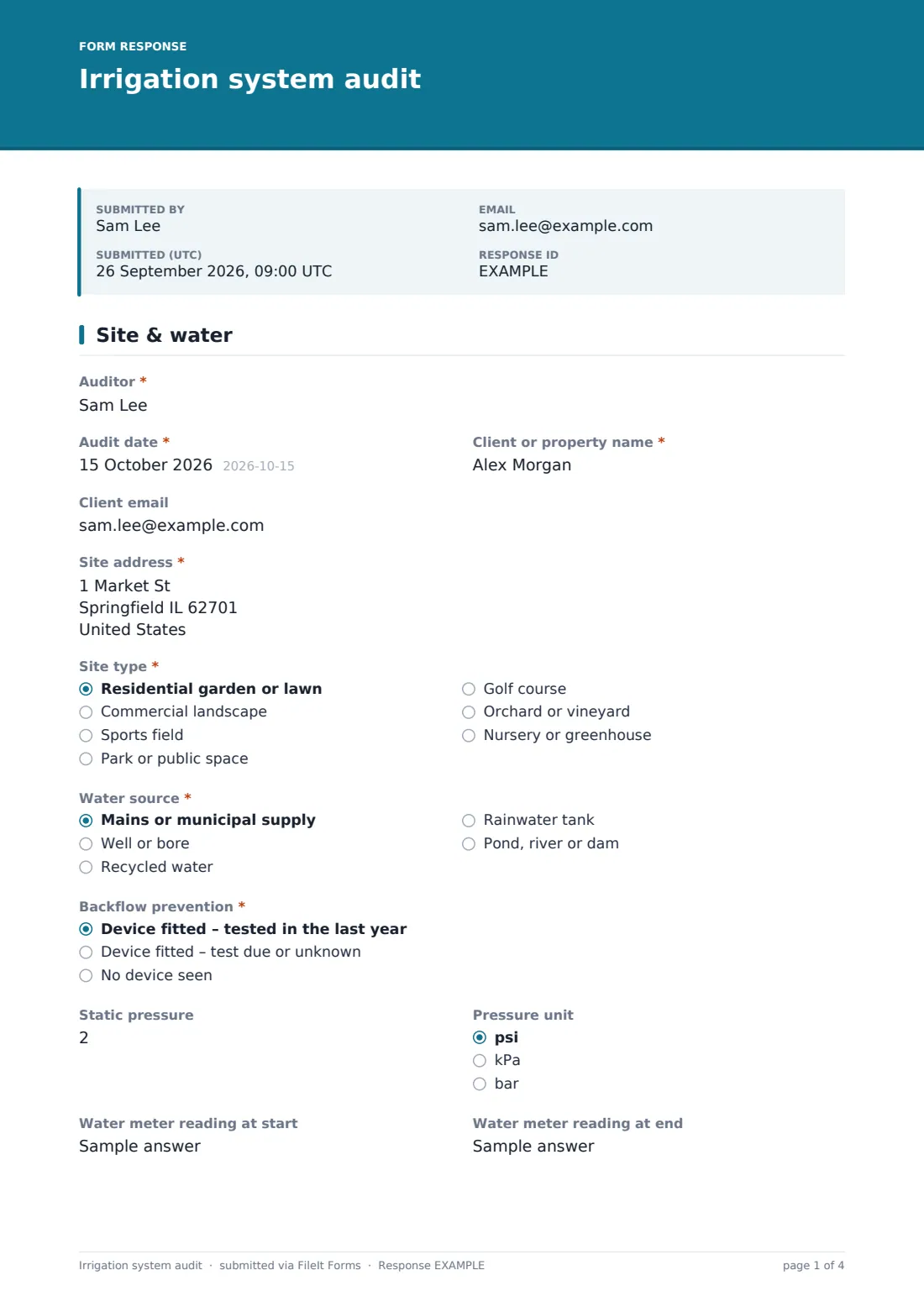
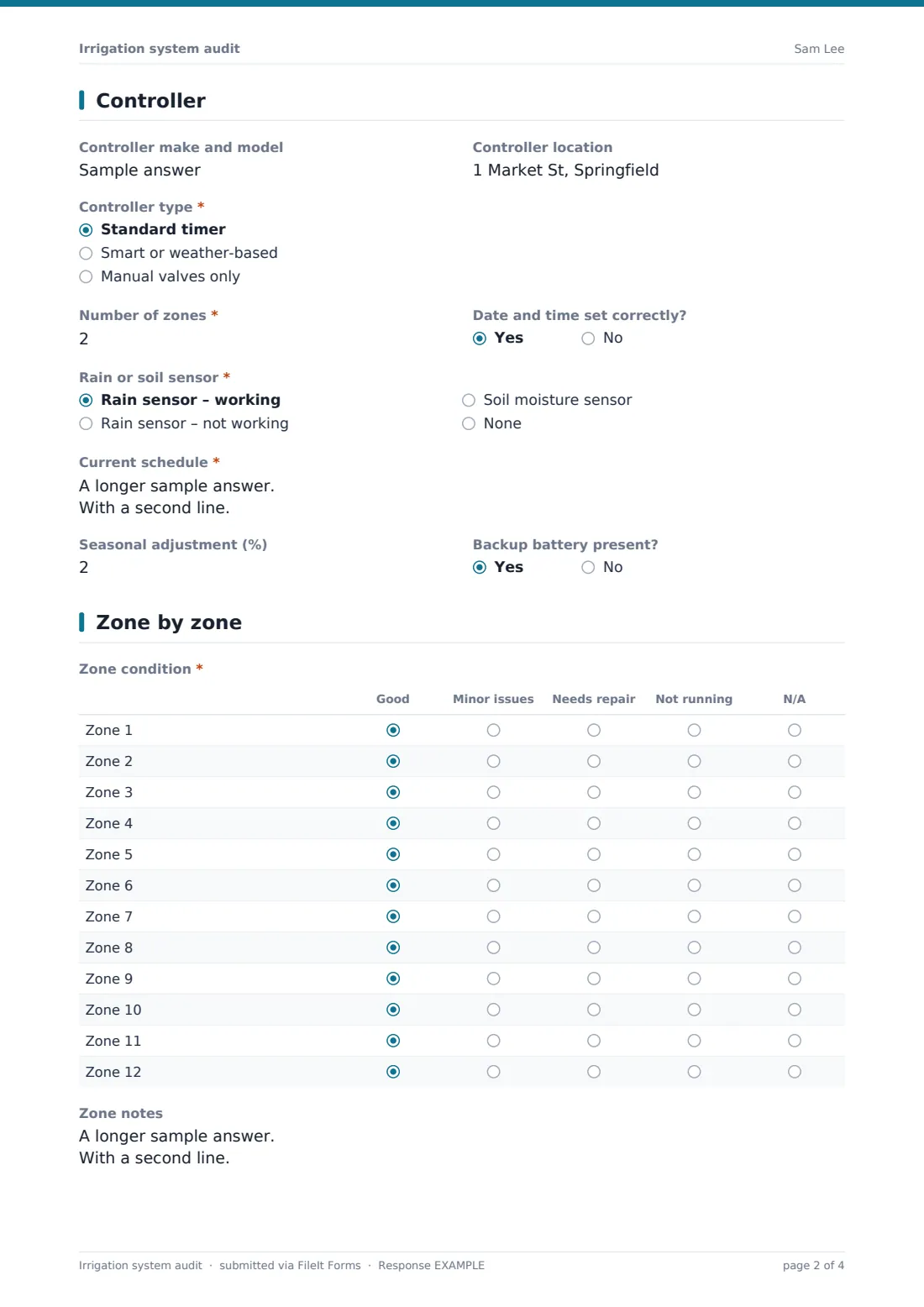
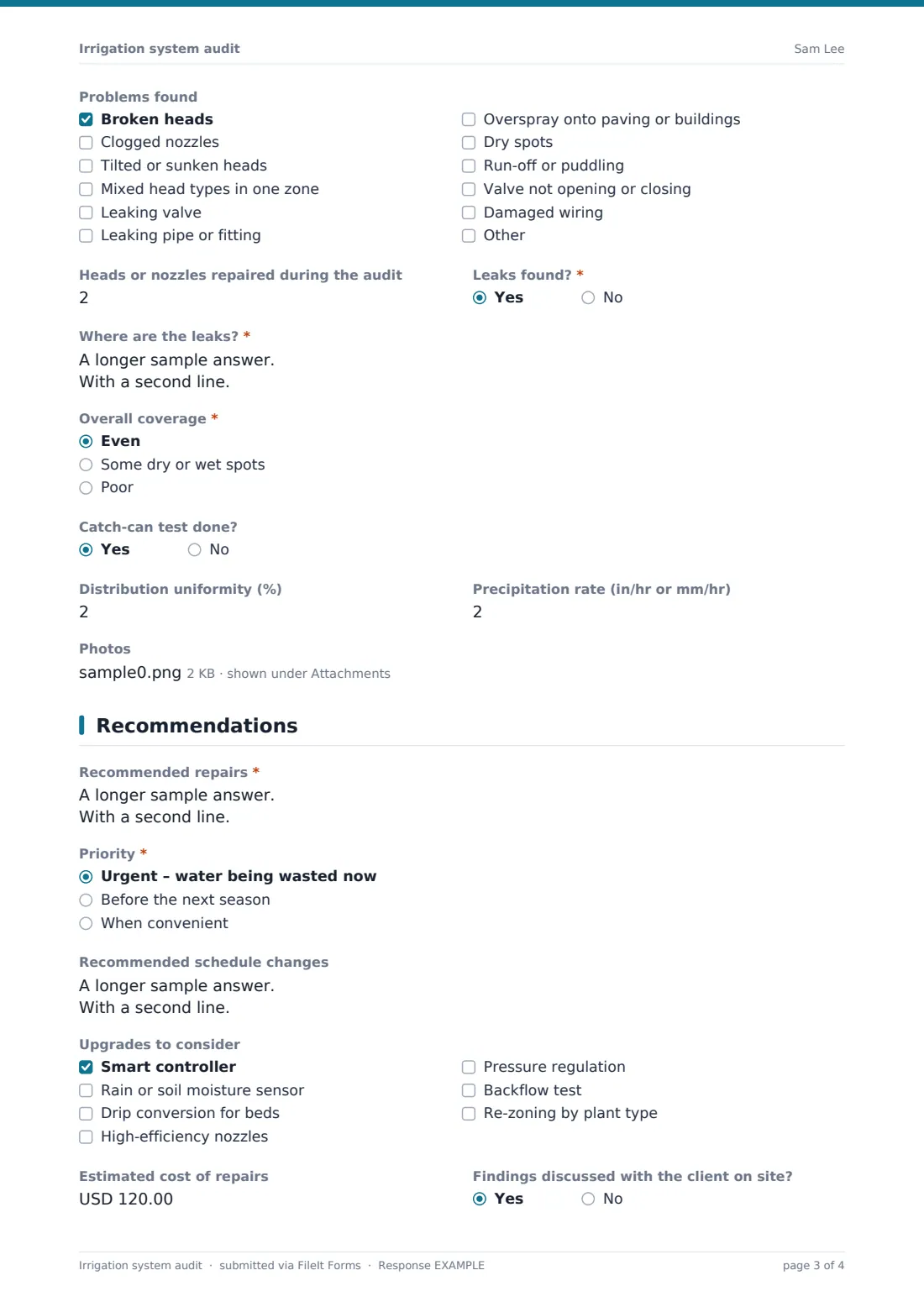
This template follows a typical audit. The first page records the site, water source, backflow prevention, static pressure and meter readings. The second captures the controller, sensors and the current schedule. The third rates up to twelve zones in a single grid, with notes, a checklist of common problems, leaks, coverage and optional catch-can results. The last page sets out recommended repairs, their priority, schedule changes, upgrades and an estimated cost.
Up to ten photos can be attached, and each audit is filed as a PDF in your FileIt vault, so you can compare this year's findings with last year's.
- Best for
- Irrigation contractors, landscapers, grounds teams, sports field managers and water-efficiency programmes
- Filled in by
- The auditor or technician on site
- Time to complete
- About 15 minutes of form time, plus running each zone
- Includes
- 12-zone condition grid, problem checklist, catch-can results, photos, prioritised repairs, cost estimate
Who uses a irrigation system audit form?
- A landscaper's spring start-up check for a residential system
- A commercial grounds team auditing a business park before summer
- A sports field manager checking coverage and uniformity
- A water-efficiency visit looking for leaks and over-watering
- Inspecting a newly bought property's system before the first season
- A vineyard or orchard checking drip lines and valves
Questions on this irrigation system audit form
39 questions over 4 pages · includes file upload, conditional questions, multiple pages, ratings.
1 Site & water
- Auditor*
- Audit date*
- Client or property name*
- Client email
- Site address*
- Site type* Residential garden or lawn · Commercial landscape · Sports field · Park or public space · Golf course · Orchard or vineyard · Nursery or greenhouse
- Water source* Mains or municipal supply · Well or bore · Recycled water · Rainwater tank · Pond, river or dam
- Backflow prevention* Device fitted – tested in the last year · Device fitted – test due or unknown · No device seen
- Static pressure
- Pressure unit psi · kPa · bar
- Water meter reading at start
- Water meter reading at end
2 Controller
- Controller make and model
- Controller location
- Controller type* Standard timer · Smart or weather-based · Manual valves only
- Number of zones*
- Date and time set correctly?
- Rain or soil sensor* Rain sensor – working · Rain sensor – not working · Soil moisture sensor · None
- Current schedule*
- Seasonal adjustment (%)
- Backup battery present?
3 Zone by zone
- Zone condition* Good · Minor issues · Needs repair · Not running · N/A
- Zone notes
- Problems found Broken heads · Clogged nozzles · Tilted or sunken heads · Mixed head types in one zone · Leaking valve · Leaking pipe or fitting · Overspray onto paving or buildings · Dry spots · Run-off or puddling · Valve not opening or closing · Damaged wiring
- Heads or nozzles repaired during the audit
- Leaks found?*
- Where are the leaks?* asked only when it applies
- Overall coverage* Even · Some dry or wet spots · Poor
- Catch-can test done?
- Distribution uniformity (%) asked only when it applies
- Precipitation rate (in/hr or mm/hr) asked only when it applies
- Photos
4 Recommendations
- Recommended repairs*
- Priority* Urgent – water being wasted now · Before the next season · When convenient
- Recommended schedule changes
- Upgrades to consider Smart controller · Rain or soil moisture sensor · Drip conversion for beds · High-efficiency nozzles · Pressure regulation · Backflow test · Re-zoning by plant type
- Estimated cost of repairs
- Findings discussed with the client on site?
- Notes
The irrigation system audit form, page by page
1 Site & water
Auditor, Audit date, Client or property name, an optional Client email and Site address come first, then Site type. Water source covers mains, wells, recycled water, tanks and surface water. Backflow prevention records whether a device is fitted and tested. Static pressure with its unit, and Water meter reading at start and at end, help spot hidden leaks.
2 Controller
Controller make and model, location and type — standard timer, smart, or manual valves — come first. Number of zones, Date and time set correctly?, Rain or soil sensor and the Current schedule, with programmes, days, start times and run times, follow. Seasonal adjustment and Backup battery present? complete the page.
3 Zone by zone
Zone condition is a grid of twelve zones rated good, minor issues, needs repair, not running or N/A. Zone notes takes one line per zone. Problems found lists eleven common faults with an Other option. Heads or nozzles repaired during the audit and Leaks found? follow — a yes asks where. Overall coverage, an optional catch-can test with distribution uniformity and precipitation rate, and up to ten photos complete the inspection.
4 Recommendations
Recommended repairs and Priority — urgent, before the next season or when convenient — lead the page. Recommended schedule changes, Upgrades to consider (smart controllers, sensors, drip conversion, efficient nozzles, pressure regulation, backflow testing and re-zoning), Estimated cost of repairs, whether findings were discussed on site and Notes finish the audit.
Make the template yours
- Add more rows to the zone grid for large sites — it holds up to 30
- Remove the catch-can questions for quick residential checks
- Change the currency and units to match your market
- Add a client signature to approve the recommended repairs
- File audits into a vault folder per client or property
- Leave the Client email blank when you'd rather review the audit before sending it on
Tips for a better irrigation system audit form
- Take meter readings at the start and end with the system off to spot hidden leaks
- Run each zone long enough to see every head pop up and settle
- Photograph each problem with something for scale
- Check the controller schedule against the season, not just against last year
- List urgent repairs first — they're what the client approves
Every response becomes a PDF in your vault
Each audit is saved as a PDF in the vault folder you choose, with photos attached, and you're notified as soon as it's submitted. If a Client email is entered, the client is emailed a copy of the finished audit.
The Responses table lets you filter audits by site type, priority or coverage and export them to CSV to plan repair work across several properties.
- Start from this template. It opens in the FileIt Forms designer — change any question, add pages, set the rules for when questions appear.
- Share it. Turn on a public link, or send it to people by email, each with their own link. They don’t need a FileIt account.
- Get the answers as PDFs. Each response is saved as a PDF in the vault folder you choose, with uploaded files attached — and listed in a Responses table you can export to CSV.
Irrigation system audit form: frequently asked questions
Is this irrigation audit template free?
Yes. It's a starter template in the FileIt Forms app, which every account includes, even on the free plan.
Can I rate more than twelve zones?
Yes. Add rows to the Zone condition grid in the designer, up to 30.
Does the form calculate distribution uniformity?
No. Work it out from your catch-can readings and type the result. FileIt Forms doesn't do calculations.
Does the form check backflow compliance?
No. It records whether a device is fitted and when it was tested. Testing rules depend on your water supplier and local authority.
Can I attach photos from my phone?
Yes. Up to ten photos straight from the camera.
Do auditors need a FileIt account?
No. Anyone with the link can complete an audit.