What is the internal service survey form template?
Back-office teams such as finance, HR, payroll, facilities and procurement serve the rest of the organisation, but they rarely get structured feedback from their internal customers. Without it, frustrations about slow replies or confusing forms stay in corridor conversations.
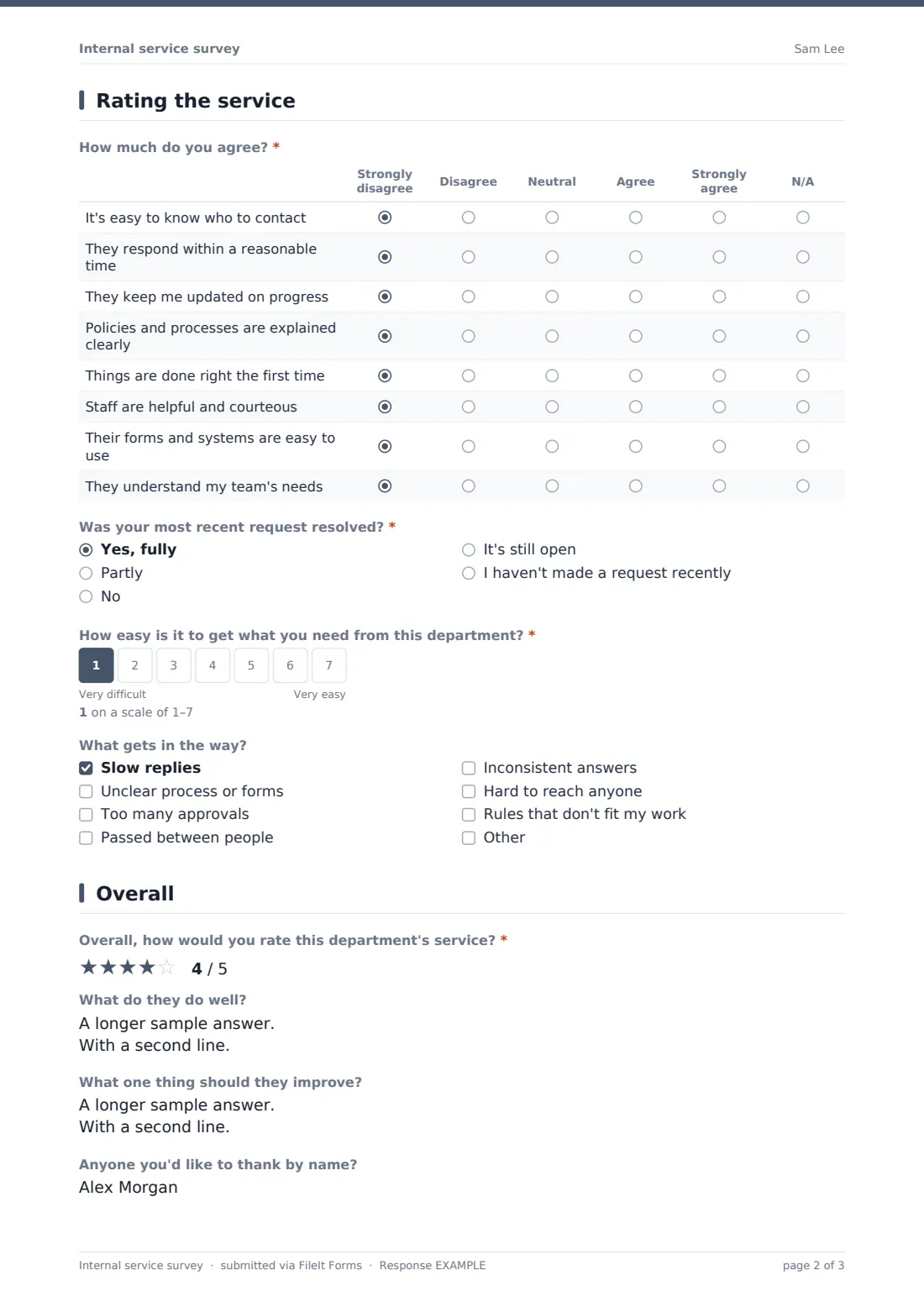
This template rates one department per response. Staff choose the department, say how often they deal with it and how they usually get help, then agree or disagree with eight statements: it's easy to know who to contact, responses are timely, updates are given, processes are explained clearly, things are done right first time, staff are helpful, systems are easy, and the team understands their needs.
It asks whether the last request was resolved and how easy it is to get what they need. A low score opens a checklist of what gets in the way. The last page asks for an overall rating, what the department does well and what to improve. Each response is saved as a PDF in your FileIt vault.
- Best for
- Shared services, operations leaders, and finance, HR, facilities and procurement heads
- Filled in by
- Employees who use internal services
- Time to complete
- About 3 minutes per department
- Includes
- Department choice, 8-statement service grid, resolution, 1–7 effort scale with pain-point follow-up, overall rating and optional follow-up
Who uses a internal service survey form?
- An annual internal customer satisfaction survey across support functions
- Measuring the effect of a new HR or finance helpdesk
- Checking a shared-services centre against its service commitments
- Comparing departments with the same questions
- Gathering feedback before redesigning a process such as supplier set-up
- Recognising internal staff who go above and beyond
Questions on this internal service survey form
16 questions over 3 pages · includes conditional questions, multiple pages, ratings.
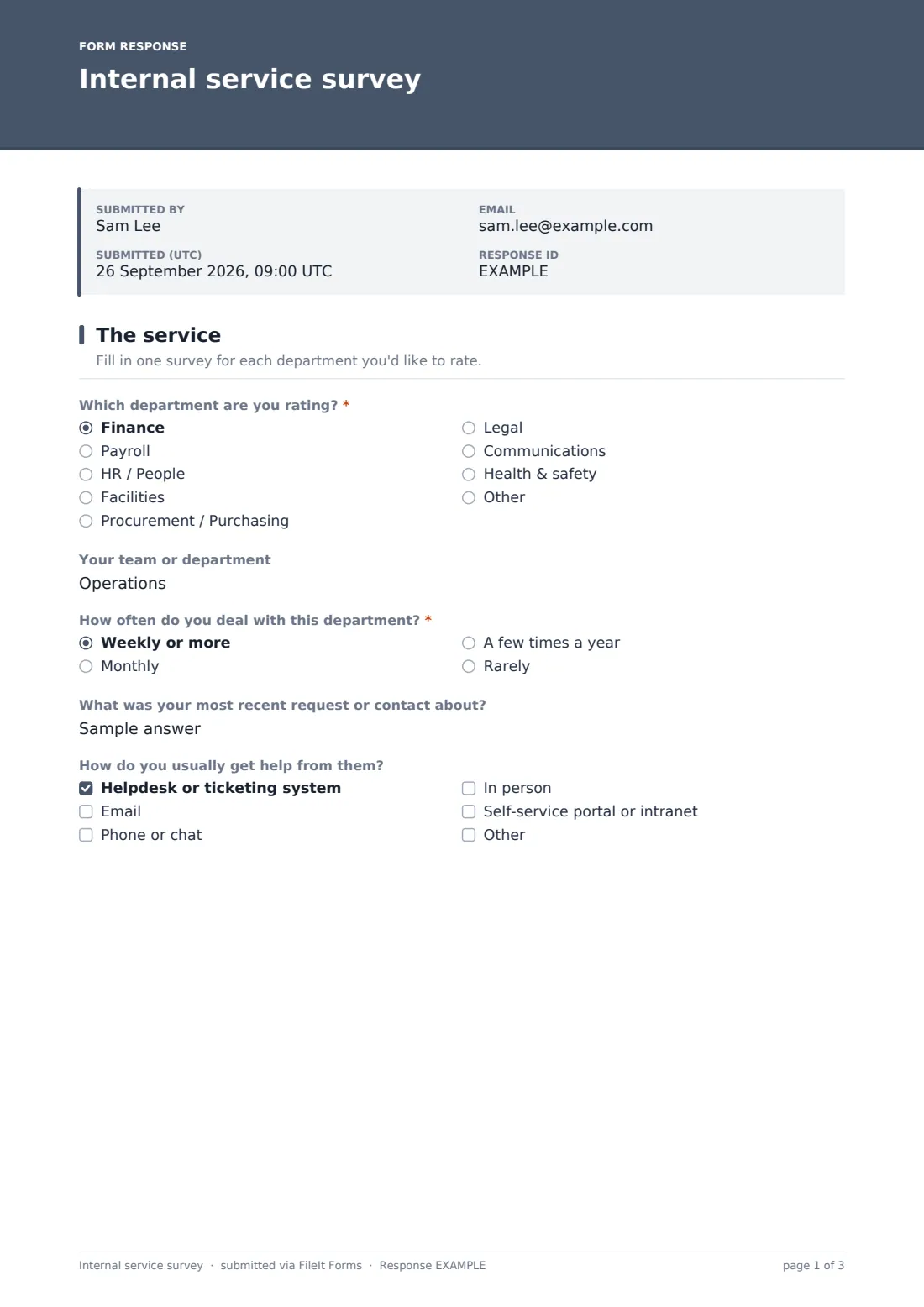
1 The service
- Which department are you rating?* Finance · Payroll · HR / People · Facilities · Procurement / Purchasing · Legal · Communications · Health & safety
- Your team or department
- How often do you deal with this department?* Weekly or more · Monthly · A few times a year · Rarely
- What was your most recent request or contact about?
- How do you usually get help from them? Helpdesk or ticketing system · Email · Phone or chat · In person · Self-service portal or intranet
2 Rating the service
- How much do you agree?* Strongly disagree · Disagree · Neutral · Agree · Strongly agree · N/A
- Was your most recent request resolved?* Yes, fully · Partly · No · It's still open · I haven't made a request recently
- How easy is it to get what you need from this department?*
- What gets in the way? asked only when it applies Slow replies · Unclear process or forms · Too many approvals · Passed between people · Inconsistent answers · Hard to reach anyone · Rules that don't fit my work
3 Overall
- Overall, how would you rate this department's service?*
- What do they do well?
- What one thing should they improve?
- Anyone you'd like to thank by name?
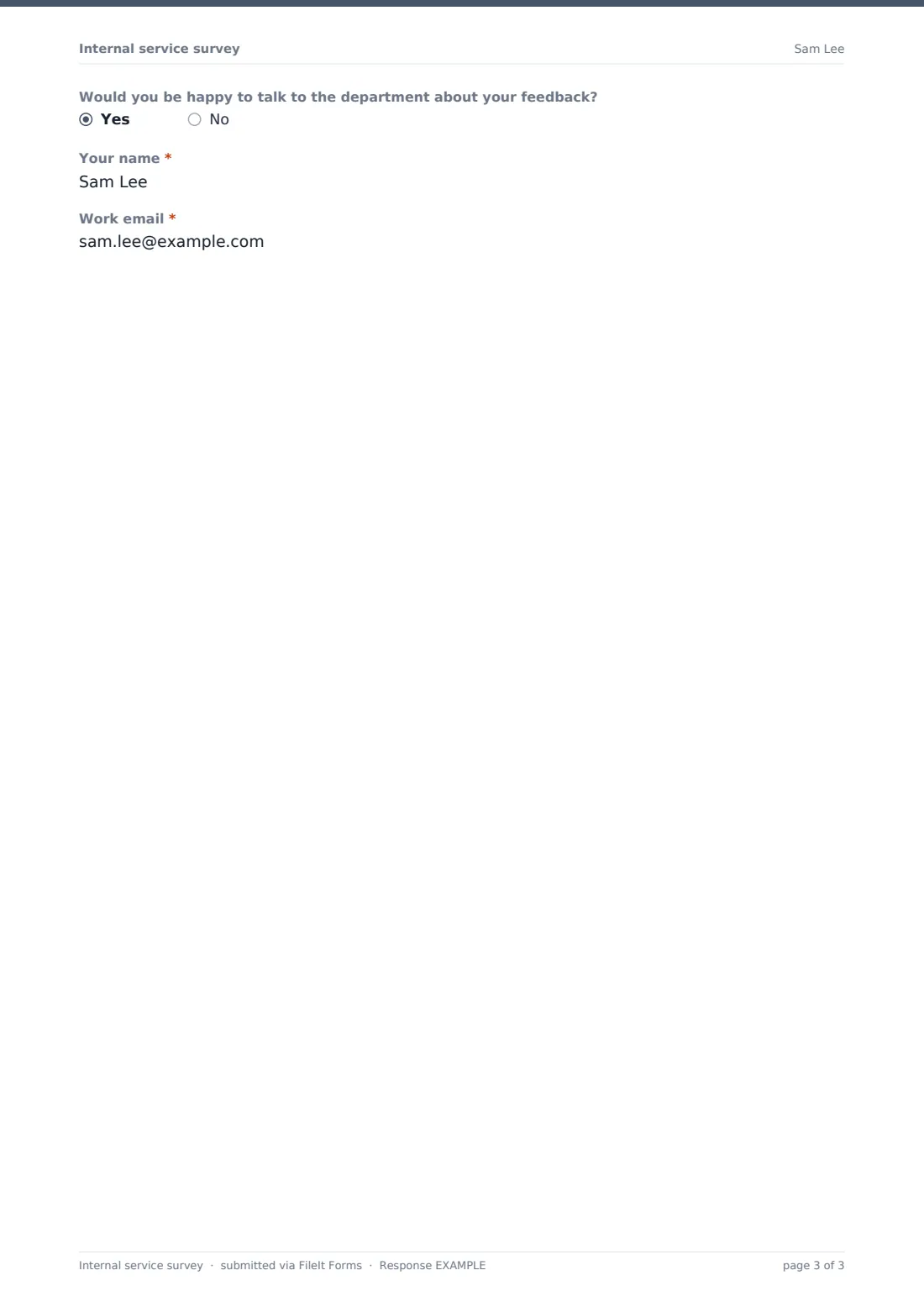
- Would you be happy to talk to the department about your feedback?
- Your name* asked only when it applies
- Work email* asked only when it applies
The internal service survey form, page by page
1 The service
Staff choose the department they're rating (finance, payroll, HR, facilities, procurement, legal, communications, health and safety, or another) and can add their own team if they're happy to. They say how often they deal with it, what their most recent request was about, and how they usually get help: a helpdesk, email, phone or chat, in person or a self-service portal.
2 Rating the service
A grid of eight statements is rated from strongly disagree to strongly agree, or N/A. Staff say whether their most recent request was fully resolved, partly, not at all or is still open (or that they haven't made one recently), then rate on a 1–7 scale how easy it is to get what they need. A score below 4 opens 'What gets in the way?', with options such as slow replies, unclear forms, too many approvals, being passed between people and inconsistent answers.
3 Overall
An overall star rating is required. Optional boxes ask what the department does well, the one thing it should improve, and whether there's anyone to thank by name. Staff who are happy to talk to the department about their feedback can leave their name and work email.
Make the template yours
- Edit the department list to match your organisation chart
- Make one copy of the form per department and send each to its own folder
- Add a question on a department's specific service, such as expense processing time
- Add your locations or divisions as a dropdown for comparison
- Send the link straight after a ticket closes for transaction-based feedback
- Set a closing date for an annual survey window
Tips for a better internal service survey form
- Explain that feedback is about processes, not individuals, so people answer constructively
- Share each department's results with its team and agree two or three actions
- Pass on thanks to people named in the shout-out question
- Run the same survey each year to track improvement
- Keep it short enough that people will rate more than one department
- Look at pain points together with request volumes before drawing conclusions
Every response becomes a PDF in your vault
Each response is saved as a PDF in your FileIt vault, in the folder you choose. Responses are anonymous unless the person gives their name for follow-up.
Export responses from the Responses table to a CSV and group them by department to compare scores, or filter for one department to review its comments.
- Start from this template. It opens in the FileIt Forms designer — change any question, add pages, set the rules for when questions appear.
- Share it. Turn on a public link, or send it to people by email, each with their own link. They don’t need a FileIt account.
- Get the answers as PDFs. Each response is saved as a PDF in the vault folder you choose, with uploaded files attached — and listed in a Responses table you can export to CSV.
Internal service survey form: frequently asked questions
Is this template free?
Yes. It's included in the FileIt Forms app on every account, including the free plan, and you can edit, add or remove any question.
Do staff need a FileIt account?
No. Anyone with the link can respond without signing in.
Can staff rate more than one department?
Yes. They submit one response per department, and the template allows more than one response.
Is it anonymous?
Yes, unless someone adds their team or leaves their name for follow-up. In small teams, the team name alone can identify someone, so it's optional.
Should IT be included?
You can add IT to the list. FileIt also has a separate IT service satisfaction survey with questions specific to IT support.
Can each department only see its own responses?
Make one copy of the form per department, each saving to its own folder, and share each folder with the right people.
Can we close the survey on a set date?
Yes. Set a closing date or a maximum number of responses in the form's settings.