What is the benefits satisfaction survey form template?
Benefits are one of the biggest costs after salaries, yet many employers renew them every year without asking whether they're working. Staff may not know what's included, may never use a perk you pay for, or may be quietly frustrated with the health plan. A short, anonymous survey brings that out before renewal season.
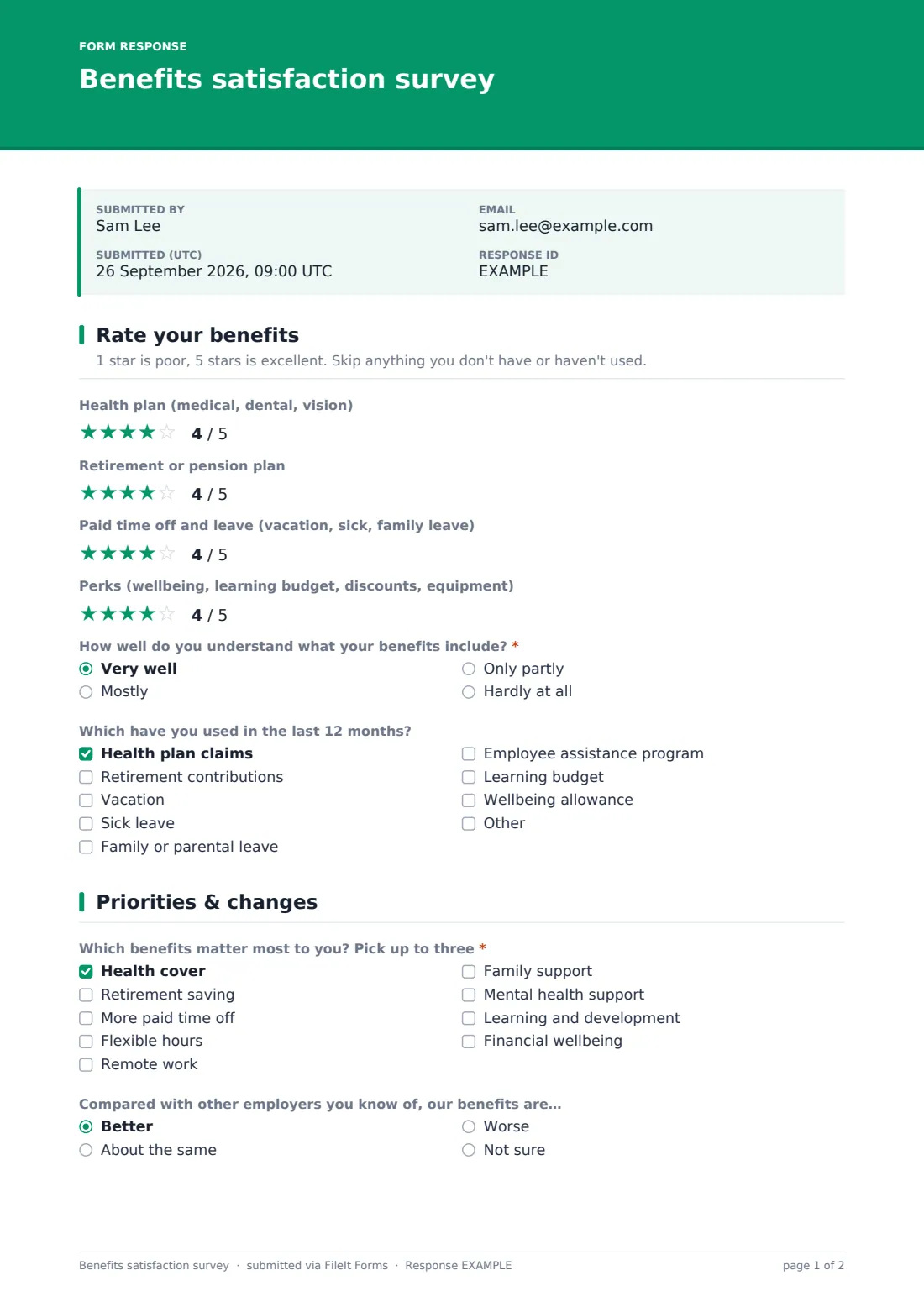
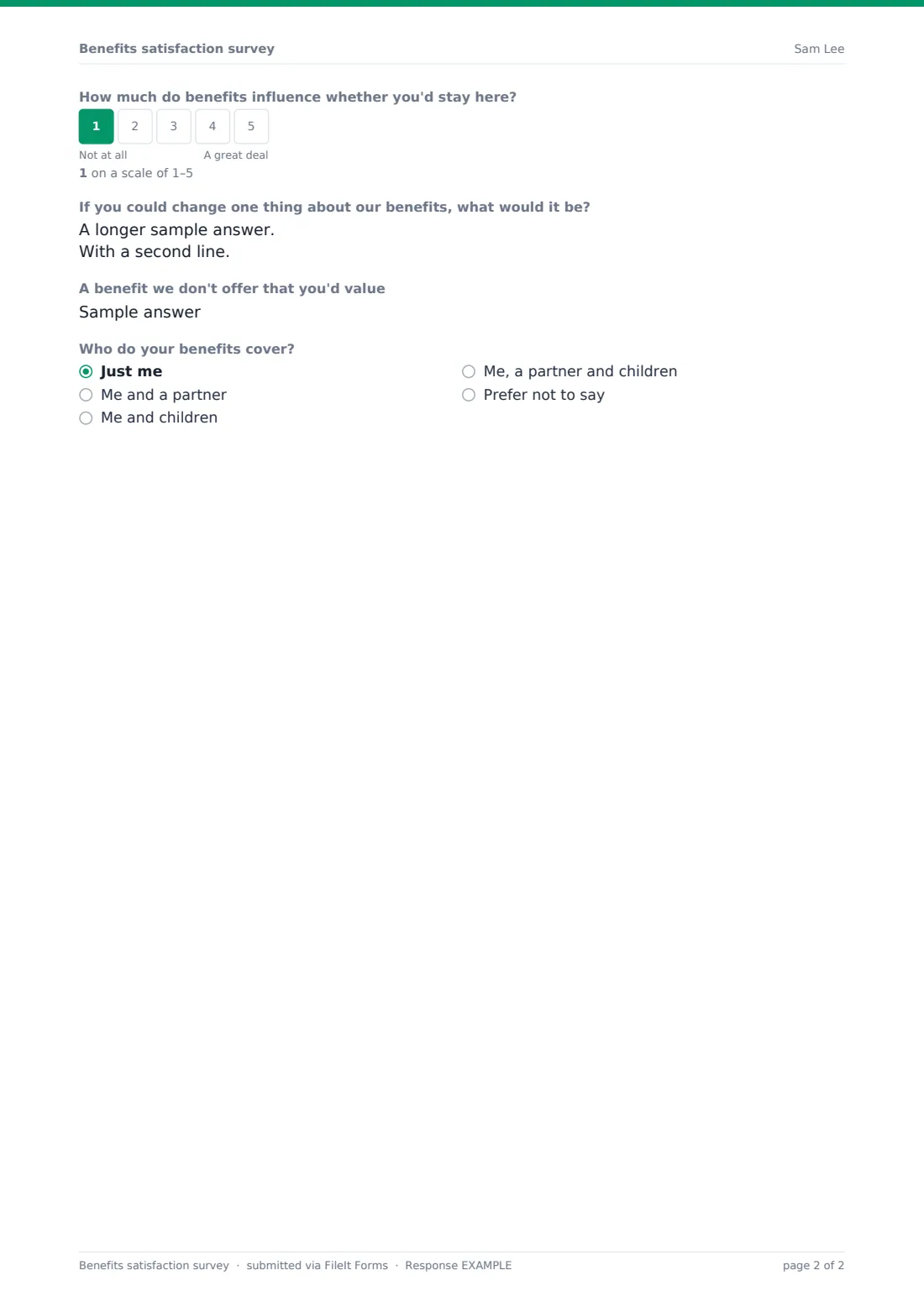
This template takes two pages. The first asks for a star rating of the health plan, the retirement or pension plan, paid time off and leave, and perks, and any rating below three opens a comment box asking what's wrong. It also asks how well people understand their benefits and which ones they've used. The second page covers priorities, how the package compares with other employers, how much benefits influence staying, and the one thing they'd change.
No names are collected. Each response is saved as a PDF in your FileIt vault, and the answers build up in the Responses table for export when you sit down with your broker or finance team.
- Best for
- HR and people teams, office managers and small business owners reviewing benefits
- Filled in by
- Employees, anonymously
- Time to complete
- About 4 minutes
- Includes
- Four star ratings with follow-up comments for low scores, usage checklist, pick-three priorities, open suggestions
Who uses a benefits satisfaction survey form?
- Gathering feedback before a benefits renewal or broker review
- Finding perks that cost money but nobody uses
- Checking whether people understand what their health plan covers
- Deciding where to spend a fixed benefits budget increase
- Measuring the effect of a new benefit a year after launch
- Supporting a retention review with evidence on what staff value
Questions on this benefits satisfaction survey form
17 questions over 2 pages · includes conditional questions, multiple pages, ratings.
1 Rate your benefits
- Health plan (medical, dental, vision)
- What isn't working with the health plan? asked only when it applies
- Retirement or pension plan
- What would make the retirement plan better? asked only when it applies
- Paid time off and leave (vacation, sick, family leave)
- What's the problem with time off and leave? asked only when it applies
- Perks (wellbeing, learning budget, discounts, equipment)
- Which perks fall short, and why? asked only when it applies
- How well do you understand what your benefits include?* Very well · Mostly · Only partly · Hardly at all
- What would help you understand them better? asked only when it applies
- Which have you used in the last 12 months? Health plan claims · Retirement contributions · Vacation · Sick leave · Family or parental leave · Employee assistance program · Learning budget · Wellbeing allowance
2 Priorities & changes
- Which benefits matter most to you? Pick up to three* Health cover · Retirement saving · More paid time off · Flexible hours · Remote work · Family support · Mental health support · Learning and development · Financial wellbeing
- Compared with other employers you know of, our benefits are… Better · About the same · Worse · Not sure
- How much do benefits influence whether you'd stay here?
- If you could change one thing about our benefits, what would it be?
- A benefit we don't offer that you'd value
- Who do your benefits cover? Just me · Me and a partner · Me and children · Me, a partner and children · Prefer not to say
The benefits satisfaction survey form, page by page
1 Rate your benefits
Four optional 1–5 star ratings: "Health plan (medical, dental, vision)", "Retirement or pension plan", "Paid time off and leave (vacation, sick, family leave)" and "Perks (wellbeing, learning budget, discounts, equipment)". People skip anything they don't have. A rating of one or two stars opens a matching comment box, such as "What isn't working with the health plan?" or "Which perks fall short, and why?", so you learn the reason behind each low score. Next, a required question asks "How well do you understand what your benefits include?". Anyone who answers "Hardly at all" is asked what would help. A checklist then records which benefits they've used in the last 12 months, from health plan claims to the employee assistance program and learning budget.
2 Priorities & changes
"Which benefits matter most to you? Pick up to three" is required and capped at three ticks, covering health cover, retirement saving, more paid time off, flexible hours, remote work, family support, mental health support, learning and financial wellbeing. People then say whether the package is better, the same or worse than other employers they know, and rate on a 1–5 scale how much benefits influence whether they'd stay. Two open questions follow: the one thing they'd change, and a benefit you don't offer that they'd value. An optional last question asks who their benefits cover, from just them to a partner and children.
Make the template yours
- Rename the four rated benefits to match your actual plans, or add a row for one you offer
- Edit the usage checklist so it lists only benefits your employees have
- Change the low-rating trigger if you'd like comments on three-star scores too
- Adjust the priorities list to the options you're realistically considering
- Add a dropdown for location if benefits differ between countries or sites
- Set a close date a few weeks before your renewal deadline
Tips for a better benefits satisfaction survey form
- Send it well before renewal, so there's time to act on what you hear
- Compare usage with ratings. A low-rated benefit nobody uses may just need better explanation
- Look at the understanding question first. Confusion often explains low satisfaction
- Treat the pick-three answers as trade-offs, since budgets are finite
- Share a short summary of the results and any changes you're making
- Keep wording the same each year so you can compare
Every response becomes a PDF in your vault
Each response is filed as a PDF titled with the date in the vault folder you choose, and you're notified by email. Respondents don't get a copy, because the survey collects no email address.
Export the Responses table to CSV to average each rating and count the pick-three priorities, or filter it to read every comment on low scores.
- Start from this template. It opens in the FileIt Forms designer — change any question, add pages, set the rules for when questions appear.
- Share it. Turn on a public link, or send it to people by email, each with their own link. They don’t need a FileIt account.
- Get the answers as PDFs. Each response is saved as a PDF in the vault folder you choose, with uploaded files attached — and listed in a Responses table you can export to CSV.
Benefits satisfaction survey form: frequently asked questions
Is this benefits satisfaction survey template free?
Yes. It's a starter template in the FileIt Forms app, and you can change any question.
Is it anonymous?
Yes. It asks for no name or email, and identity collection is off in the form's settings.
Why do some comment boxes only appear sometimes?
Each comment box appears only when that benefit gets one or two stars, so people who are happy aren't asked to explain.
Can I rate other benefits, like a car allowance?
Yes. Duplicate a rating and its comment box in the designer and rename them.
Does FileIt calculate average scores?
No. Export the responses to CSV and work out averages in a spreadsheet.
Do employees need a FileIt account?
No. They open the link you share.