What is the diversity and inclusion survey form template?
Inclusion is hard to see from the top. Leaders tend to hear from the people who are comfortable talking, and the colleagues who feel left out are often the quietest. An anonymous survey gives everyone the same short set of questions, so you can compare answers and spot where experiences differ.
This template has two pages. The first asks about belonging and fairness: eight agreement statements, a question on whether people have experienced or seen exclusionary behaviour in the past year, an overall inclusiveness score and one suggestion for change. The second page is for optional demographic questions, and they only appear when the respondent chooses to answer them.
No names or email addresses are collected. Each response is saved as a PDF in the FileIt vault folder you pick, and every answer also lands in the form's Responses table, ready to filter and export.
- Best for
- HR teams, inclusion leads, employee resource groups and small business owners
- Filled in by
- Employees, anonymously
- Time to complete
- About 5 minutes
- Includes
- Belonging grid, experience and reporting questions, 0–10 inclusiveness scale, opt-in demographics
Who uses a diversity and inclusion survey form?
- Setting a baseline before launching an inclusion plan
- Checking whether people trust the reporting process for discrimination or harassment
- Seeing whether newer and longer-serving staff feel equally heard
- Giving an employee resource group evidence to bring to leadership
- Repeating the same questions each year to track change
- Gathering ideas from staff before writing a diversity policy
Questions on this diversity and inclusion survey form
16 questions over 2 pages · includes conditional questions, multiple pages, ratings.
1 Belonging & fairness
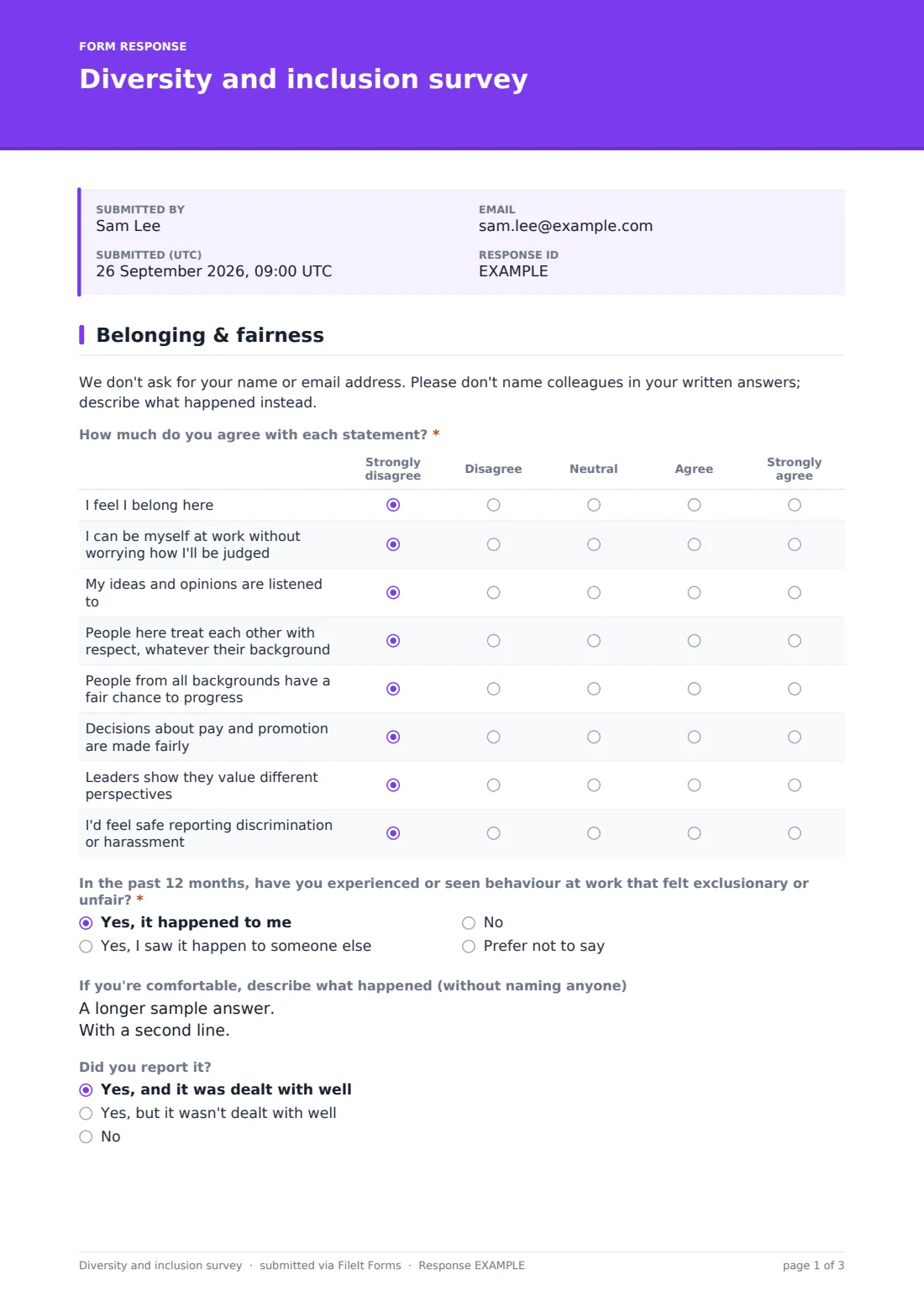
- How much do you agree with each statement?* Strongly disagree · Disagree · Neutral · Agree · Strongly agree
- In the past 12 months, have you experienced or seen behaviour at work that felt exclusionary or unfair?* Yes, it happened to me · Yes, I saw it happen to someone else · No · Prefer not to say
- If you're comfortable, describe what happened (without naming anyone) asked only when it applies
- Did you report it? asked only when it applies Yes, and it was dealt with well · Yes, but it wasn't dealt with well · No
- What stopped you reporting it? asked only when it applies Didn't know how · Worried about the consequences · Didn't think anything would change · It didn't seem serious enough · Dealt with it myself
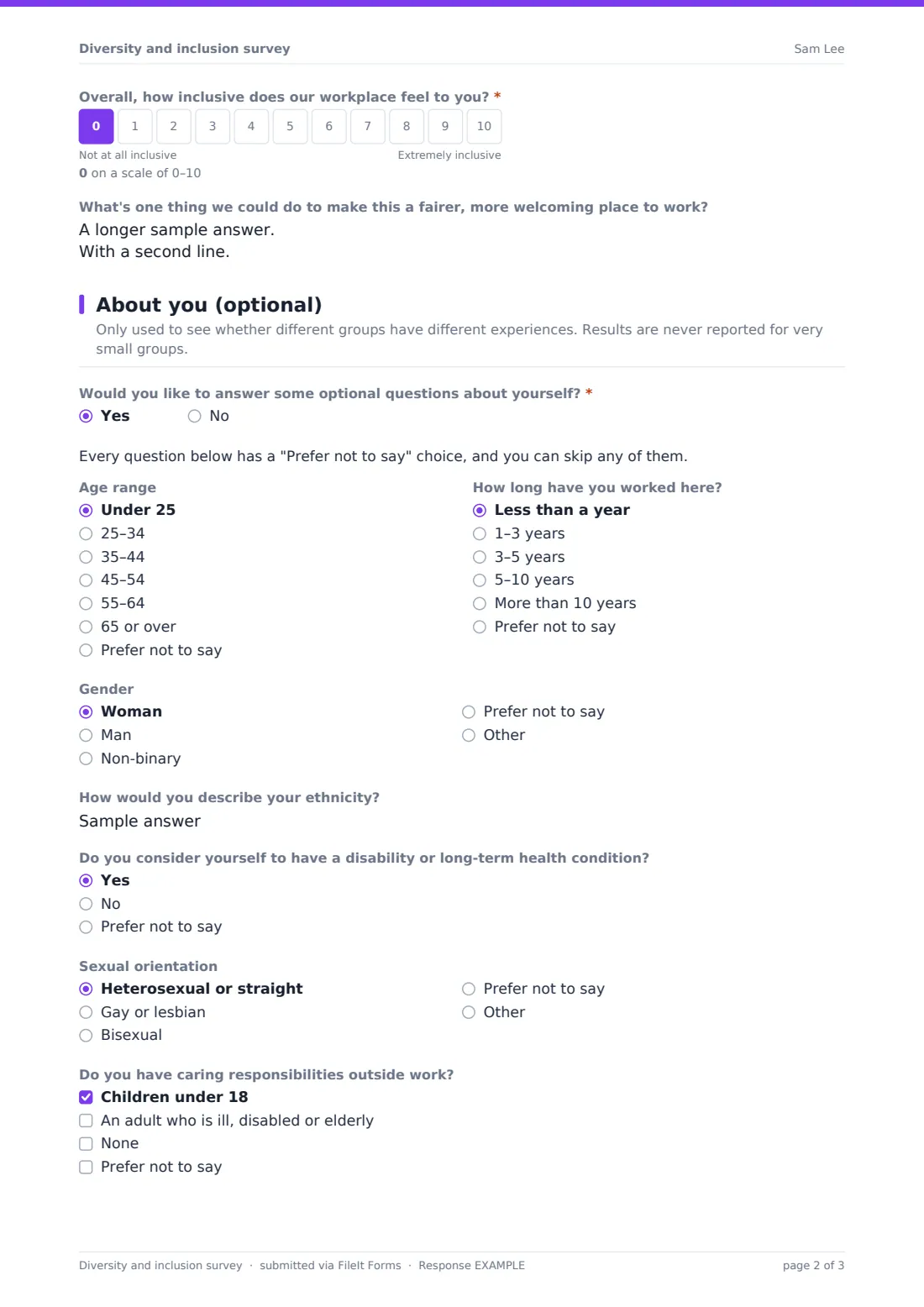
- Overall, how inclusive does our workplace feel to you?*
- What's one thing we could do to make this a fairer, more welcoming place to work?
2 About you (optional)
- Would you like to answer some optional questions about yourself?*
- Age range asked only when it applies Under 25 · 25–34 · 35–44 · 45–54 · 55–64 · 65 or over · Prefer not to say
- How long have you worked here? asked only when it applies Less than a year · 1–3 years · 3–5 years · 5–10 years · More than 10 years · Prefer not to say
- Gender asked only when it applies Woman · Man · Non-binary · Prefer not to say
- How would you describe your ethnicity? asked only when it applies
- Do you consider yourself to have a disability or long-term health condition? asked only when it applies Yes · No · Prefer not to say
- Sexual orientation asked only when it applies Heterosexual or straight · Gay or lesbian · Bisexual · Prefer not to say
- Do you have caring responsibilities outside work? asked only when it applies Children under 18 · An adult who is ill, disabled or elderly · None · Prefer not to say
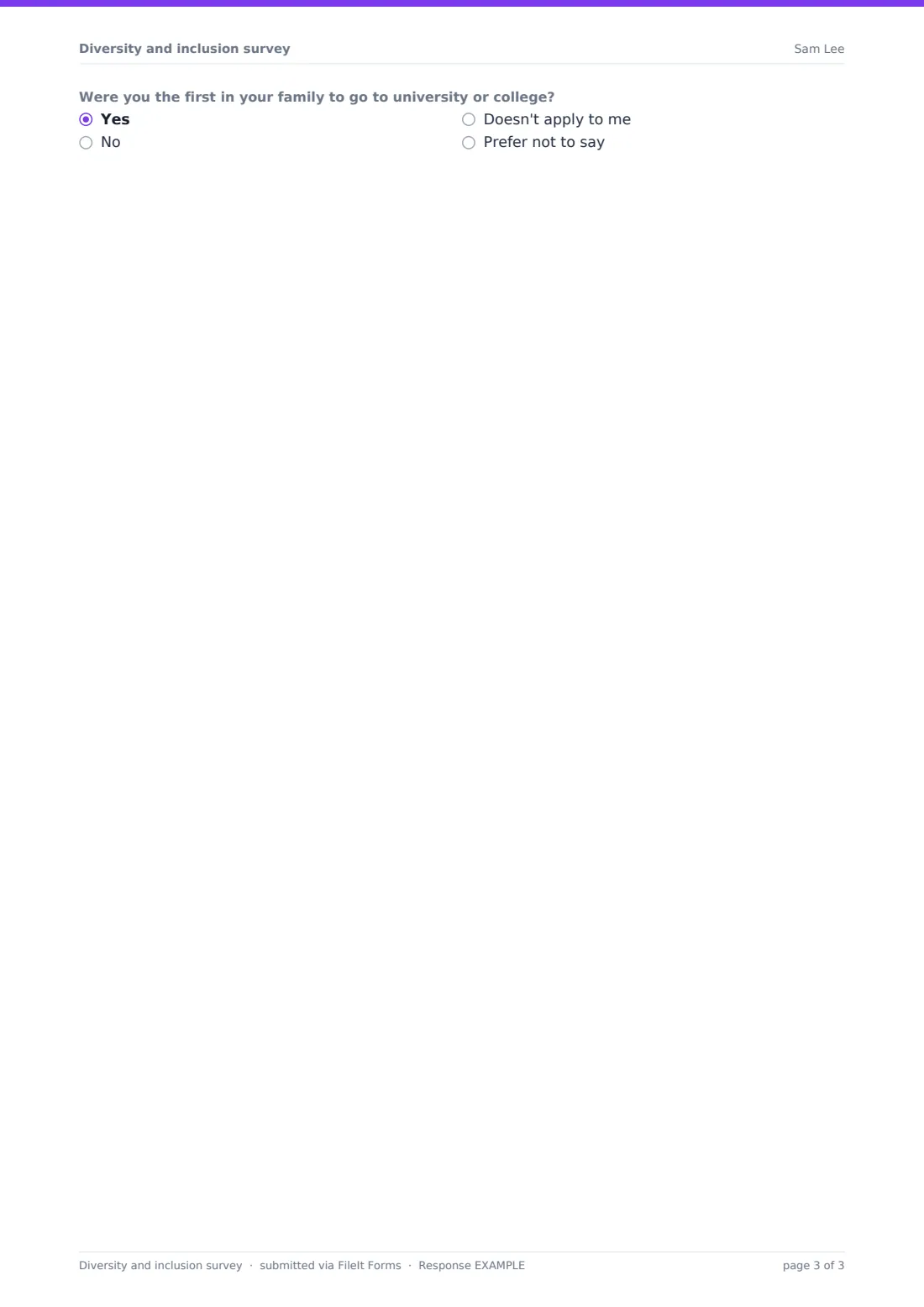
- Were you the first in your family to go to university or college? asked only when it applies Yes · No · Doesn't apply to me · Prefer not to say
The diversity and inclusion survey form, page by page
1 Belonging & fairness
A short note reminds people that no name or email is asked for and that they shouldn't name colleagues. The required grid, "How much do you agree with each statement?", covers belonging, being able to be yourself, being listened to, respect across backgrounds, fair chances to progress, fair pay and promotion decisions, leaders valuing different perspectives, and feeling safe reporting discrimination or harassment. Next comes "In the past 12 months, have you experienced or seen behaviour at work that felt exclusionary or unfair?" Anyone who answers yes, whether it happened to them or to someone else, can describe what happened and is asked "Did you report it?" If they didn't, they can tick what stopped them, such as not knowing how or worrying about the consequences. The page ends with a 0–10 scale, "Overall, how inclusive does our workplace feel to you?", and an open box for one thing that would make it fairer and more welcoming.
2 About you (optional)
One required yes/no question decides what happens next: "Would you like to answer some optional questions about yourself?" Choosing No submits the survey with no demographic questions at all. Choosing Yes shows age range, length of service, gender (with room to self-describe), ethnicity in the respondent's own words, disability or long-term health condition, sexual orientation, caring responsibilities, and whether they were the first in their family to go to university or college. None of these is required, and each has a "Prefer not to say" option or can be left blank.
Make the template yours
- Reword the agreement statements to match your values or inclusion goals
- Replace the free-text ethnicity question with the categories your country commonly uses
- Remove any demographic question you won't use in your analysis
- Add a dropdown for location or department if your teams are large enough to stay anonymous
- Change the help text on the experience question to point to your own reporting route
- Set a close date so the survey runs for a fixed window
Tips for a better diversity and inclusion survey form
- Tell people why you're asking and what you'll do with the results before you send the link
- Only report results for groups large enough that nobody can be identified
- Look at the agreement grid split by opt-in answers to see whose experience differs
- Keep the same statements from year to year so the trend is meaningful
- Share a summary of what you heard, including the uncomfortable parts
- Remind people that the survey doesn't replace your formal complaint process
Every response becomes a PDF in your vault
Each response is saved as a PDF titled with the date in the vault folder you choose, and you get an email when one arrives. Respondents aren't sent a copy, since no email address is collected.
In the Responses table you can filter by any answer, such as tenure or the experience question, and export everything to CSV to build charts in a spreadsheet.
- Start from this template. It opens in the FileIt Forms designer — change any question, add pages, set the rules for when questions appear.
- Share it. Turn on a public link, or send it to people by email, each with their own link. They don’t need a FileIt account.
- Get the answers as PDFs. Each response is saved as a PDF in the vault folder you choose, with uploaded files attached — and listed in a Responses table you can export to CSV.
Diversity and inclusion survey form: frequently asked questions
Is this diversity and inclusion survey template free?
Yes. It's one of the starter templates in the FileIt Forms app, and you can edit every question.
Is the survey anonymous?
It doesn't ask for a name or email address, and identity collection is switched off in the settings. Written answers could still identify someone, which is why the form asks people not to name colleagues.
Do people have to answer the demographic questions?
No. They only appear if the respondent says yes to answering them, and none of them is required.
Can someone use this form to make a complaint?
No. The help text says so, and you should point people to your usual reporting route. You can edit that text to name it.
Can each person answer only once?
The template turns off multiple responses from the same browser. That isn't a hard limit, since there's no sign-in.
Do employees need a FileIt account?
No. They open the link you share and fill it in.