What is the impact story submission form template?
Numbers tell funders how many people you served. Stories tell them why it mattered. Most nonprofits know a dozen powerful stories but struggle to collect them in a usable form, with the right permissions, before the annual report deadline. A story told in passing at an event, or a lovely email from a volunteer, isn't the same as a written account the person has agreed you may publish.
This template asks people to share in their own words, guided by three simple prompts: what life was like before, what happened, and what's different now. They can add a one-sentence message to supporters and a photo. Crucially, they choose how the story is shared — with name and photo, first name only, or anonymously. Choosing "Anonymously — no name or photo" hides the name and photo questions altogether, so nobody is asked for something they've already declined to give.
They also tick where the story may appear, say whether you may edit it, and sign a permission statement. Young people need a parent or guardian's agreement. Each story is saved as a PDF in your FileIt vault, along with any photos.
- Best for
- Nonprofits, charities and faith communities preparing reports, appeals and newsletters
- Filled in by
- Program participants, families, volunteers, donors and partners
- Time to complete
- About 10 minutes, depending on the story
- Includes
- Guided story prompts, photo upload, named or anonymous sharing, where it may be used, guardian consent and signature
Who uses a impact story submission form?
- Collecting stories for an annual impact report
- Finding a story for a year-end fundraising appeal
- Asking graduates of a program to share how it went
- Gathering volunteer stories for a recruitment campaign
- Building a library of permission-backed stories for grant applications
Questions on this impact story submission form
21 questions over 2 pages · includes signature, file upload, conditional questions, multiple pages, consent checkbox.
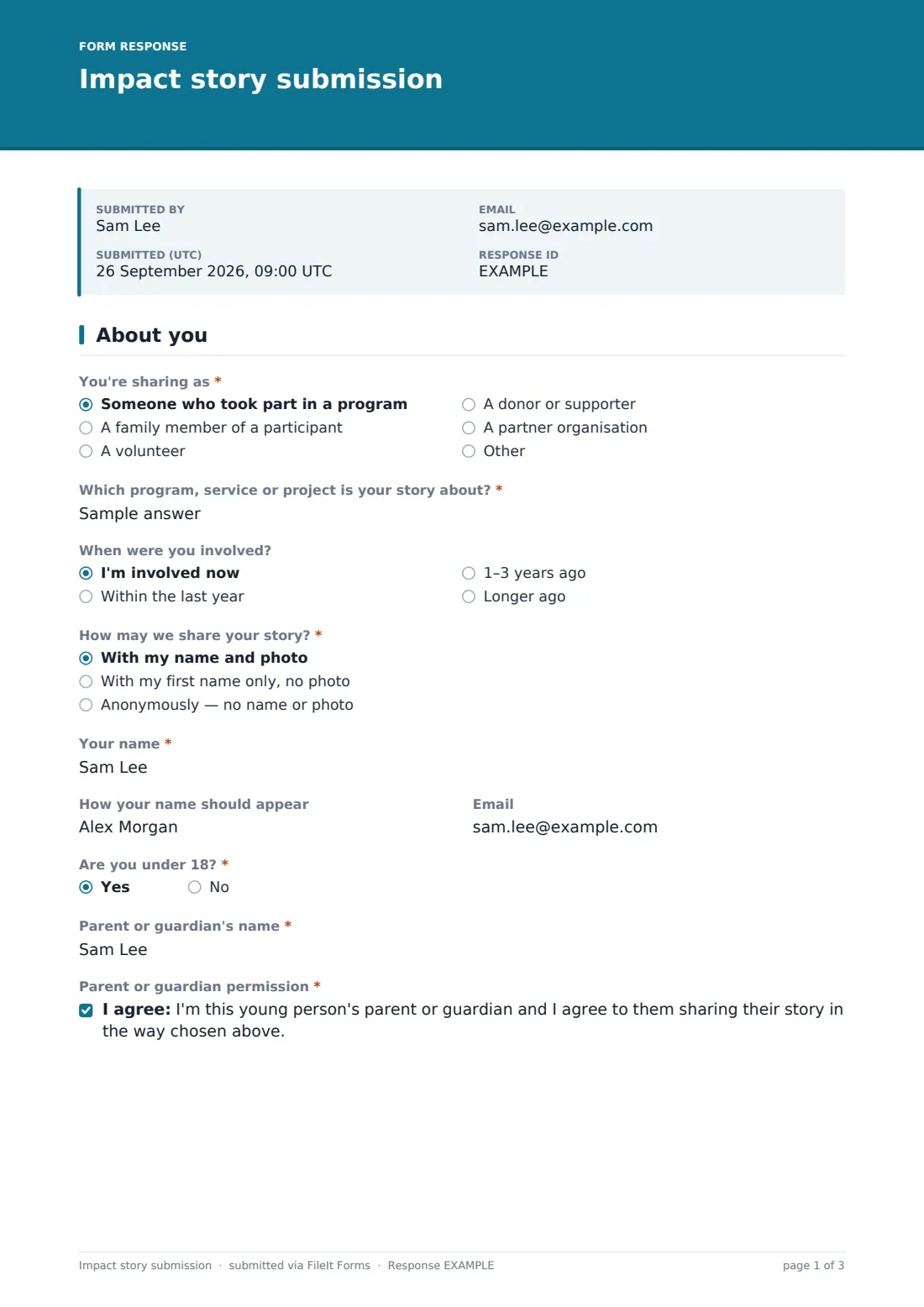
1 About you
- You're sharing as* Someone who took part in a program · A family member of a participant · A volunteer · A donor or supporter · A partner organisation
- Which program, service or project is your story about?*
- When were you involved? I'm involved now · Within the last year · 1–3 years ago · Longer ago
- How may we share your story?* With my name and photo · With my first name only, no photo · Anonymously — no name or photo
- Your name* asked only when it applies
- How your name should appear asked only when it applies
- Are you under 18?*
- Parent or guardian's name* asked only when it applies
- Parent or guardian permission* asked only when it applies
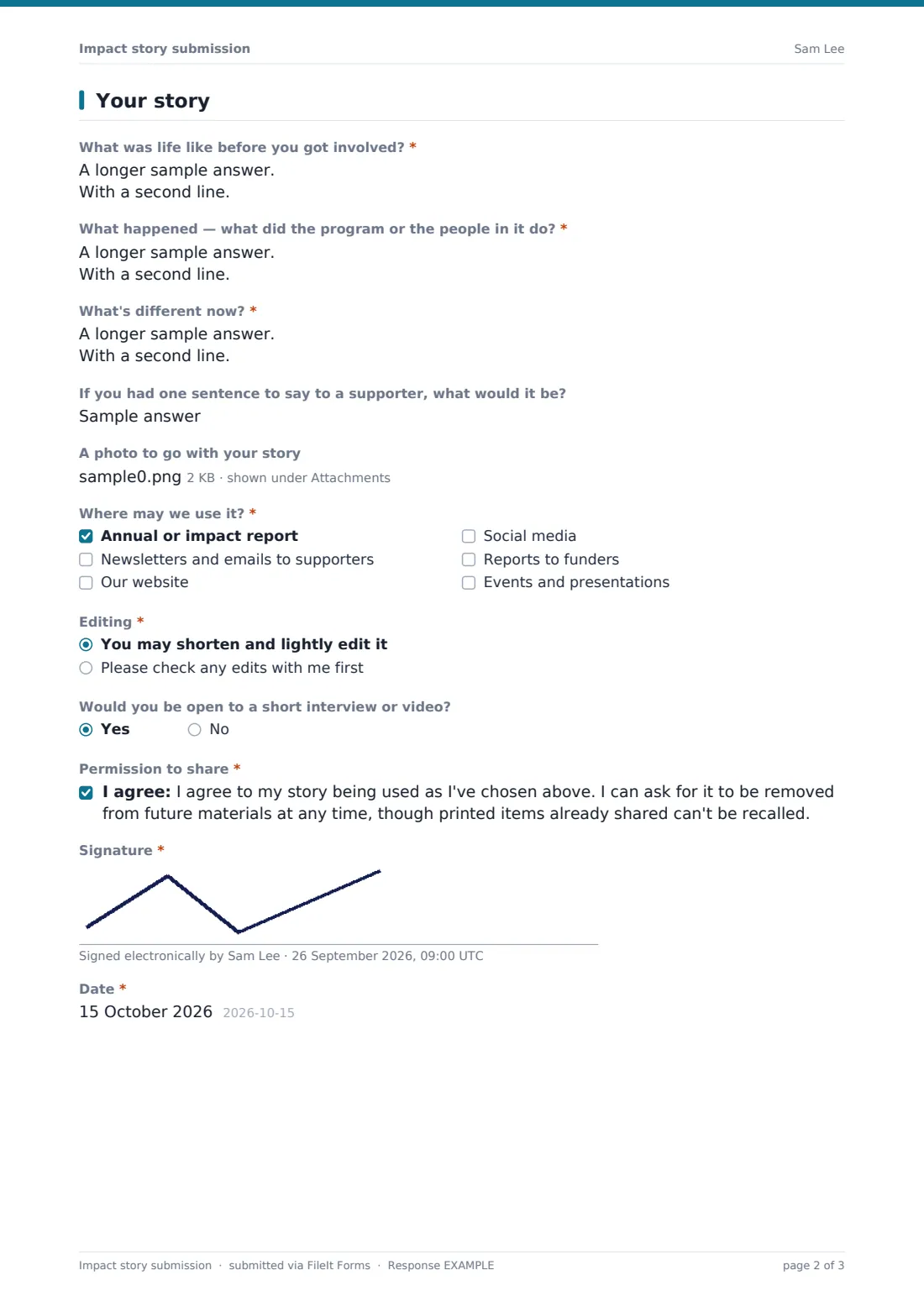
2 Your story
- What was life like before you got involved?*
- What happened — what did the program or the people in it do?*
- What's different now?*
- If you had one sentence to say to a supporter, what would it be?
- A photo to go with your story asked only when it applies
- Where may we use it?* Annual or impact report · Newsletters and emails to supporters · Our website · Social media · Reports to funders · Events and presentations
- Editing* You may shorten and lightly edit it · Please check any edits with me first
- Would you be open to a short interview or video? asked only when it applies
- Permission to share*
- Signature*
- Date*
The impact story submission form, page by page
1 About you
"You're sharing as" covers participants, family members, volunteers, donors and partner organisations. The person names the program and says when they were involved. "How may we share your story?" comes next: with name and photo, first name only, or anonymously. Choosing anonymous shows a reassuring note and skips "Your name". Choosing the full option also asks "How your name should appear", such as an initial and a town. An optional email is used only to check edits. "Are you under 18?" asks for a parent or guardian's name and their permission when the answer is yes.
2 Your story
Three prompts guide the story: "What was life like before you got involved?", "What happened — what did the program or the people in it do?" and "What's different now?". An optional one-sentence message to a supporter often becomes the pull quote. "A photo to go with your story" appears only for people who chose to share with their name and photo. "Where may we use it?" lists an annual or impact report, newsletters, the website, social media, reports to funders and events. "Editing" lets people allow light edits or ask to approve them, and named storytellers can offer an interview or video. The person agrees to "Permission to share" and signs.
Make the template yours
- Change the story prompts to fit a donor, volunteer or partner story
- Add a dropdown listing your programs instead of free text
- Edit the uses list to match where you actually publish
- Add a question for a video upload link
- Share the form privately with selected participants from the Share tab
- File stories in a communications folder your team can browse
Tips for a better impact story submission form
- Invite stories personally — a direct ask works far better than a general link
- Respect the sharing choice exactly, including in internal presentations
- Send people the edited version before it's published, even if they said you needn't
- Keep a note of where each story has been used, so you can act on a removal request
- Thank storytellers and show them the finished report
Every response becomes a PDF in your vault
Each story becomes a signed PDF in your FileIt vault with the photos attached, and the form owner is emailed. If the person gave an email, they receive a copy of their story and permissions.
Your communications team can search the Responses table by program, and export it to CSV to see at a glance which stories may be used on social media, in a funder report or only anonymously.
- Start from this template. It opens in the FileIt Forms designer — change any question, add pages, set the rules for when questions appear.
- Share it. Turn on a public link, or send it to people by email, each with their own link. They don’t need a FileIt account.
- Get the answers as PDFs. Each response is saved as a PDF in the vault folder you choose, with uploaded files attached — and listed in a Responses table you can export to CSV.
Impact story submission form: frequently asked questions
Is this impact story form template free?
Yes. It's one of the starter templates in FileIt's Forms app, included on every account, free plan too.
What changes when someone chooses to stay anonymous?
The name and photo questions are hidden, and a note explains that identifying details will be changed. The story and permissions are still recorded.
Does it handle stories from children?
Yes. Answering yes to "Are you under 18?" asks for a parent or guardian's name and their permission.
Can people upload more than one photo?
Yes, up to three images in JPG, PNG, HEIC or WebP format.
Is the permission statement a legal release?
It records the person's choices and signature in their own words. Adjust the wording to your organisation's policy and take advice if you need a formal release.
Can someone withdraw their story later?
The statement says they can ask for it to be removed from future materials. Your team handles that request.