What is the feature prioritisation survey form template?
Every product team has more ideas than time. Internal debates tend to favour whoever argues loudest, while the people who actually use the product rarely get asked. A short survey puts the same shortlist in front of your users and turns opinions into something you can count.
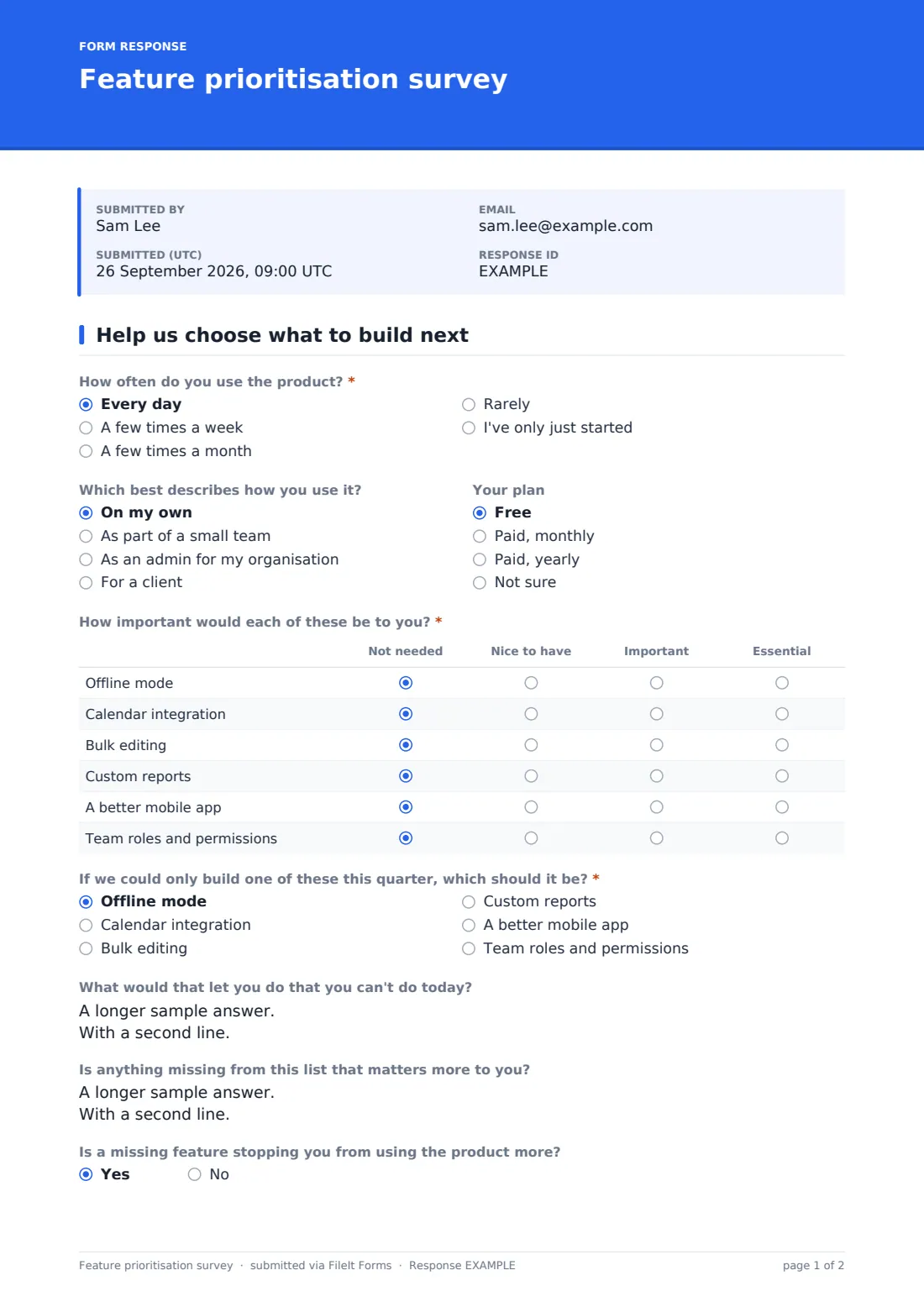
This template fits on a single page. Users say how often they use the product and how, rate six proposed features from "Not needed" to "Essential", choose the one they'd build first and explain why, and point out anything missing from the list. A final question lets them volunteer as beta testers or for a short call, and only then asks for their name and email.
Answers are anonymous unless someone volunteers. Each response is saved as a PDF in your FileIt vault, and the whole set sits in the Responses table so you can export it and tally the votes.
- Best for
- Product managers, founders, SaaS teams and app developers
- Filled in by
- Your users or customers
- Time to complete
- About 3 minutes
- Includes
- Importance grid for six features, top-pick vote, missing-feature box, opt-in beta tester sign-up
Who uses a feature prioritisation survey form?
- Choosing what goes into next quarter's roadmap
- Testing whether a much-requested feature matters to most users or only a vocal few
- Comparing what free and paid users care about
- Recruiting beta testers for an upcoming release
- Finding users willing to talk through their workflow on a call
- Collecting feature ideas you hadn't thought of
Questions on this feature prioritisation survey form
13 questions · includes conditional questions, ratings.
1 Help us choose what to build next
- How often do you use the product?* Every day · A few times a week · A few times a month · Rarely · I've only just started
- Which best describes how you use it? On my own · As part of a small team · As an admin for my organisation · For a client
- Your plan Free · Paid, monthly · Paid, yearly · Not sure
- How important would each of these be to you?* Not needed · Nice to have · Important · Essential
- If we could only build one of these this quarter, which should it be?* Offline mode · Calendar integration · Bulk editing · Custom reports · A better mobile app · Team roles and permissions
- What would that let you do that you can't do today?
- Is anything missing from this list that matters more to you?
- Is a missing feature stopping you from using the product more?
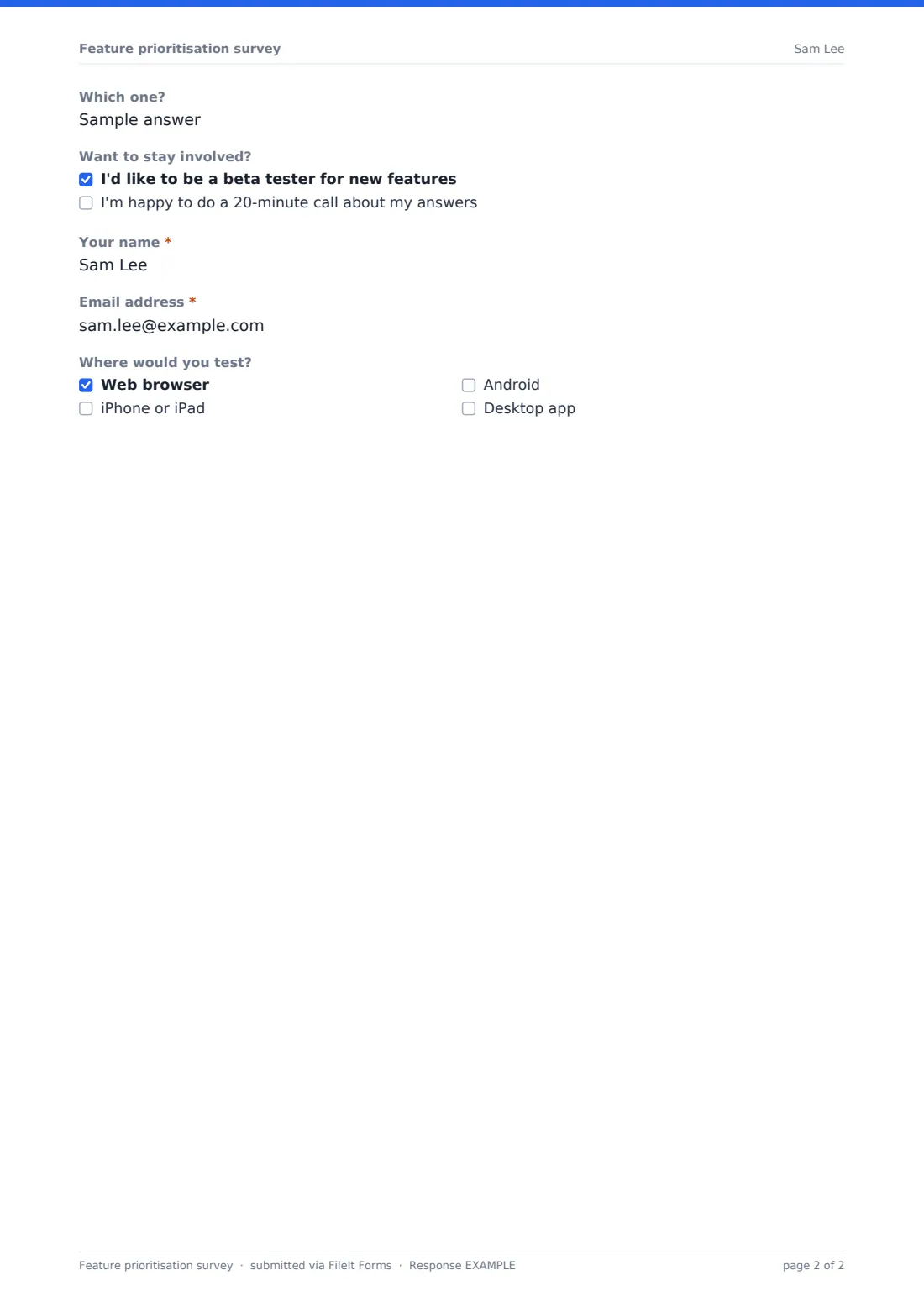
- Which one? asked only when it applies
- Want to stay involved? I'd like to be a beta tester for new features · I'm happy to do a 20-minute call about my answers
- Your name* asked only when it applies
- Email address* asked only when it applies
- Where would you test? asked only when it applies Web browser · iPhone or iPad · Android · Desktop app
The feature prioritisation survey form, page by page
1 Help us choose what to build next
The page starts with "How often do you use the product?", from every day to just started, then two optional dropdowns: how they use it (on their own, in a small team, as an admin or for a client) and which plan they're on. The required grid, "How important would each of these be to you?", lists six example features (offline mode, calendar integration, bulk editing, custom reports, a better mobile app, and team roles and permissions) with four columns from "Not needed" to "Essential". Next comes a forced choice: "If we could only build one of these this quarter, which should it be?", followed by "What would that let you do that you can't do today?" and "Is anything missing from this list that matters more to you?". A yes/no asks whether a missing feature is stopping them from using the product more, and a yes opens a short box asking which one. Finally, "Want to stay involved?" offers two tick boxes: beta testing and a 20-minute call. Ticking either one reveals required name and email fields, and beta testers also say where they'd test: web, iPhone or iPad, Android or desktop.
Make the template yours
- Replace the six example features with your real shortlist, in both the grid and the top-pick question
- Edit the plan options to match your pricing tiers
- Add a short paragraph describing each feature if the names alone could be misread
- Change the testing platforms to the ones you actually ship
- Turn on a respondent copy if you'd like volunteers to keep their answers
- Set a maximum number of responses if you only need a sample
Tips for a better feature prioritisation survey form
- Keep the shortlist short. Six features is plenty, and more makes the grid tiring
- Describe features by the problem they solve, not by internal project names
- Compare the top-pick votes with the grid. A feature many rate as important but few pick first is a nice-to-have
- Split results by plan and usage to see whether your best customers want something different
- Read the "missing" answers carefully. That's where new ideas show up
- Tell people which feature won and when they can expect it
Every response becomes a PDF in your vault
Each response is saved as a PDF titled with the date in the vault folder you choose, and you get an email for each one. You can turn notifications off if you expect many responses.
Export the Responses table to CSV to count the top-pick votes and average the grid, and filter it to the people who ticked beta testing to get your tester list.
- Start from this template. It opens in the FileIt Forms designer — change any question, add pages, set the rules for when questions appear.
- Share it. Turn on a public link, or send it to people by email, each with their own link. They don’t need a FileIt account.
- Get the answers as PDFs. Each response is saved as a PDF in the vault folder you choose, with uploaded files attached — and listed in a Responses table you can export to CSV.
Feature prioritisation survey form: frequently asked questions
Is this feature prioritisation survey template free?
Yes. It's a starter template in the FileIt Forms app, and every question can be changed.
Can I use my own feature list?
Yes. Edit the rows of the importance grid and the options of the top-pick question in the designer.
Are responses anonymous?
Yes, unless someone ticks beta testing or a call. Only then are they asked for a name and email.
Does FileIt rank the features for me?
No. Export the responses to CSV and count or average them in a spreadsheet.
Can I share it inside my app or by email?
Yes. Publish the form and share its public link anywhere you can paste a URL.
Do users need a FileIt account?
No. They open the link and answer.