What is the family chore chart form template?
Chore charts work best when the whole family agrees on them. Kids are more likely to feed the dog and empty the dishwasher when they helped choose the job, know which days it's theirs, and know what they get for it — whether that's points, pocket money, extra screen time or simply a thank-you.
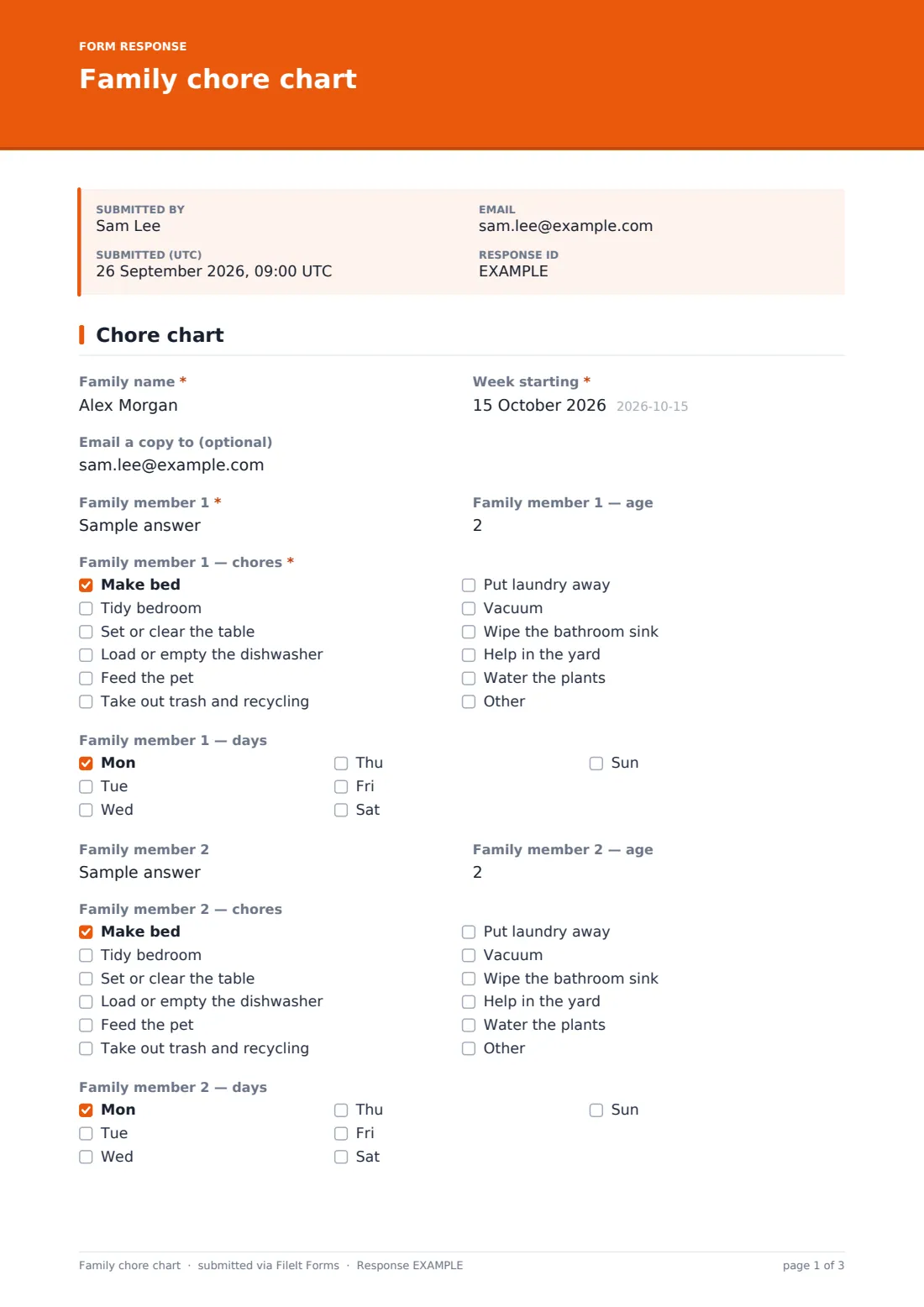
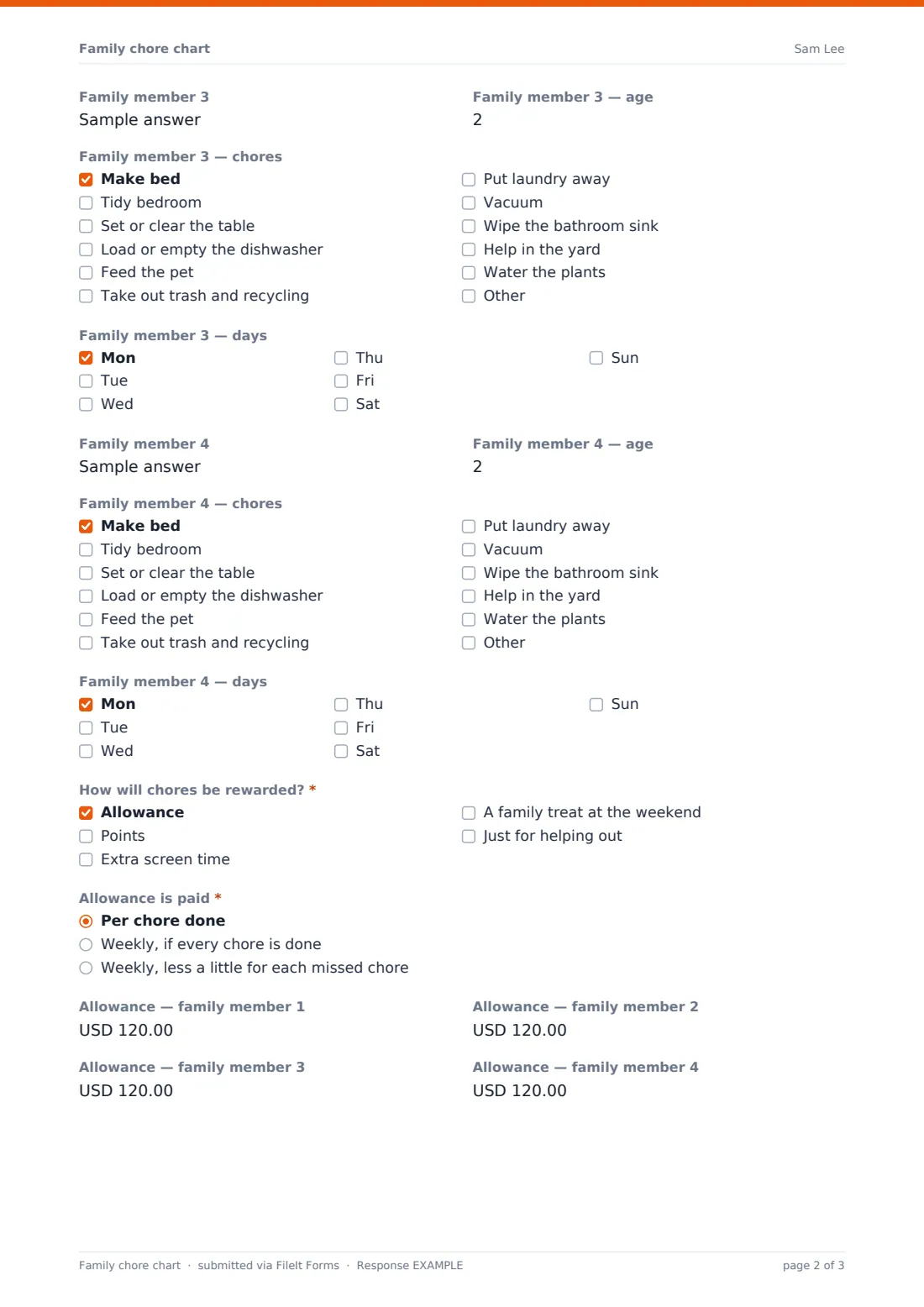
This template lays out a family's chores for one week on a single page. Each family member gets a block with their name, age, chores and days, and the next block appears once you've typed a name, so a family of three sees three blocks. Then you decide how chores are rewarded. Ticking Allowance asks how it's paid — per chore, all-or-nothing weekly, or weekly with a little off for missed chores — and the amount for each person. Ticking Points asks how many points each chore earns and what the goal is. A day-by-day grid lets you look back on how the week went.
Each week's chart is saved as a PDF in your FileIt vault, alongside the rest of your family's paperwork, and you get a copy by email to print.
- Best for
- Families with children from preschool to teenagers
- Filled in by
- Parents and children together
- Time to complete
- About 5 minutes a week
- Includes
- Up to four family members, chores and days, allowance or points, weekly review
Who uses a family chore chart form?
- A Sunday-evening family meeting to plan the week's chores
- Introducing pocket money tied to helping around the house
- Sharing jobs fairly between siblings of different ages
- Building routines over the summer holidays
- Co-parents keeping the same chores and rewards in two homes
- Looking back over a month of charts to see what's working
Questions on this family chore chart form
31 questions · includes conditional questions, consent checkbox, ratings.
1 Chore chart
- Family name*
- Week starting*
- Email a copy to (optional)
- Family member 1*
- Family member 1 — age
- Family member 1 — chores* Make bed · Tidy bedroom · Set or clear the table · Load or empty the dishwasher · Feed the pet · Take out trash and recycling · Put laundry away · Vacuum · Wipe the bathroom sink · Help in the yard · Water the plants
- Family member 1 — days Mon · Tue · Wed · Thu · Fri · Sat · Sun
- Family member 2 asked only when it applies
- Family member 2 — age asked only when it applies
- Family member 2 — chores asked only when it applies Make bed · Tidy bedroom · Set or clear the table · Load or empty the dishwasher · Feed the pet · Take out trash and recycling · Put laundry away · Vacuum · Wipe the bathroom sink · Help in the yard · Water the plants
- Family member 2 — days asked only when it applies Mon · Tue · Wed · Thu · Fri · Sat · Sun
- Family member 3 asked only when it applies
- Family member 3 — age asked only when it applies
- Family member 3 — chores asked only when it applies Make bed · Tidy bedroom · Set or clear the table · Load or empty the dishwasher · Feed the pet · Take out trash and recycling · Put laundry away · Vacuum · Wipe the bathroom sink · Help in the yard · Water the plants
- Family member 3 — days asked only when it applies Mon · Tue · Wed · Thu · Fri · Sat · Sun
- Family member 4 asked only when it applies
- Family member 4 — age asked only when it applies
- Family member 4 — chores asked only when it applies Make bed · Tidy bedroom · Set or clear the table · Load or empty the dishwasher · Feed the pet · Take out trash and recycling · Put laundry away · Vacuum · Wipe the bathroom sink · Help in the yard · Water the plants
- Family member 4 — days asked only when it applies Mon · Tue · Wed · Thu · Fri · Sat · Sun
- How will chores be rewarded?* Allowance · Points · Extra screen time · A family treat at the weekend · Just for helping out
- Allowance is paid* asked only when it applies Per chore done · Weekly, if every chore is done · Weekly, less a little for each missed chore
- Allowance — family member 1 asked only when it applies
- Allowance — family member 2 asked only when it applies
- Allowance — family member 3 asked only when it applies
- Allowance — family member 4 asked only when it applies
- Points per chore asked only when it applies
- Points goal and prize asked only when it applies
- How did the week go? All done · Most done · Some done · Day off
- Star helper this week
- Anything to change next week?
- Our deal
The family chore chart form, page by page
1 Chore chart
The chart starts with Family name, Week starting and an optional email for your copy. Family member 1 comes next with their age, a list of chores and the days they're on duty. Chores range from making the bed and tidying the bedroom to setting the table, the dishwasher, feeding the pet, trash and recycling, laundry, vacuuming, the bathroom sink, the yard and the plants, and you can write in your own. Family member 2, 3 and 4 appear as each name is filled in.
"How will chores be rewarded?" offers allowance, points, extra screen time, a family treat at the weekend, or just for helping out. Choosing Allowance opens "Allowance is paid" and an amount for each family member. Choosing Points opens Points per chore and "Points goal and prize".
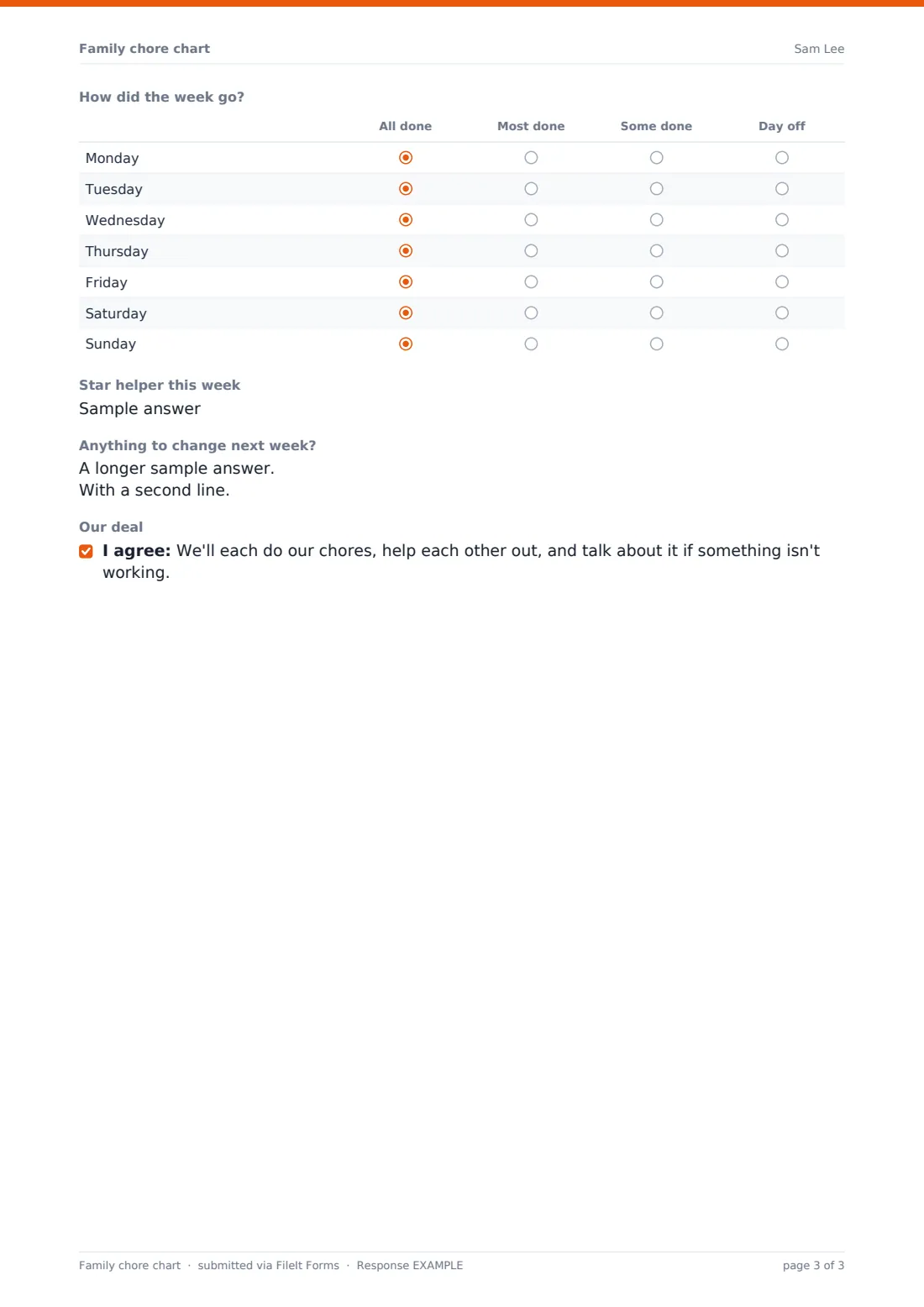
The "How did the week go?" grid rates each day from all done to day off. Star helper this week, "Anything to change next week?" and an optional family deal finish the page.
Make the template yours
- Replace the chore list with the jobs your household actually has
- Add more family members if you have a bigger household
- Change the currency on allowance amounts
- Turn off the email copy if you'd rather just keep charts in the vault
- Rename the rewards to the treats that motivate your kids
- File each week into a "Chores" folder so a term's worth sits together
Tips for a better family chore chart form
- Let children pick at least one of their own chores
- Match chores to age — a four-year-old can feed the cat, a teenager can do laundry
- Keep the rewards small and steady rather than big and rare
- Fill in the week's review together, not as a telling-off
- Rotate the jobs nobody likes so they're shared fairly
- Print the PDF and put it where everyone can see it
Every response becomes a PDF in your vault
Each week's chart is saved as a PDF in your FileIt vault, and if you filled in "Email a copy to (optional)" the PDF arrives in your inbox ready to print. Nobody else sees it unless you share it.
Over time the Responses table becomes a record of who did what, and a CSV export lets you look at allowance paid or points earned across a whole term.
- Start from this template. It opens in the FileIt Forms designer — change any question, add pages, set the rules for when questions appear.
- Share it. Turn on a public link, or send it to people by email, each with their own link. They don’t need a FileIt account.
- Get the answers as PDFs. Each response is saved as a PDF in the vault folder you choose, with uploaded files attached — and listed in a Responses table you can export to CSV.
Family chore chart form: frequently asked questions
Is this chore chart template free?
Yes. It's included in the Forms app on every FileIt account, including the free plan.
Can I use it with points instead of money?
Yes. Tick Points and the form asks how many points each chore earns and what the goal is. You can tick both if you mix them.
How many people can go on one chart?
Four, each appearing as the one before has a name. You can add more in the designer.
Does it work out allowance for us?
No. You enter each person's amount. The form keeps a record of what was agreed each week.
Can I print it?
Yes. Every chart becomes a PDF you can print from your vault or your email.
Can our children fill it in with us?
Yes. It works on a phone or tablet, so the whole family can sit around one screen.