
What is the reading log form template?
Paper reading records go missing in book bags, get filled in on Monday morning for the whole week, and are hard for teachers to look across. This online reading log keeps the same simple routine — how much did you read, what did you read, what did you think — in a form a child can fill in with a parent in a couple of minutes at the end of the week.
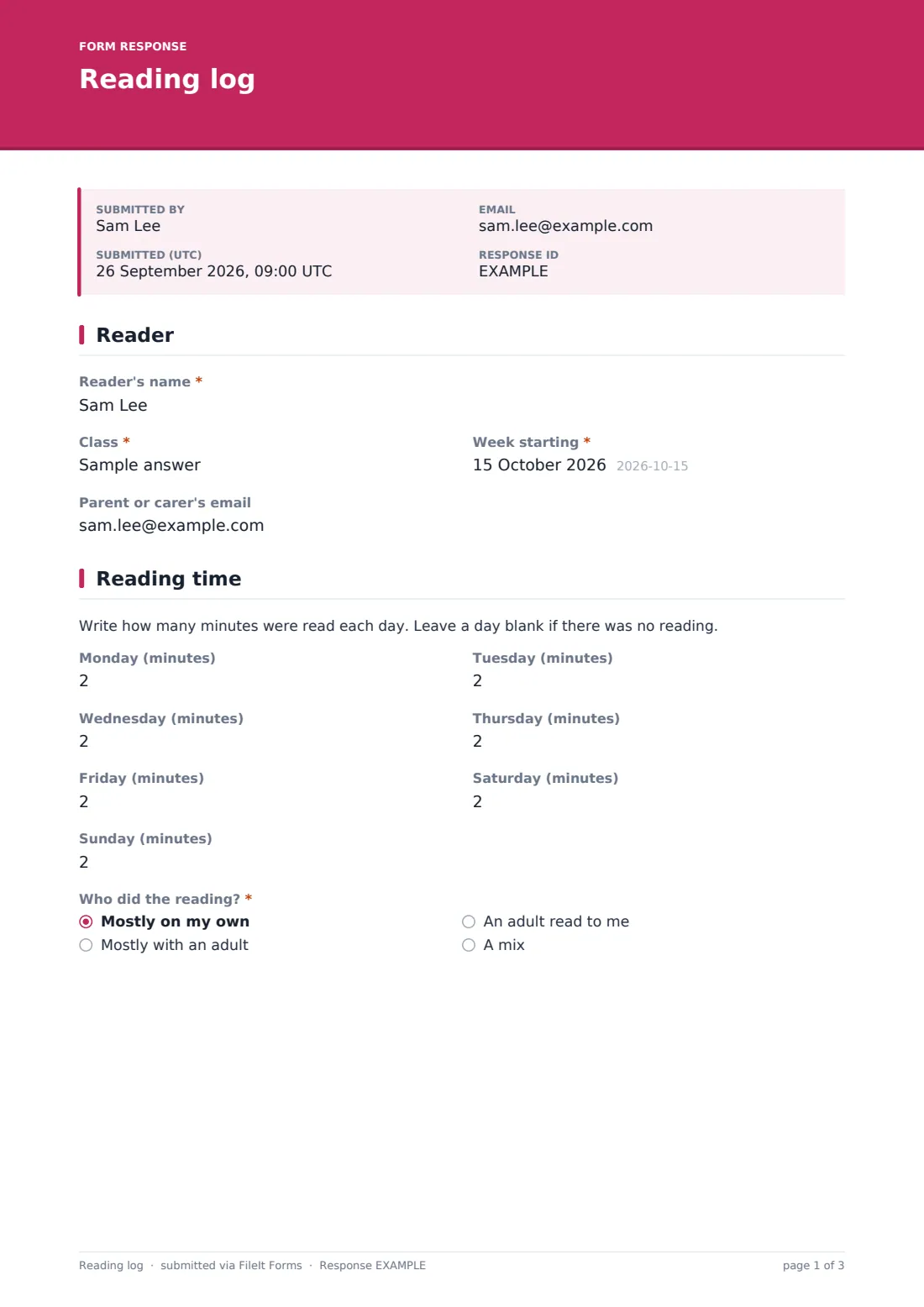
The reading-time page has a box for minutes on each day from Monday to Sunday, which can be left blank on days without reading, and asks who did the reading: mostly on their own, mostly with an adult, an adult reading to them, or a mix. The books page records the title, author, what kind of book it is, whether they finished it and a star rating, with a second book and any other reading shown only if the child read more than one.
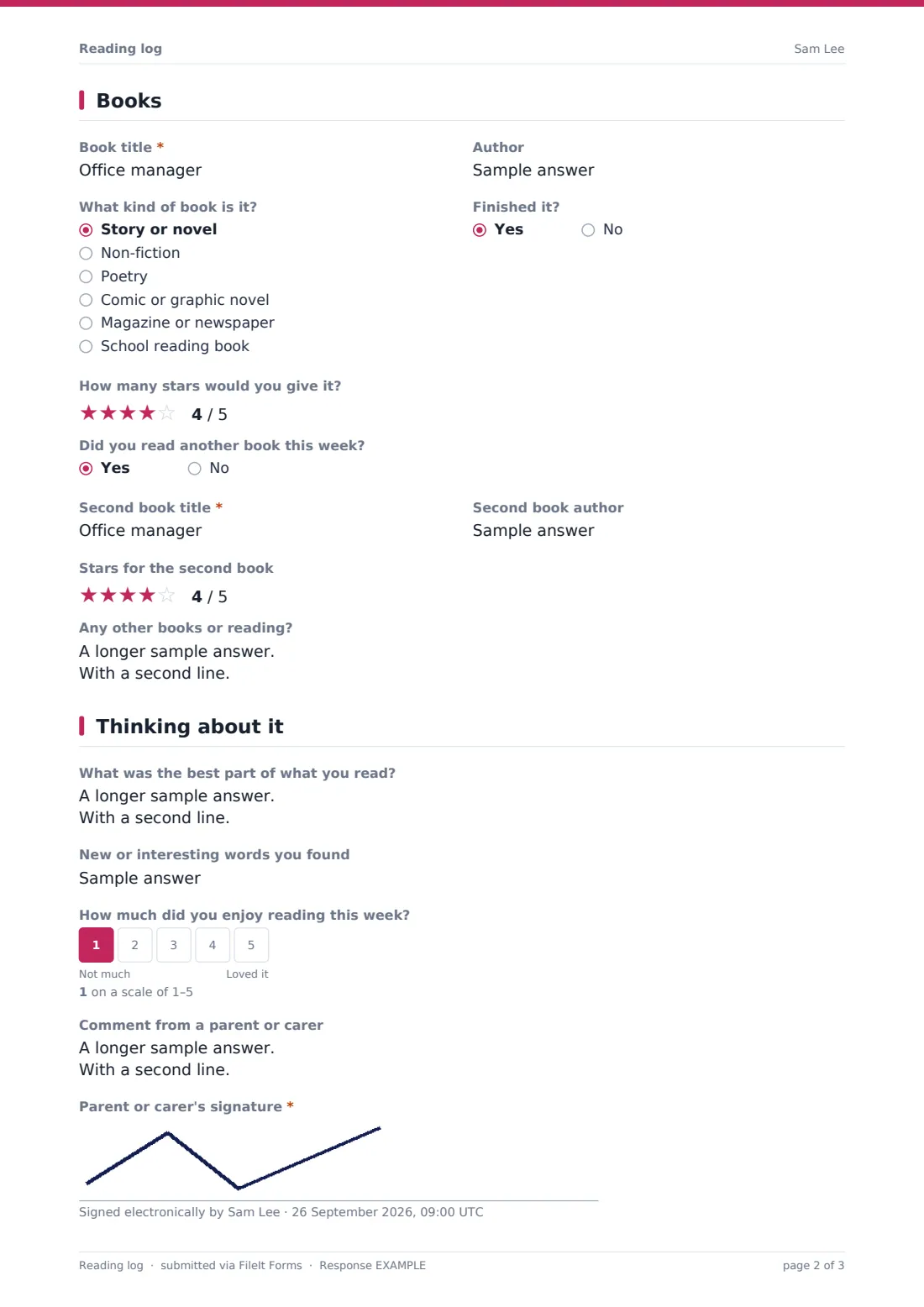
The last page asks for the best part of what they read, new or interesting words they found, a 1–5 scale for how much they enjoyed reading, and a comment and signature from a parent or carer. Each week's log is saved as a PDF in your FileIt vault, and teachers see the whole class in the Responses table.
- Best for
- Primary schools, libraries, reading challenges and families
- Filled in by
- A child with a parent or carer
- Time to complete
- About 3 minutes a week
- Includes
- Daily minutes, up to two books with star ratings, reflection, enjoyment scale, parent signature
Who uses a reading log form?
- A primary class replaces paper reading records with a weekly link
- A public library runs a summer reading challenge
- A homeschooling parent keeps a record of reading across the year
- A literacy volunteer tracks a child's reading between sessions
- A school checks which pupils are reading at home before parents' evening
Questions on this reading log form
27 questions over 4 pages · includes signature, conditional questions, multiple pages, ratings.
1 Reader
- Reader's name*
- Class*
- Week starting*
- Parent or carer's email
2 Reading time
- Monday (minutes)
- Tuesday (minutes)
- Wednesday (minutes)
- Thursday (minutes)
- Friday (minutes)
- Saturday (minutes)
- Sunday (minutes)
- Who did the reading?* Mostly on my own · Mostly with an adult · An adult read to me · A mix
3 Books
- Book title*
- Author
- What kind of book is it? Story or novel · Non-fiction · Poetry · Comic or graphic novel · Magazine or newspaper · School reading book
- Finished it?
- How many stars would you give it?
- Did you read another book this week?
- Second book title* asked only when it applies
- Second book author asked only when it applies
- Stars for the second book asked only when it applies
- Any other books or reading? asked only when it applies
4 Thinking about it
- What was the best part of what you read?
- New or interesting words you found
- How much did you enjoy reading this week?
- Comment from a parent or carer
- Parent or carer's signature*
The reading log form, page by page
1 Reader
The reader's name, class and "Week starting" date (all required), and an optional parent or carer's email for a copy of the log.
2 Reading time
A short note, then a minutes box for each day, Monday to Sunday — blank days are fine. "Who did the reading?" is required: mostly on my own, mostly with an adult, an adult read to me, or a mix.
3 Books
A required book title, then optional author, "What kind of book is it?", "Finished it?" and "How many stars would you give it?". "Did you read another book this week?" — a yes shows the second book's title, author and stars, and a box for any other books or reading.
4 Thinking about it
Optional questions for the child — "What was the best part of what you read?", new or interesting words, and a 1–5 scale from "Not much" to "Loved it" — followed by an optional comment from a parent or carer and their signature.
Make the template yours
- Change the days to school nights only if weekends don't count
- Swap minutes for pages if that's how your school measures reading
- Add a question for the child's reading level or book band
- Simplify the reflection questions for younger readers
- File logs in a folder per class or per term
Tips for a better reading log form
- Send the link at the same time every week so it becomes a habit
- Use the Responses table to spot children who haven't logged any reading for a while
- Export to CSV to add up minutes for a class or library reading challenge
- Celebrate the new words children find in class
- Share the book ratings to build a class list of favourite books
Every response becomes a PDF in your vault
Each week's log becomes a signed PDF in the vault folder you choose, titled with the child's name and the date. The account owner is emailed, and if a parent's email was given, they receive a copy too.
Teachers can search the Responses table by name or class, open any week's log and export everything to CSV. Families keeping their own record can collect a year of reading in one vault folder.
- Start from this template. It opens in the FileIt Forms designer — change any question, add pages, set the rules for when questions appear.
- Share it. Turn on a public link, or send it to people by email, each with their own link. They don’t need a FileIt account.
- Get the answers as PDFs. Each response is saved as a PDF in the vault folder you choose, with uploaded files attached — and listed in a Responses table you can export to CSV.
Reading log form: frequently asked questions
Is this reading log template free?
Yes. It's one of the starter templates in the Forms app on every FileIt account, and every question can be edited.
Can a child fill it in on a tablet?
Yes. The form works on phones and tablets, and the parent can sign with a finger on the signature pad.
Does it add up the minutes for the week?
No. The form records each day's minutes. Export the responses to CSV to add them up for a week, a term or a reading challenge.
Can we log more than two books?
Yes. After a second book, the form shows a box for any other books or reading.
Is it one form per week?
Yes. Children submit a new log each week from the same link, and each one is saved as its own PDF.
Do families need a FileIt account?
No. They fill in the log from a link the school or library shares.