What is the export control screening form template?
Export controls and sanctions apply to far more than defence companies. Electronics, software, chemicals, lab equipment and machinery can all be controlled for some destinations or end uses, and dealing with a listed party can be a problem whatever the product. The question compliance teams get asked later is simple: what did you check, and when?
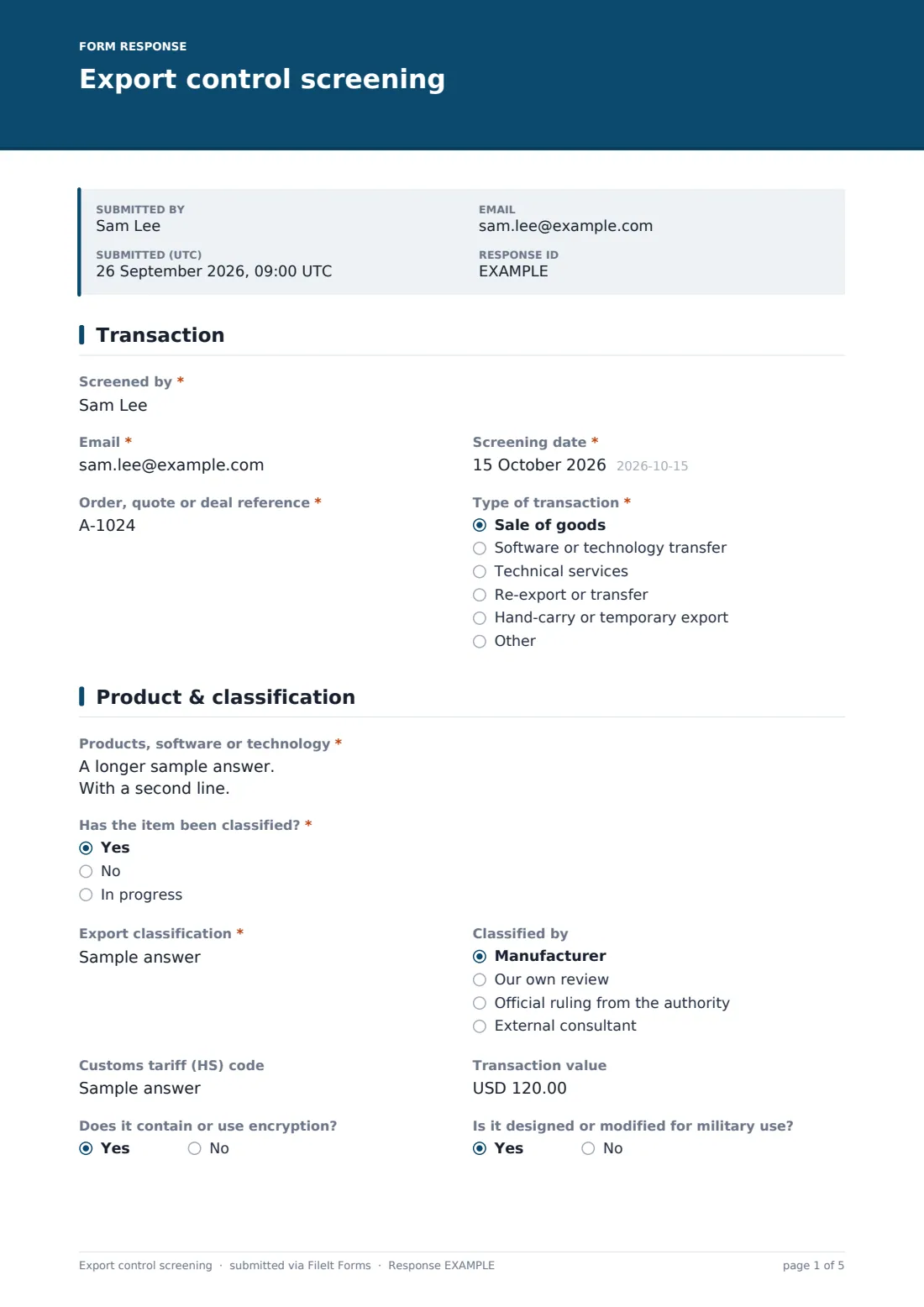
This five-page screening form gives the answer. The screener logs the deal reference and type of transaction, then describes the product, whether and how it has been classified, its HS code and value, and whether it involves encryption or is military. The destination page covers country, transit points, the customer, the end user and their address, the stated end use and any end-user statement.
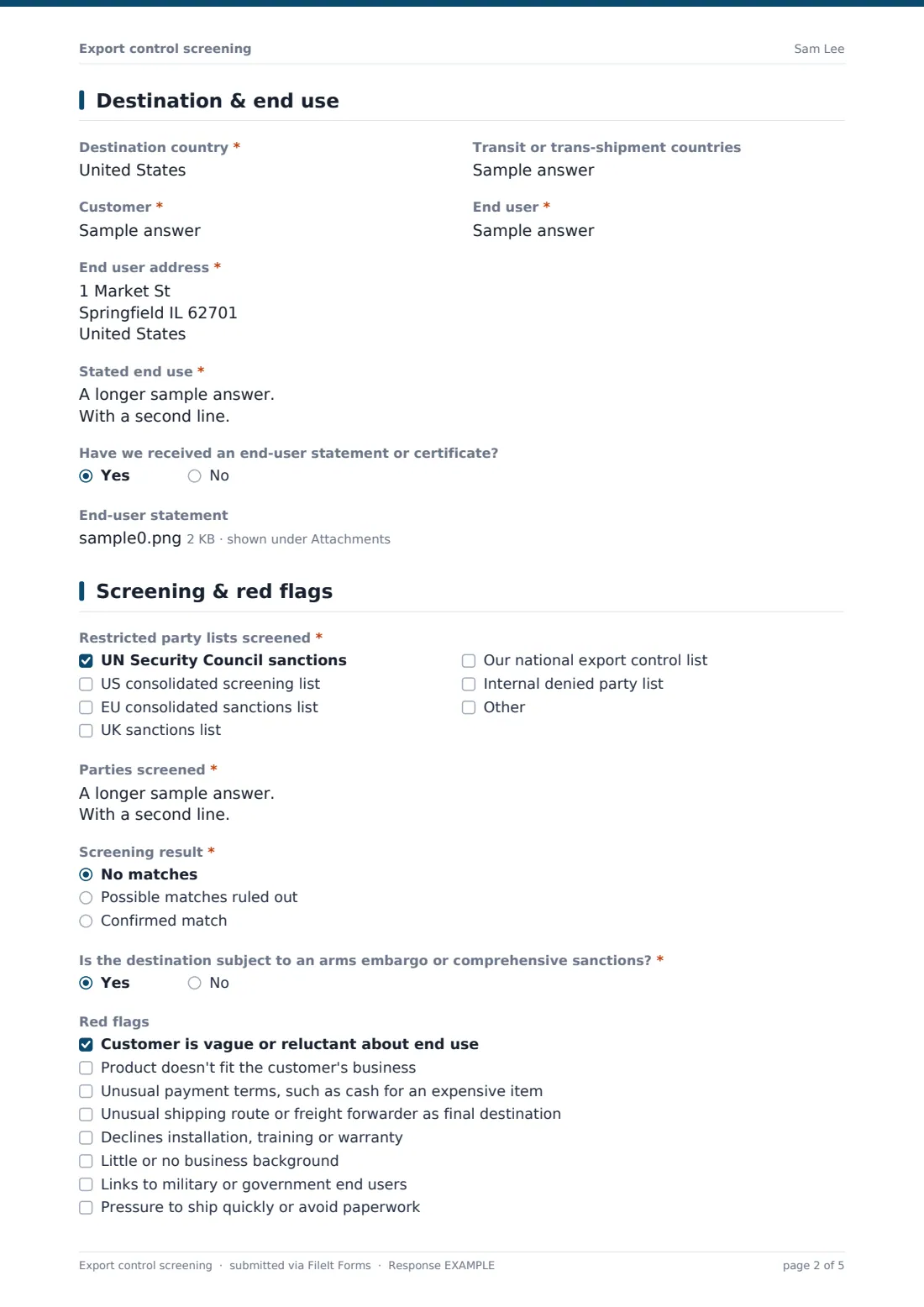
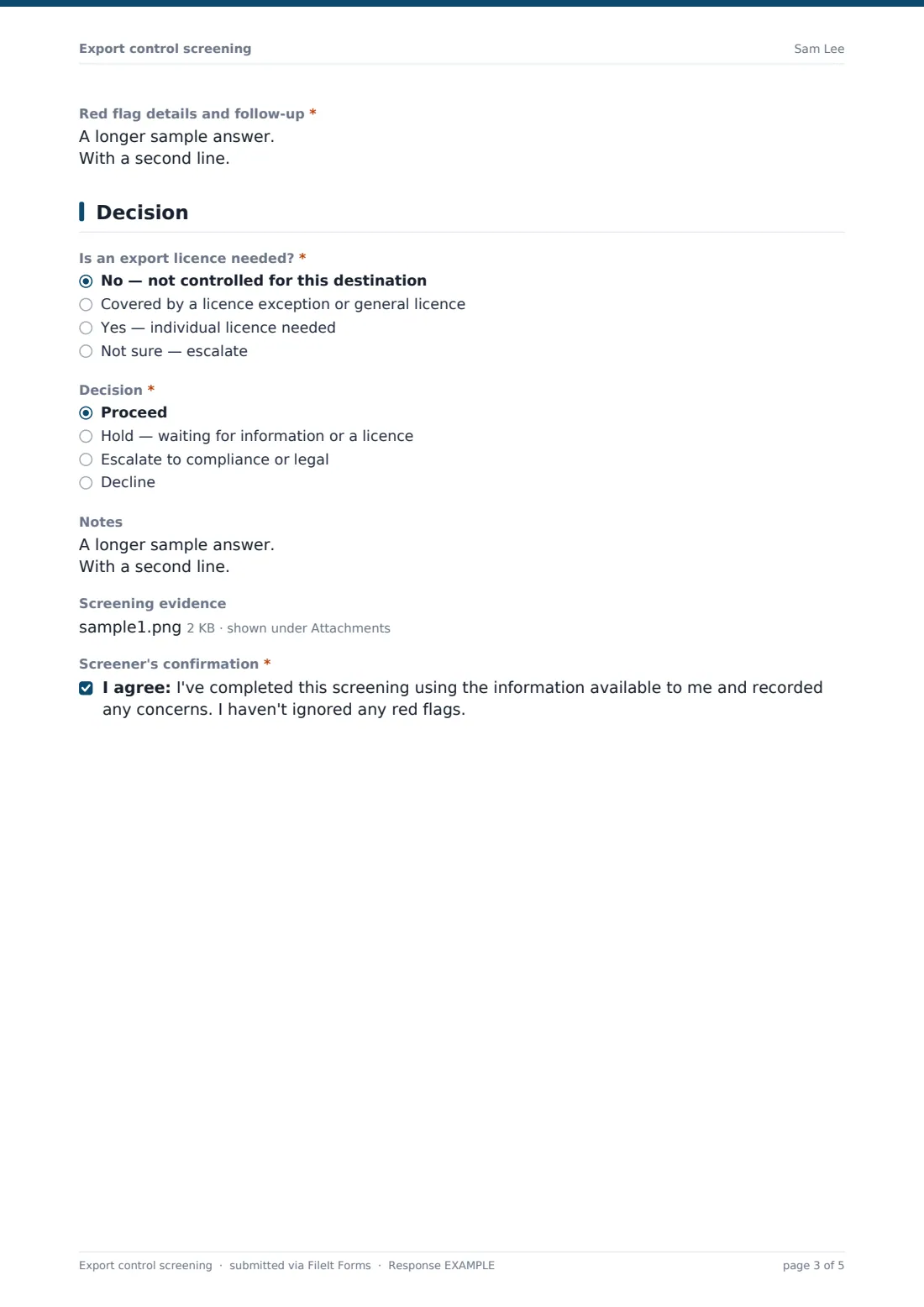
The screening page records which restricted party lists were checked, every party screened, the result and how any matches were resolved, embargo status and red flags. The final page records whether a licence is needed, the decision and the reviewer. Each screening is saved as a PDF in your FileIt vault.
- Best for
- Exporters, distributors, manufacturers and software companies selling abroad
- Filled in by
- Sales operations, logistics or trade compliance staff
- Time to complete
- About 10-15 minutes per transaction
- Includes
- Classification, end user and end use, list screening, eight red flags, licence decision
Who uses a export control screening form?
- Screening a first order from a new overseas distributor
- Checking a software licence sale to a customer in a sanctioned region
- Recording a hand-carry of demo equipment to a trade show abroad
- Reviewing a re-export request from an existing customer
- Documenting why an order was put on hold pending a licence
- Building an audit trail for a voluntary compliance programme
Questions on this export control screening form
35 questions over 5 pages · includes file upload, conditional questions, multiple pages, consent checkbox.
1 Transaction
- Screened by*
- Email*
- Screening date*
- Order, quote or deal reference*
- Type of transaction* Sale of goods · Software or technology transfer · Technical services · Re-export or transfer · Hand-carry or temporary export · Other
2 Product & classification
- Products, software or technology*
- Has the item been classified?* Yes · No · In progress
- Export classification* asked only when it applies
- Classified by asked only when it applies Manufacturer · Our own review · Official ruling from the authority · External consultant
- Customs tariff (HS) code
- Transaction value
- Does it contain or use encryption?
- Is it designed or modified for military use?
3 Destination & end use
- Destination country*
- Transit or trans-shipment countries
- Customer*
- End user*
- End user address*
- Stated end use*
- Have we received an end-user statement or certificate?
- End-user statement asked only when it applies
4 Screening & red flags
- Restricted party lists screened* UN Security Council sanctions · US consolidated screening list · EU consolidated sanctions list · UK sanctions list · Our national export control list · Internal denied party list
- Parties screened*
- Screening result* No matches · Possible matches ruled out · Confirmed match
- Matches and how they were resolved* asked only when it applies
- Is the destination subject to an arms embargo or comprehensive sanctions?*
- Red flags Customer is vague or reluctant about end use · Product doesn't fit the customer's business · Unusual payment terms, such as cash for an expensive item · Unusual shipping route or freight forwarder as final destination · Declines installation, training or warranty · Little or no business background · Links to military or government end users · Pressure to ship quickly or avoid paperwork
- Red flag details and follow-up* asked only when it applies
5 Decision
- Is an export licence needed?* No — not controlled for this destination · Covered by a licence exception or general licence · Yes — individual licence needed · Not sure — escalate
- Licence, application or exception reference asked only when it applies
- Decision* Proceed · Hold — waiting for information or a licence · Escalate to compliance or legal · Decline
- Compliance reviewer* asked only when it applies
- Notes
- Screening evidence
- Screener's confirmation*
The export control screening form, page by page
1 Transaction
The screener records Screened by, Email, Screening date, the order, quote or deal reference and the Type of transaction: sale of goods, software or technology transfer, technical services, re-export, hand-carry or temporary export, or other.
2 Product & classification
Products, software or technology is required. Has the item been classified? asks for the export classification and who classified it when the answer is yes. Customs tariff code, transaction value, encryption and military-use questions follow.
3 Destination & end use
Destination country, transit countries, Customer, End user, the end user's address and Stated end use are captured. If an end-user statement has been received, it can be uploaded.
4 Screening & red flags
Restricted party lists screened offers UN, US, EU, UK, national and internal lists plus Other. Parties screened lists everyone involved, and Screening result is no matches, possible matches ruled out, or a confirmed match, with details required for anything but a clear result. An embargo question and eight red flags follow; ticking any red flag asks for details and follow-up.
5 Decision
Is an export licence needed? offers not controlled, licence exception or general licence, individual licence needed, or not sure. Exceptions and licences ask for a licence, application or exception reference. Decision is proceed, hold, escalate or decline; anything but proceed names a compliance reviewer. Notes, screening evidence and the screener's confirmation finish the record.
Make the template yours
- Replace the lists with the ones your compliance programme requires
- Rename the classification help to match your country's control lists
- Add a question for deemed exports, such as sharing technology with foreign nationals
- Turn the destination into a dropdown that flags high-risk countries for review
- Notify your compliance inbox when the decision is hold, escalate or decline
- Add your screening tool's name and attach its output on every record
Tips for a better export control screening form
- Screen every party, including freight forwarders, agents and banks, not just the customer
- Re-screen before shipping if time has passed since the order
- Don't ignore red flags — resolve them and record how
- Classification is easier to get right once and reuse; keep a product classification list
- Get specialist advice on anything you're unsure about before shipping
Every response becomes a PDF in your vault
Each screening is saved as a PDF in the vault folder you choose, with screening tool output and end-user statements attached. You can be emailed every time one is saved.
The Responses table lets you filter by decision to see what's on hold or escalated, and the CSV export gives an audit log of screenings.
- Start from this template. It opens in the FileIt Forms designer — change any question, add pages, set the rules for when questions appear.
- Share it. Turn on a public link, or send it to people by email, each with their own link. They don’t need a FileIt account.
- Get the answers as PDFs. Each response is saved as a PDF in the vault folder you choose, with uploaded files attached — and listed in a Responses table you can export to CSV.
Export control screening form: frequently asked questions
Is this export control screening template free?
Yes. It's a starter template in the FileIt Forms app on every account.
Does FileIt check names against sanctions lists?
No. The form records the screening you did with your own tool or the official lists. FileIt doesn't run list checks.
Does completing the form mean we're compliant?
No. It documents your process. Export control obligations depend on the product, destination and laws that apply; take specialist advice where needed.
Which countries' rules does it cover?
The questions are general and mention common lists, such as UN, US, EU and UK. Change them to match your programme.
Can sales teams use it?
Yes. Many companies have sales or logistics complete the first pages and compliance review anything held or escalated.
How long should we keep these records?
Retention periods for export records are set by law in many countries. Check what applies to you and keep the PDFs accordingly.