What is the employment verification request form template?
HR teams get a steady stream of verification requests: a mortgage lender wants dates and salary, a letting agent wants to know someone still works there, a benefits office needs hours. They come by phone, email and fax, often without the employee's permission, and each one needs checking before anything is released.
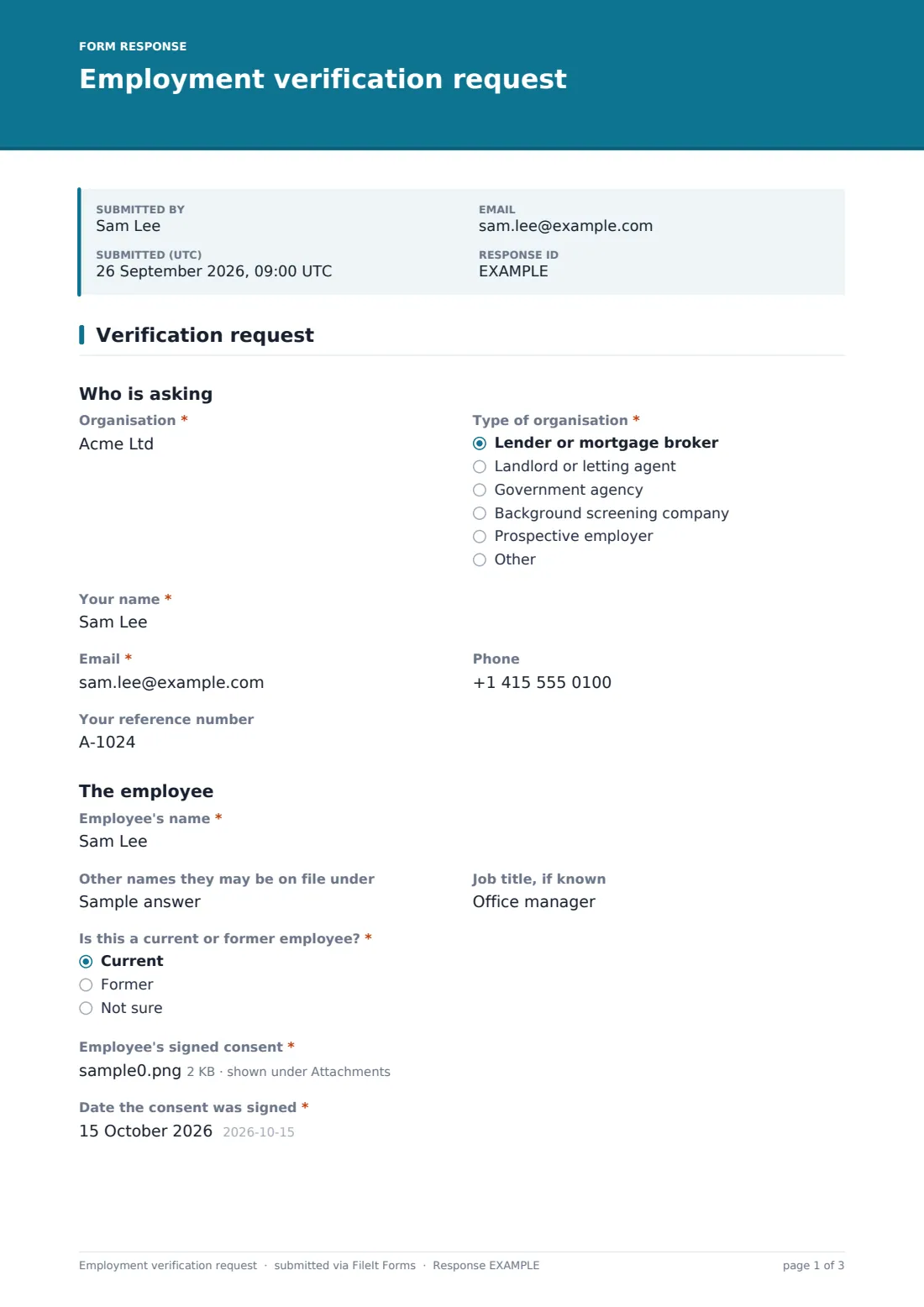
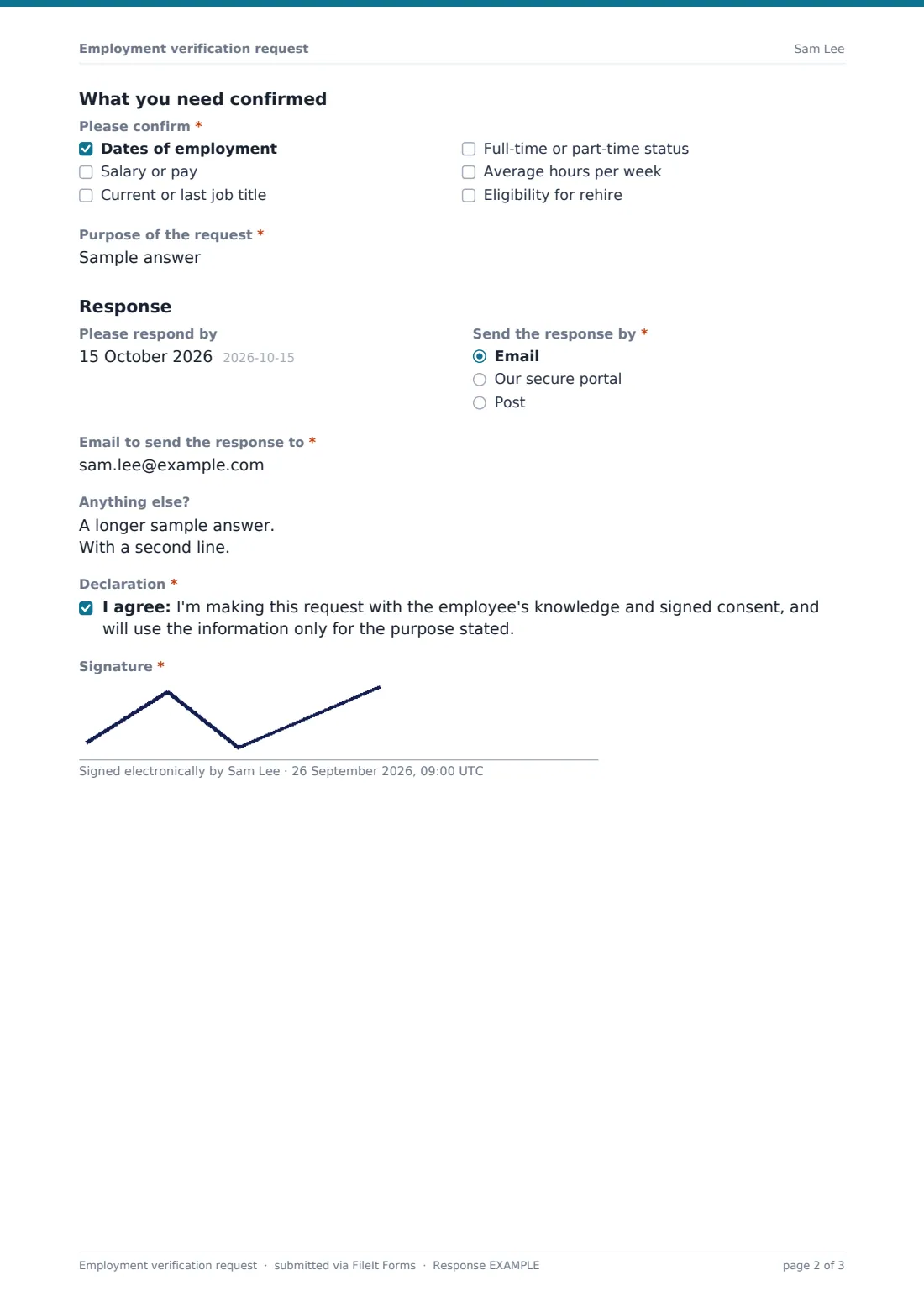
This one-page template puts every request through the same front door. The requester names their organisation and its type, gives their contact details and reference, and identifies the employee. The employee's signed consent is a required upload, with the date it was signed. Please confirm lists what can be asked for: dates of employment, salary or pay, job title, full-time or part-time status, average hours and eligibility for rehire. Ticking Salary or pay reveals Pay detail needed, so HR knows whether to give base pay only, base plus variable pay, or a three-year history.
The requester says how the response should come back and signs a short declaration. Each request is filed as a PDF in your FileIt vault, consent attached, so HR answers from a complete record.
- Best for
- HR and payroll teams that answer verification requests
- Filled in by
- The lender, landlord, agency or screening company asking
- Time to complete
- About 3-4 minutes
- Includes
- Required consent upload, item checklist, pay-detail scope, return method and signature
Who uses a employment verification request form?
- A mortgage lender confirming an employee's salary before an offer
- A letting agent checking a tenant applicant's employment
- A government agency confirming hours worked for a benefit claim
- A background screening firm verifying a former employee's dates for a new employer
- An HR team linking the form from its website instead of taking calls
- A small business that wants every verification to come with written consent
Questions on this employment verification request form
23 questions · includes signature, file upload, conditional questions, consent checkbox.
1 Verification request
- Organisation*
- Type of organisation* Lender or mortgage broker · Landlord or letting agent · Government agency · Background screening company · Prospective employer · Other
- Your name*
- Email*
- Phone
- Your reference number
- Employee's name*
- Other names they may be on file under
- Job title, if known
- Is this a current or former employee?* Current · Former · Not sure
- Employee's signed consent*
- Date the consent was signed*
- Please confirm* Dates of employment · Salary or pay · Current or last job title · Full-time or part-time status · Average hours per week · Eligibility for rehire
- Pay detail needed* asked only when it applies Current base pay only · Base pay plus overtime, bonus and commission · Year to date and the two previous years
- Purpose of the request*
- Please respond by
- Send the response by* Email · Our secure portal · Post
- Email to send the response to* asked only when it applies
- Portal instructions or link* asked only when it applies
- Postal address* asked only when it applies
- Anything else?
- Declaration*
- Signature*
The employment verification request form, page by page
1 Verification request
Under Who is asking, the requester gives their Organisation, the Type of organisation (lender, landlord, government agency, screening company, prospective employer or other), Your name, email, phone and Your reference number.
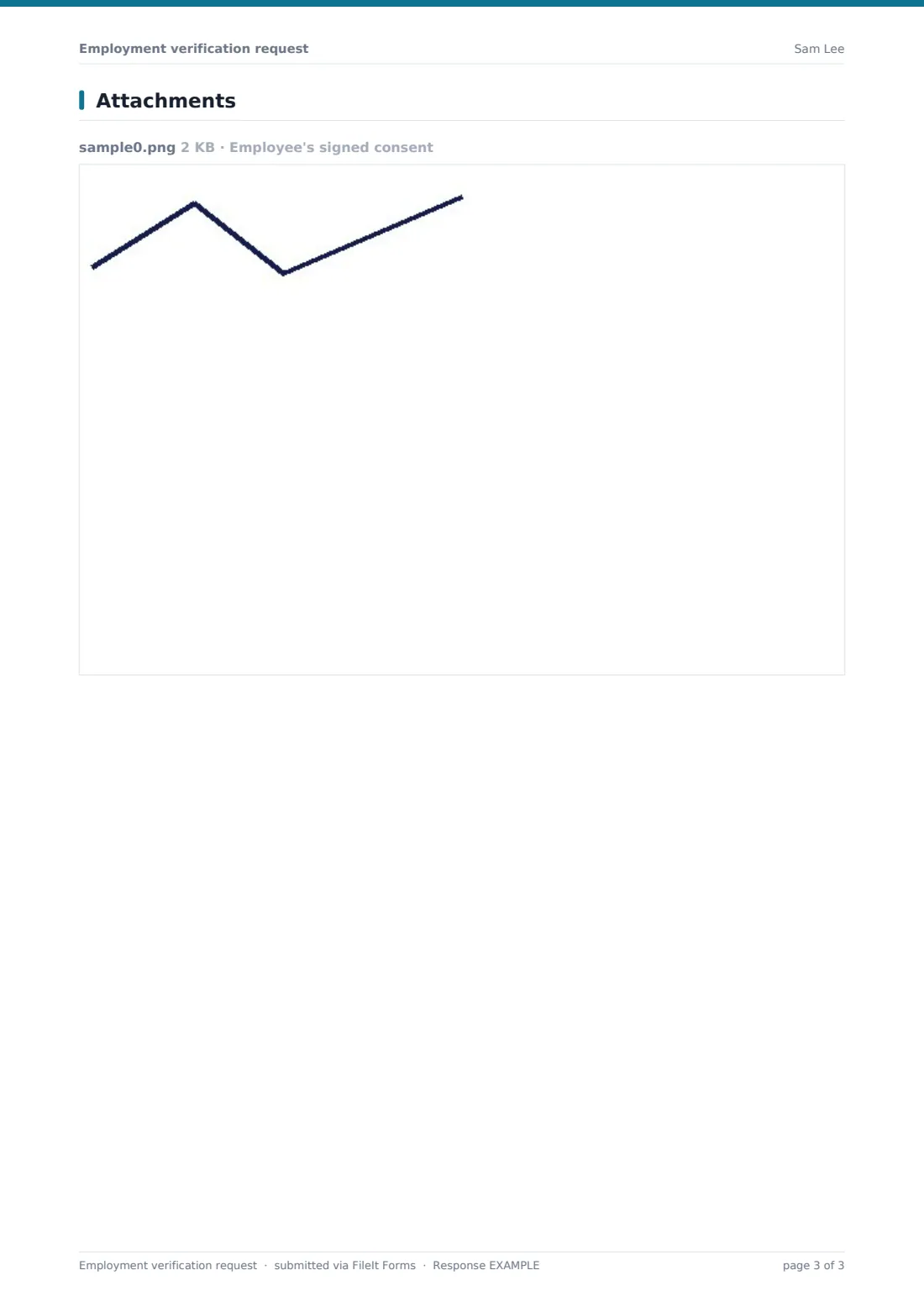
Under The employee, they enter the Employee's name, any other names the person may be on file under, the job title if known, and whether it's a current or former employee. Employee's signed consent is a required upload, with the Date the consent was signed.
Under What you need confirmed, Please confirm offers six items. Ticking Salary or pay reveals Pay detail needed, with three levels of detail. Purpose of the request is required.
Under Response, the requester can give a Please respond by date and choose Send the response by email, a secure portal or post, each revealing the address or instructions needed. After an optional notes box, they agree that the request is made with the employee's consent and for the stated purpose only, then sign.
Make the template yours
- Add your HR team's response time to the cover text
- Remove Eligibility for rehire if you never confirm it
- Limit Pay detail needed to the levels your policy allows
- Turn off post as a return method if you only reply electronically
- Add a fee notice if you charge for verifications
- File requests in an HR-only vault folder
Tips for a better employment verification request form
- Check the consent is signed by the employee and covers the information requested before replying
- Confirm only what's asked, and only what your records show
- Call the requester back on a number you've checked independently if anything looks unusual
- Let the employee know a verification came in, where your policy allows
- Keep the request and your response together so you can show what was released and why
Every response becomes a PDF in your vault
Each request is saved as a PDF in the vault folder you choose, titled with the employee's name and the date, with the signed consent attached. You're notified by email, and the requester can receive a copy.
HR replies by the method chosen. The Responses table works as a verification log: search by employee or organisation, and export to CSV to see request volumes.
- Start from this template. It opens in the FileIt Forms designer — change any question, add pages, set the rules for when questions appear.
- Share it. Turn on a public link, or send it to people by email, each with their own link. They don’t need a FileIt account.
- Get the answers as PDFs. Each response is saved as a PDF in the vault folder you choose, with uploaded files attached — and listed in a Responses table you can export to CSV.
Employment verification request form: frequently asked questions
Is this employment verification request form free?
Yes. It's a starter template in FileIt's Forms app on every account, and you can edit any question.
Does the form send the verification back automatically?
No. It collects the request. HR checks the consent and its own records, then responds by the method the requester chose.
Why is the consent upload required?
Employers usually want the employee's written permission before sharing details. Making it required means no request arrives without it.
What does Pay detail needed do?
It appears only when Salary or pay is ticked, and tells HR whether the requester wants base pay, base plus variable pay, or a history over recent years.
Who fills in this form?
The organisation asking for the verification. They don't need a FileIt account.
Can HR fill in the reply on the same form?
This form is for the request. Pair it with the income verification template if you want HR's answer in a consistent, signed format too.