What is the background check authorization form template?
A background check stalls when the screening provider is missing something — a previous address, the date someone started at an employer, the number on their licence. Chasing those details over email takes days and scatters personal information across inboxes.
This template gathers everything in one pass: identity and photo ID, current and previous addresses with dates, the qualifications, employers and licences to verify, and a signed authorization. Sections that don't apply to every candidate are optional, and previous-address questions only appear if the candidate has moved during the check period.
Each completed authorization is filed as a signed PDF in the vault folder you choose, so you have a dated record of consent before any check is run.
- Best for
- Employers, recruiters and HR teams arranging pre-employment screening
- Filled in by
- The candidate being screened
- Time to complete
- About 8 minutes
- Includes
- Photo ID upload, address history with follow-ups, verification details, disclosure text, two consents, signature
Who uses a background check authorization form?
- Pre-employment screening once a conditional offer has been made
- Checks for volunteers or contractors working with children or vulnerable people
- Re-screening existing staff moving into a regulated or finance role
- Screening agency workers or contractors before they start at a client site
- Collecting the details a third-party screening provider asks for, before you place the order
- Keeping signed consent on file alongside the rest of the hiring record
Questions on this background check authorization form
28 questions over 4 pages · includes signature, file upload, conditional questions, multiple pages, consent checkbox.
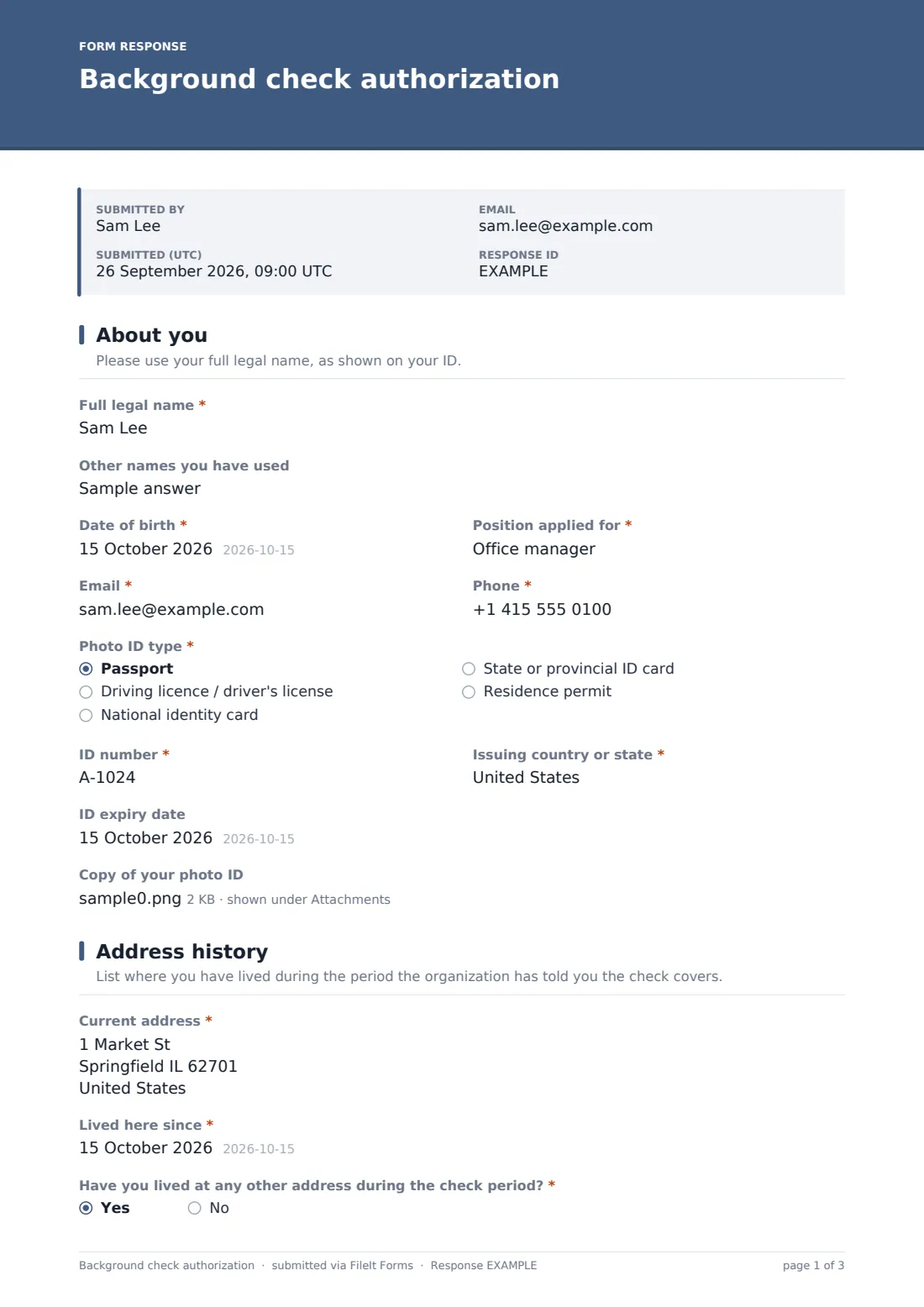
1 About you
- Full legal name*
- Other names you have used
- Date of birth*
- Position applied for*
- Email*
- Phone*
- Photo ID type* Passport · Driving licence / driver's license · National identity card · State or provincial ID card · Residence permit
- ID number*
- Issuing country or state*
- ID expiry date
- Copy of your photo ID
2 Address history
- Current address*
- Lived here since*
- Have you lived at any other address during the check period?*
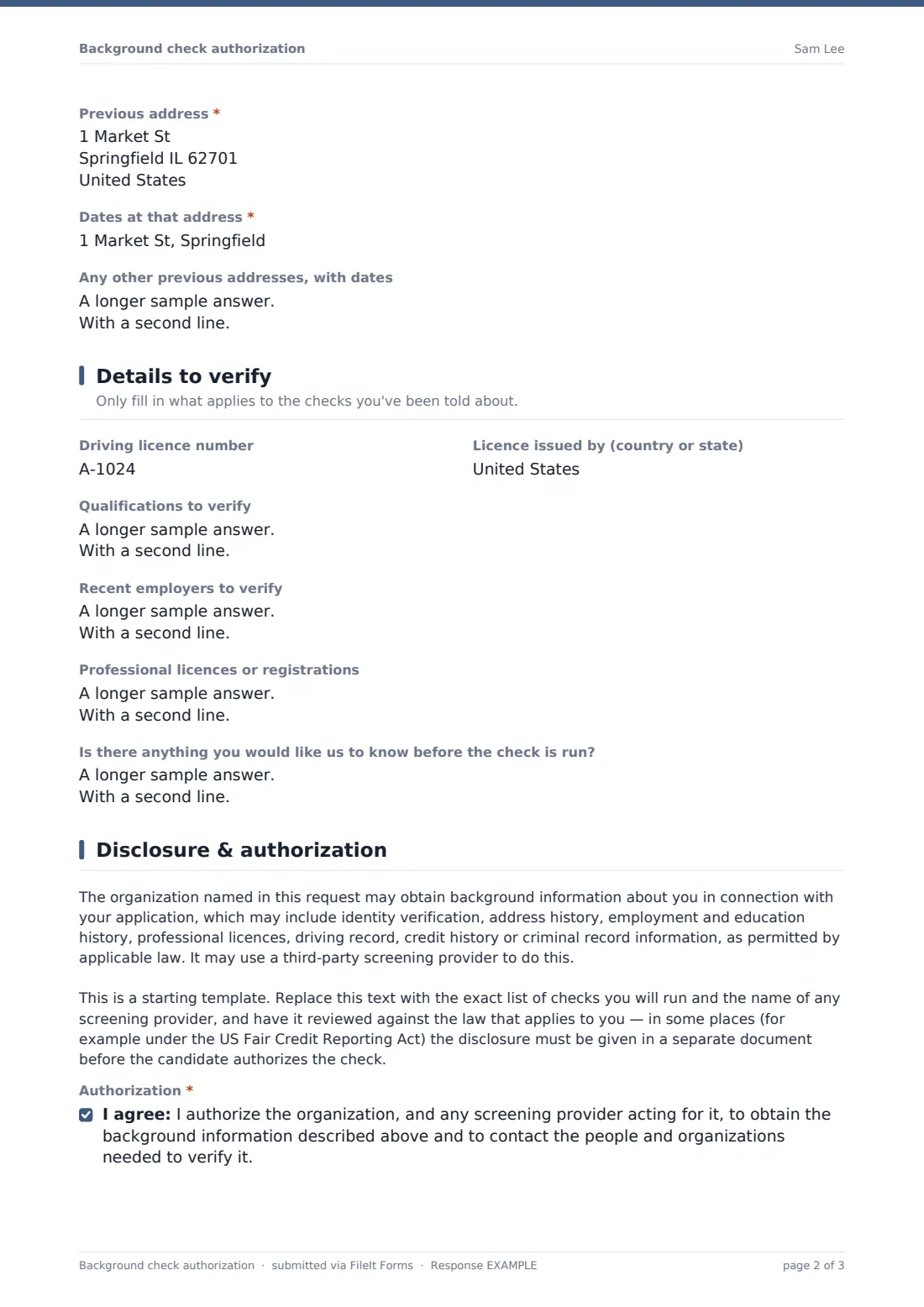
- Previous address* asked only when it applies
- Dates at that address* asked only when it applies
- Any other previous addresses, with dates asked only when it applies
3 Details to verify
- Driving licence number
- Licence issued by (country or state)
- Qualifications to verify
- Recent employers to verify
- Professional licences or registrations
- Is there anything you would like us to know before the check is run?
4 Disclosure & authorization
- Authorization*
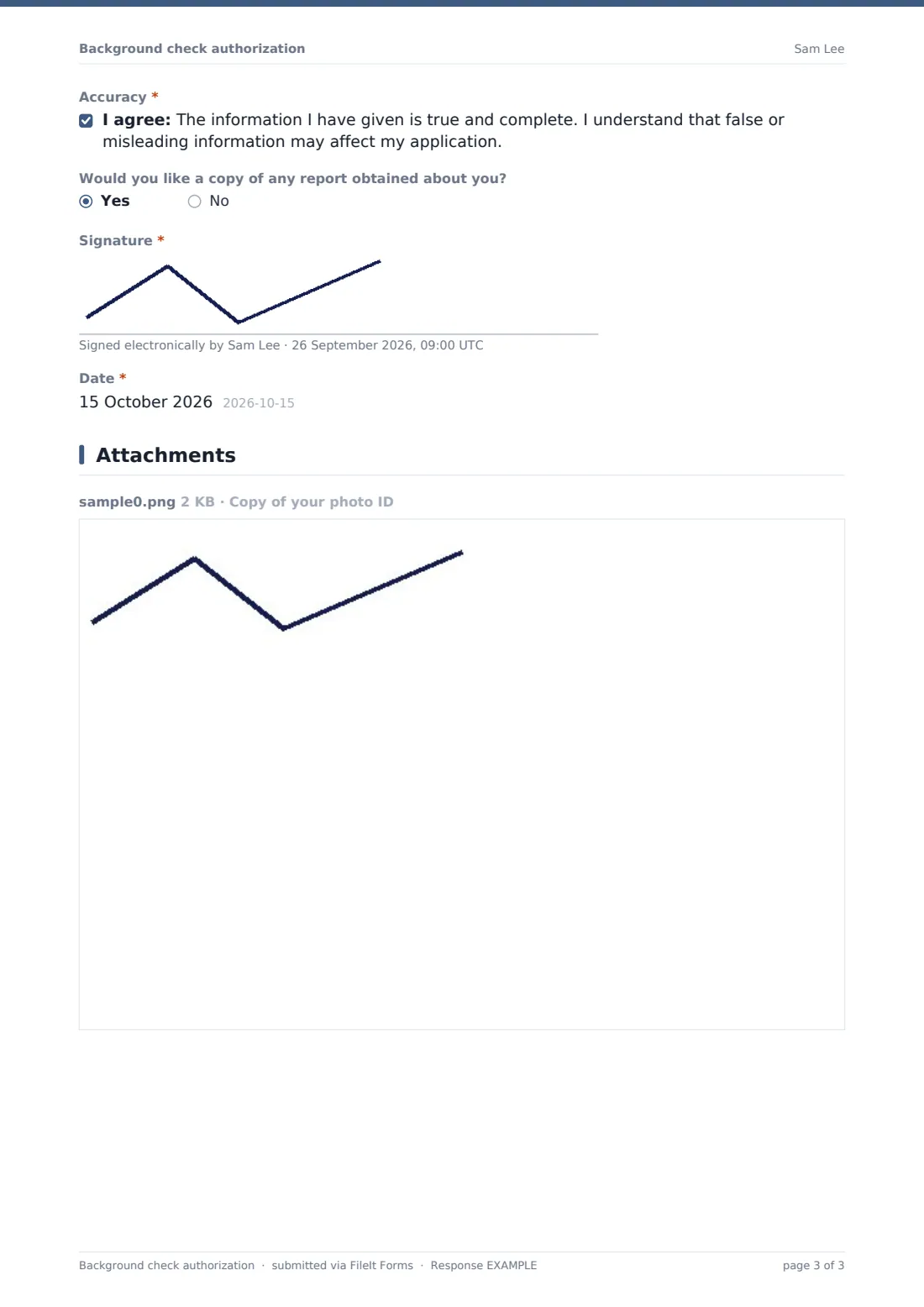
- Accuracy*
- Would you like a copy of any report obtained about you?
- Signature*
- Date*
The background check authorization form, page by page
1 About you
Full legal name, date of birth, the position applied for, email and phone come first, with an optional field for other names used — previous names often matter to a records search. The candidate then picks the photo ID type (passport, driving licence, national or state ID, or residence permit) and gives its number and issuing country or state. Expiry date and a photo of the ID are optional, with room for up to two files.
2 Address history
The current address and the date the candidate moved in are required. A yes/no question asks whether they've lived anywhere else during the check period; yes reveals a previous address and its dates, plus a free-text box for any further addresses, one per line.
3 Details to verify
Everything on this page is optional, because different checks need different things: driving licence number and issuer for a driving record check, qualifications to verify, recent employers with dates and a contact, and professional licences or registrations. A last box invites the candidate to explain gaps or anything they expect the check to show — context that's much better heard up front.
4 Disclosure & authorization
A disclosure paragraph describes the kinds of information that may be checked and that a third-party provider may be used, with a note to the form owner to replace it with their exact checks and to have it reviewed. Two consents follow: authorization for the check and a statement that the information is accurate. The candidate can ask for a copy of any report, then signs and dates.
Make the template yours
- Replace the disclosure text with the specific checks you'll run and your screening provider's name
- Remove the sections you never use — for example the driving licence fields if no role involves driving
- State the length of address history you need in the address page description
- Send it as an individual request to each candidate so you can see who has completed it
- Route responses to a restricted folder, separate from general applications
- Switch off the respondent copy if you'd rather send candidates their own copy another way
Tips for a better background check authorization form
- Only ask for what the checks genuinely need — every extra piece of personal data is extra risk to look after
- In many places the disclosure has to be clear and stand on its own; don't bury it among other questions
- Run checks after a conditional offer where local rules or fair-chance policies require it
- Tell candidates who the screening provider is so they recognise follow-up emails
- Give candidates a chance to explain anything the report shows before making a final decision
- Have your process and wording reviewed by a lawyer — this template is a starting point, not legal advice
Every response becomes a PDF in your vault
The signed authorization is saved as a PDF in your chosen vault folder, with any ID photo attached to the response. You'll be notified by email if owner notifications are on.
Most teams then copy the details into their screening provider's order form and use the Responses table to track which candidates have authorized their check. Once screening is complete, you can keep the authorization with the rest of that person's hiring documents.
- Start from this template. It opens in the FileIt Forms designer — change any question, add pages, set the rules for when questions appear.
- Share it. Turn on a public link, or send it to people by email, each with their own link. They don’t need a FileIt account.
- Get the answers as PDFs. Each response is saved as a PDF in the vault folder you choose, with uploaded files attached — and listed in a Responses table you can export to CSV.
Background check authorization form: frequently asked questions
Is this background check authorization template free to use?
Yes. It's one of FileIt's ready-made templates, and every FileIt account, including the free plan, includes the Forms app and its full library of templates.
Do people filling in this form need a FileIt account?
No. Anyone with the link, or an emailed request, can complete and submit the form without creating a FileIt account. Only the form owner needs one.
Does FileIt run the background check?
No. FileIt collects the candidate's consent and details and files them securely; the check itself is run by you or by the screening provider you use.
Is this form compliant with the FCRA or other screening laws?
It's a starting template and isn't legal advice. Screening rules vary a lot between countries and states — some require the disclosure to be a separate document, or limit when and what you can ask. Have your process and wording reviewed before you rely on it.
Can candidates upload a photo of their ID?
Yes. The ID field accepts up to two files — PDF, JPG, PNG or HEIC — so they can include both sides of a card.
How do I keep this information secure?
Responses are stored in your FileIt vault rather than email. Route them to a folder only the people handling screening can see, and delete records once you no longer need them.
Can I add a question about criminal convictions?
You can add any question in the designer, but whether and when you may ask about convictions depends on local law. Check before adding one.