What is the donor profile update form template?
Donor records drift. People move, change their email, marry, retire, or quietly get tired of three letters a month. Most charities only find out when post comes back or an email bounces — or when a long-time supporter stops giving. A simple update form you can link from every receipt, newsletter footer and thank-you letter lets supporters put things right themselves, in a minute or two.
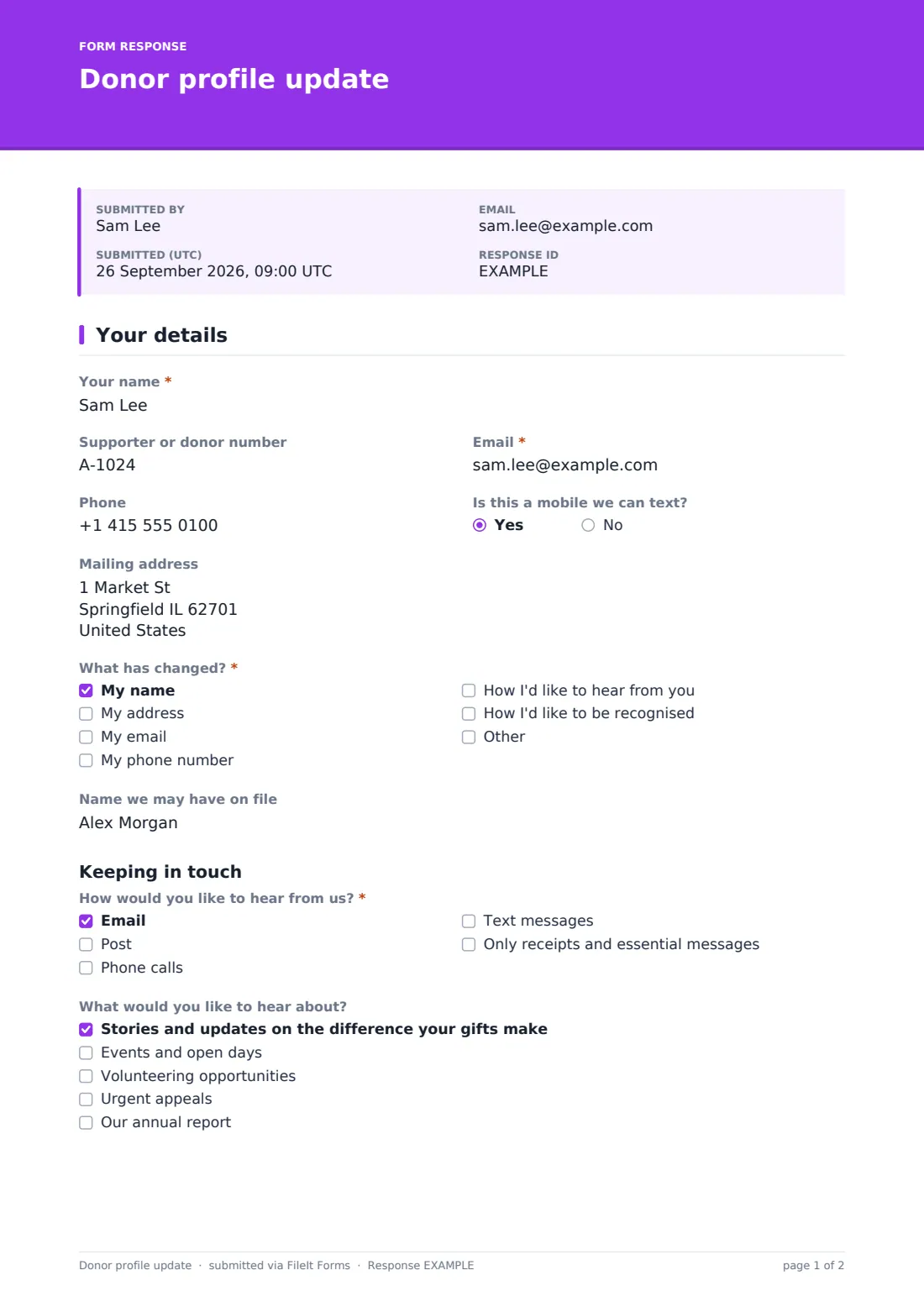
This one-page template asks for the supporter's name, an optional supporter or donor number, email, phone and mailing address, then "What has changed?" so whoever updates your database knows exactly where to look. A name change asks for the "Name we may have on file", which saves a lot of guesswork when merging records. The second half covers how they'd like to hear from you, what about, how often, and how receipts should arrive.
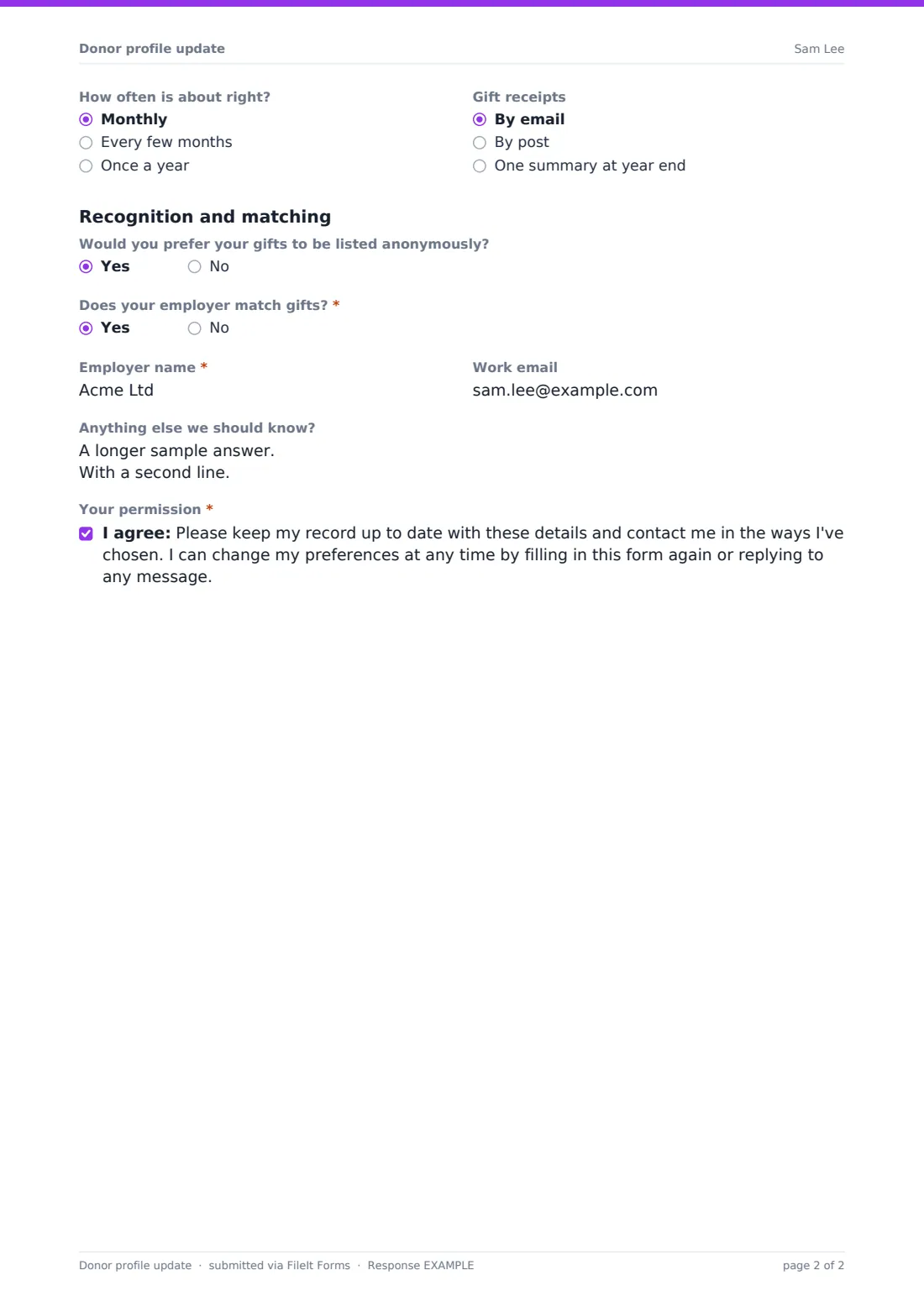
The last section is about recognition. Supporters can ask to be listed anonymously, or give the exact name they'd like printed in your annual report or on a donor wall. Answering yes to "Does your employer match gifts?" asks for the employer and a work email, so you can follow up on matches you might otherwise miss. Every update is saved as a PDF in your FileIt vault.
- Best for
- Charities, churches, schools, museums and any organisation with a supporter list
- Filled in by
- Donors, members and supporters
- Time to complete
- About 2 minutes
- Includes
- Contact details, what changed, channel and topic preferences, receipt choice, recognition name, employer matching
Who uses a donor profile update form?
- A link in every email footer so supporters can manage their own details
- A yearly data clean-up before the end-of-year appeal
- Collecting the right names for a donor wall or annual report listing
- Finding supporters whose employers match gifts
- Following up on returned post or bounced emails
- A paper-free alternative to the reply slip in a mailing
Questions on this donor profile update form
19 questions · includes conditional questions, consent checkbox.
1 Your details
- Your name*
- Supporter or donor number
- Email*
- Phone
- Is this a mobile we can text? asked only when it applies
- Mailing address
- What has changed?* My name · My address · My email · My phone number · How I'd like to hear from you · How I'd like to be recognised
- Name we may have on file asked only when it applies
- How would you like to hear from us?* Email · Post · Phone calls · Text messages · Only receipts and essential messages
- What would you like to hear about? asked only when it applies Stories and updates on the difference your gifts make · Events and open days · Volunteering opportunities · Urgent appeals · Our annual report
- How often is about right? Monthly · Every few months · Once a year
- Gift receipts By email · By post · One summary at year end
- Would you prefer your gifts to be listed anonymously?
- Name for donor listings asked only when it applies
- Does your employer match gifts?*
- Employer name* asked only when it applies
- Work email asked only when it applies
- Anything else we should know?
- Your permission*
The donor profile update form, page by page
1 Your details
"Your name" and "Email" are required; "Supporter or donor number", phone and "Mailing address" are optional so nobody gets stuck. If a phone number is given, the form asks whether it's a mobile you can text. "What has changed?" lists name, address, email, phone, preferences and recognition, with an Other box; ticking a name change brings up "Name we may have on file". Under "Keeping in touch", "How would you like to hear from us?" offers email, post, phone calls, text messages or only receipts and essential messages. "What would you like to hear about?" covers impact stories, events, volunteering, urgent appeals and the annual report, and is skipped for anyone who ticks only receipts and essential messages. Two side-by-side questions set "How often is about right?" and how "Gift receipts" should arrive. Under "Recognition and matching", a yes to anonymity hides "Name for donor listings"; a yes to "Does your employer match gifts?" adds "Employer name" and "Work email". A free-text box and a permission statement finish the page.
Make the template yours
- Replace the topic list with your own newsletters, programmes or campaigns
- Add your own frequency choices if you send a weekly bulletin
- Remove the recognition section if you don't publish donor listings
- Add a dropdown for the supporter's preferred language
- Choose a vault folder for donor updates so they don't mix with other forms
- Add your database administrator to the notification emails
Tips for a better donor profile update form
- Put the link in every receipt — that's when supporters notice wrong details
- Act on "Only receipts and essential messages" quickly; it's the clearest signal you'll get
- Check the "Name we may have on file" answer before creating a new record, to avoid duplicates
- Treat a request for anonymity as covering every published list, not just one
- Send a short thank-you when a supporter updates their details — it's a contact they asked for
Every response becomes a PDF in your vault
Each update is filed as a PDF in the vault folder you choose, and you get an email when one arrives. The supporter can get a copy of their own answers emailed to them.
In the Responses table, search by name or email, filter by what has changed, and export to CSV for whoever updates your donor database. FileIt doesn't connect to your CRM, so the export is the hand-over.
- Start from this template. It opens in the FileIt Forms designer — change any question, add pages, set the rules for when questions appear.
- Share it. Turn on a public link, or send it to people by email, each with their own link. They don’t need a FileIt account.
- Get the answers as PDFs. Each response is saved as a PDF in the vault folder you choose, with uploaded files attached — and listed in a Responses table you can export to CSV.
Donor profile update form: frequently asked questions
Is this donor update form free?
Yes. It's one of the starter templates in the Forms app, available on every FileIt plan including the free one.
Does it update our donor database automatically?
No. Each response is saved as a PDF and in the Responses table, and you can export responses to CSV to import or key in.
Do supporters need to know their donor number?
No. It's optional — the name and email are usually enough to find the record.
Can a supporter ask to stay anonymous?
Yes. Answering yes to the anonymity question hides the recognition name, so your records show a clear request to be listed anonymously.
Why ask about employer matching here?
Many supporters don't realise their employer matches gifts. Asking when they update their details catches matches you would otherwise miss.
Do supporters need a FileIt account?
No. They open the link you share and fill the form in on any phone or computer.