
What is the delayed baggage claim form template?
When a bag doesn't come off the carousel, the traveler is tired, the baggage desk is busy, and the details that matter most get lost: the tag number, what the bag looks like, what's inside, and where it should be sent. This delayed baggage claim form template puts all of it in one record that can be filled in on a phone in the arrivals hall or at the hotel that evening.
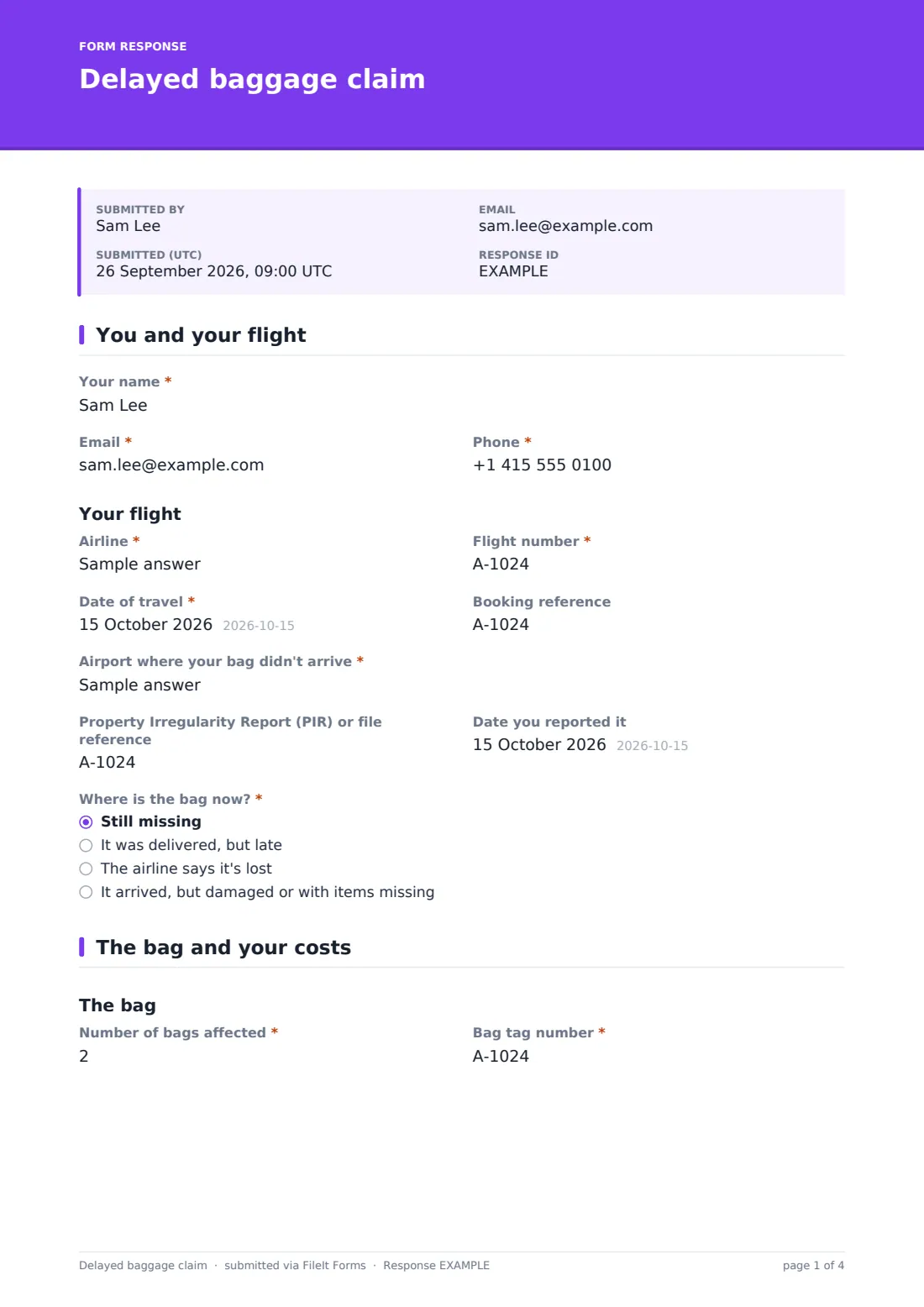
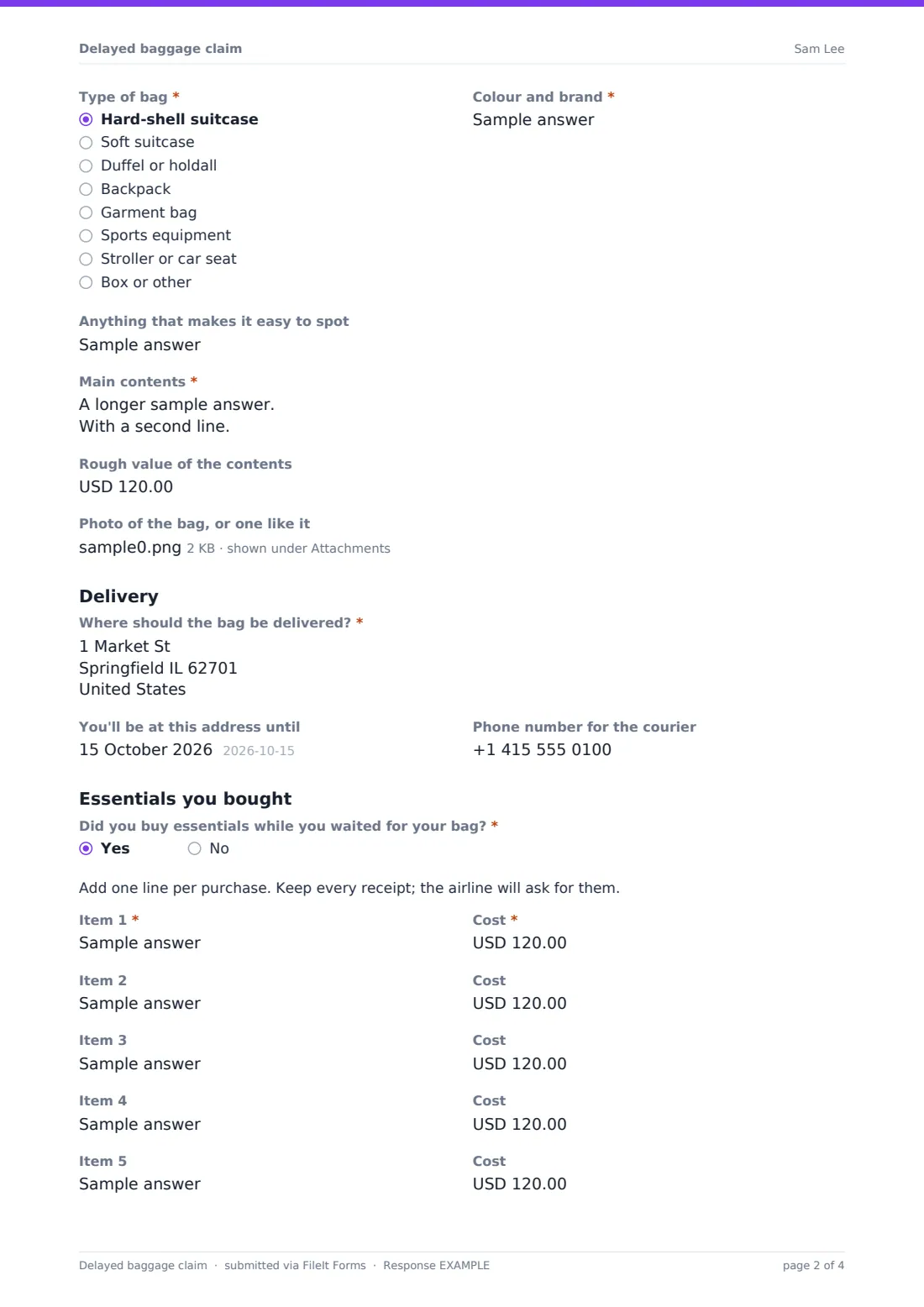
The first page captures the flight and the report made at the airport, including the Property Irregularity Report (PIR) reference, then asks where the bag is now. A bag that came back late asks for the date it was returned. One that arrived damaged or with things missing asks what was wrong. The second page describes the bag itself, its contents and where it should be delivered.
Most claims also involve a toothbrush, a phone charger and a change of clothes. Answering yes to Did you buy essentials while you waited for your bag? opens a short expense table with one line per purchase, a total, and a required upload for the receipts. The finished report is saved as a PDF in your FileIt vault, with the receipts and photos attached.
- Best for
- Travelers, travel agents, tour operators, corporate travel teams and claim services
- Filled in by
- The traveler whose bag was delayed or lost
- Time to complete
- About 7 minutes
- Includes
- Bag status logic, tag and PIR references, contents list, delivery address, essentials table with receipts, signature
Who uses a delayed baggage claim form?
- A traveler recording a missing bag before contacting the airline or their insurer
- A tour operator helping a group member whose luggage didn't arrive
- A company travel team collecting delayed-bag expenses from staff on business trips
- A travel agent gathering details for a client's baggage claim
- Logging a bag that turned up late, damaged, or with items missing
- Keeping receipts for essentials together with the claim they belong to
Questions on this delayed baggage claim form
41 questions over 2 pages · includes signature, file upload, conditional questions, multiple pages, consent checkbox.
1 You and your flight
- Your name*
- Email*
- Phone*
- Airline*
- Flight number*
- Date of travel*
- Booking reference
- Airport where your bag didn't arrive*
- Property Irregularity Report (PIR) or file reference
- Date you reported it
- Where is the bag now?* Still missing · It was delivered, but late · The airline says it's lost · It arrived, but damaged or with items missing
- Date you got it back* asked only when it applies
- What was damaged or missing?* asked only when it applies
2 The bag and your costs
- Number of bags affected*
- Bag tag number*
- Type of bag* Hard-shell suitcase · Soft suitcase · Duffel or holdall · Backpack · Garment bag · Sports equipment · Stroller or car seat · Box or other
- Colour and brand*
- Anything that makes it easy to spot
- Main contents*
- Rough value of the contents
- Photo of the bag, or one like it
- Where should the bag be delivered?*
- You'll be at this address until
- Phone number for the courier
- Did you buy essentials while you waited for your bag?*
- Item 1* asked only when it applies
- Cost* asked only when it applies
- Item 2 asked only when it applies
- Cost asked only when it applies
- Item 3 asked only when it applies
- Cost asked only when it applies
- Item 4 asked only when it applies
- Cost asked only when it applies
- Item 5 asked only when it applies
- Cost asked only when it applies
- Item 6 asked only when it applies
- Cost asked only when it applies
- Total spent on essentials* asked only when it applies
- Receipts for these purchases* asked only when it applies
- Declaration*
- Signature*
The delayed baggage claim form, page by page
1 You and your flight
The traveler gives their name, email and phone, then the airline, flight number, date of travel and booking reference. Airport where your bag didn't arrive is required. The Property Irregularity Report (PIR) or file reference comes next, with help text explaining what it looks like, and the date it was reported.
Where is the bag now? has four answers: Still missing; It was delivered, but late; The airline says it's lost; and It arrived, but damaged or with items missing. A late delivery asks for the date you got it back. Damage or missing items asks what was damaged or missing.
2 The bag and your costs
The bag section asks for the number of bags affected, the bag tag number from the check-in sticker, the type of bag (from hard-shell suitcase to stroller or car seat), colour and brand, and anything that makes it easy to spot, such as ribbons or a name tag. Main contents is required, with a prompt to list the things on top and anything valuable, and there's a field for the rough value of the contents and an upload for a photo of the bag, or one like it.
Under Delivery, the traveler enters where the bag should be delivered, the date they'll be at that address until, and a phone number for the courier.
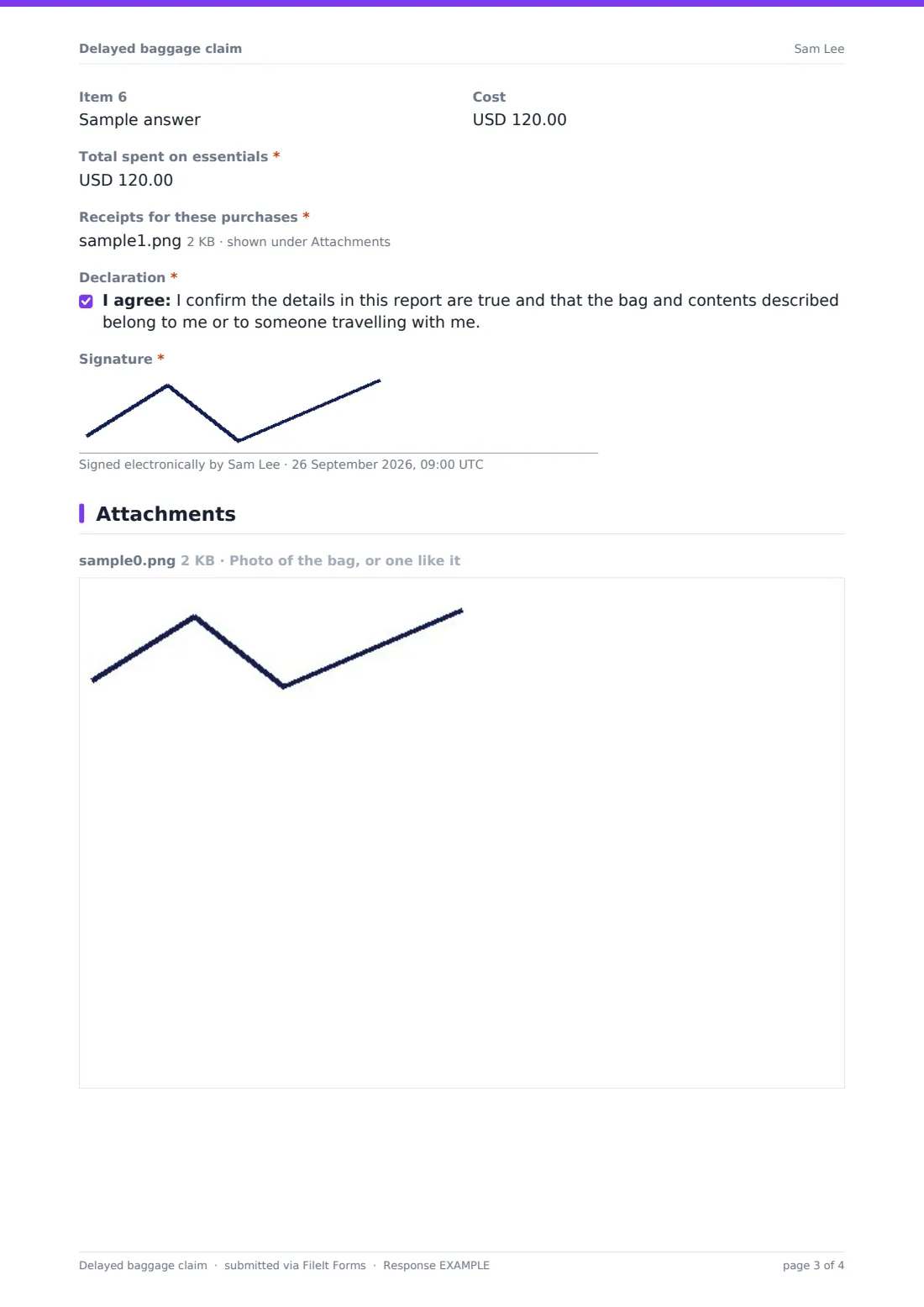
Did you buy essentials while you waited for your bag? opens the expense lines: Item 1 and its cost are required, and a new line appears as each one is filled, up to six. Total spent on essentials and the receipts upload are required too. A declaration that the bag and contents belong to the traveler or someone travelling with them, and a signature, complete the report.
Make the template yours
- Change the currency on the cost fields to the one your travelers spend in
- Add more expense lines if your trips tend to be long
- Add an insurance policy number field if you file baggage claims with insurers too
- Rename the PIR question if the carrier you deal with uses a different reference
- File every report into a Baggage folder, or into each traveler's own folder
- Turn off the respondent copy if you send your own acknowledgment
Tips for a better delayed baggage claim form
- Report the bag at the airport before leaving the baggage hall, and photograph the reference you're given
- Keep your bag tag sticker; the number on it is the fastest way to trace the bag
- Buy only what you genuinely need while you wait, and keep every receipt
- List the items on top of the bag, so staff can confirm it's yours without opening everything
- Give a delivery address where someone will be in, and say how long you'll be there
Every response becomes a PDF in your vault
The signed report is saved as a PDF in the vault folder you choose, with receipts and bag photos attached to the same document. You're notified by email, and the traveler can be emailed their own copy to send on.
The Responses table shows every report, so you can see which bags are still missing, open the PDF when the airline or insurer asks for it, and export the details and totals to CSV.
- Start from this template. It opens in the FileIt Forms designer — change any question, add pages, set the rules for when questions appear.
- Share it. Turn on a public link, or send it to people by email, each with their own link. They don’t need a FileIt account.
- Get the answers as PDFs. Each response is saved as a PDF in the vault folder you choose, with uploaded files attached — and listed in a Responses table you can export to CSV.
Delayed baggage claim form: frequently asked questions
Is this delayed baggage claim template free?
Yes. It's included in FileIt's Forms app on every plan, including free, and every question can be edited.
Does this form report the bag to the airline?
No. The report to the airline is made at its baggage desk or through its own website. This form keeps a complete record of the claim and its receipts.
How does the expense table work?
Answering yes to buying essentials opens Item 1 and its cost. Each time a line is filled in, the next one appears, up to six, followed by the total and a receipts upload.
Can I report a bag that arrived damaged?
Yes. Choose It arrived, but damaged or with items missing, and the form asks what was damaged or missing.
Will I be refunded for what I bought?
The form can't promise that. What's paid back depends on the airline's rules and any insurance policy you hold.
Does the traveler need an account?
No. They open the link and fill it in on their phone, without signing up.