What is the contract termination notice form template?
Ending a contract usually comes down to a short letter, but small mistakes in it can cause long arguments. The wrong notice address, a missing clause reference, an effective date that ignores the notice period, or a breach described as a feeling instead of a fact can all give the other side something to dispute.
This template works through those points in order. It identifies the contract by name, date and reference, the other party and their notice address, and the clause being relied on. It records the date of the notice, the notice period and the date termination takes effect, and lists what the other party is being asked to do next: confirm receipt, send a final invoice, return property or data, hand over work, or remove access.
The basis question shapes the rest. Choosing "For breach" asks what the other party has failed to do and how the cure period works — time being given now with a deadline, an earlier notice that has run out, or no cure period at all. The signed notice is saved as a PDF in your FileIt vault, next to the contract if you upload it.
- Best for
- Small businesses, freelancers, landlords, procurement and in-house legal teams
- Filled in by
- The party ending the contract, or someone authorized to act for them
- Time to complete
- About 5 minutes with the contract to hand
- Includes
- Both parties, contract details, basis, breach and cure-period fields, clause, notice and effective dates, next steps, signature
Who uses a contract termination notice form?
- Ending a supplier or service agreement for convenience
- Giving notice of termination for a breach that hasn't been put right
- Recording a decision not to renew at the end of a term
- Confirming a mutually agreed early exit in writing
- A standard process for an operations team cancelling many vendor contracts
- Keeping a dated, signed copy of each notice in the vault
Questions on this contract termination notice form
27 questions · includes signature, file upload, conditional questions, consent checkbox.
1 Contract termination notice
- Your name*
- Company you're acting for, if any
- Your title
- Email*
- Phone
- Your address for notices*
- Contract name or description*
- Date of the contract*
- Contract or reference number
- Other party's name*
- Other party's address for notices*
- On what basis are you ending it?* For breach — the other party hasn't done what the contract requires · For convenience, as the contract allows · Not renewing at the end of the term · By mutual agreement
- What has the other party failed to do?* asked only when it applies
- Cure period* asked only when it applies I'm giving them time to put it right · An earlier notice was given and its cure period has passed · The contract doesn't provide one
- Days allowed to put it right asked only when it applies
- Cure deadline asked only when it applies
- Date of the earlier notice asked only when it applies
- Clause you're relying on*
- Notice period the contract requires
- Date of this notice*
- Date termination takes effect*
- Anything else you'd like to say
- What are you asking the other party to do? Confirm receipt of this notice in writing · Send a final invoice or statement · Return our property, equipment or materials · Return or delete our data · Hand over work in progress · Remove access to our systems
- How will you deliver this notice? Email · Recorded or registered post · Courier · By hand
- Copy of the contract (optional)
- Authority*
- Signature*
The contract termination notice form, page by page
1 From and the contract
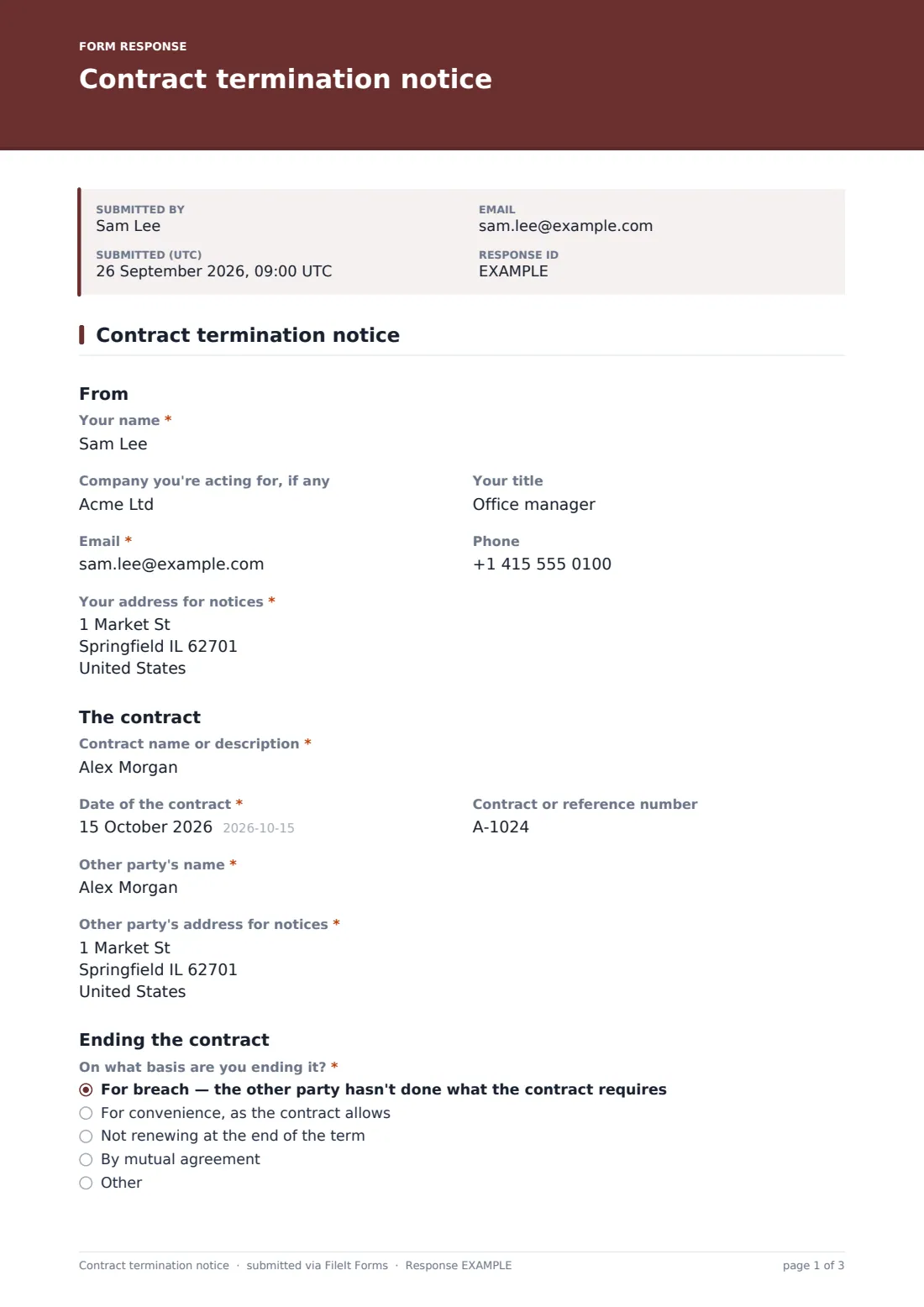
The sender's name, the company they're acting for, title, email, phone and address for notices. Then "Contract name or description", its date and reference number, "Other party's name" and their address for notices, with help text to use the address the contract names.
2 Ending the contract
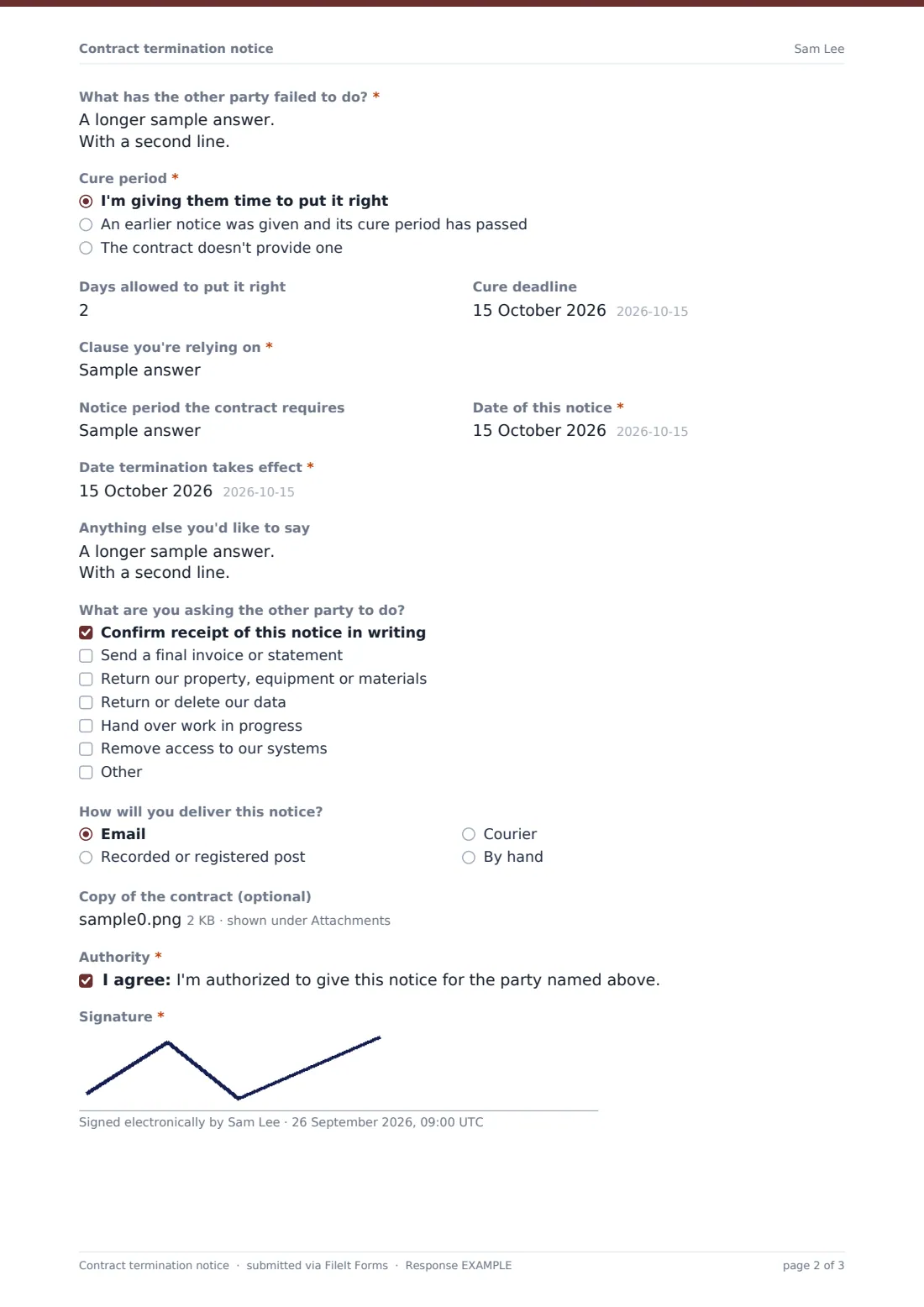
"On what basis are you ending it?" — for breach, for convenience, not renewing, by mutual agreement or other. For breach requires "What has the other party failed to do?" and the cure period: time being given now (days allowed and a deadline), an earlier notice whose period has passed (with its date), or none. Then "Clause you're relying on", the notice period, "Date of this notice" and "Date termination takes effect".
3 Next steps and signature
An optional note, a checklist of what the other party should do next, how the notice will be delivered, an optional upload for the contract, a statement of authority and a signature.
Make the template yours
- Add your company's standard contract types as a dropdown
- Make the contract upload required for your team's records
- Add a question for the internal approver before notices go out
- File notices in a contracts folder, or a folder per supplier
- Notify your legal or procurement inbox for every notice
- Remove the breach option for a team that only cancels for convenience
Tips for a better contract termination notice form
- Read the notice clause before filling it in — it may require a particular delivery method or address
- Count the notice period carefully when choosing the effective date
- Describe a breach with dates and facts, not conclusions
- Keep proof of delivery with the PDF
- If a lot is at stake or the other side may dispute it, have a lawyer review the notice first
Every response becomes a PDF in your vault
The signed notice is filed as a PDF in the vault folder you choose, with the contract attached if uploaded, and the form owner gets an email. The sender receives a copy, ready to deliver.
FileIt doesn't deliver the notice to the other party. The Responses table keeps a list of every notice with its effective date, which you can export to CSV.
- Start from this template. It opens in the FileIt Forms designer — change any question, add pages, set the rules for when questions appear.
- Share it. Turn on a public link, or send it to people by email, each with their own link. They don’t need a FileIt account.
- Get the answers as PDFs. Each response is saved as a PDF in the vault folder you choose, with uploaded files attached — and listed in a Responses table you can export to CSV.
Contract termination notice form: frequently asked questions
Is this contract termination template free?
Yes. It's included with the Forms app on every FileIt plan, including free.
Does FileIt send the notice to the other party?
No. You deliver it by the method the contract requires. FileIt keeps the signed PDF.
What happens when I choose "For breach"?
The form asks what the other party failed to do and how the cure period works, including the deadline if you're giving time to put it right.
Can my whole team use one form?
Yes. Share the link inside your team, and every notice is filed in the same folder with its own PDF.
Is the notice legally valid?
That depends on your contract and the law that applies to it. The form helps you record the details; it isn't legal advice.
Do I need an account to fill it in?
No. Only the form owner needs a FileIt account.