What is the co-parenting schedule and handover log form template?
Sharing parenting between two homes runs on handovers. Friday after school, Sunday at six, the swap you agreed by text because of a birthday party. Most go smoothly. Over months, though, it's easy to lose track of which weekends were swapped, whether the inhaler went back in the bag, or how often a handover started late. A short log made at the time is far easier to rely on than memory.
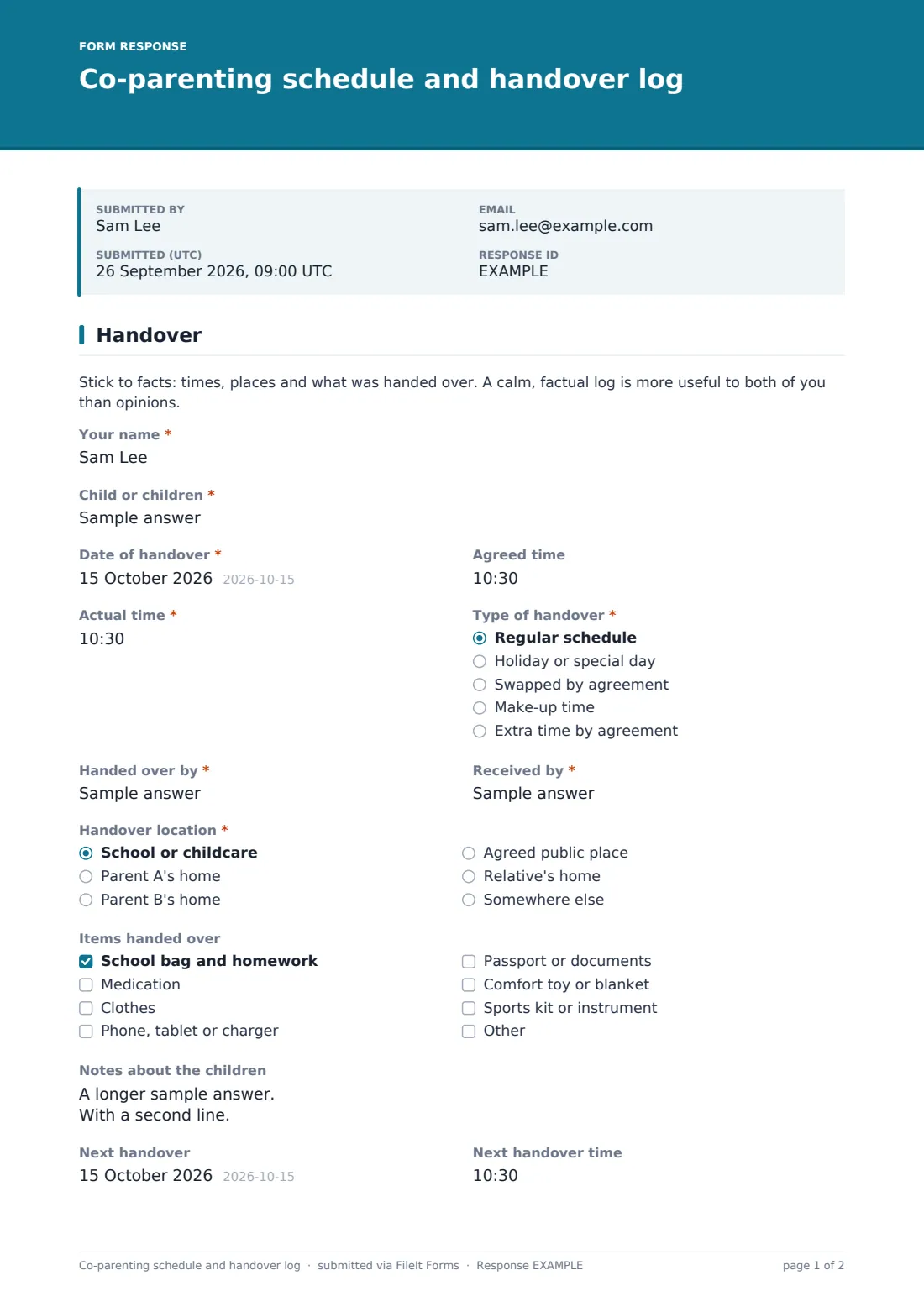
This one-page form records one handover. It asks for the "Date of handover", the "Agreed time" and the "Actual time", the "Type of handover" (regular, holiday, swapped by agreement, make-up or extra time), who handed over and who received the children, and where. A checklist covers the things that move between homes, such as the school bag, medication and devices, and there's space for notes about sleep, health and school news.
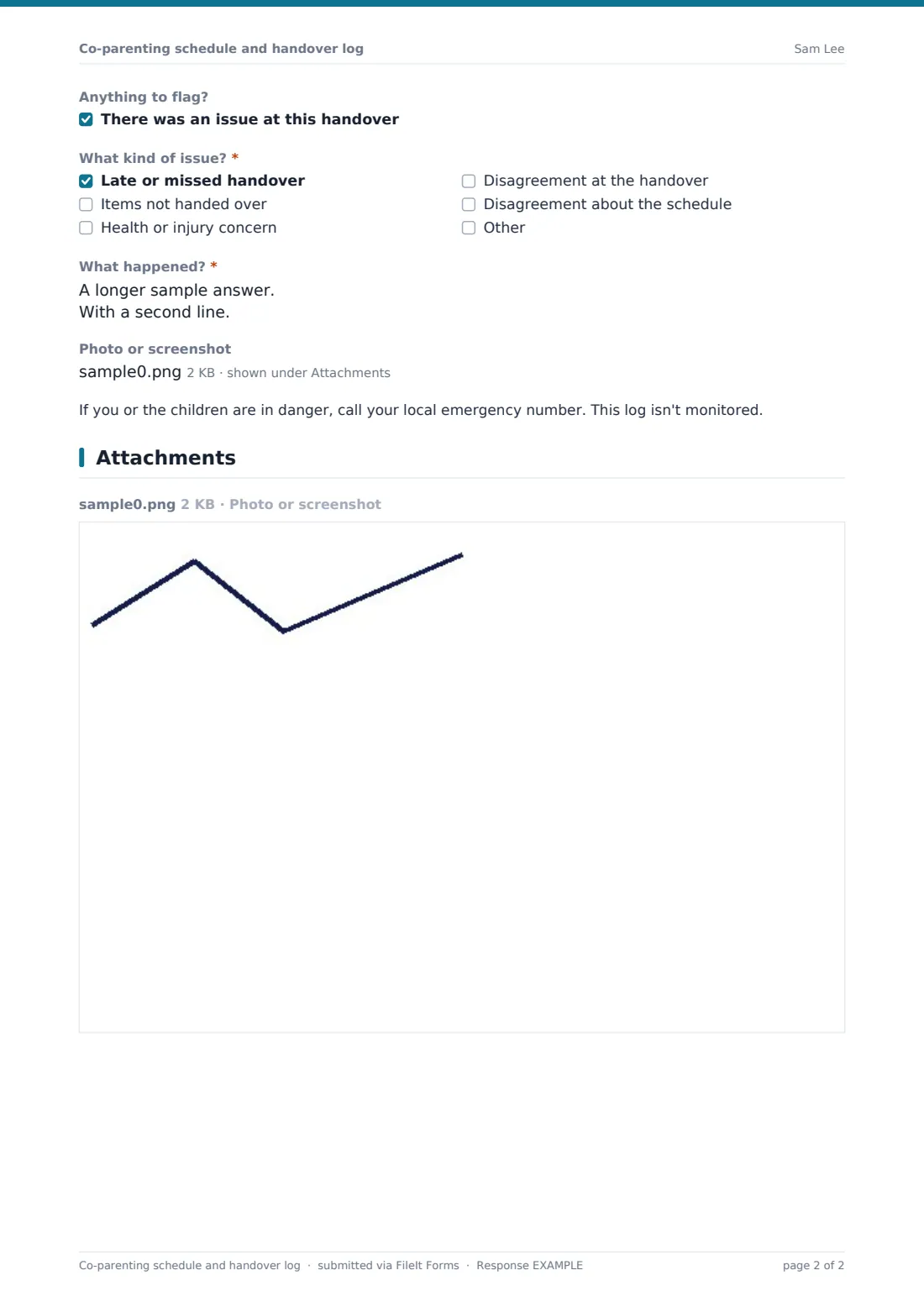
Ticking "There was an issue at this handover" opens questions about what went wrong, with room for a photo or screenshot. Each entry is saved as a dated PDF in your FileIt vault.
- Best for
- Separated or divorced parents sharing care, and family support workers
- Filled in by
- Either parent, straight after a handover
- Time to complete
- 1–2 minutes
- Includes
- Agreed and actual times, items handed over, next handover, an optional issue section
Who uses a co-parenting schedule and handover log form?
- Keeping your own dated record of every handover in a shared-care schedule
- Two parents both using the same link so the log has both sides
- Tracking swapped weekends and make-up time so it evens out over the year
- Making sure medication, school things and documents follow the child
- A family support worker or contact centre recording supervised handovers
Questions on this co-parenting schedule and handover log form
18 questions · includes file upload, conditional questions.
1 Handover
- Your name*
- Child or children*
- Date of handover*
- Agreed time
- Actual time*
- Type of handover* Regular schedule · Holiday or special day · Swapped by agreement · Make-up time · Extra time by agreement
- Handed over by*
- Received by*
- Handover location* School or childcare · Parent A's home · Parent B's home · Agreed public place · Relative's home · Somewhere else
- Where?* asked only when it applies
- Items handed over School bag and homework · Medication · Clothes · Phone, tablet or charger · Passport or documents · Comfort toy or blanket · Sports kit or instrument
- Notes about the children
- Next handover
- Next handover time
- Anything to flag? There was an issue at this handover
- What kind of issue?* asked only when it applies Late or missed handover · Items not handed over · Health or injury concern · Disagreement at the handover · Disagreement about the schedule
- What happened?* asked only when it applies
- Photo or screenshot asked only when it applies
The co-parenting schedule and handover log form, page by page
1 Handover
A note at the top asks for facts rather than opinions. "Your name" and "Child or children" are required, followed by the "Date of handover", an optional "Agreed time" and the required "Actual time". "Type of handover" is a dropdown. "Handed over by" and "Received by" are short text, so you can write names, "Mom" or "Dad". "Handover location" offers school or childcare, either home, an agreed public place, a relative's home, or "Somewhere else", which asks "Where?". "Items handed over" includes medication, clothes, devices, documents, a comfort toy and sports kit, with an Other box. "Notes about the children" and the date and time of the "Next handover" are optional. The last question, "Anything to flag?", has one tick box. Ticking it opens the required "What kind of issue?" and "What happened?", an optional "Photo or screenshot", and a note that the log isn't monitored.
Make the template yours
- Replace "Parent A's home" and "Parent B's home" with the actual places you use
- Add your regular schedule as a paragraph at the top so both parents see it each time
- Add the children's names as checkboxes if only some of them move at each handover
- Remove the issue section if you'd rather keep this log for routine notes only
- Turn on the emailed copy so the person filling it in keeps their own record
- File entries in a folder for each child, or one shared family folder
Tips for a better co-parenting schedule and handover log form
- Fill it in within the hour, while the times are exact
- Write as if the other parent will read it. Neutral words keep the log useful
- Record the good handovers too. A log of only problems tells half the story
- Use the notes for things the children need, like a missed dose or a school trip letter
- Export the CSV now and then to check swapped and make-up time is balancing out
Every response becomes a PDF in your vault
Each handover becomes a PDF titled with your name and the date and filed in the vault folder you've chosen, with any photo attached to it. The form owner gets an email for every entry, and the person who filled it in can get a copy too.
Over time the Responses table becomes a running log, with one row per handover. Search by date, or export the CSV to see how often handovers were late, which weekends were swapped and when issues were flagged.
- Start from this template. It opens in the FileIt Forms designer — change any question, add pages, set the rules for when questions appear.
- Share it. Turn on a public link, or send it to people by email, each with their own link. They don’t need a FileIt account.
- Get the answers as PDFs. Each response is saved as a PDF in the vault folder you choose, with uploaded files attached — and listed in a Responses table you can export to CSV.
Co-parenting schedule and handover log form: frequently asked questions
Can both parents use the same log?
Yes. Share the link with the other parent and both of your entries arrive in the same Responses table. Each entry records who filled it in.
Can I use this log in a court case?
FileIt keeps a dated PDF of each entry, but whether and how a log can be used is a question for a family lawyer. FileIt doesn't give legal advice.
What happens if I tick that there was an issue?
Questions open asking what kind of issue it was and what happened, with an optional photo or screenshot upload and a note that the log isn't monitored in real time.
Does the other parent need a FileIt account?
No. They can fill in the form from the link on any phone.
Is this template free?
Yes. It's included in the FileIt Forms app on every plan, including the free one.