
What is the client offboarding checklist form template?
Teams put real effort into onboarding a client and very little into the exit. That's when shared drives stay open, a former client keeps a login to your project tool, the final invoice slips a month, and nobody writes down why the account was lost.
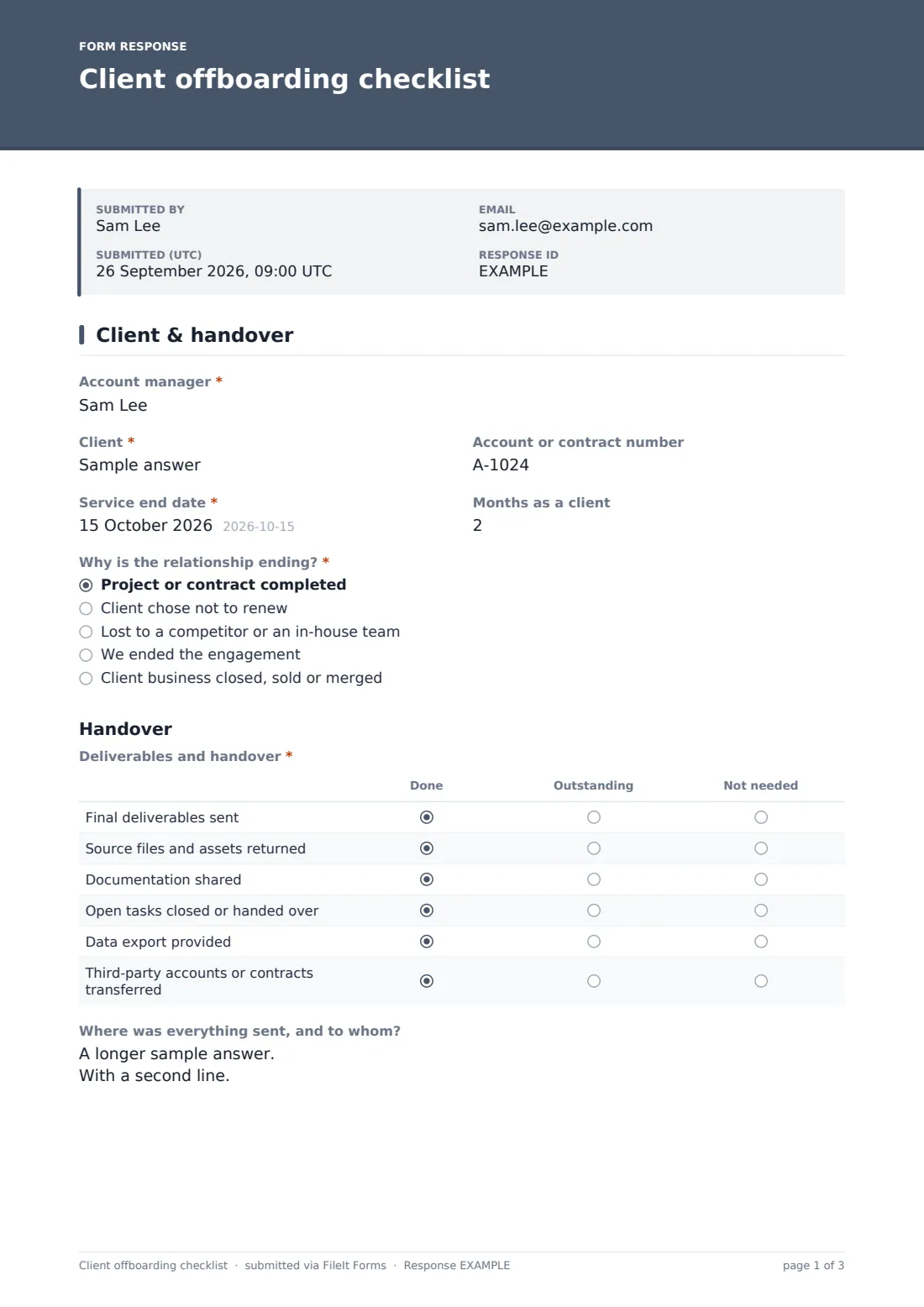
This checklist gives every exit the same shape. The first page records the client, the service end date and Why is the relationship ending? When the answer is that the client was lost to a competitor or an in-house team, the form asks What led to the loss?, what the client said in their own words, and whether it's worth approaching them again. A handover grid then tracks final deliverables, source files, documentation, open tasks, data exports and third-party accounts as done, outstanding or not needed.
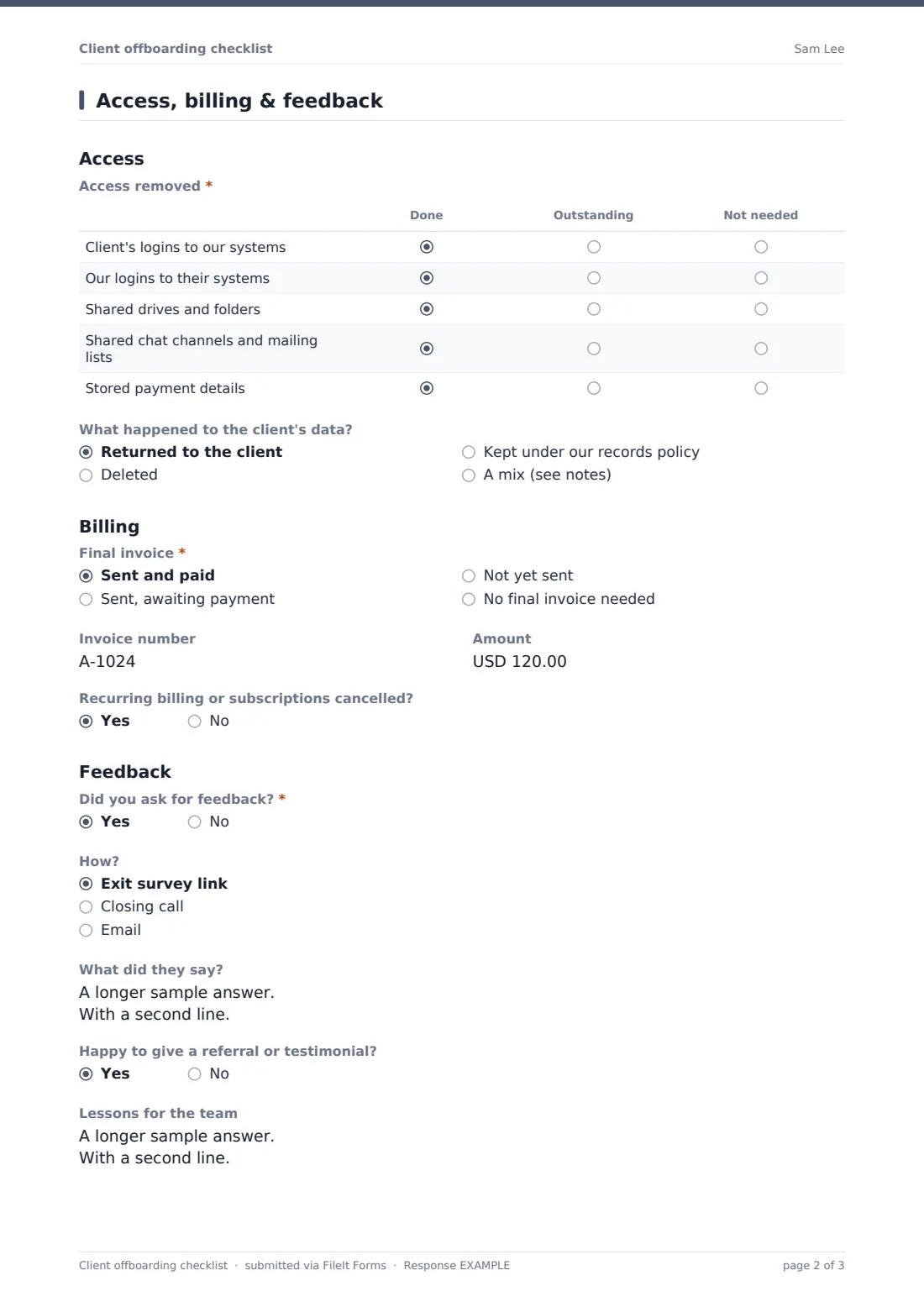
The second page covers access in both directions, what happened to the client's data, the final invoice and recurring billing, and whether feedback was requested. The account manager signs, and the completed checklist is filed in your FileIt vault next to the rest of the client's documents.
- Best for
- Agencies, consultancies, MSPs and B2B service teams
- Filled in by
- The account manager closing the account
- Time to complete
- About 10 minutes
- Includes
- Churn reasons for lost accounts, handover and access grids, final invoice, feedback and lessons learned
Who uses a client offboarding checklist form?
- A marketing agency wrapping up a retainer that wasn't renewed
- An MSP handing a client's systems over to a new provider
- A consultancy closing a finished project cleanly
- Recording churn reasons so sales and leadership can spot patterns
- Making sure every former client's access is removed
- Ending an engagement you chose to stop
Questions on this client offboarding checklist form
26 questions over 2 pages · includes signature, conditional questions, multiple pages, consent checkbox, ratings.
1 Client & handover
- Account manager*
- Client*
- Account or contract number
- Service end date*
- Months as a client
- Why is the relationship ending?* Project or contract completed · Client chose not to renew · Lost to a competitor or an in-house team · We ended the engagement · Client business closed, sold or merged
- What led to the loss?* asked only when it applies Price · Service quality · Missed deadlines · Product or feature gaps · New decision-maker · Moved the work in-house · Budget cuts
- What did they tell you, in their words? asked only when it applies
- Worth approaching again later? asked only when it applies
- Check back around asked only when it applies
- Deliverables and handover* Done · Outstanding · Not needed
- Where was everything sent, and to whom?
2 Access, billing & feedback
- Access removed* Done · Outstanding · Not needed
- What happened to the client's data? Returned to the client · Deleted · Kept under our records policy · A mix (see notes)
- Final invoice* Sent and paid · Sent, awaiting payment · Not yet sent · No final invoice needed
- Invoice number asked only when it applies
- Amount asked only when it applies
- Recurring billing or subscriptions cancelled?
- Did you ask for feedback?*
- How? asked only when it applies Exit survey link · Closing call · Email
- What did they say? asked only when it applies
- Happy to give a referral or testimonial? asked only when it applies
- Lessons for the team
- Anything still outstanding?
- Confirmation*
- Signature*
The client offboarding checklist form, page by page
1 Client & handover
The account manager names the client, the account or contract number, the service end date and months as a client. Why is the relationship ending? has five answers: completed, not renewed, lost, ended by you, or the client closed or merged. A lost account brings up churn reasons such as price, service quality, missed deadlines or budget cuts, plus a free-text answer, a win-back question and a date to check back. The Deliverables and handover grid and a notes box record where everything went and to whom.
2 Access, billing & feedback
The Access removed grid covers the client's logins to your systems, your logins to theirs, shared drives, chat channels and stored payment details. What happened to the client's data? records whether it was returned, deleted, kept under your records policy or a mix. Final invoice asks whether it's paid, awaiting payment, not yet sent or not needed, with the invoice number and amount. A Yes to Did you ask for feedback? asks how, what they said and whether they'd give a referral. Lessons for the team, anything outstanding, a confirmation and a signature close it.
Make the template yours
- Add rows to the handover grid for what you typically deliver, such as ad accounts or code repositories
- Change the churn reasons to the categories your CRM uses
- Send each checklist to the client's vault folder so it sits with their contract
- Add finance to the notification emails so the final invoice isn't missed
- Link your exit survey in the feedback question's help text
Tips for a better client offboarding checklist form
- Start the checklist when notice is given, not on the last day
- Remove access on the end date, even for friendly exits
- Ask for feedback on a call; people say more than they'll write
- Record churn reasons in the client's words before they get tidied up
- Review a quarter's offboarding records together to look for patterns
Every response becomes a PDF in your vault
The completed checklist is filed as a signed PDF in the vault folder you choose, and you get an email for each one.
Export responses to CSV to count lost accounts by reason, compare tenure, or chase any final invoices still marked as awaiting payment.
- Start from this template. It opens in the FileIt Forms designer — change any question, add pages, set the rules for when questions appear.
- Share it. Turn on a public link, or send it to people by email, each with their own link. They don’t need a FileIt account.
- Get the answers as PDFs. Each response is saved as a PDF in the vault folder you choose, with uploaded files attached — and listed in a Responses table you can export to CSV.
Client offboarding checklist form: frequently asked questions
Is this client offboarding checklist free?
Yes. It's a starter template in FileIt Forms, available on every plan, and you can edit every item.
How is this different from the employee offboarding checklist?
This one is for clients and customers leaving your business. The employee version covers staff leaving your organisation.
Does it remove access automatically?
No. It's a checklist. Your team removes access in each system and records it here.
Why does it only ask churn questions sometimes?
Churn reasons only appear when the account was lost to a competitor or an in-house team, so completed projects stay quick to close.
Can several people complete parts of it?
One person submits each checklist, but you can share the link with colleagues so whoever closes the account fills it in.