What is the nonprofit board self-assessment form template?
Good boards look at themselves regularly. A yearly self-assessment shows where the board is strong, where members quietly disagree, and where people simply don't know what's going on. It gives the chair and the governance committee something solid to plan the next year's board development around, instead of guesses.
This template asks each board member to rate the board in four areas — mission and strategy, finances and oversight, fundraising, and meetings — through short grids of statements with a "Don't know" option. Each area ends with an overall score from 1 to 5. If a member scores an area below 3, a comment box opens asking what would make it stronger, so low scores always come with a reason.
A final page turns the question around: how engaged has the member been, what's getting in the way, and do they plan to stay on? The form is anonymous by default, with an option to add a name. Every response is saved as a PDF in your FileIt vault, and the CSV export makes the results easy to total for the board retreat.
- Best for
- Nonprofit, charity and congregational boards, trustees and councils
- Filled in by
- Each board member, usually anonymously
- Time to complete
- About 12 minutes
- Includes
- Four governance areas, overall 1–5 scores, comments on low scores, self-assessment and training needs
Who uses a nonprofit board self-assessment form?
- An annual board self-assessment ahead of a planning retreat
- A governance committee checking progress a year after a board reset
- A church council or trustees' review
- A new board chair taking stock in their first months
- Gathering evidence of good governance for a funder or accreditor
Questions on this nonprofit board self-assessment form
22 questions over 3 pages · includes conditional questions, multiple pages, ratings.
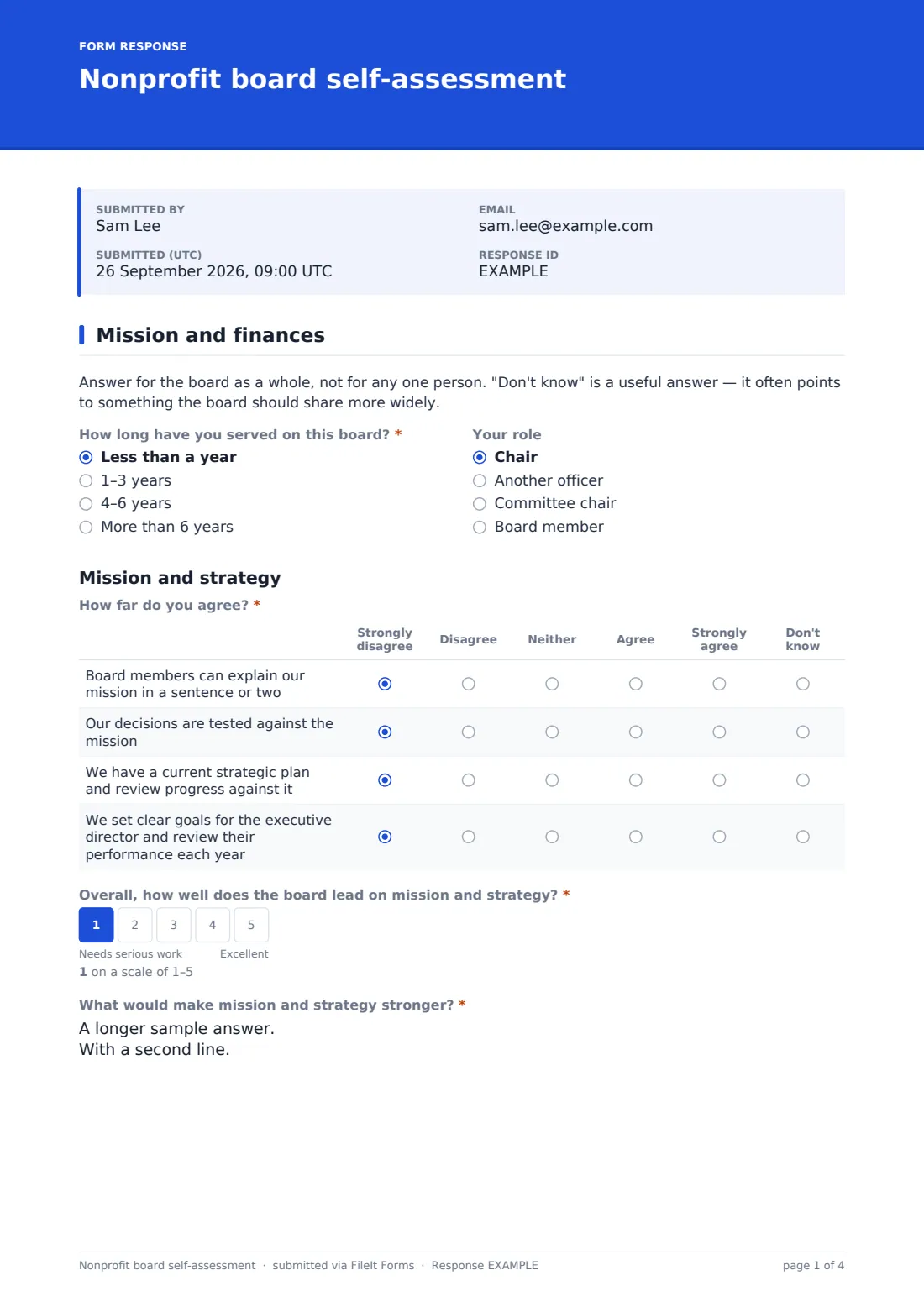
1 Mission and finances
- How long have you served on this board?* Less than a year · 1–3 years · 4–6 years · More than 6 years
- Your role Chair · Another officer · Committee chair · Board member
- How far do you agree?* Strongly disagree · Disagree · Neither · Agree · Strongly agree · Don't know
- Overall, how well does the board lead on mission and strategy?*
- What would make mission and strategy stronger?* asked only when it applies
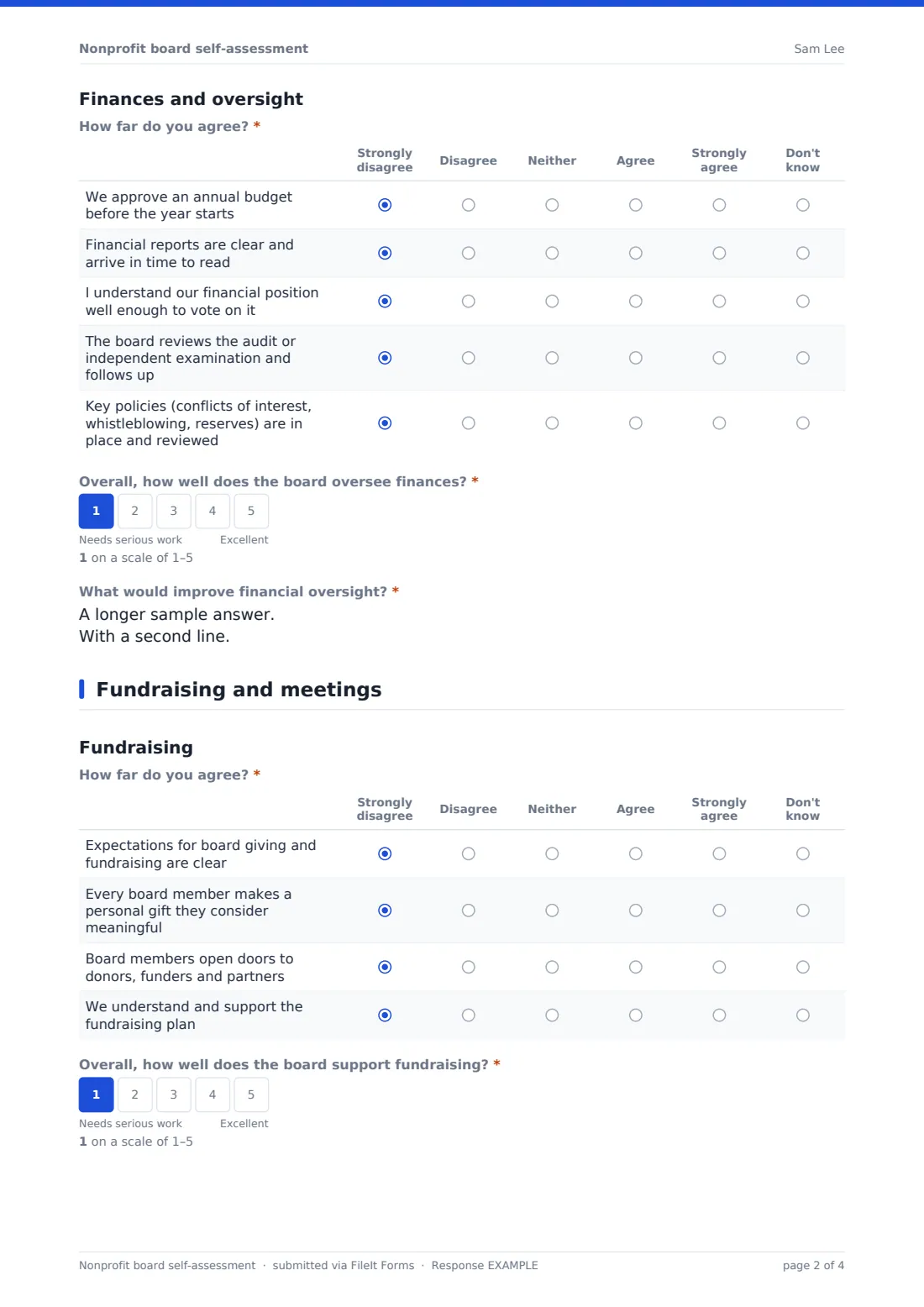
- How far do you agree?* Strongly disagree · Disagree · Neither · Agree · Strongly agree · Don't know
- Overall, how well does the board oversee finances?*
- What would improve financial oversight?* asked only when it applies
2 Fundraising and meetings
- How far do you agree?* Strongly disagree · Disagree · Neither · Agree · Strongly agree · Don't know
- Overall, how well does the board support fundraising?*
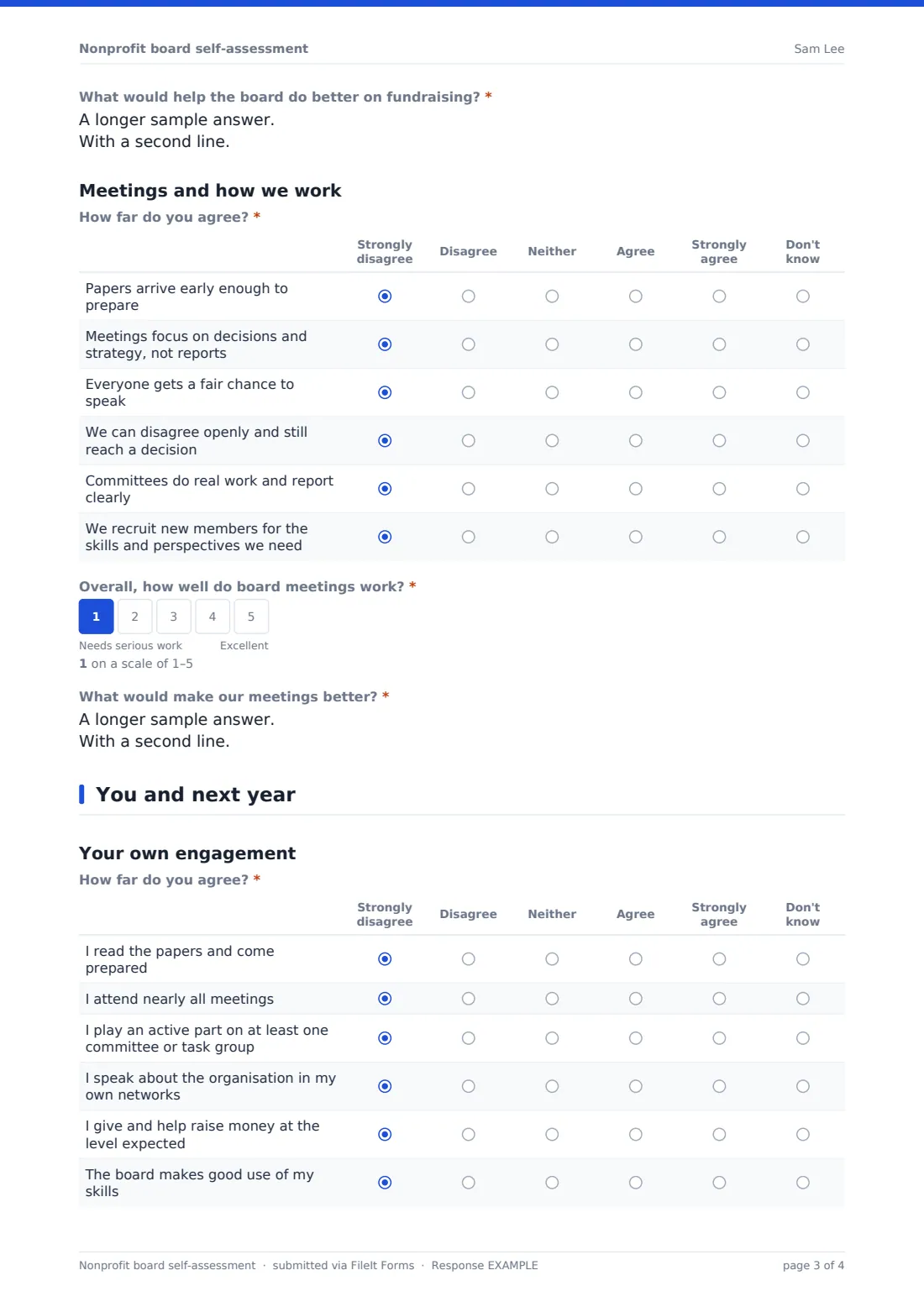
- What would help the board do better on fundraising?* asked only when it applies
- How far do you agree?* Strongly disagree · Disagree · Neither · Agree · Strongly agree · Don't know
- Overall, how well do board meetings work?*
- What would make our meetings better?* asked only when it applies
3 You and next year
- How far do you agree?* Strongly disagree · Disagree · Neither · Agree · Strongly agree · Don't know
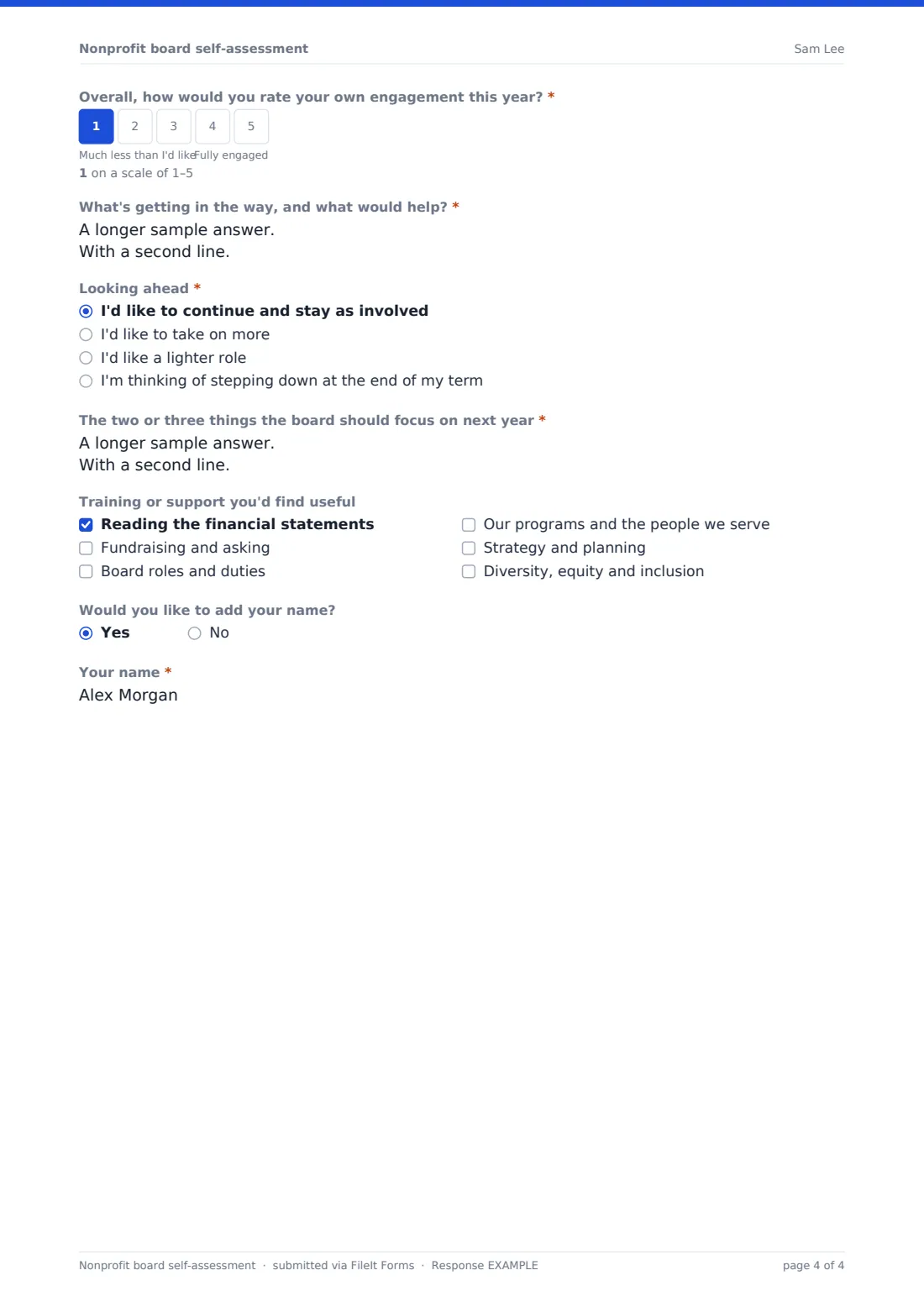
- Overall, how would you rate your own engagement this year?*
- What's getting in the way, and what would help?* asked only when it applies
- Looking ahead* I'd like to continue and stay as involved · I'd like to take on more · I'd like a lighter role · I'm thinking of stepping down at the end of my term
- The two or three things the board should focus on next year*
- Training or support you'd find useful Reading the financial statements · Fundraising and asking · Board roles and duties · Our programs and the people we serve · Strategy and planning · Diversity, equity and inclusion
- Would you like to add your name?
- Your name* asked only when it applies
The nonprofit board self-assessment form, page by page
1 Mission and finances
A short note asks members to answer for the board as a whole, and reminds them that "Don't know" is useful. Members say how long they've served and their role. Under "Mission and strategy" they rate four statements, from being able to explain the mission to setting and reviewing goals for the executive director, then answer "Overall, how well does the board lead on mission and strategy?". "Finances and oversight" follows the same pattern, covering the budget, financial reports, members' own understanding, the audit and key policies. A score of 1 or 2 opens a comment box asking what would improve things.
2 Fundraising and meetings
"Fundraising" asks whether expectations for giving are clear, whether every member gives, whether members open doors and whether they back the fundraising plan. "Meetings and how we work" looks at papers arriving in time, focus on decisions rather than reports, everyone having a voice, healthy disagreement, committees and recruitment. Each ends with its own overall score and, for a low score, "What would help the board do better on fundraising?" or "What would make our meetings better?".
3 You and next year
Members rate their own preparation, attendance, committee work, advocacy, giving and whether the board uses their skills, then score their engagement overall. A low score asks "What's getting in the way, and what would help?". "Looking ahead" asks whether they'll stay as they are, take on more, ease off or step down. They name the two or three things the board should focus on next year, tick any training they'd find useful, and can choose "Would you like to add your name?".
Make the template yours
- Rewrite statements to match your bylaws, policies and board giving expectations
- Add a section for a committee or area that matters to you, such as risk or advocacy
- Change the 1–5 scale labels to your own wording
- Raise the threshold so a 3 also opens the comment box
- Send the form to each board member by email from the Share tab and track who has responded
- File responses in a governance folder only the chair and secretary can see
Tips for a better nonprofit board self-assessment form
- Explain beforehand how the results will be used and who will see them
- Have someone other than the chair compile the results if members are worried about anonymity
- Share the totals with the full board and agree two or three actions
- Pay attention to the "Don't know" answers — they usually signal an information gap
- Repeat the assessment each year with the same statements so you can compare
Every response becomes a PDF in your vault
Each response is saved as a PDF in your FileIt vault, and the form owner is emailed. Identity isn't collected, so a member is only named if they choose to add their name at the end.
Export the Responses table to CSV to count answers per statement and average each area's score. Use the comments from low scores as the starting point for your retreat agenda.
- Start from this template. It opens in the FileIt Forms designer — change any question, add pages, set the rules for when questions appear.
- Share it. Turn on a public link, or send it to people by email, each with their own link. They don’t need a FileIt account.
- Get the answers as PDFs. Each response is saved as a PDF in the vault folder you choose, with uploaded files attached — and listed in a Responses table you can export to CSV.
Nonprofit board self-assessment form: frequently asked questions
Is this board self-assessment template free?
Yes. It's a starter template in FileIt's Forms app, available on every account including the free plan.
Is it anonymous?
Yes, by default. The form doesn't collect identity, and a name only appears if the member answers yes to "Would you like to add your name?".
Why do some comment boxes appear and others don't?
Each area's comment box opens only when the overall score is 1 or 2, so members explain low scores without having to write about everything.
Does FileIt total the scores?
The Responses table lists each answer and the CSV export lets you total and average them in a spreadsheet. The form itself doesn't produce a scorecard.
Can I make sure each board member responds only once?
Yes. Send personal requests from the Share tab so each member gets their own link, and you can see who has replied.
Can a church council use it?
Yes. Rename the sections and adjust the statements, and it works for elders, trustees, parish councils and similar groups.