What is the audience & listener survey form template?
Download and open counts tell you how many people show up, but not why they come, what they skip or what would make them recommend you. An audience survey fills that gap, and the answers help with planning content, pitching sponsors and deciding whether a membership could work.
This template asks how people follow you (podcast, newsletter, video, radio, live shows or social media), which podcast apps they use, how long they've followed you and how much they catch. It asks whether they finish episodes or issues, when they listen, watch or read, and how they found you.
A content page asks for favourite topics and episodes, seven agree-or-disagree statements on length, frequency, quality, host, guests, ads and usefulness, and what to do more and less of. An optional page asks about the audience, and the last page asks for an overall rating, a recommendation score and one change. Each response is saved as a PDF in your FileIt vault.
- Best for
- Podcasters, newsletter writers, YouTubers, radio shows and independent media
- Filled in by
- Listeners, readers and viewers
- Time to complete
- About 5 minutes
- Includes
- Channels and apps, listening habits, discovery, 7-statement content grid, more/less of, optional demographics, support interest and 0–10 recommendation
Who uses a audience & listener survey form?
- An annual listener survey promoted in episodes
- A reader survey linked from a newsletter
- Gathering audience information for a sponsor media kit
- Testing interest in a paid membership
- Deciding on episode length or publishing frequency
- Finding listeners for follow-up interviews
Questions on this audience & listener survey form
22 questions over 4 pages · includes conditional questions, multiple pages, ratings.
1 How you follow us
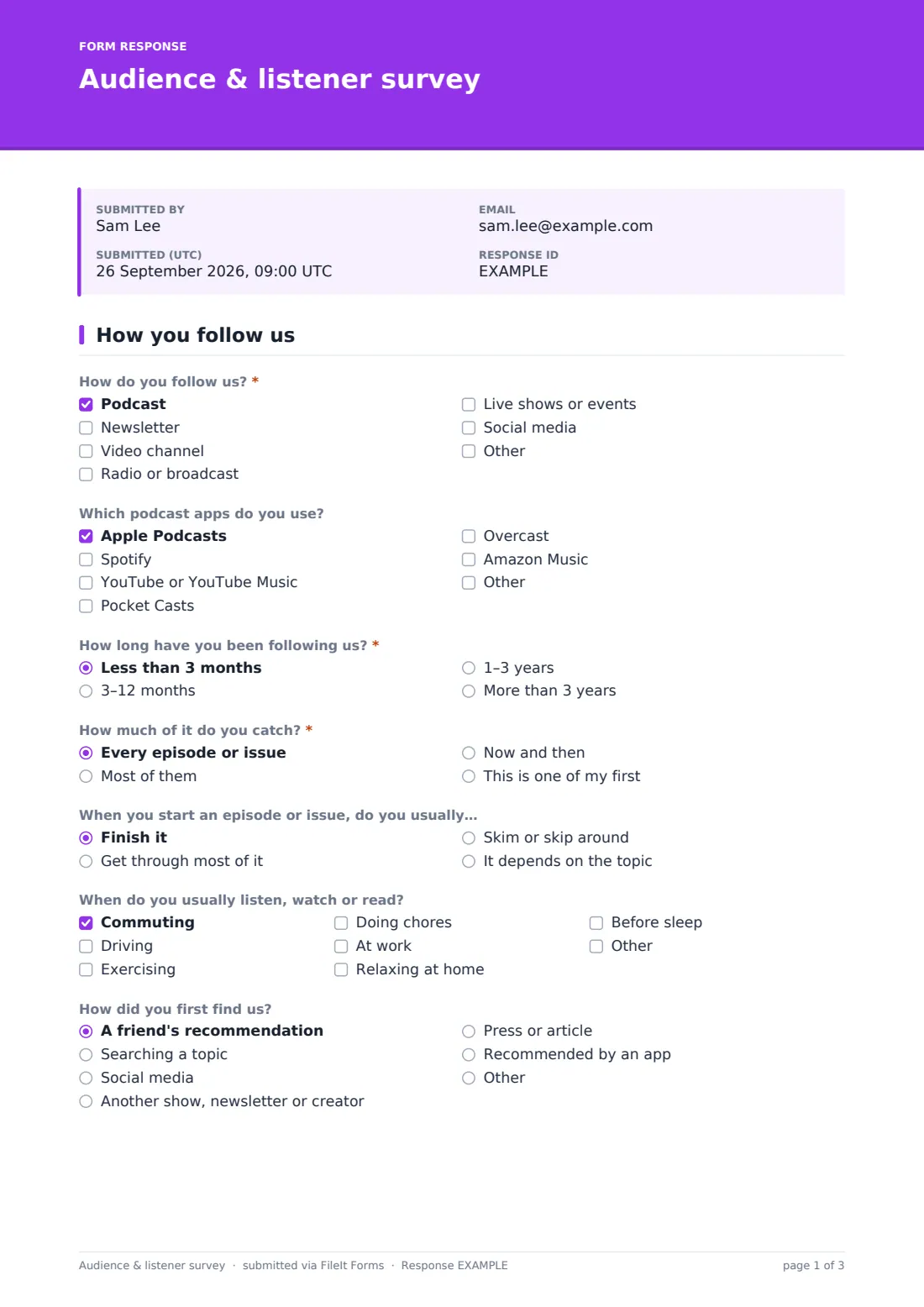
- How do you follow us?* Podcast · Newsletter · Video channel · Radio or broadcast · Live shows or events · Social media
- Which podcast apps do you use? asked only when it applies Apple Podcasts · Spotify · YouTube or YouTube Music · Pocket Casts · Overcast · Amazon Music
- How long have you been following us?* Less than 3 months · 3–12 months · 1–3 years · More than 3 years
- How much of it do you catch?* Every episode or issue · Most of them · Now and then · This is one of my first
- When you start an episode or issue, do you usually… Finish it · Get through most of it · Skim or skip around · It depends on the topic
- When do you usually listen, watch or read? Commuting · Driving · Exercising · Doing chores · At work · Relaxing at home · Before sleep
- How did you first find us? A friend's recommendation · Searching a topic · Social media · Another show, newsletter or creator · Press or article · Recommended by an app
2 The content
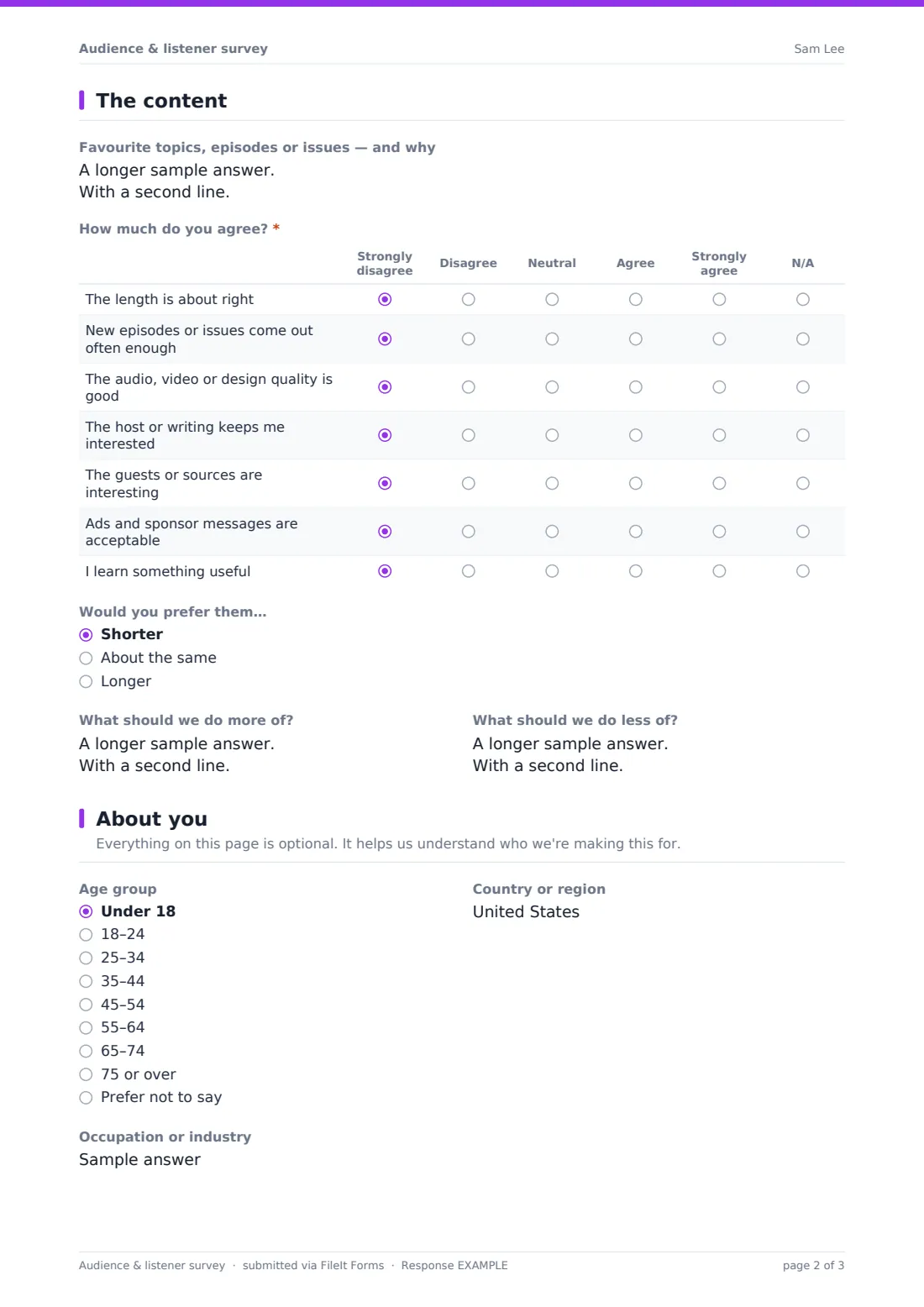
- Favourite topics, episodes or issues — and why
- How much do you agree?* Strongly disagree · Disagree · Neutral · Agree · Strongly agree · N/A
- Would you prefer them… Shorter · About the same · Longer
- What should we do more of?
- What should we do less of?
3 About you
- Age group Under 18 · 18–24 · 25–34 · 35–44 · 45–54 · 55–64 · 65–74 · 75 or over · Prefer not to say
- Country or region
- Occupation or industry
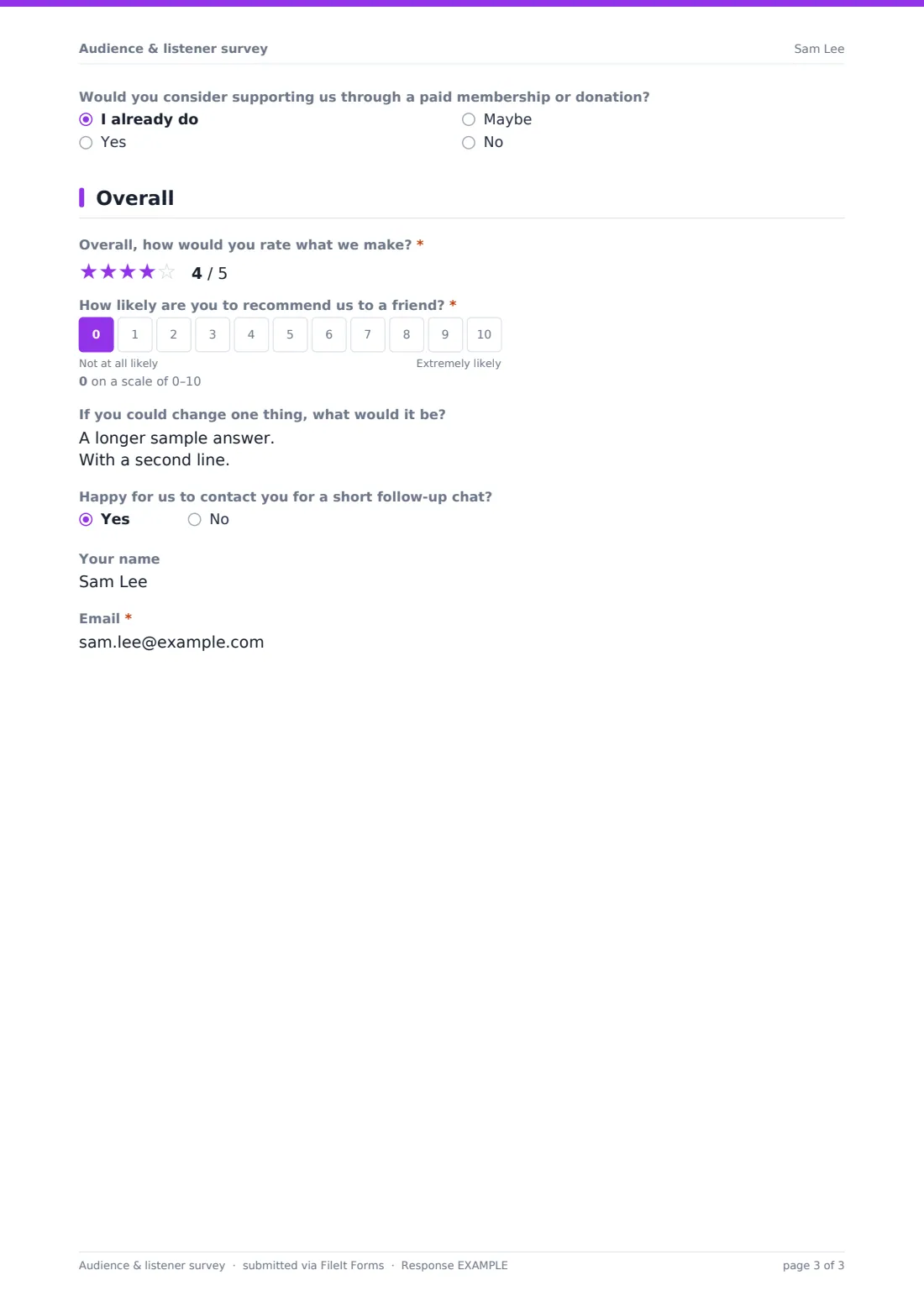
- Would you consider supporting us through a paid membership or donation? I already do · Yes · Maybe · No
4 Overall
- Overall, how would you rate what we make?*
- How likely are you to recommend us to a friend?*
- If you could change one thing, what would it be?
- Happy for us to contact you for a short follow-up chat?
- Your name asked only when it applies
- Email* asked only when it applies
The audience & listener survey form, page by page
1 How you follow us
People tick how they follow you: podcast, newsletter, video channel, radio or broadcast, live shows or social media, or another way. Ticking podcast reveals a question about apps, such as Apple Podcasts, Spotify, YouTube, Pocket Casts, Overcast or Amazon Music. They say how long they've followed you and how much they catch, then optionally whether they usually finish, when they listen or read (commuting, driving, exercising, chores, work, relaxing, before sleep) and how they first found you.
2 The content
An optional box asks for favourite topics, episodes or issues and why. A grid asks people to agree or disagree that the length is right, new episodes come out often enough, quality is good, the host or writing keeps them interested, guests are interesting, ads are acceptable, and they learn something useful. They say whether they'd prefer shorter, the same or longer, and what to do more and less of.
3 About you
Everything here is optional: age group, country or region, occupation or industry, and whether they'd consider supporting you through a paid membership or donation, or already do.
4 Overall
An overall star rating and a 0–10 recommendation score are required, followed by an optional 'one change' box. People happy to be contacted for a short follow-up chat can leave their name and email.
Make the template yours
- Remove channels you don't publish on
- Replace the favourites box with a checklist of your regular segments or series
- Add a giveaway entry question if you're running one, with clear terms
- Add sponsor-specific questions, such as recall of a recent sponsor
- Set a closing date to match your survey promotion period
- Change the cover text to your own voice and the show's name
Tips for a better audience & listener survey form
- Ask on air or in the newsletter more than once — many people only respond after a reminder
- Tell people how long it takes and what you'll do with the answers
- Keep demographic questions optional; people skip surveys that feel intrusive
- Share a few results with your audience afterwards — it shows you listened
- Remember that people who answer are often your most engaged audience, not your whole audience
- If you use results in a sponsor kit, describe them as survey responses, not as your whole audience
Every response becomes a PDF in your vault
Each response is saved as a PDF in your FileIt vault. People who agree to a follow-up chat leave a name and email, so you can contact them later.
Export responses from the Responses table to a CSV to count channels, apps and preferences, and to read all the 'more of' and 'less of' answers together.
- Start from this template. It opens in the FileIt Forms designer — change any question, add pages, set the rules for when questions appear.
- Share it. Turn on a public link, or send it to people by email, each with their own link. They don’t need a FileIt account.
- Get the answers as PDFs. Each response is saved as a PDF in the vault folder you choose, with uploaded files attached — and listed in a Responses table you can export to CSV.
Audience & listener survey form: frequently asked questions
Is this template free?
Yes. It's included in the FileIt Forms app on every account, including the free plan, and you can edit, add or remove any question.
Do respondents need a FileIt account?
No. Anyone with the form's link can respond without signing up or signing in.
Is the survey anonymous?
Yes, unless someone agrees to a follow-up chat and leaves their name and email.
Can we use it for a newsletter instead of a podcast?
Yes. The questions cover podcasts, newsletters, video and shows, and the podcast app question only appears if someone ticks podcast.
Can we run a giveaway with it?
You can add a question for giveaway entries, but you're responsible for the giveaway's rules and any local regulations.
Can we use the results in a media kit?
Yes, as long as you describe them accurately as survey responses from people who chose to answer.
Does FileIt connect to our podcast host or newsletter platform?
No. Share the form link in your show notes or newsletter. Responses are saved in FileIt and can be exported.
Can we close it after a set period?
Yes. Set a closing date or maximum number of responses in the form's settings.