What is the alcohol service refusal log form template?
Licensed venues are often expected to keep a record of refused sales, and a paper refusals book behind the bar tends to get wet, lost or filled in a week late. This template turns each refusal into a quick form a bartender can complete on a phone or tablet straight after it happens.
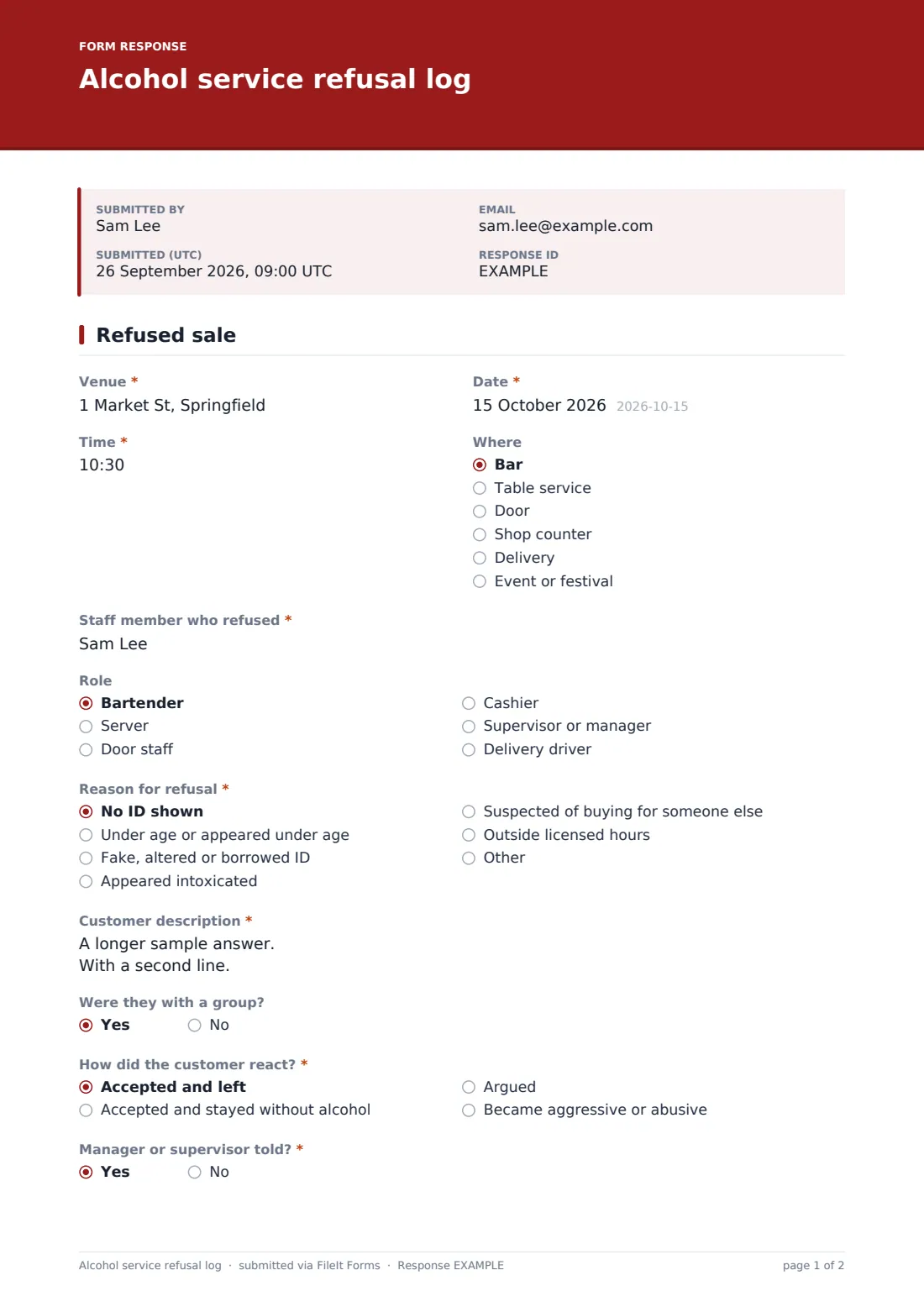
Staff record the venue, date, time and where it happened, who refused and why: no ID shown, under age or appeared under age, a fake, altered or borrowed ID, appeared intoxicated, suspected of buying for someone else, or outside licensed hours. Picking the fake ID reason adds questions about the type of ID, what was wrong with it, the name and date of birth shown and "Was the ID kept?".
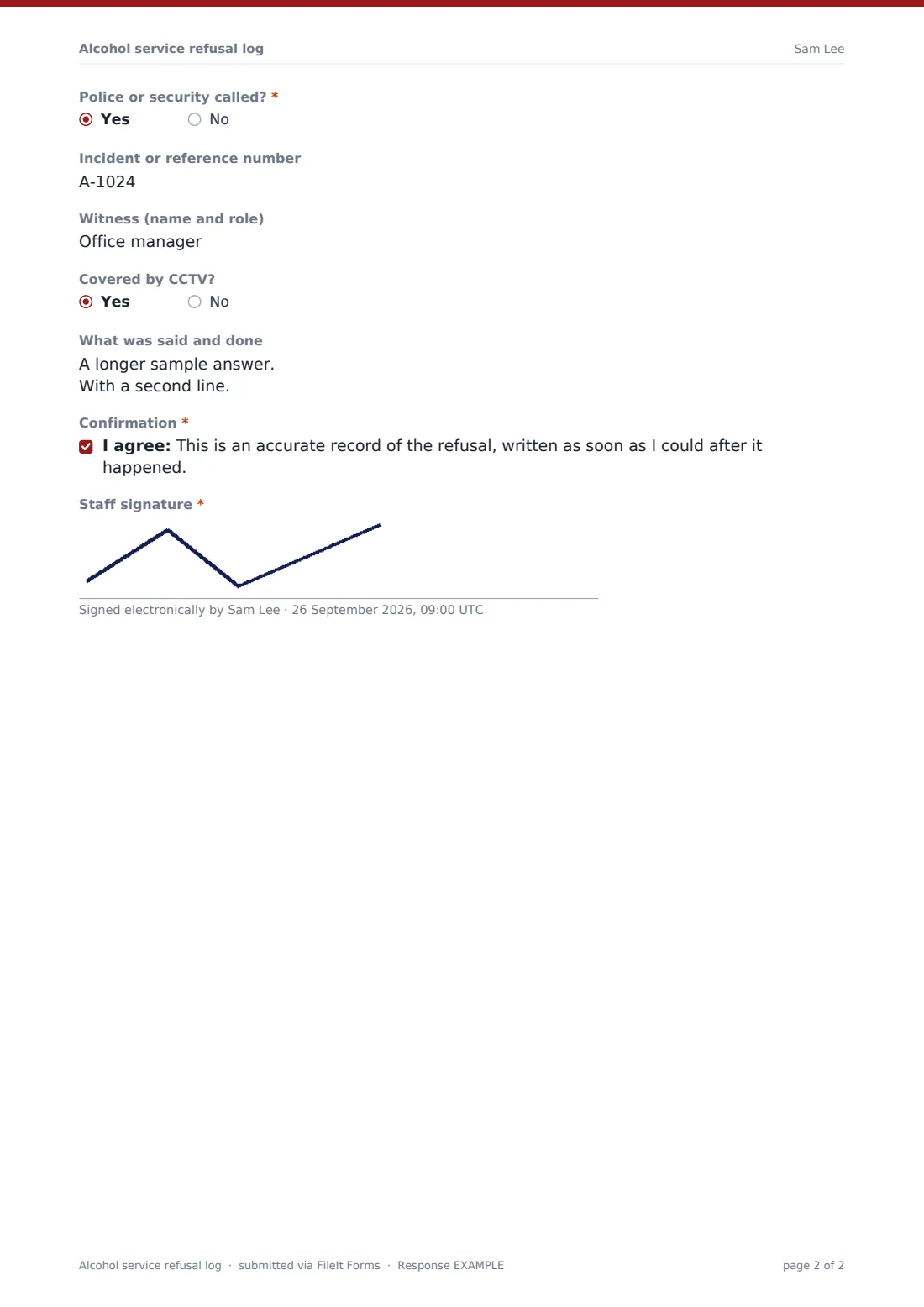
Every entry finishes with a confirmation and the staff member's signature, and FileIt files it as a PDF. Managers get a running log they can review, and if a licensing officer or inspector ever asks, you have dated, signed entries rather than a smudged notebook.
- Best for
- Bars, pubs, restaurants, off-licences, stadium bars and event bars
- Filled in by
- The member of staff who refused the sale
- Time to complete
- 2 to 3 minutes
- Includes
- Fake ID details, customer reaction, police and CCTV questions, and a staff signature
Who uses a alcohol service refusal log form?
- A busy pub keeping its refusals log on a tablet behind the bar
- A convenience store recording age checks at the till
- Door staff logging people turned away for being too drunk
- An event bar where temporary staff need a simple way to record refusals
- A manager checking weekly refusal numbers during staff training
- Showing a licensing officer a full history of refusals
Questions on this alcohol service refusal log form
24 questions · includes signature, conditional questions, consent checkbox.
1 Refused sale
- Venue*
- Date*
- Time*
- Where Bar · Table service · Door · Shop counter · Delivery · Event or festival
- Staff member who refused*
- Role Bartender · Server · Door staff · Cashier · Supervisor or manager · Delivery driver
- Reason for refusal* No ID shown · Under age or appeared under age · Fake, altered or borrowed ID · Appeared intoxicated · Suspected of buying for someone else · Outside licensed hours
- Type of ID shown* asked only when it applies Driving licence · Passport · National ID card · Proof-of-age card · Other
- Issuing state or country asked only when it applies
- What was wrong with it?* asked only when it applies Photo didn't match · Signs of tampering · Wrong feel or security features · Expired · Belongs to someone else · Date of birth looked altered
- Name and date of birth shown on the ID asked only when it applies
- Was the ID kept?* asked only when it applies Kept, following our house policy · Handed back · Customer left without it
- Where it is now or who it was handed to asked only when it applies
- Customer description*
- Were they with a group?
- How did the customer react?* Accepted and left · Accepted and stayed without alcohol · Argued · Became aggressive or abusive
- Manager or supervisor told?*
- Police or security called?*
- Incident or reference number asked only when it applies
- Witness (name and role)
- Covered by CCTV?
- What was said and done
- Confirmation*
- Staff signature*
The alcohol service refusal log form, page by page
1 Refused sale
The form is a single page. It starts with the venue, date, time and where it happened (bar, table service, door, shop counter, delivery or an event), then the staff member who refused and their role.
The reason for refusal decides what comes next. For a fake, altered or borrowed ID, the form asks the type of ID shown, the issuing state or country, what was wrong with it (photo didn't match, signs of tampering, wrong feel or security features, expired, belongs to someone else, date of birth looked altered), the name and date of birth on it, whether it was kept or handed back, and where it is now.
Every entry then asks for a factual customer description, whether they were with a group, how the customer reacted, whether a manager was told and whether police or security were called, with a box for a reference number if so. Record any witness, whether the area is covered by CCTV and what was said and done. The staff member confirms it's an accurate record and signs.
Make the template yours
- Change the reasons to match the wording your licence or local scheme uses
- Edit the ID kept options to match your house policy on retaining IDs
- Add a dropdown of bar areas or tills for larger venues
- Send notifications to the manager's email so every refusal is seen the same night
- Make the witness field required if your policy asks for one
- Set the form to file into a vault folder per venue if you run several
Tips for a better alcohol service refusal log form
- Write it up as soon as you can, while the details are fresh
- Describe what you saw, not what you assumed: "slurred speech, unsteady on feet" is better than "drunk"
- Only keep an ID if your house policy and local rules allow it, and record where it went
- Talk through a few entries in team briefings so new staff know what a good record looks like
- Look at the log for patterns, such as the same group trying again on busy nights
Every response becomes a PDF in your vault
Each refusal is saved as a signed PDF in your FileIt vault, titled with the date, and the manager can get an email for every new entry.
The Responses table works as your refusals book: filter by date, read any entry in full, or export the whole log to CSV for a licensing review or a staff meeting.
- Start from this template. It opens in the FileIt Forms designer — change any question, add pages, set the rules for when questions appear.
- Share it. Turn on a public link, or send it to people by email, each with their own link. They don’t need a FileIt account.
- Get the answers as PDFs. Each response is saved as a PDF in the vault folder you choose, with uploaded files attached — and listed in a Responses table you can export to CSV.
Alcohol service refusal log form: frequently asked questions
Is this alcohol refusal log free?
Yes. It's one of the ready-made templates in the Forms app on every FileIt account, including the free plan.
Does it meet my licensing requirements?
It covers the details refusal logs commonly ask for, but requirements differ by place. Check with your licensing authority and edit the questions to match.
When do the fake ID questions appear?
Only when the reason for refusal is "Fake, altered or borrowed ID".
Do staff need a FileIt account?
No. Share the form link or put a QR code behind the bar. Staff fill it in without signing in.
Can staff sign on a phone?
Yes. The signature box works with a finger on any touchscreen.
Can I see all refusals in one list?
Yes. The Responses table lists every entry, and you can export it to CSV.