What is a website maintenance agreement?
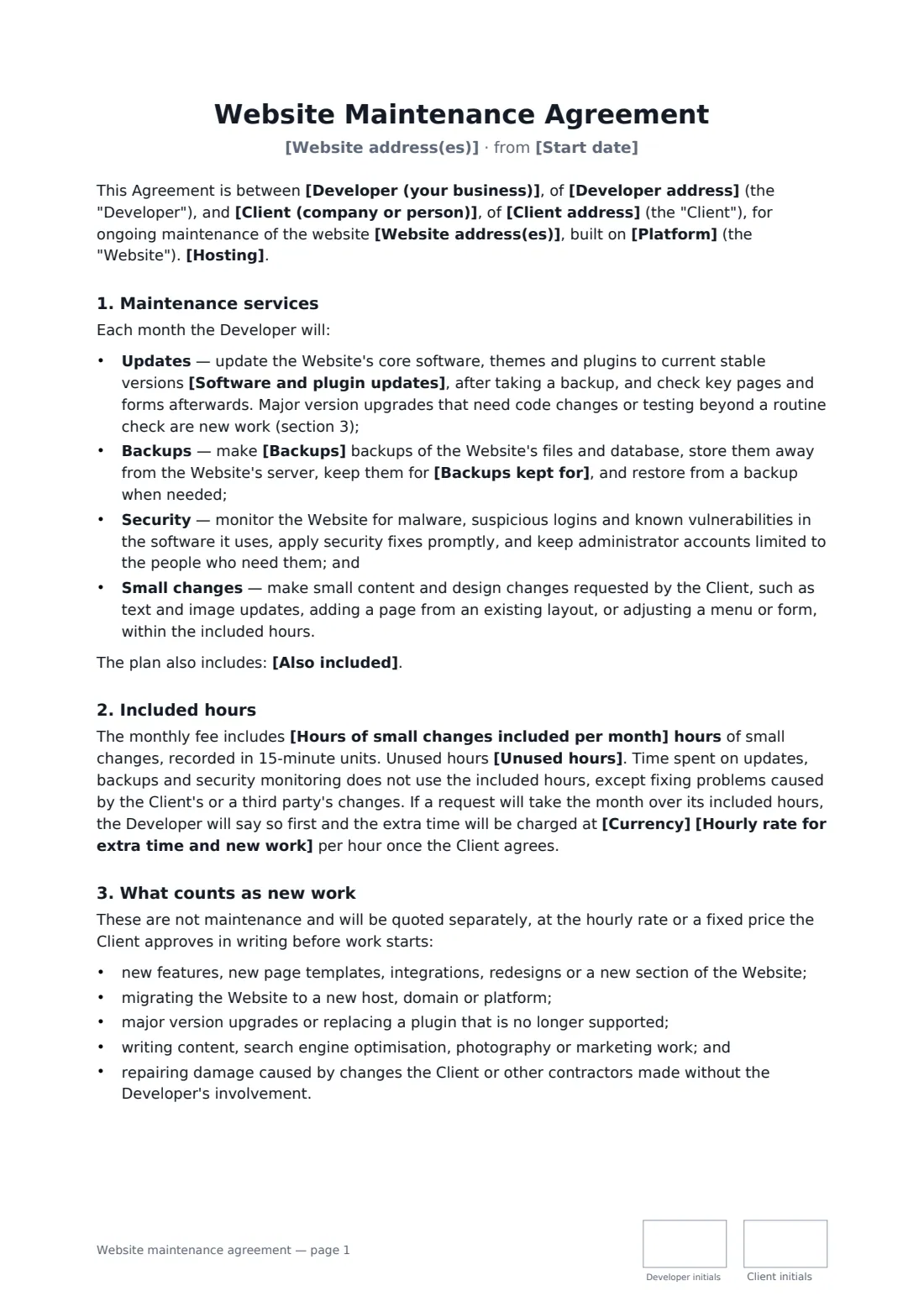
A website maintenance agreement, often sold as a care plan, covers the routine work a website needs after launch: keeping its software and plugins up to date, taking backups, watching for security problems and making small edits. Without a written agreement, "small changes" quietly turn into redesigns, and the developer ends up blamed for a hack or an outage they never promised to prevent.
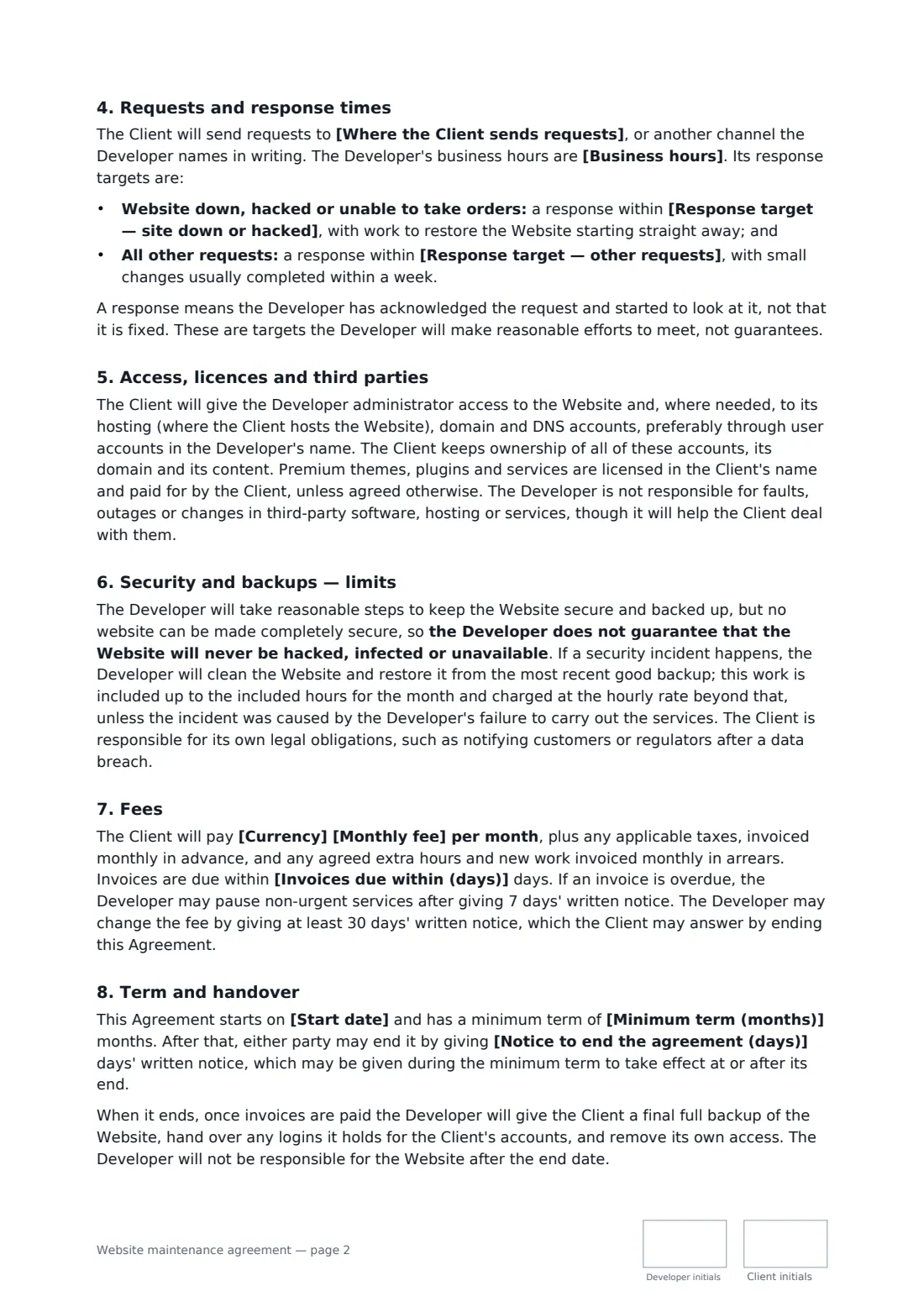
This template sets the update and backup frequency, how long backups are kept, security monitoring, extras such as uptime monitoring, a number of included hours for small changes and whether unused hours roll over. It defines response targets for urgent and normal requests within your business hours, lists what counts as new work, keeps account and licence ownership with the client, and states plainly that no site can be guaranteed secure. It covers the monthly fee, hourly rate for extra work, fee changes, an optional minimum term and handover of a final backup when it ends.
- Best for
- Freelance web developers and agencies offering monthly care plans
- Signed by
- The developer and the client, both with job titles
- Includes
- Updates, backups, security monitoring and a set number of hours for small changes
- Length
- About 3 pages, initialled on every page
When to use a website maintenance agreement
- A developer moves clients onto a monthly WordPress care plan after launch
- An agency maintains a WooCommerce shop with daily backups
- A freelancer looks after a site hosted on the client's own account
- A small business wants two hours of content edits each month
- A developer separates maintenance from a new feature project
What you fill in
25 blanks, then the name and email of each person who signs: developer, client.
1 The parties
- Developer (your business)*
- Developer address
- Where the Client sends requests*
- Client (company or person)*
- Client address
2 The website
- Start date*
- Website address(es)*
- Platform*
- Hosting* The website is hosted on the Client's own hosting account · The website is hosted by the Developer under a separate hosting agreement
3 Services
- Software and plugin updates* weekly · every two weeks · monthly
- Backups* daily · weekly
- Backups kept for*
- Also included
4 Hours and response
- Hours of small changes included per month*
- Unused hours* do not roll over to the next month · roll over for one month only
- Business hours*
- Response target — site down or hacked*
- Response target — other requests*
5 Fees and term
- Currency*
- Monthly fee*
- Hourly rate for extra time and new work*
- Invoices due within (days)*
- Minimum term (months)
- Notice to end the agreement (days)*
- Governing law*
6 Who signs
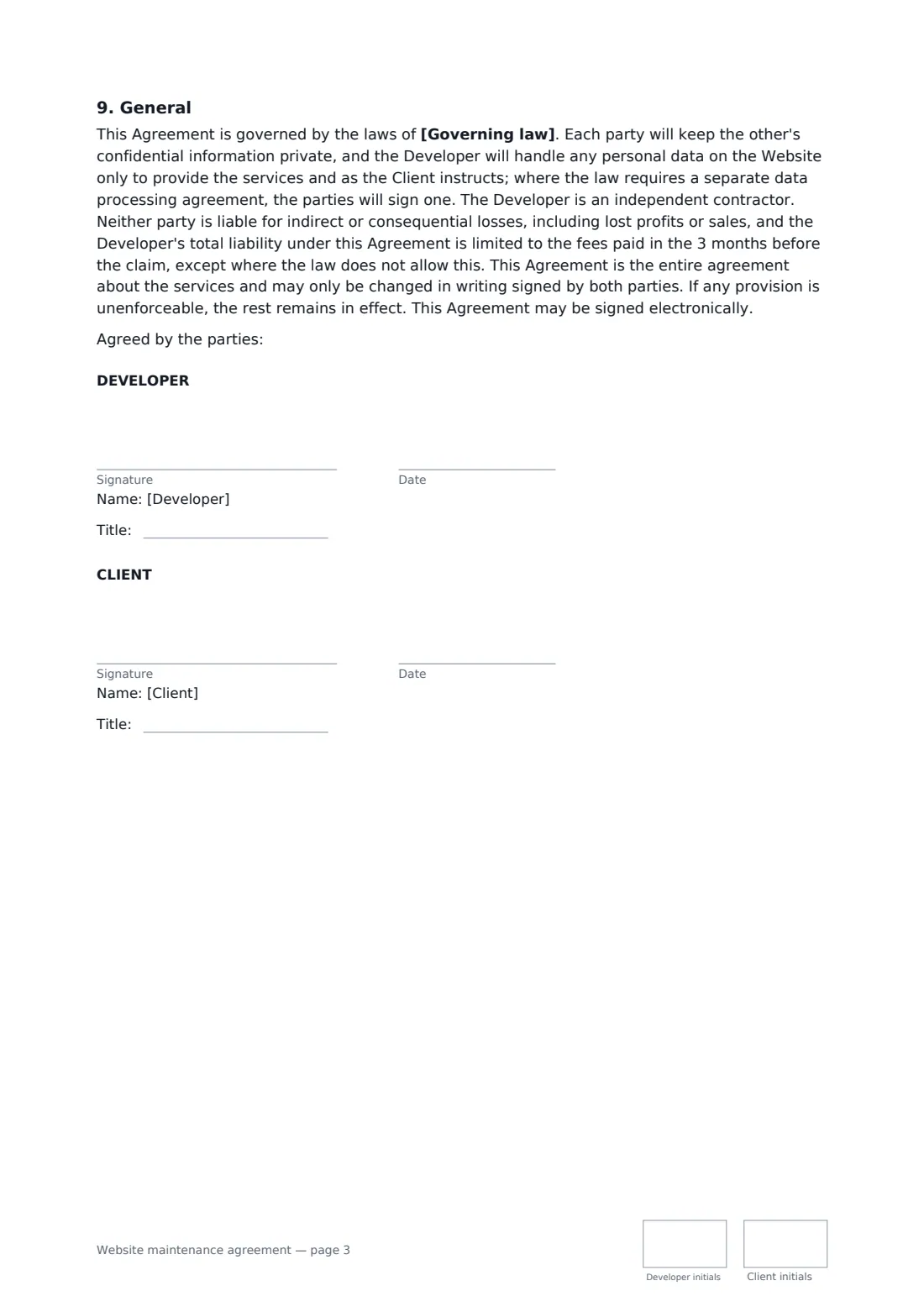
- Developer signature and date, job title, initials on every page · The web developer or agency maintaining the site.
- Client signature and date, job title, initials on every page · The owner of the website.
What the website maintenance agreement covers
- Maintenance services
- Included hours
- What counts as new work
- Requests and response times
- Access, licences and third parties
- Security and backups — limits
- Fees
- Term and handover
- General
Using the website maintenance agreement, step by step
1 Describe the website
Enter the address and platform, and whether the site is on the client's hosting or yours under a separate agreement.
2 Set the services
Choose how often updates and backups run, how long backups are kept, and any extras such as uptime or performance checks.
3 Agree hours and response times
Enter the included hours, whether unused hours roll over, your business hours and response targets for urgent and other requests.
4 Set the fee and send
Enter the monthly fee, hourly rate, payment terms, any minimum term and notice period, then add the client as a signer and send.
Tips before you send it
- Ask for your own administrator account rather than the client's login.
- Test a restore from backup now and then — a backup you've never restored is a hope, not a plan.
- Log time on small changes in 15-minute units, as the agreement says, and share the log with each invoice.
- Quote major version upgrades separately; they often need testing beyond a routine update.
Sign it online in minutes
- Fill in the blanks. Names, dates and amounts go straight into the agreement — the preview shows exactly where.
- Name who signs. Tick “This is me” for your own part. FileIt builds the PDF with every signature, date and initials box on the right line, and you can check or move anything before sending.
- Send it. Each signer gets a secure link and signs from any device — no account needed. The signed PDF, with an audit trail and a Certificate of Completion, is filed in your vault and emailed to everyone.
Website maintenance agreement: frequently asked questions
What counts as a small change?
Text and image updates, adding a page from an existing layout, or adjusting a menu or form — within the included hours. New features, redesigns, migrations and content writing are new work, quoted separately.
Does the developer guarantee the site won't be hacked?
No. The developer takes reasonable steps — updates, monitoring, backups — but the agreement says no website can be made completely secure. After an incident the developer cleans and restores the site from the latest good backup.
What happens when the agreement ends?
Once invoices are paid, the developer gives the client a final full backup, hands over any logins it holds for the client's accounts and removes its own access.
Is a document signed electronically legally binding?
In most countries, including the US (ESIGN Act and UETA), the UK, the EU (eIDAS) and Canada, an electronic signature is generally valid for an ordinary agreement like this one. FileIt keeps an audit trail and a Certificate of Completion with the signed PDF as evidence of who signed and when.
Is this template free?
Yes. The template is free to use with the eSignature app in FileIt. Your client doesn't need a FileIt account to sign.