What is a web hosting services agreement?
A web hosting agreement sets the terms between a hosting provider, agency or freelancer who keeps a website online and the client who owns it. Shared terms of service on a big host's website don't fit a managed relationship, where the client wants to know what uptime you commit to, what happens when you miss it, how far back the backups go, and how to move the site if they leave.
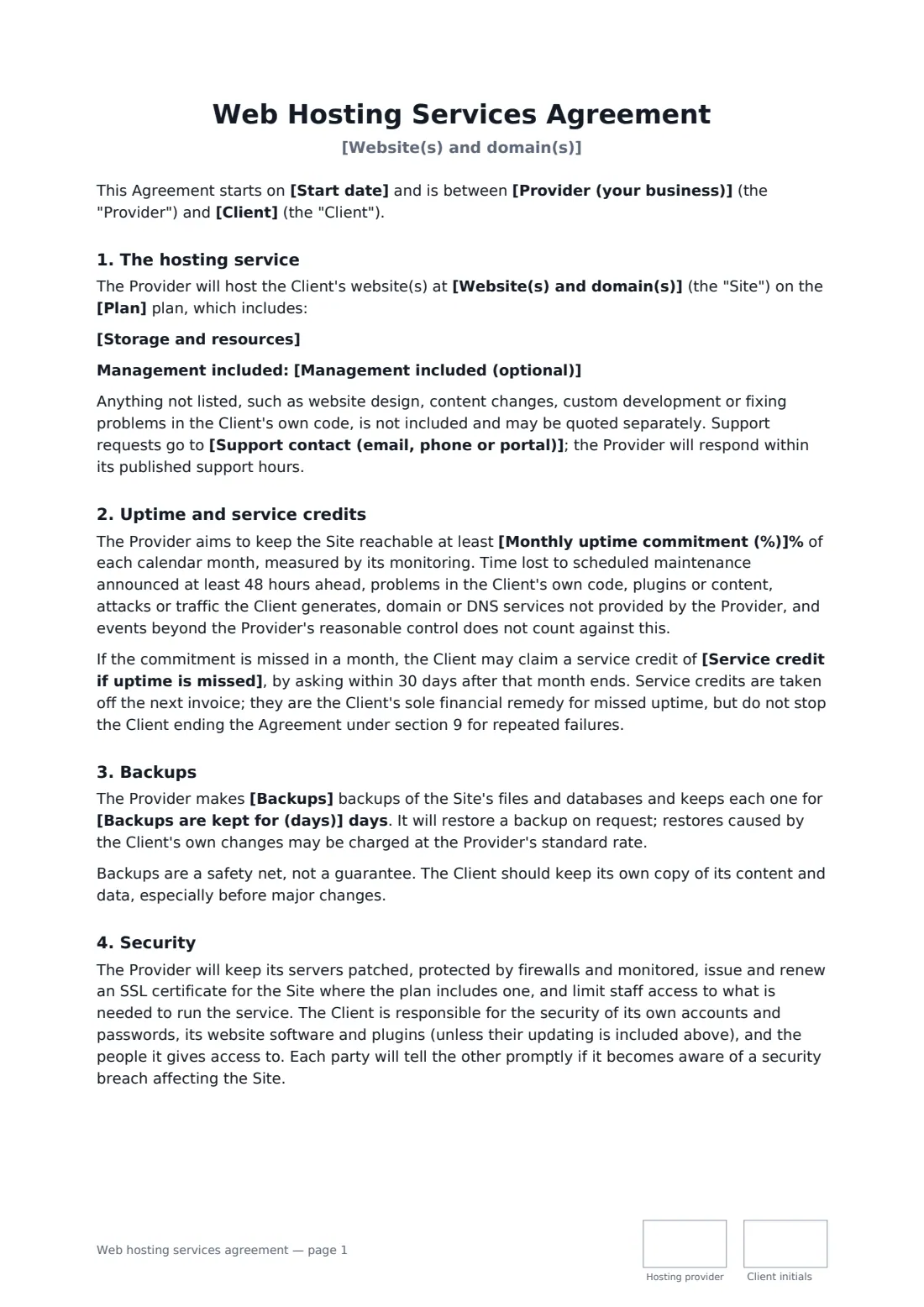
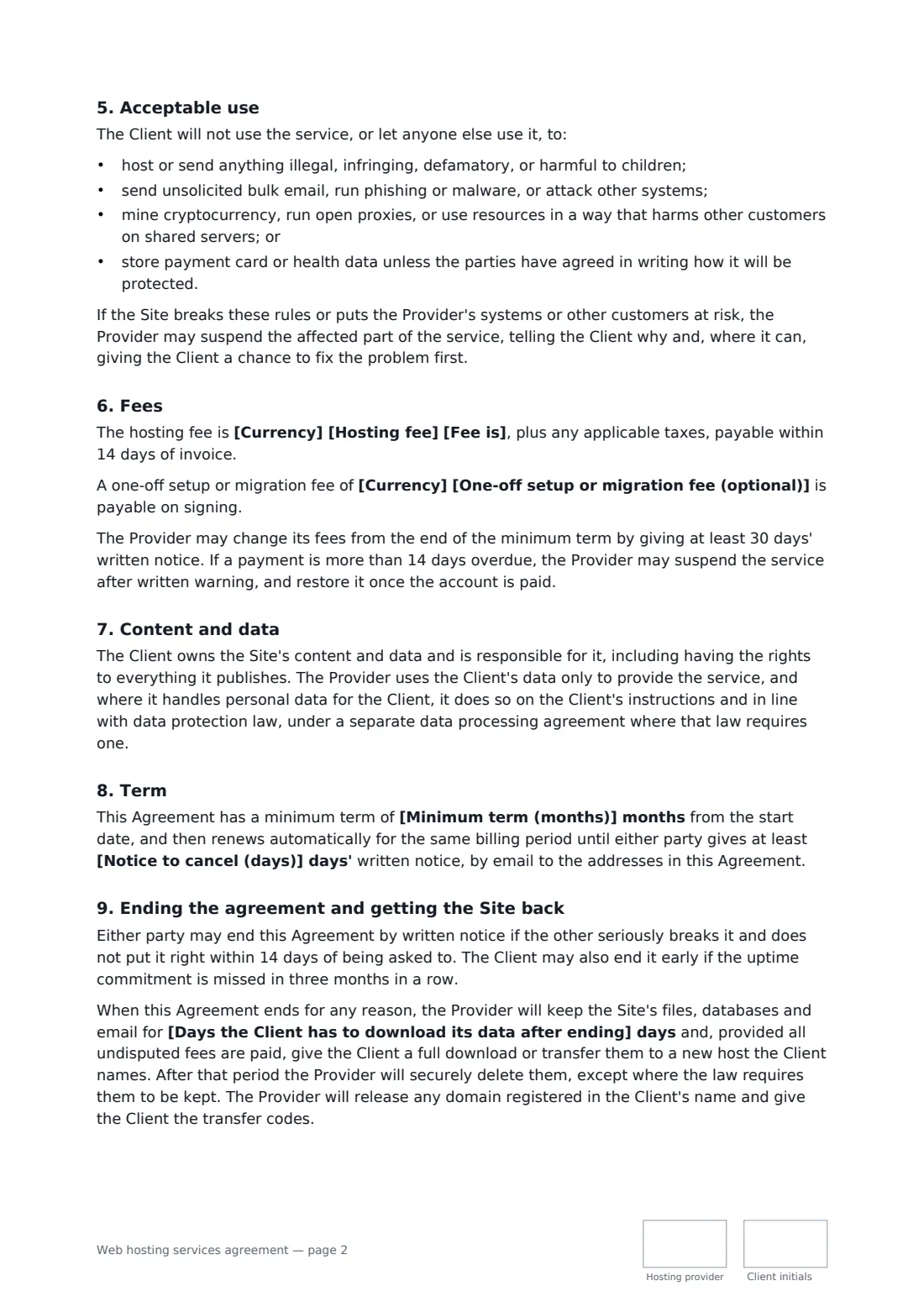
This template lists the sites and domains, the plan, storage and resources, and any management you include such as updates and malware clean-up. It sets a monthly uptime commitment with fair exclusions and service credits the client can claim, backup frequency and retention, the security each side is responsible for, and an acceptable use list with a suspension process that gives the client a chance to fix things. It covers fees, an optional setup or migration fee, a minimum term with automatic renewal, client ownership of content and data, a right to leave after repeated outages, and a download window before data is deleted, with domain transfer codes handed over.
- Best for
- Hosting providers, web agencies and freelancers who host client sites
- Signed by
- The hosting provider and the client
- Covers
- Uptime credits, backups, security, acceptable use, exit
- Length
- About 3 pages, initialled on every page
When to use a web hosting services agreement
- A web agency hosting the WordPress sites it has built for clients
- A managed hosting company onboarding a small online shop
- A freelancer moving a client from cheap shared hosting to a managed plan
- An IT provider hosting a local business's website and email
- A developer hosting a booking site with an agreed uptime target
What you fill in
21 blanks, then the name and email of each person who signs: hosting provider, client.
1 The parties
- Start date*
- Provider (your business)*
- Support contact (email, phone or portal)*
- Client*
- Client email for notices*
2 The hosting
- Website(s) and domain(s)*
- Plan*
- Storage and resources*
- Management included (optional)
3 Uptime and backups
- Monthly uptime commitment (%)*
- Service credit if uptime is missed*
- Backups* daily · twice-daily · weekly
- Backups are kept for (days)*
4 Fees and term
- Currency*
- Hosting fee*
- Fee is* per month, billed monthly in advance · per year, billed yearly in advance
- One-off setup or migration fee (optional)
- Minimum term (months)*
- Notice to cancel (days)*
- Days the Client has to download its data after ending*
- Governing law*
5 Who signs
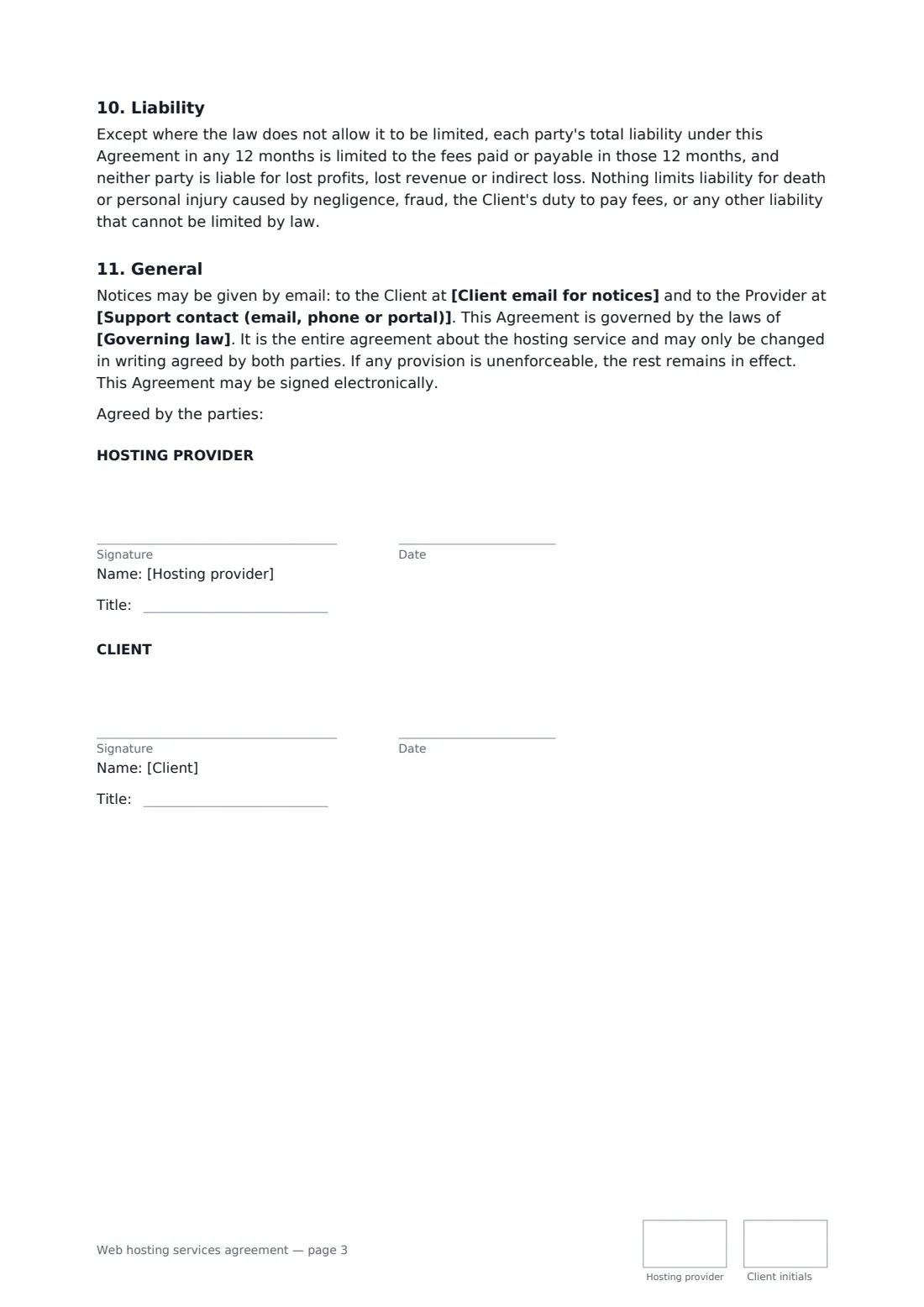
- Hosting provider signature and date, job title, initials on every page · The business hosting the website.
- Client signature and date, job title, initials on every page · The business or person whose website is hosted.
What the web hosting services agreement covers
- The hosting service
- Uptime and service credits
- Backups
- Security
- Acceptable use
- Fees
- Content and data
- Term
- Ending the agreement and getting the Site back
- Liability
- General
Using the web hosting services agreement, step by step
1 Describe the hosting
Enter the websites and domains, the plan name, the storage and resources, and any management you include, such as plugin updates.
2 Set uptime and backups
The uptime commitment and credit formula are pre-filled; adjust them to what you can deliver. Choose the backup frequency and how many days backups are kept.
3 Add fees and term
Enter the hosting fee and billing period, any setup fee, the minimum term and the notice to cancel.
4 Plan the exit and send
Set how many days the client has to download their data after the end, add the governing law, and send for signature.
Tips before you send it
- Only promise the uptime your own infrastructure supports. Check what your data centre or cloud provider commits to you.
- Run a test restore now and then. A backup you have never restored is a hope, not a plan.
- If you host personal data for the client, you are likely a data processor. Pair this with a data processing agreement where the law requires one.
- Register domains in the client's name where you can. The template commits you to handing over transfer codes when the agreement ends.
Sign it online in minutes
- Fill in the blanks. Names, dates and amounts go straight into the agreement — the preview shows exactly where.
- Name who signs. Tick “This is me” for your own part. FileIt builds the PDF with every signature, date and initials box on the right line, and you can check or move anything before sending.
- Send it. Each signer gets a secure link and signs from any device — no account needed. The signed PDF, with an audit trail and a Certificate of Completion, is filed in your vault and emailed to everyone.
Web hosting services agreement: frequently asked questions
What counts against the uptime commitment?
Time the site is unreachable by the provider's monitoring, except announced maintenance, problems in the client's own code or plugins, attacks or traffic the client generates, third-party DNS or domains, and events beyond the provider's control.
How do service credits work?
If uptime falls short in a month, the client asks within 30 days and the credit comes off the next invoice. Credits are the money remedy for missed uptime, but three bad months in a row also let the client end the agreement.
What happens to the website when the agreement ends?
The provider keeps the files, databases and email for the number of days you set, gives the client a full download or transfers them to a new host once undisputed fees are paid, releases any domains, then securely deletes the data.
Can a hosting agreement be signed electronically?
Yes. Electronic signatures are generally valid for ordinary services contracts in the US (ESIGN and UETA), the UK, the EU (eIDAS) and Canada. FileIt keeps an audit trail and Certificate of Completion with the signed PDF.
Does the client need a FileIt account?
No. They open the link in the email, review the agreement and sign. The template is free to use with FileIt eSignature.