What is a timekeeping policy acknowledgement?
Wage claims often start with small habits: answering messages before clocking in, skipping a break that was still deducted, or a friend clocking in for someone who is running late. A timekeeping acknowledgement sets the rules out plainly, and records that the company pays for all time worked as well as expecting accurate records.
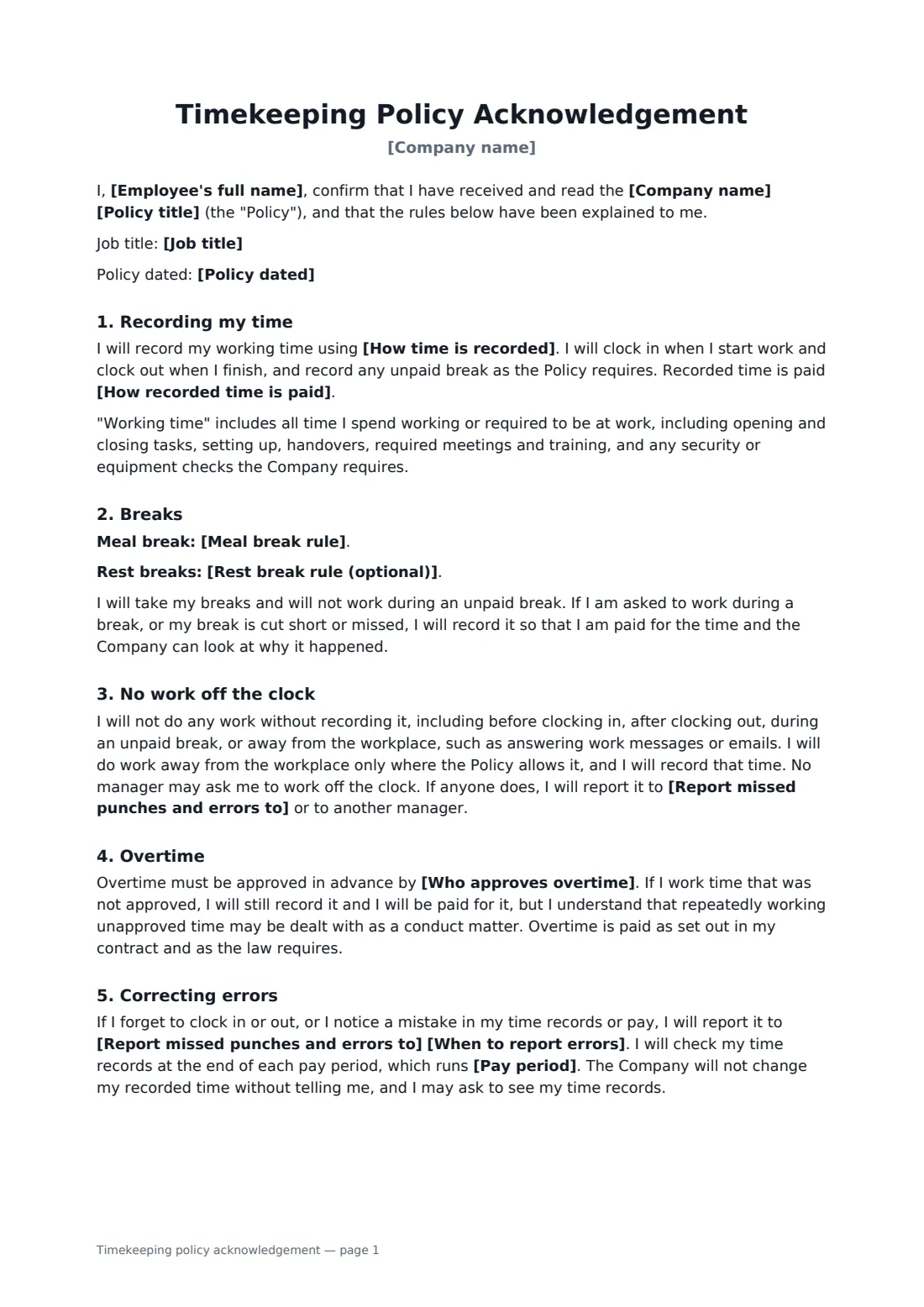
You fill in the time recording system, whether time is paid to the minute or rounded neutrally, the meal and rest break rules, who approves overtime, who receives corrections and when, the pay period, and who to tell about lateness or absence. The employee agrees to record all working time, including set-up and required training, to take breaks and record missed ones, never to work off the clock, to get overtime approved while still recording any unapproved time, to check their records each pay period, and never to clock in for anyone else. The company commits to paying for all time worked and not penalising anyone for reporting a pay problem.
- Best for
- Shops, restaurants, warehouses, care services, any hourly staff
- Signed by
- The employee and a manager or payroll contact
- Covers
- Clocking, breaks, off-the-clock work, overtime, corrections, buddy punching
- Length
- 2 pages
When to use a timekeeping policy acknowledgement
- New hourly employees on their first day
- Introducing a new clock-in app or time clock
- Re-acknowledging the rules after a missed-break or overtime problem
- A restaurant where staff do opening and closing duties
- A business that has found shared badges or PINs
What you fill in
14 blanks, then the name and email of each person who signs: employee, employer.
1 Details
- Company name*
- Employee's full name*
- Job title
- Policy title*
- Policy dated
2 Recording time
- How time is recorded*
- How recorded time is paid* to the exact minute recorded · rounded to the nearest five minutes, up or down equally · rounded to the nearest quarter hour, up or down equally
3 Breaks
- Meal break rule*
- Rest break rule (optional)
4 Overtime and corrections
- Who approves overtime*
- Report missed punches and errors to*
- When to report errors*
- Pay period* weekly · every two weeks · twice a month · monthly
- Report lateness or absence to*
5 Who signs
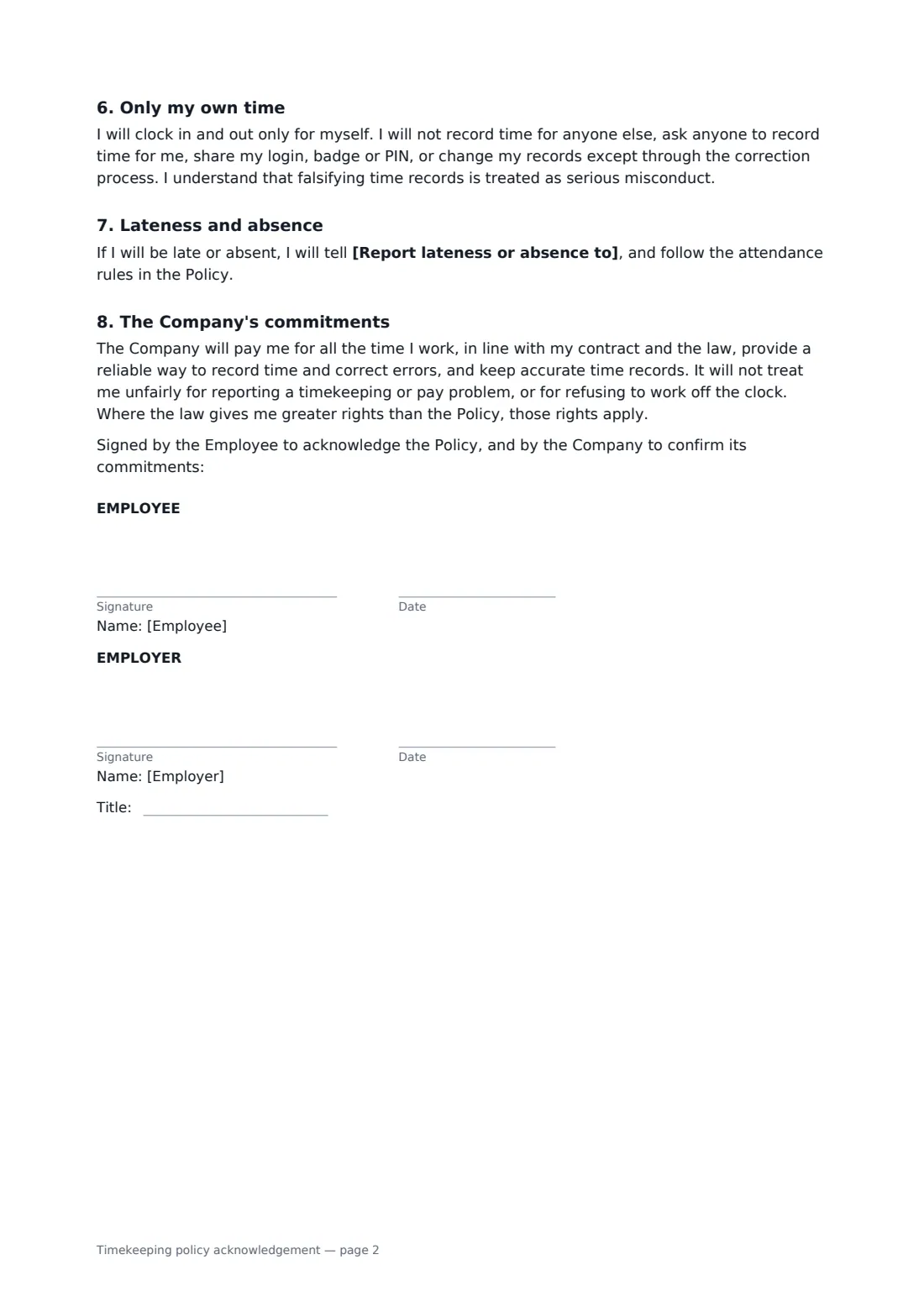
- Employee signature and date
- Employer signature and date, job title · The manager, payroll or HR contact recording the acknowledgement.
What the timekeeping policy acknowledgement covers
- Recording my time
- Breaks
- No work off the clock
- Overtime
- Correcting errors
- Only my own time
- Lateness and absence
- The Company's commitments
Using the timekeeping policy acknowledgement, step by step
1 Employee and policy
Your company name fills in from your account. Add the employee, job title, policy title and date.
2 Recording time and breaks
Name the system staff use to clock in, choose how recorded time is paid, and describe your meal and rest break rules.
3 Overtime and corrections
Say who approves overtime, who receives missed punches and errors and by when, the pay period, and who to call about lateness.
4 Sign and file
The employee signs on their phone or a shared tablet and you countersign. The signed copy is filed in your FileIt vault.
Tips before you send it
- Check local rules on break length, paid rest breaks and whether rounding is allowed before filling in those fields.
- Pay for unapproved overtime that was worked, and deal with the approval issue separately.
- Make the correction process easy; a hard one leads to unrecorded time.
- Remind managers that asking staff to work off the clock is not allowed.
Sign it online in minutes
- Fill in the blanks. Names, dates and amounts go straight into the agreement — the preview shows exactly where.
- Name who signs. Tick “This is me” for your own part. FileIt builds the PDF with every signature, date box on the right line, and you can check or move anything before sending.
- Send it. Each signer gets a secure link and signs from any device — no account needed. The signed PDF, with an audit trail and a Certificate of Completion, is filed in your vault and emailed to everyone.
Timekeeping policy acknowledgement: frequently asked questions
Is unapproved overtime paid?
Yes. The employee records it and is paid for it. Repeatedly working unapproved overtime can be handled as a conduct matter, but it is not left unpaid.
Can we round clock times?
You choose exact minutes or neutral rounding to five or fifteen minutes. Rounding is not allowed everywhere, and where it is, it must not favour the employer over time.
Does it cover remote messages and emails?
Yes. Answering work messages or emails without recording the time counts as off-the-clock work. The employee works away from the workplace only where the policy allows it, and records that time.
What is buddy punching?
Clocking in or out for someone else. The form forbids it, along with sharing badges or PINs, and treats falsified records as serious misconduct.