What is a employee availability form?
Shift-based teams in retail, hospitality, care and events live and die by the rota. Building one is far easier when every employee has told you, in writing, which days and hours they can work. It cuts down on last-minute swaps and no-shows, and it gives you a clear record when someone says they never agreed to Saturdays.
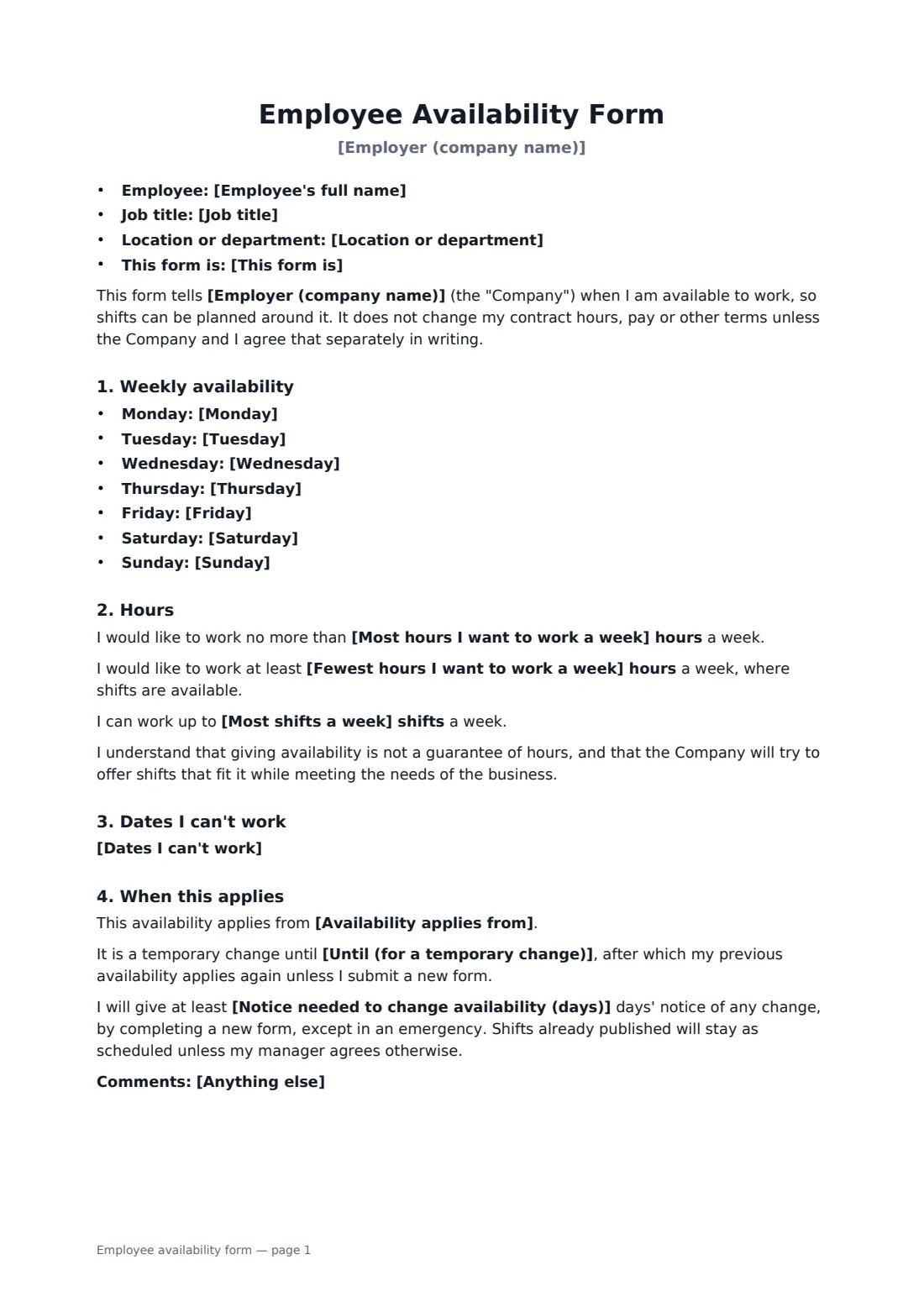
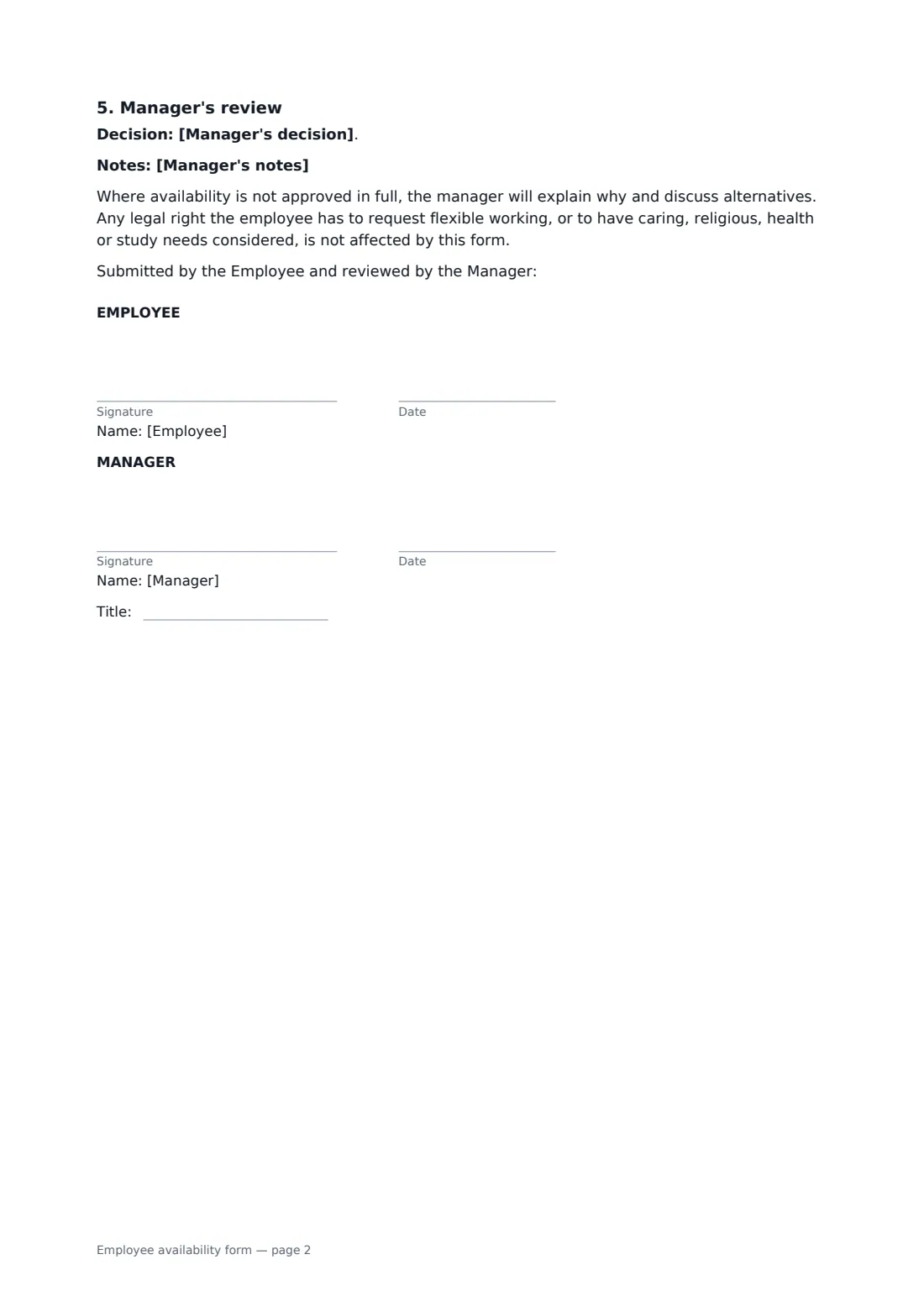
This form has a line for each day of the week, optional maximum and minimum weekly hours and a shift limit, a note that the employee has another job or regular commitment without asking what it is, dates they can't work, the date the availability applies from and, for a temporary change, when it ends. It sets the notice needed for future changes and ends with the manager's decision: approved, approved with changes or not approved, with notes. It makes clear that availability is not a promise of hours and does not change the employment contract.
- Best for
- Shops, restaurants, hotels, care providers, events and other shift-based teams
- Signed by
- The employee, and the manager who approves it
- Covers
- Daily availability, weekly hour limits, dates off, start date, change notice
- Length
- 1-2 pages
When to use a employee availability form
- Collecting availability from new hires before their first rota
- A student changing availability for exam season
- A parent asking for school-hours shifts only
- A seasonal worker giving availability for the summer
- Resetting everyone's availability before a new opening schedule
What you fill in
23 blanks, then the name and email of each person who signs: employee, manager.
1 About the employee
- Employer (company name)*
- Employee's full name*
- Job title
- Location or department
- This form is* my first availability form · a change to my availability · a temporary change to my availability
2 Weekly availability
- Monday
- Tuesday
- Wednesday
- Thursday
- Friday
- Saturday
- Sunday
3 Hours
- Most hours I want to work a week
- Fewest hours I want to work a week
- Most shifts a week
- Do you have another job or regular commitment?* No · Yes — reflected in the hours above
4 Dates and changes
- Dates I can't work
- Availability applies from*
- Until (for a temporary change)
- Notice needed to change availability (days)*
- Anything else
5 Manager's review
- Manager's decision* Approved as submitted · Approved with the changes noted below · Not approved — see the reason below
- Manager's notes
6 Who signs
- Employee signature and date · The employee giving their availability.
- Manager signature and date, job title · The manager or scheduler who approves it.
What the employee availability form covers
- Weekly availability
- Hours
- Dates I can't work
- When this applies
- Manager's review
Using the employee availability form, step by step
1 Enter the employee
Add the employee, their job and location, and choose whether this is their first form, a change or a temporary change.
2 Fill in each day
Write the hours for each day, or "Not available" or "Any time". Leave a day empty for the employee to complete on a printed copy.
3 Add limits and dates
Enter any maximum or minimum weekly hours or shift limit, dates they can't work, and when it starts and ends.
4 Record the decision
Choose approved, approved with changes or not approved, add notes, and send it for both signatures. The signed form is filed in your vault for the next rota.
Tips before you send it
- Ask for availability when someone joins, not after the first rota clash.
- Set a change notice period that matches how far ahead you publish rotas.
- If you can't approve someone's availability, say why and look at alternatives together. Caring, health and religious needs may be protected in law.
- Keep the latest signed form for each person, and archive the old one when a new one replaces it.
Sign it online in minutes
- Fill in the blanks. Names, dates and amounts go straight into the agreement — the preview shows exactly where.
- Name who signs. Tick “This is me” for your own part. FileIt builds the PDF with every signature, date box on the right line, and you can check or move anything before sending.
- Send it. Each signer gets a secure link and signs from any device — no account needed. The signed PDF, with an audit trail and a Certificate of Completion, is filed in your vault and emailed to everyone.
Employee availability form: frequently asked questions
Does the form guarantee the employee those hours?
No. It says availability is not a guarantee of hours and doesn't change the contract hours, pay or other terms unless agreed separately in writing.
Can an employee change their availability later?
Yes, by completing a new form with the notice you set, except in an emergency. Shifts already published stay as they are unless the manager agrees.
Is this the same as a flexible working request?
No. This form helps with scheduling. It says any legal right to request flexible working, or to have caring, religious, health or study needs considered, is not affected.
Can staff sign it on a phone?
Yes. They get a signing link by email and can sign on any phone or computer, no app or account needed.