What is a casual employment agreement?
Many businesses rely on people who work when needed: event staff, relief carers, supply workers, cover for busy days. Casual employment suits both sides, but only if the rules are clear — how shifts are offered, how quickly to reply, what happens when a shift is cancelled, and how pay and holiday work.
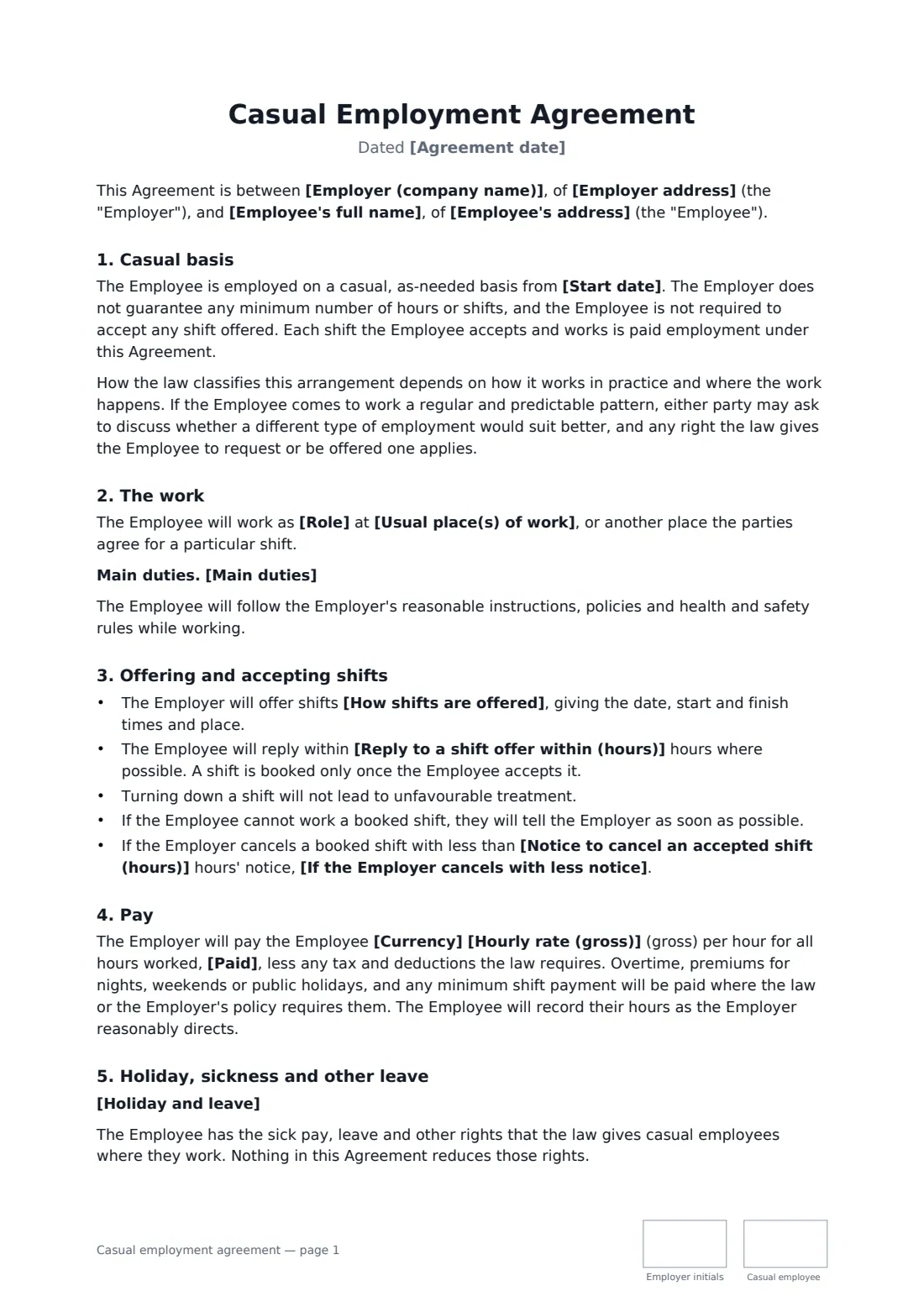
This agreement sets up ongoing casual employment with no guaranteed hours and no duty to accept a shift. It covers how shifts are offered and booked, a reply window, a cancellation notice period with your choice of cancellation pay, an hourly rate and pay frequency, holiday and leave as the law requires, other work, confidentiality, and ending by notice or after a period with no work. It also recognises that if the work becomes regular, the arrangement may need to change.
- Best for
- Relief, bank, event and on-demand staff with no fixed hours
- Signed by
- The employer and the casual employee
- Hours
- None guaranteed — shifts offered and accepted one by one
- Length
- About 3 pages, initialled on every page
When to use a casual employment agreement
- Event and catering staff called in for functions
- Relief carers or support workers covering absences
- Retail or hospitality staff who pick up extra shifts when they can
- Students working around their studies
- A pool of trained cover staff for a clinic, school or warehouse
What you fill in
20 blanks, then the name and email of each person who signs: employer, casual employee.
1 The parties
- Agreement date*
- Employer (company name)*
- Employer address
- Employee's full name*
- Employee's address
2 The work
- Role*
- Main duties
- Usual place(s) of work*
- Start date*
3 Shifts
- How shifts are offered*
- Reply to a shift offer within (hours)
- Notice to cancel an accepted shift (hours)*
- If the Employer cancels with less notice* the Employee will be paid for the shift as if it had been worked · the Employee will be paid for half of the shift · the Employee will be paid as the law requires
4 Pay
- Currency*
- Hourly rate (gross)*
- Paid* weekly · every two weeks · twice a month · monthly
- Holiday and leave*
5 Ending
- Notice to end the arrangement (days)*
- Arrangement lapses after no work for (months)
- Governing law*
6 Who signs
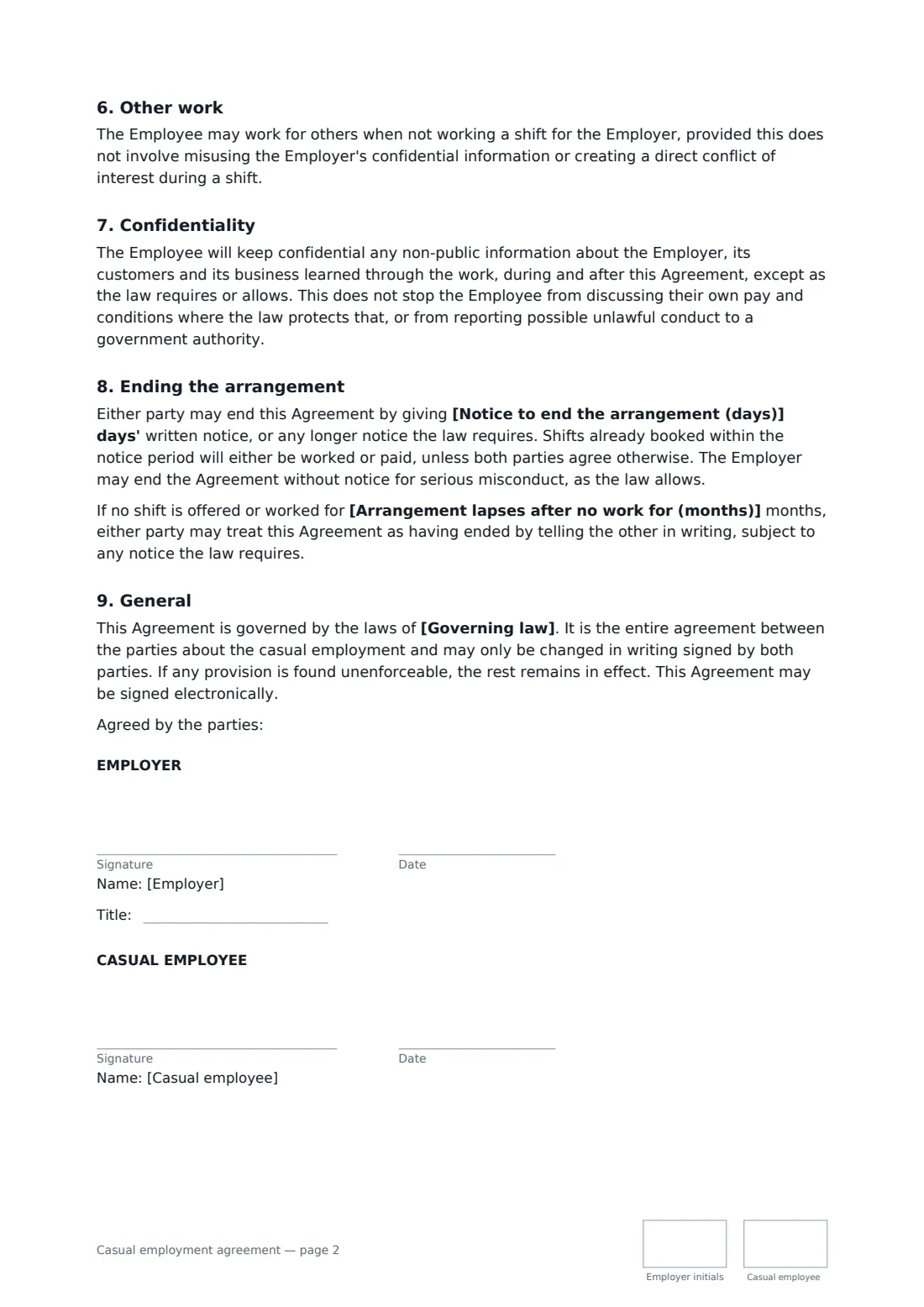
- Employer signature and date, job title, initials on every page
- Casual employee signature and date, initials on every page
What the casual employment agreement covers
- Casual basis
- The work
- Offering and accepting shifts
- Pay
- Holiday, sickness and other leave
- Other work
- Confidentiality
- Ending the arrangement
- General
Using the casual employment agreement, step by step
1 Add the parties and the role
Enter both parties, the role, main duties, usual workplace and start date.
2 Set the shift rules
Say how shifts are offered, how long the employee has to reply, how much notice you'll give to cancel, and what you'll pay if you cancel late.
3 Set pay and leave
Enter the hourly rate and pay frequency, and describe holiday and leave. Make sure both meet the law where the work happens.
4 Set notice and send
Choose the notice period, an optional lapse period, and the governing law. Both parties initial each page and sign.
Tips before you send it
- Check the minimum wage, holiday and sick pay rules for casual workers where you operate.
- Some places have rules on shift notice, cancellation pay or minimum shift lengths. Build them into the fields.
- If someone is working the same pattern every week, a regular part-time contract may be more appropriate — and in some places they can ask for one.
- Use the seasonal employment agreement instead for a fixed season with set dates.
Sign it online in minutes
- Fill in the blanks. Names, dates and amounts go straight into the agreement — the preview shows exactly where.
- Name who signs. Tick “This is me” for your own part. FileIt builds the PDF with every signature, date and initials box on the right line, and you can check or move anything before sending.
- Send it. Each signer gets a secure link and signs from any device — no account needed. The signed PDF, with an audit trail and a Certificate of Completion, is filed in your vault and emailed to everyone.
Casual employment agreement: frequently asked questions
How is this different from a seasonal employment agreement?
A seasonal agreement covers a fixed period with set dates and usually a regular schedule. A casual agreement is ongoing with no guaranteed hours — shifts are offered and accepted one at a time.
Is this a zero-hours contract?
It works in a similar way: no hours are guaranteed. Rules for these arrangements differ a lot between countries and states, so check the law where the work happens.
Can the employee turn down shifts?
Yes. The agreement says the employee doesn't have to accept any shift and won't be treated unfavourably for declining.
Can I send this to several casual staff?
Yes — send one envelope per person from the template. Each signed agreement is stored in your vault with its own audit trail.