What is a time off request form?
A quick message saying "can I take next Friday off?" is easy to send and easy to lose. A short signed form keeps a record of what was asked, what was approved and how it affects the leave balance, so there are no surprises at payroll or when two people turn out to be away on the same week.
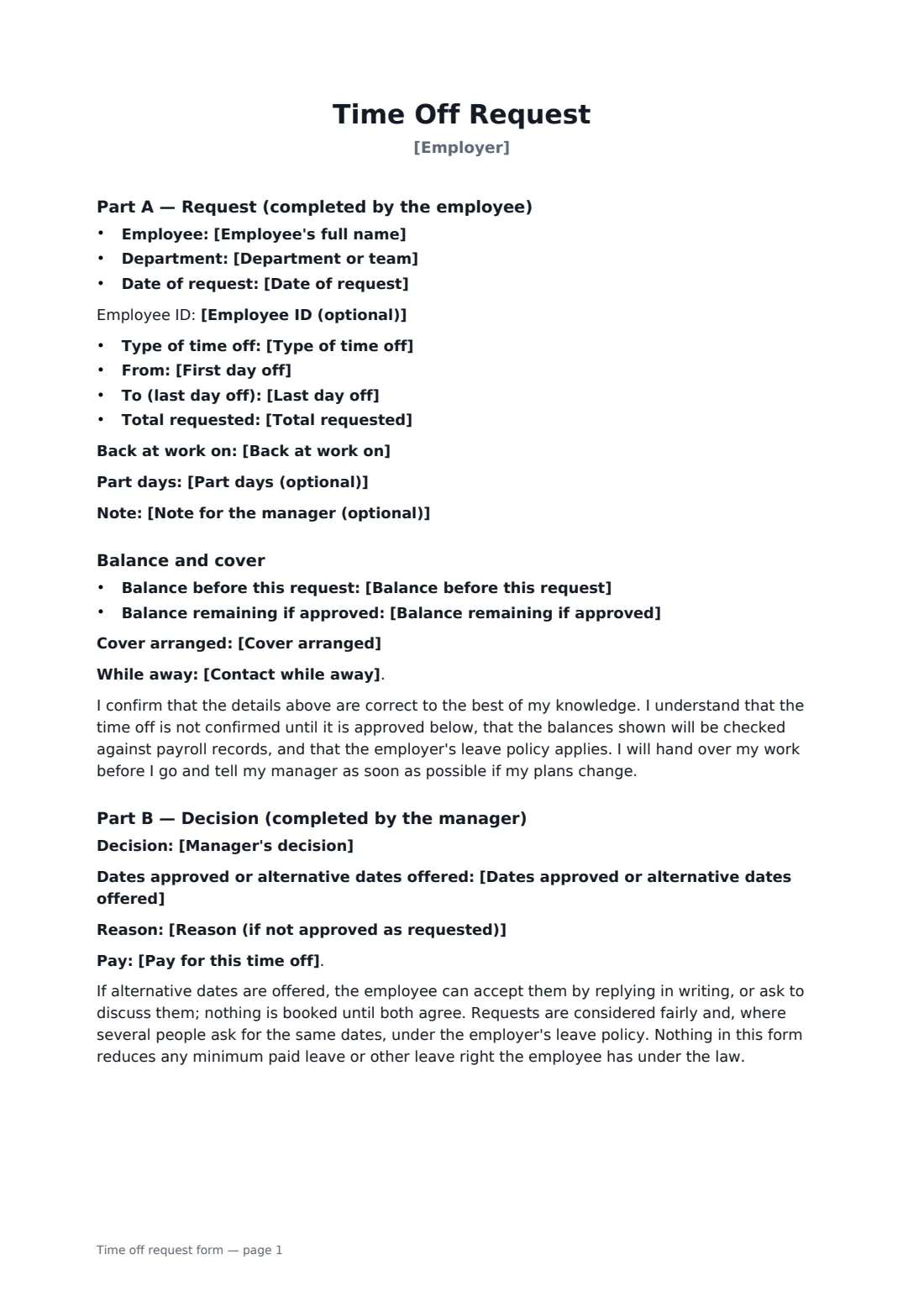
In Part A the employee gives the type of time off (vacation, personal day, floating holiday, PTO, time off in lieu, unpaid or other), the first and last day off and return date, any part days, the total requested, an optional note, the balance before and after, the cover arranged and whether they can be reached. In Part B the manager records the decision (approved, approved in part, not approved with alternative dates, or not approved), the dates approved or offered, a reason, and whether the time is paid from the balance, paid separately or unpaid.
- Best for
- Vacation, personal days, PTO and short time off
- Signed by
- The employee (request) and the manager (decision)
- Records
- Dates, hours, leave type, balance, cover, decision and pay
- Length
- 2 pages
When to use a time off request form
- Booking a week's summer vacation
- Taking a personal day or floating holiday
- Using time off in lieu for overtime worked
- Offering an employee different dates when the team is short
- Keeping a written leave record for a small business without HR software
What you fill in
20 blanks, then the name and email of each person who signs: employee, manager.
1 The request
- Employer*
- Employee's full name*
- Employee ID (optional)
- Department or team
- Date of request*
- Type of time off* Vacation or annual leave · Personal day · Floating holiday · Paid time off (PTO) · Time off in lieu (for overtime worked) · Unpaid time off · Other (see note)
- First day off*
- Last day off*
- Back at work on
- Part days (optional)
- Total requested*
- Note for the manager (optional)
2 Balance and cover
- Balance before this request
- Balance remaining if approved
- Cover arranged
- Contact while away* I will not be contactable · Urgent matters only, by phone · Urgent matters only, by email
3 Manager's decision
- Manager's decision* Approved as requested · Approved in part · Not approved — alternative dates offered · Not approved
- Dates approved or alternative dates offered
- Reason (if not approved as requested)
- Pay for this time off* Paid from the employee's leave balance · Paid, not taken from the leave balance · Unpaid · Not applicable (not approved)
4 Who signs
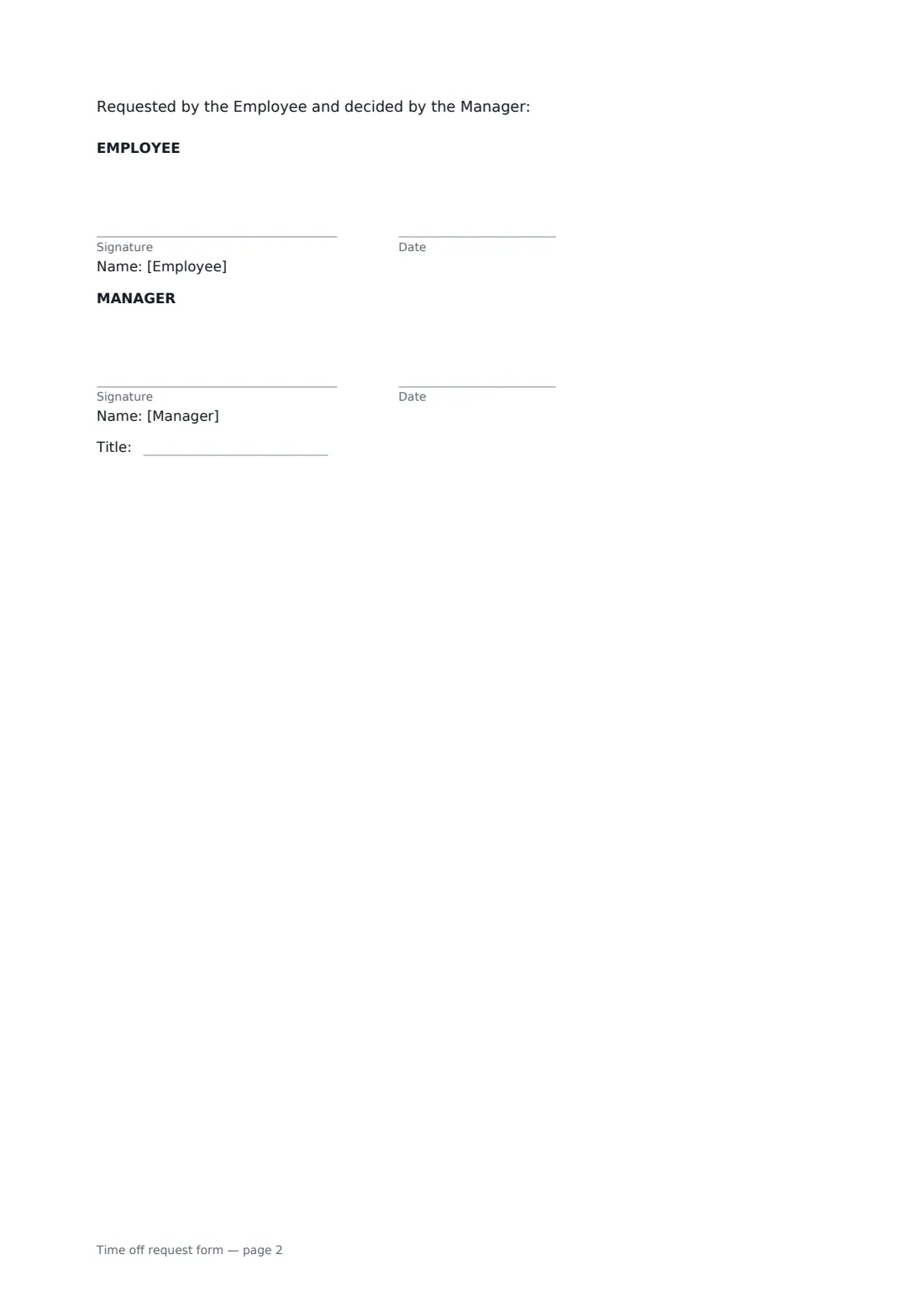
- Employee signature and date · The person asking for time off. They sign first to make the request.
- Manager signature and date, job title · The manager who approves or declines the request. The decision is printed on the form, so fill it in when you prepare the form, once the employee has asked for the time off.
What the time off request form covers
- Part A — Request (completed by the employee)
- Balance and cover
- Part B — Decision (completed by the manager)
Using the time off request form, step by step
1 Enter the request
Choose the type of time off, the first and last day off and the return date, any part days and the total in days or hours.
2 Add the balance and cover
Note the balance before and after the request, who will cover the work, and whether the employee can be contacted while away.
3 Record the decision
The manager chooses approved, approved in part, or not approved, with alternative dates and a reason where needed, and says how the time is paid.
4 Sign
The employee signs the request and the manager signs the decision. The signed form is filed in your vault for payroll and leave records.
Tips before you send it
- Check the balance against payroll before approving. The form says balances will be checked.
- If you decline, offer alternative dates where you can. Nothing is booked until both agree.
- For long unpaid leave, medical or family leave, use a leave of absence request instead.
- Minimum paid leave rights differ by country and state. A refusal can't take an employee below what the law gives them.
Sign it online in minutes
- Fill in the blanks. Names, dates and amounts go straight into the agreement — the preview shows exactly where.
- Name who signs. Tick “This is me” for your own part. FileIt builds the PDF with every signature, date box on the right line, and you can check or move anything before sending.
- Send it. Each signer gets a secure link and signs from any device — no account needed. The signed PDF, with an audit trail and a Certificate of Completion, is filed in your vault and emailed to everyone.
Time off request form: frequently asked questions
Does the employee have to say why they want time off?
Usually not for vacation. The note is optional. For some types of leave your policy may ask for a reason.
Who sends the form?
Usually the manager or HR prepares it once the employee has asked, entering the request and the decision, then sends it for both to sign. The decision is printed on the form, so it is set before sending. Both signatures end up on the same PDF.
What if only some of the dates can be approved?
Choose "Approved in part" and enter the dates approved. If you offer different dates, the employee can accept them in writing or ask to discuss them.
Can I use it for sick leave?
Use a sickness self-certification form for sick days. This form is for planned time off.