What is a ski and snowboard waiver?
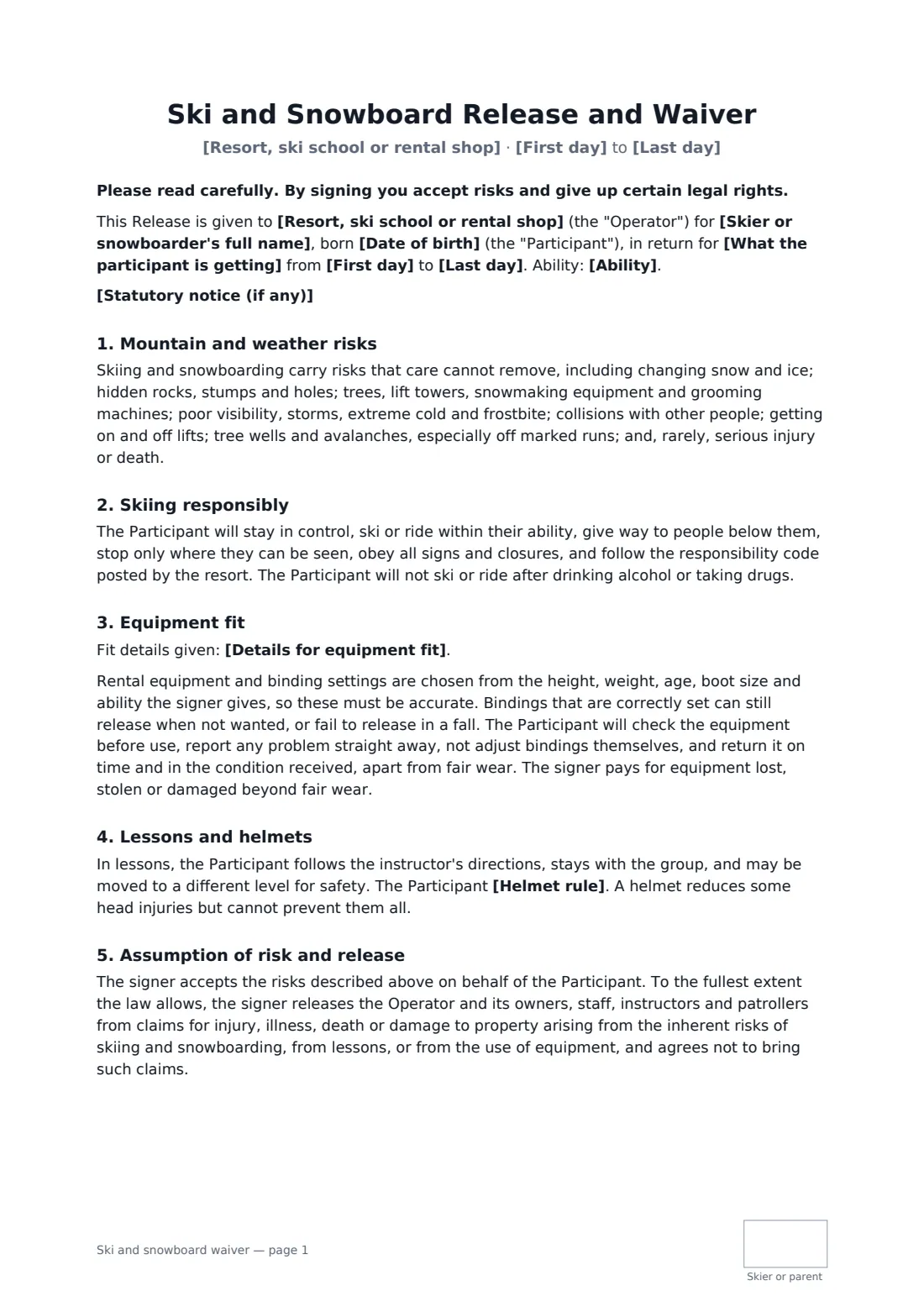
Ski and snowboard operators deal with two kinds of risk: the mountain itself — ice, trees, lift towers, weather, other people — and the equipment, where binding settings depend on the height, weight and ability the customer gives you. A good waiver covers both, and explains that even a correctly set binding can release when you don't want it to, or not release when you do.
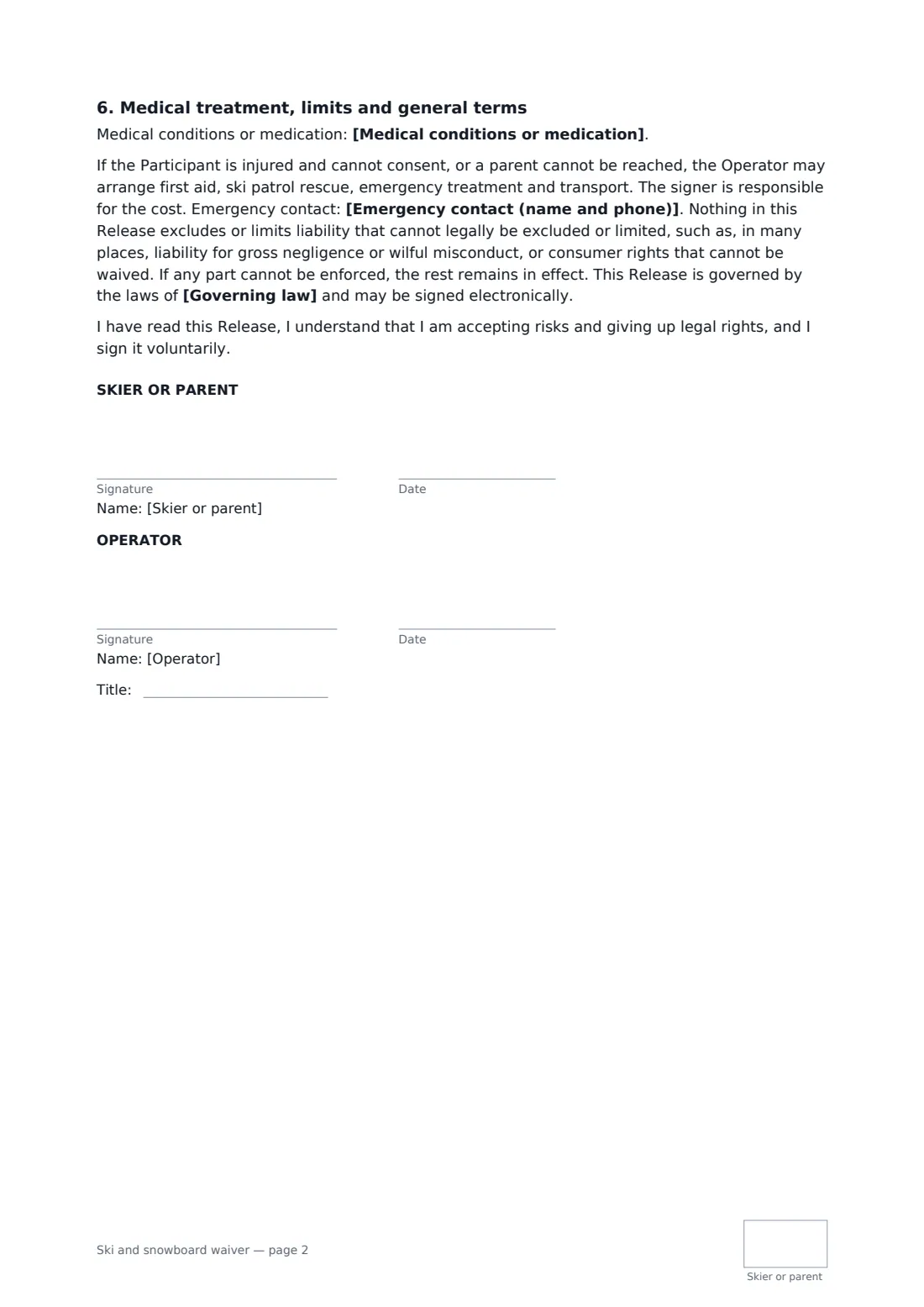
This template works for a resort, a ski school, a rental shop or any mix. You choose what the customer is getting — rental, lessons, lift access or all three — and the dates. The skier or snowboarder records their ability and the details you need to fit equipment, plus medical notes and an emergency contact. They agree to stay in control, follow the posted responsibility code and closures, not adjust bindings themselves, and return equipment on time. You pick a helmet rule, and if a ski safety law where you operate requires a specific notice, you paste it in and it prints in bold. A parent can sign for a young skier; every page is initialled.
- Best for
- Ski and snowboard rental shops, ski schools, small resorts and tour operators
- Signed by
- The skier or snowboarder or a parent, and the operator
- Records
- Ability, equipment fit details, medical notes, emergency contact
- Length
- 2 pages, initialled on every page
When to use a ski and snowboard waiver
- Week-long ski and boot rental for a family
- Children's ski school groups where parents sign
- Adult snowboard lessons with rental included
- A small hill selling lift tickets and lessons together
- Ski trip operators bundling rental and tuition
What you fill in
15 blanks, then the name and email of each person who signs: skier or parent, operator.
1 The operator
- Resort, ski school or rental shop*
- What the participant is getting* equipment rental · lessons · lessons and equipment rental · lift access · lift access, lessons and equipment rental
- First day*
- Last day*
- Statutory notice (if any)
2 The participant
- Skier or snowboarder's full name*
- Date of birth*
- Who signs* The participant (18 or over) · A parent or guardian of a participant under 18
- Parent or guardian's name
- Ability* beginner · intermediate — comfortable on most groomed runs · advanced — confident on all runs and in varied snow
- Details for equipment fit
- Medical conditions or medication
- Emergency contact (name and phone)*
3 Rules
- Helmet rule* must wear a helmet at all times on the snow · must wear a helmet in lessons and is strongly advised to wear one at all other times · is strongly advised to wear a helmet at all times on the snow
- Governing law*
4 Who signs
- Skier or parent signature and date, initials on every page · The adult skier or snowboarder, or a parent or legal guardian signing for one under 18.
- Operator signature and date, job title, initials on every page
What the ski and snowboard waiver covers
- Mountain and weather risks
- Skiing responsibly
- Equipment fit
- Lessons and helmets
- Assumption of risk and release
- Medical treatment, limits and general terms
Using the ski and snowboard waiver, step by step
1 Choose the service and dates
Your business fills in. Choose rental, lessons, lift access or a combination, and the first and last day.
2 Add any statutory notice
If ski safety law where you operate requires a particular warning in contracts, paste the exact wording. Otherwise leave it empty.
3 Customer details and fit
Send the link before arrival. The skier or parent enters ability, height, weight, boot size and stance, medical notes and an emergency contact.
4 Sign, countersign, fit
They sign and initial each page, you countersign, and the waiver is filed in your FileIt vault — ready when they reach the bench.
Tips before you send it
- Double-check height, weight and ability at the counter before setting bindings.
- Make the helmet rule for lessons "must" for children — most schools already do.
- Some places have ski safety statutes with required wording; use the notice field and check it each season.
- Keep the rental return times and damage charges consistent with your price list.
Sign it online in minutes
- Fill in the blanks. Names, dates and amounts go straight into the agreement — the preview shows exactly where.
- Name who signs. Tick “This is me” for your own part. FileIt builds the PDF with every signature, date and initials box on the right line, and you can check or move anything before sending.
- Send it. Each signer gets a secure link and signs from any device — no account needed. The signed PDF, with an audit trail and a Certificate of Completion, is filed in your vault and emailed to everyone.
Ski and snowboard waiver: frequently asked questions
Why does the form ask for height, weight and boot size?
Binding settings are chosen from them. The form makes clear the details must be accurate and that even correctly set bindings can't guarantee to release or hold.
Who pays for lost or damaged rental equipment?
The signer pays for equipment lost, stolen or damaged beyond fair wear.
Can a parent sign for a child in ski school?
Yes. Choose the parent option. The form explains how parent-signed releases work in many places.
What is the statutory notice field?
Some places require a specific warning in ski contracts. Paste the required wording and it prints in bold near the top.
Do customers need a FileIt account?
No. They sign from the email link on any device. The signed PDF has an audit trail and a Certificate of Completion.