What is a aTV and off-road vehicle waiver?
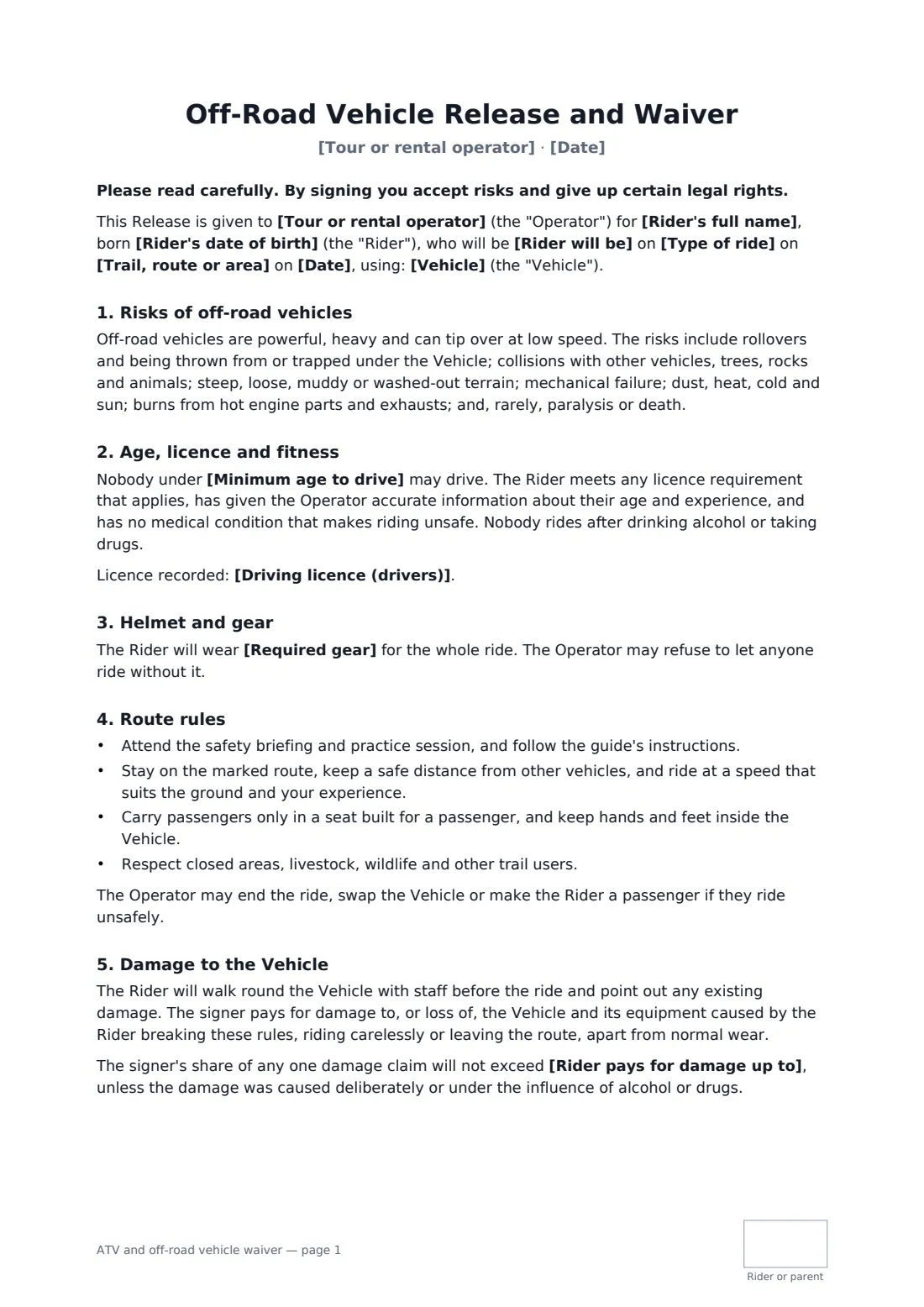
Off-road vehicles are heavy, quick and can tip over at walking pace on the wrong slope. Tour and rental operators need riders to hear that before they start the engine, and to agree the basics: the minimum age to drive, a licence where required, helmet and eye protection, staying on the route, and passengers only in a proper seat.
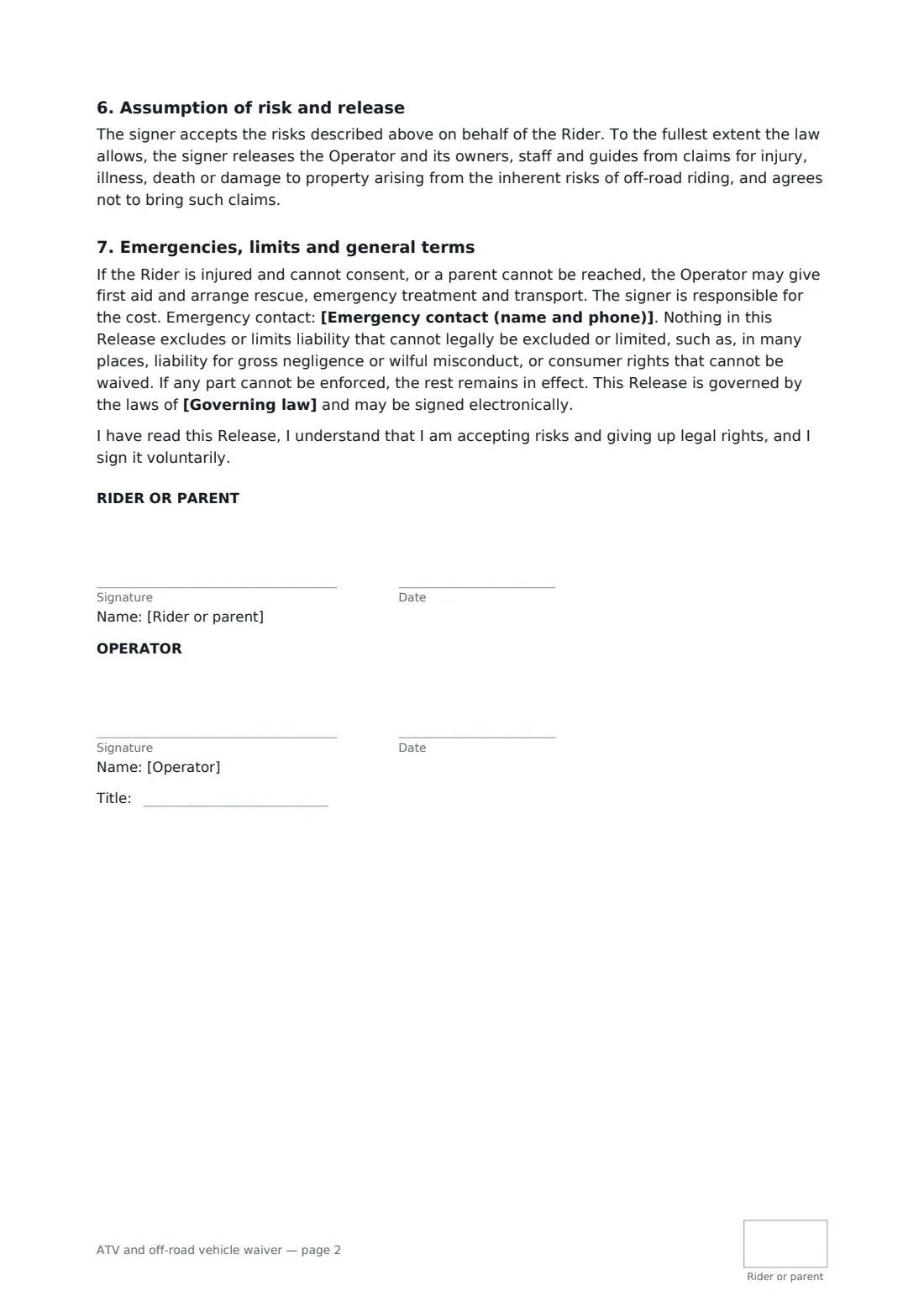
This template covers guided tours, self-guided rentals and training sessions. You record the route, the date and the specific vehicle, whether the rider is driving or a passenger, and the licence you checked. You set the minimum driving age and the gear rule. The damage section asks for a walk-round before the ride and makes the signer responsible for damage caused by breaking the rules, careless riding or leaving the route — with an optional cap per claim that doesn't apply to deliberate damage or riding under the influence. A parent can sign for a young rider on a youth tour. The release goes as far as the law allows, and every page is initialled.
- Best for
- ATV and UTV tour operators, off-road rental yards, dirt bike schools
- Signed by
- The rider or a parent, and the operator
- Includes
- Minimum age, licence record, gear rule, damage responsibility with optional cap
- Length
- 2 pages, initialled on every page
When to use a aTV and off-road vehicle waiver
- Two-hour guided UTV tours for tourists
- Half-day quad rental on private trails
- Dirt bike training for beginners
- Youth ATV sessions on youth-sized machines
- Corporate team days with off-road driving
What you fill in
16 blanks, then the name and email of each person who signs: rider or parent, operator.
1 The ride
- Tour or rental operator*
- Type of ride* a guided tour · a self-guided rental · a training session
- Trail, route or area*
- Date*
- Vehicle*
2 The rider
- Rider will be* the driver · a passenger
- Rider's full name*
- Rider's date of birth*
- Who signs* The rider (18 or over) · A parent or guardian of a rider under 18
- Parent or guardian's name
- Driving licence (drivers)
- Emergency contact (name and phone)*
3 Rules
- Minimum age to drive*
- Required gear*
- Rider pays for damage up to
- Governing law*
4 Who signs
- Rider or parent signature and date, initials on every page · The adult rider, or a parent or legal guardian signing for a rider under 18.
- Operator signature and date, job title, initials on every page
What the aTV and off-road vehicle waiver covers
- Risks of off-road vehicles
- Age, licence and fitness
- Helmet and gear
- Route rules
- Damage to the Vehicle
- Assumption of risk and release
- Emergencies, limits and general terms
Using the aTV and off-road vehicle waiver, step by step
1 Describe the ride
Your business fills in. Choose tour, rental or training, and enter the route, date and the vehicle with its fleet number.
2 Set age, gear and damage terms
Set the minimum age to drive, edit the gear rule, and add a damage cap if you offer one.
3 The rider fills in their part
Driver or passenger, date of birth, licence if needed and an emergency contact. A parent signs for an under-18.
4 Walk round, sign and ride
The rider signs and initials each page, you countersign, and the waiver is filed in your FileIt vault. Do the walk-round before setting off.
Tips before you send it
- Photograph each vehicle at the walk-round; it settles damage questions quickly.
- Follow the vehicle maker's age guidance and any local law when setting the minimum age.
- Don't let passengers ride on machines not built for them, whatever the customer asks.
- Check that your insurance covers customer-driven vehicles on your routes.
Sign it online in minutes
- Fill in the blanks. Names, dates and amounts go straight into the agreement — the preview shows exactly where.
- Name who signs. Tick “This is me” for your own part. FileIt builds the PDF with every signature, date and initials box on the right line, and you can check or move anything before sending.
- Send it. Each signer gets a secure link and signs from any device — no account needed. The signed PDF, with an audit trail and a Certificate of Completion, is filed in your vault and emailed to everyone.
ATV and off-road vehicle waiver: frequently asked questions
Can I charge riders for damage?
The form makes the signer responsible for damage caused by breaking the rules, riding carelessly or leaving the route, apart from normal wear. You can cap their share per claim, except for deliberate damage or riding under the influence.
Does it work for passengers?
Yes. Choose passenger. Passengers ride only in a seat built for one and keep hands and feet inside.
Can teenagers ride?
A parent can sign for a rider under 18. You set the minimum age to drive, following your policy, the maker's guidance and local law.
Does the waiver protect us from every claim?
No. It applies to the extent the law allows and leaves out liability that can't be excluded, such as gross negligence in many places.