What is a non-refundable deposit agreement?
Taking a deposit is how a small business protects itself from a booking that vanishes: the photographer who turned down other weddings for that Saturday, the furniture maker who bought timber for a custom table. A non-refundable deposit agreement makes the deal clear before money changes hands. The customer knows what the deposit secures, that it counts toward the price, why it's kept if they cancel, and the cases where they'll get it back.
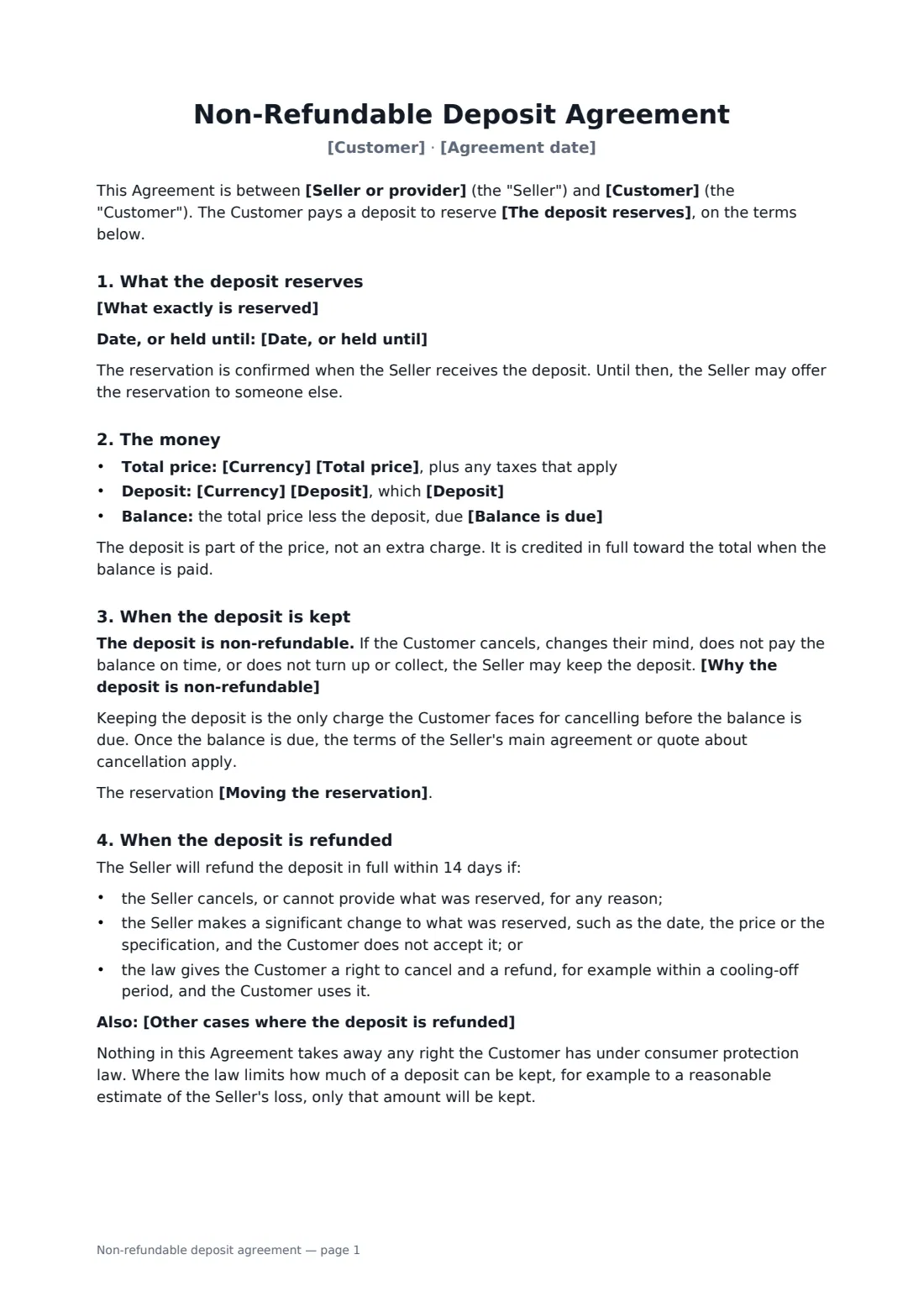
This template covers what the deposit reserves (a service date, goods held, custom goods or a place on a course or trip), the total price, the deposit and when it's paid, the balance and its due date, credit toward the total, the reason the deposit is non-refundable in your own words, moving the reservation once with the deposit carried over, automatic refunds if the seller cancels or makes a significant change, statutory cooling-off rights, your own extra exceptions, and the consumer-law limit on what can be kept.
- Best for
- Photographers, makers, venues, tour operators and other small businesses taking bookings
- Signed by
- The customer and the seller or provider
- Refunded when
- The seller cancels, makes a significant change, or the law gives a right to cancel
- Length
- About 2 pages
When to use a non-refundable deposit agreement
- A wedding photographer holding a Saturday in June
- A furniture maker starting a custom dining table
- A breeder or pet seller holding a puppy or kitten
- A tour operator reserving a place on a small-group trip
- A bakery taking a deposit on a large celebration cake order
What you fill in
17 blanks, then the name and email of each person who signs: seller or provider, customer.
1 The parties
- Seller or provider*
- Seller phone or email
- Customer*
- Customer phone or email*
- Agreement date*
2 The reservation
- The deposit reserves* a date for a service · goods held for the Customer · goods made or ordered specially for the Customer · a place on a course, trip or event
- What exactly is reserved*
- Date, or held until
3 Money
- Currency*
- Total price*
- Deposit*
- Deposit* has been paid on signing · is due within 3 days of signing · is due within 7 days of signing
- Balance is due*
4 Terms
- Why the deposit is non-refundable*
- Moving the reservation* may be moved once to another available date within 12 months, with the deposit carried over · cannot be moved; a new reservation needs a new deposit
- Other cases where the deposit is refunded
- Governing law*
5 Who signs
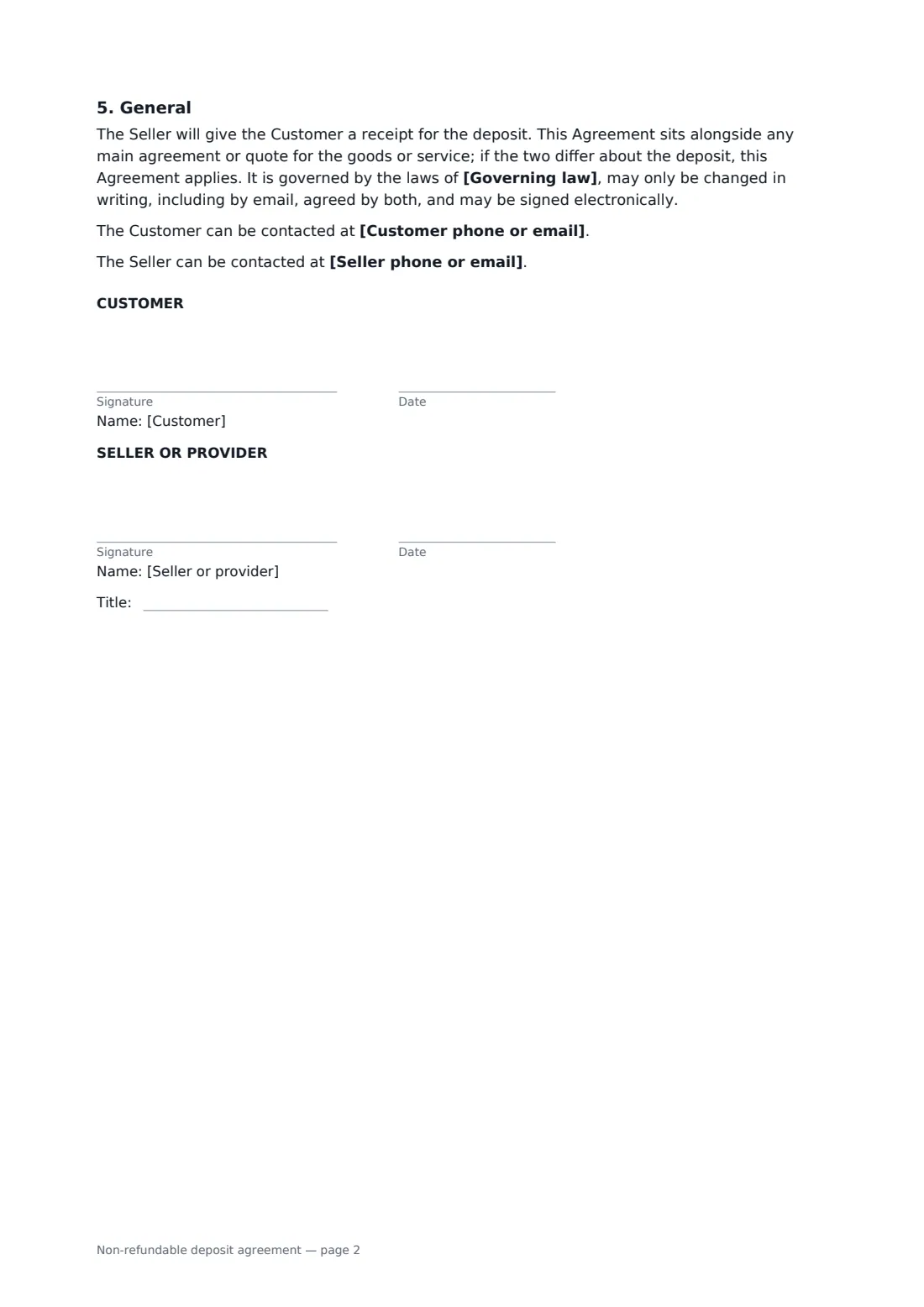
- Seller or provider signature and date, job title · The business taking the deposit.
- Customer signature and date
What the non-refundable deposit agreement covers
- What the deposit reserves
- The money
- When the deposit is kept
- When the deposit is refunded
- General
Using the non-refundable deposit agreement, step by step
1 Say what's reserved
Choose a date for a service, goods held, custom goods or a place on a course or trip, then describe it exactly and enter the date or hold-until date.
2 Enter the money
Add the total price, the deposit, whether it's already paid or due within a few days, and when the balance is due.
3 Explain the terms
Edit the reason the deposit is non-refundable, choose whether the reservation can be moved once, and add any other refund exceptions you offer.
4 Send it
Add the customer as a signer and send. Give them a receipt once the deposit arrives.
Tips before you send it
- Keep the deposit proportionate. In many places a non-refundable deposit that's far larger than your real loss may not be enforceable.
- Explain why you keep it. A clear reason reads as fair, and customers are less likely to dispute it.
- Offering one date change with the deposit carried over is often cheaper than arguing about a refund.
- If you sell online or at the customer's home, check whether a statutory cooling-off period applies — the template respects it.
Sign it online in minutes
- Fill in the blanks. Names, dates and amounts go straight into the agreement — the preview shows exactly where.
- Name who signs. Tick “This is me” for your own part. FileIt builds the PDF with every signature, date box on the right line, and you can check or move anything before sending.
- Send it. Each signer gets a secure link and signs from any device — no account needed. The signed PDF, with an audit trail and a Certificate of Completion, is filed in your vault and emailed to everyone.
Non-refundable deposit agreement: frequently asked questions
Is a non-refundable deposit always kept?
No. Under the template the deposit is refunded if the seller cancels or can't deliver, makes a significant change the customer doesn't accept, or the customer uses a legal right to cancel. You can add other exceptions.
Does the deposit count toward the price?
Yes. The deposit is part of the total price and is credited in full when the balance is paid. It isn't an extra fee.
Can a business keep any amount as a deposit?
Not always. Consumer law in many places limits what can be kept to a reasonable amount related to the business's likely loss. The template says only that amount will be kept where such a limit applies.
Is a deposit agreement signed online valid?
In most countries, including the US (ESIGN Act and UETA), the UK, the EU (eIDAS) and Canada, an electronic signature is generally valid for an ordinary consumer agreement like this one. FileIt keeps an audit trail and a Certificate of Completion with the signed PDF as evidence of who signed and when.
Can I change the wording?
You fill in the blanks and choose the options on the setup page; optional clauses appear only when you fill them in. If you need different clauses, draft your own document and upload it to FileIt eSignature instead — you can still place the signature boxes in the editor.
Is this template free?
Yes. The template is free to use with the eSignature app in FileIt. Your customer doesn't need a FileIt account to sign.