What is a layaway agreement?
Layaway lets a customer reserve goods with a deposit and pay the rest over a few weeks or months, without interest, collecting the goods once they're paid off. It works well for furniture, jewellery, bikes and seasonal gifts — as long as both sides know what happens if a payment is missed or the customer changes their mind. A layaway agreement puts those answers on paper.
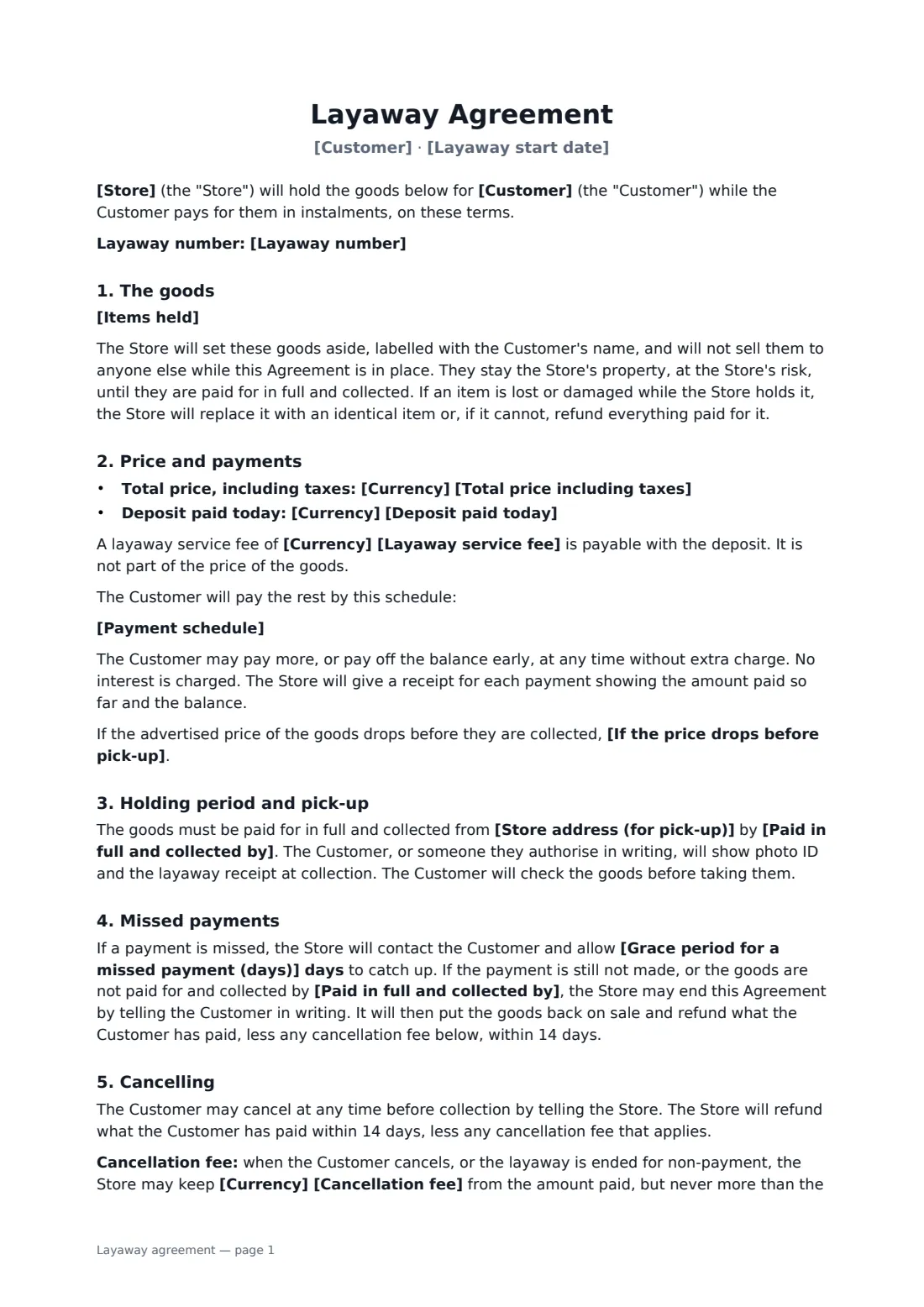
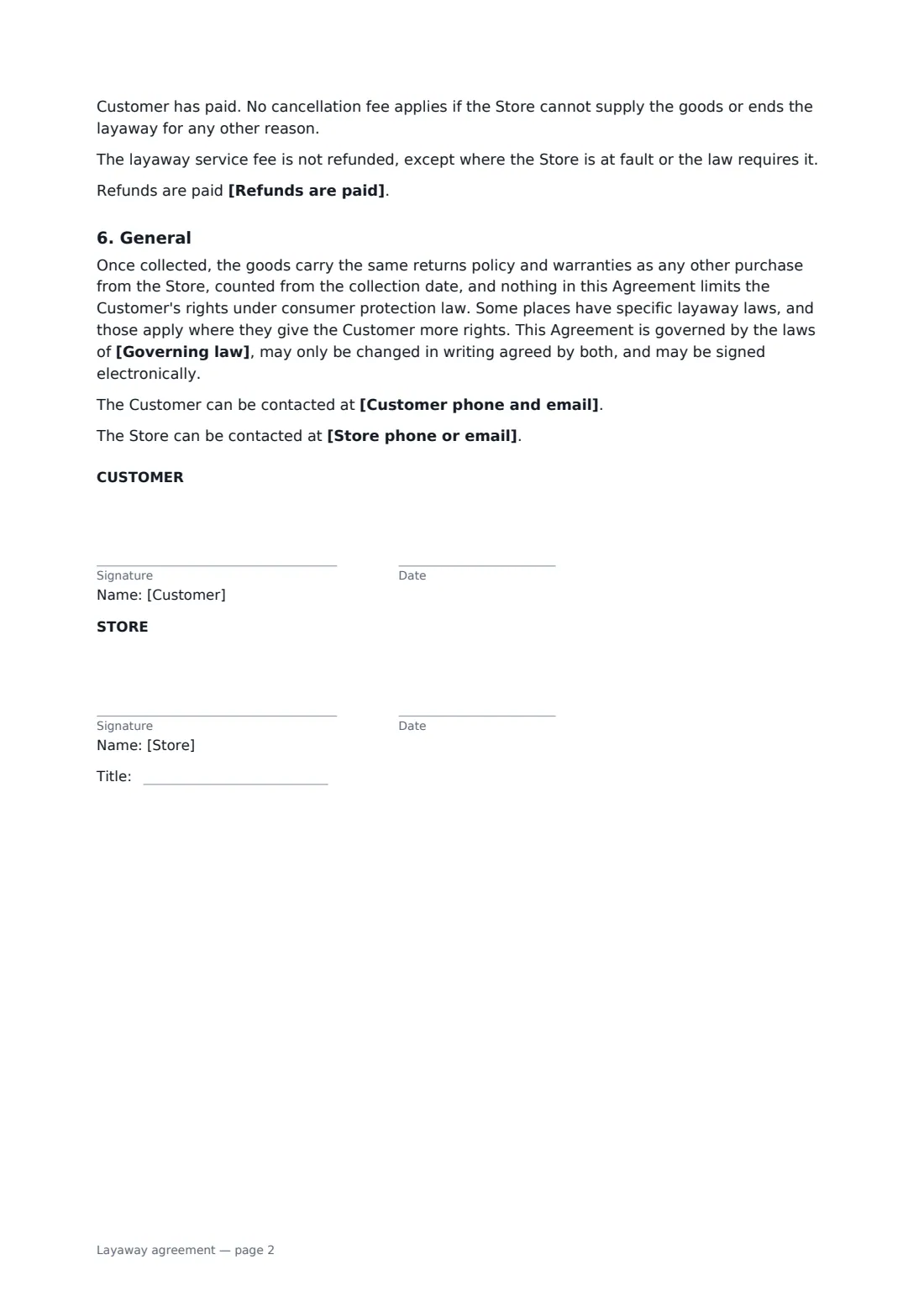
This template lists the items and prices, the layaway number and start date, the total price with taxes, the deposit, an optional service fee, the payment schedule, early payment without charge, receipts for every payment, what happens if the advertised price drops, the final pay-and-collect date, collection with ID, care of the goods while held, a grace period for missed payments, ending the layaway, cancelling with an optional capped fee, how refunds are paid, and returns and warranties counted from collection.
- Best for
- Furniture, jewellery, bike, appliance and gift shops
- Signed by
- The customer and the store
- Interest
- None — just a deposit, instalments and an optional service fee
- Length
- About 2 pages
When to use a layaway agreement
- Holding a bedroom furniture set for three monthly payments
- Putting an engagement ring on layaway
- Reserving a bike or toys ahead of the holidays
- Holding a winter coat or formal outfit until payday
- A boutique offering layaway on higher-priced items
What you fill in
19 blanks, then the name and email of each person who signs: store, customer.
1 The parties
- Store*
- Store address (for pick-up)*
- Store phone or email
- Customer*
- Customer phone and email*
- Layaway number
- Layaway start date*
2 The goods
- Items held*
3 Price and payments
- Currency*
- Total price including taxes*
- Layaway service fee
- Deposit paid today*
- Payment schedule*
4 Holding period
- Paid in full and collected by*
- Grace period for a missed payment (days)*
5 Cancellation
- Cancellation fee
- Refunds are paid* by the payment method used, or in cash for cash payments · as store credit, if the Customer chooses it
6 Other terms
- If the price drops before pick-up* the Customer pays the lower price · the price agreed here stays the same
- Governing law*
7 Who signs
- Store signature and date, job title · The shop or seller holding the goods.
- Customer signature and date
What the layaway agreement covers
- The goods
- Price and payments
- Holding period and pick-up
- Missed payments
- Cancelling
- General
Using the layaway agreement, step by step
1 List the goods
Enter the customer, a layaway number and the start date, then list each item with its price.
2 Set the payments
Enter the total price including taxes, the deposit taken today, any service fee, and the schedule of instalments and dates.
3 Set the holding rules
Choose the final pay-and-collect date and the grace period for a missed payment, and whether a price drop is passed on.
4 Cancellation and send
Add a cancellation fee if you charge one and choose how refunds are paid. Add the customer as a signer and send.
Tips before you send it
- Several US states and other places regulate layaway — written terms, fee caps and refund deadlines. Check your local rules before setting fees.
- Give a receipt for every payment showing the running balance. It prevents most disputes.
- Keep held goods labelled and stored safely. Under the template they're at the store's risk until collected.
- Call the customer before ending a layaway for a missed payment — a reminder recovers most of them.
Sign it online in minutes
- Fill in the blanks. Names, dates and amounts go straight into the agreement — the preview shows exactly where.
- Name who signs. Tick “This is me” for your own part. FileIt builds the PDF with every signature, date box on the right line, and you can check or move anything before sending.
- Send it. Each signer gets a secure link and signs from any device — no account needed. The signed PDF, with an audit trail and a Certificate of Completion, is filed in your vault and emailed to everyone.
Layaway agreement: frequently asked questions
What happens if a layaway payment is missed?
The store contacts the customer and gives the grace period you set to catch up. If the payment still isn't made, or the goods aren't collected by the final date, the store may end the layaway, put the goods back on sale and refund what was paid, less any cancellation fee.
Can the customer cancel a layaway?
Yes, at any time before collection. They get back what they've paid within 14 days, less any cancellation fee — which can never be more than they've paid, and doesn't apply if the store can't supply the goods.
Is there interest on layaway?
No. The template charges no interest. There may be a small service fee if you choose one, and the customer can pay off the balance early at any time.
Is a layaway agreement signed online valid?
In most countries, including the US (ESIGN Act and UETA), the UK, the EU (eIDAS) and Canada, an electronic signature is generally valid for an ordinary consumer agreement like this one. FileIt keeps an audit trail and a Certificate of Completion with the signed PDF as evidence of who signed and when.
Can I change the wording?
You fill in the blanks and choose the options on the setup page; optional clauses appear only when you fill them in. If you need different clauses, draft your own document and upload it to FileIt eSignature instead — you can still place the signature boxes in the editor.
Is this template free?
Yes. The template is free to use with the eSignature app in FileIt. Your customer doesn't need a FileIt account to sign.