What is a job offer withdrawal letter?
Sometimes an offer of employment can't go ahead. A pre-employment check doesn't come back as expected, a licence can't be verified, or the business changes and the role disappears before the start date. When that happens the candidate deserves a prompt, honest letter, and the employer needs a record of exactly what was said and when.
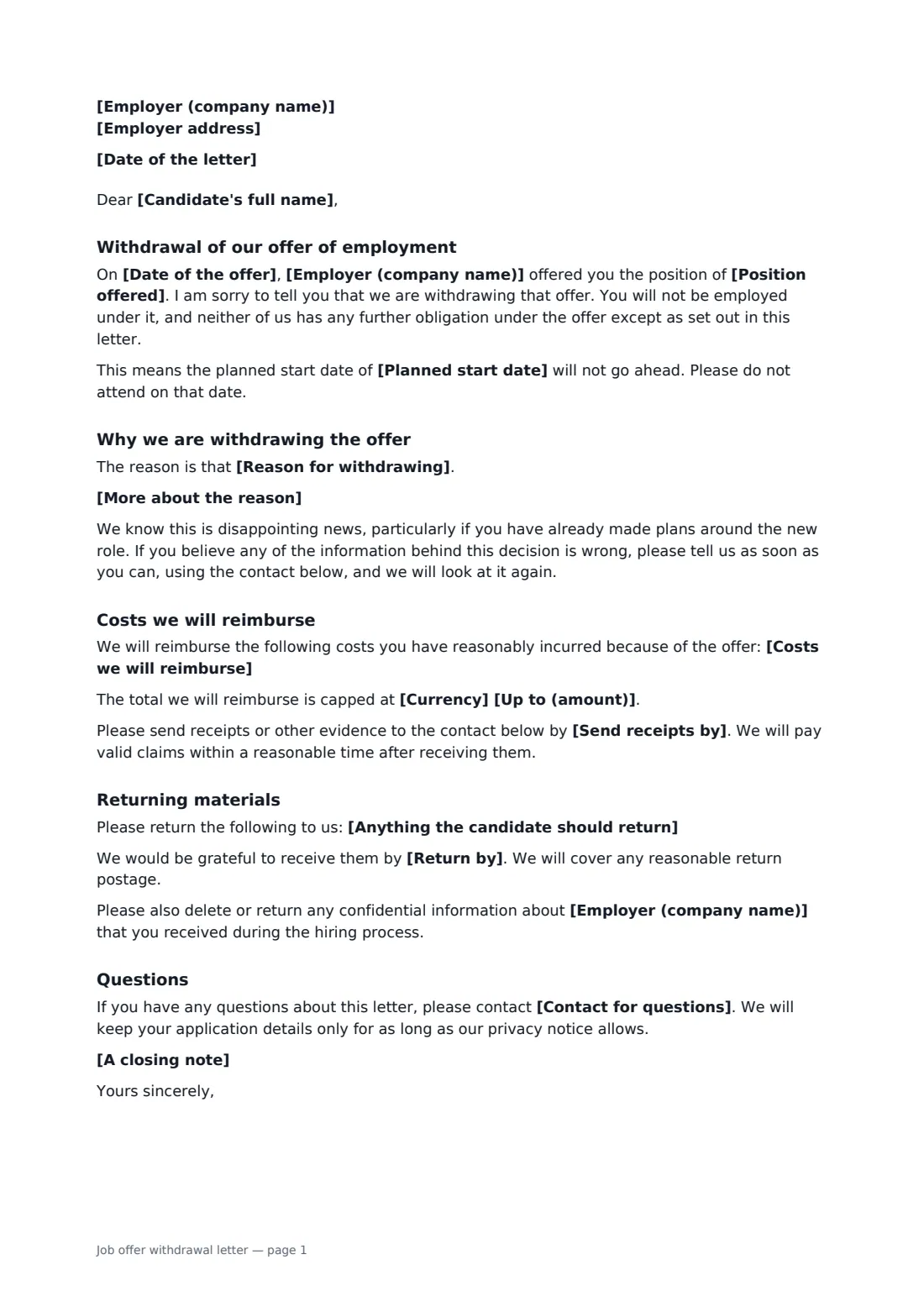
This template names the offer you are withdrawing and its date, tells the candidate not to attend on the planned start date, and gives the reason in a single plain sentence, with room for more detail underneath. Optional sections cover costs you agree to reimburse (with a cap and a deadline for receipts) and any welcome-pack items or equipment to return. It invites the candidate to tell you if the information behind the decision is wrong, and the candidate signs only to confirm they received it.
- Best for
- Withdrawing a conditional or unconditional offer before the start date
- Signed by
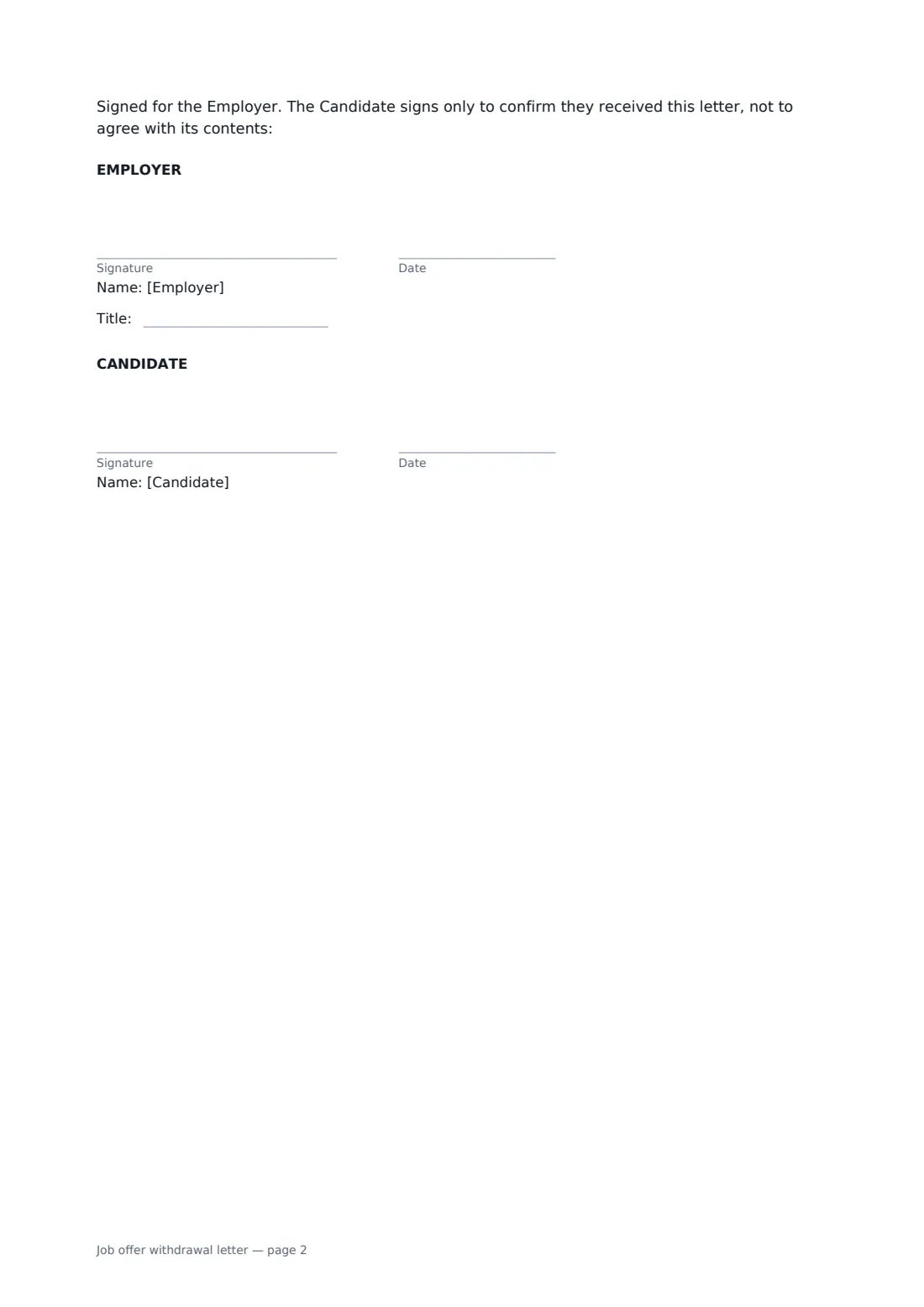
- The employer, then the candidate to acknowledge receipt
- Covers
- Offer date and role, reason, reimbursed costs, return of materials, contact
- Length
- 1–2 pages
When to use a job offer withdrawal letter
- A reference or background check required by the offer came back unsatisfactory
- The candidate could not show the right to work or a required qualification
- A hiring freeze or restructure removed the role before the start date
- The role changed so much that the original offer no longer fits
- Confirming in writing a withdrawal you have already explained by phone
What you fill in
17 blanks, then the name and email of each person who signs: employer, candidate.
1 The letter
- Date of the letter*
- Employer (company name)*
- Employer address
- Candidate's full name*
2 The offer
- Position offered*
- Date of the offer*
- Planned start date
3 The reason
- Reason for withdrawing* a condition of the offer has not been met · our business needs have changed and the role is no longer available · the role has changed significantly since the offer was made · of the circumstances explained below
- More about the reason
4 Costs
- Currency*
- Costs we will reimburse
- Up to (amount)
- Send receipts by
5 Return of materials
- Anything the candidate should return
- Return by
- Contact for questions*
- A closing note
6 Who signs
- Employer signature and date, job title · The hiring manager or HR person who has authority to withdraw the offer.
- Candidate signature and date · Signs only to confirm they received the letter.
What the job offer withdrawal letter covers
- Withdrawal of our offer of employment
- Why we are withdrawing the offer
- Costs we will reimburse
- Returning materials
- Questions
Using the job offer withdrawal letter, step by step
1 Identify the offer
Enter the candidate's name, the position and the date of the offer. Add the planned start date if one was agreed, so the letter can tell the candidate not to come in.
2 Give the reason
Pick the reason that fits. It prints as one sentence. Use the detail box to name the condition from the offer letter or explain the business change in a few factual lines.
3 Settle the loose ends
If you are covering costs the candidate incurred, describe them and add a cap and a date for receipts. List anything sent to them, such as a building pass or laptop, and when to return it.
4 Send for acknowledgement
Add a contact for questions and an optional closing note, then send. You sign first, the candidate signs to confirm receipt, and the signed letter and its audit trail are saved in your vault.
Tips before you send it
- Call the candidate before you send the letter. Hearing it first from a person matters, especially if they have resigned from another job.
- If the offer was conditional, quote the condition as it was written in the offer letter so the reason is easy to follow.
- Check whether local rules give the candidate rights once an offer has been accepted, and take advice if they have already resigned or relocated.
- When a background check is the reason, some places require a separate notice and a chance to respond before the final decision. Follow that process first.
Sign it online in minutes
- Fill in the blanks. Names, dates and amounts go straight into the agreement — the preview shows exactly where.
- Name who signs. Tick “This is me” for your own part. FileIt builds the PDF with every signature, date box on the right line, and you can check or move anything before sending.
- Send it. Each signer gets a secure link and signs from any device — no account needed. The signed PDF, with an audit trail and a Certificate of Completion, is filed in your vault and emailed to everyone.
Job offer withdrawal letter: frequently asked questions
Can an employer withdraw a job offer after it has been accepted?
Often yes, but it depends on where you are and what the offer said. An accepted offer can form a contract, and withdrawing it may mean paying notice or the candidate's losses. This template is a starting point, not legal advice, so check your position before sending.
Does the candidate have to agree to the withdrawal?
No. Their signature only confirms they received the letter, and the signature block says so. If they never sign, FileIt's audit trail still records when the letter was sent and opened.
Should I offer to reimburse the candidate's costs?
It is optional but can be fair, for example a non-refundable deposit or travel to a medical. The costs section lets you list what you will cover, set a maximum and ask for receipts by a date.
Is an e-signed acknowledgement good enough?
For a letter like this, electronic signatures are generally accepted in the US, UK, EU and Canada. FileIt adds a Certificate of Completion showing who signed and when, which is usually more useful than a paper receipt.