What is a job application form?
CVs arrive in every shape and length, and the facts you need to compare candidates are rarely in the same place twice. A standard application form asks everyone the same questions: what job they want, whether they can legally work here, where they have worked, what qualifications they hold, who can vouch for them and when they could start. That makes shortlisting fairer and quicker, especially for roles with many applicants.
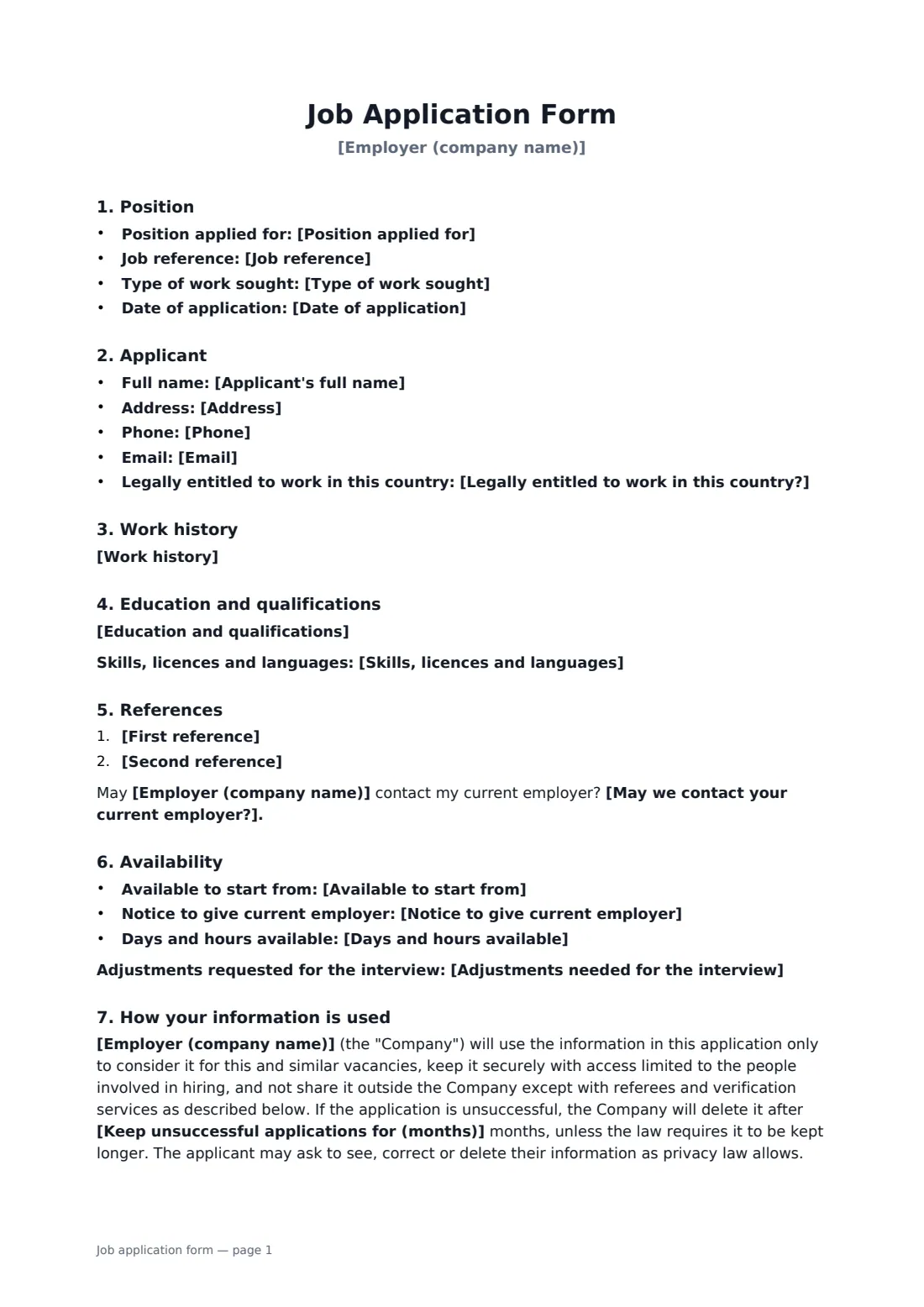
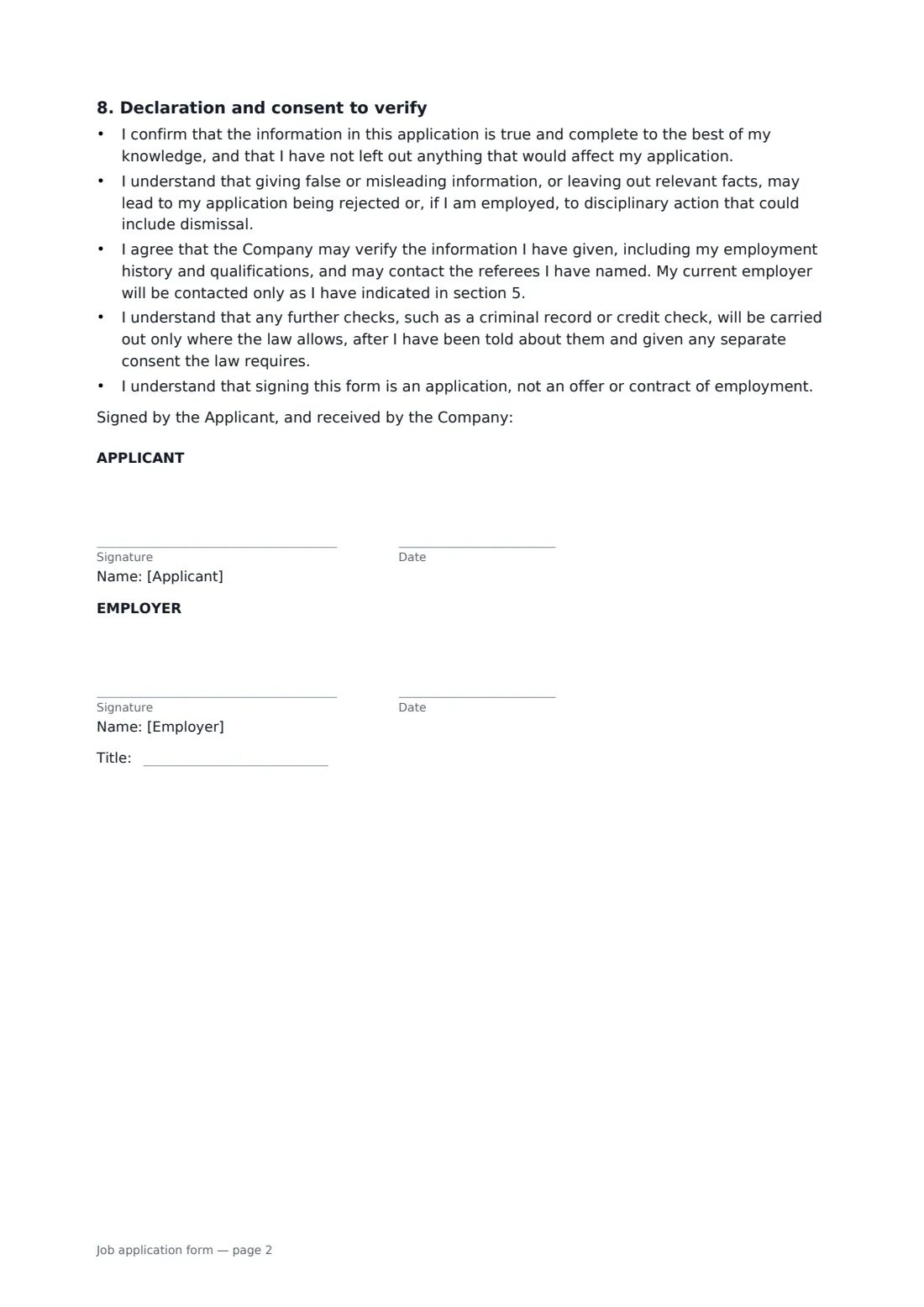
This form covers the position and type of work, contact details, right to work, work history, education, skills and licences, two references, whether the current employer may be contacted, availability and notice, and any adjustments needed at interview. It explains how the application data is used and how long an unsuccessful application is kept, and ends with a declaration that the information is true, consent to verify it and contact referees, and a note that other checks need their own notice and consent. It deliberately leaves out date of birth, ID numbers and other sensitive details.
- Best for
- Small businesses, shops, restaurants, care providers and charities hiring without an applicant tracking system
- Signed by
- The applicant, with the employer confirming receipt
- Covers
- Contact details, right to work, history, education, references, availability, declaration
- Length
- About 2 pages
When to use a job application form
- Hiring for several shop or restaurant roles at once
- Collecting applications at a recruitment day or job fair
- Asking walk-in candidates for consistent details
- Recording a candidate's declaration before checking references
- Re-applying a standard form across several locations
What you fill in
21 blanks, then the name and email of each person who signs: applicant, employer.
1 The position
- Employer (company name)*
- Position applied for*
- Job reference
- Type of work sought* Full-time · Part-time · Either full-time or part-time · Temporary or seasonal · Casual
2 About the applicant
- Applicant's full name*
- Address
- Phone
- Legally entitled to work in this country?* Yes · Yes, with a visa or permit that needs sponsorship · No
3 Experience and education
- Work history
- Education and qualifications
- Skills, licences and languages
4 References
- First reference
- Second reference
- May we contact your current employer?* Yes · Only after a conditional offer · No
5 Availability
- Available to start from
- Notice to give current employer
- Days and hours available
- Adjustments needed for the interview
6 Privacy
- Keep unsuccessful applications for (months)*
- Date of application*
7 Who signs
- Applicant signature and date · The candidate applying for the position.
- Employer signature and date, job title · The hiring manager or HR contact receiving the application. Their signature confirms receipt, not a job offer.
What the job application form covers
- Position
- Applicant
- Work history
- Education and qualifications
- References
- Availability
- How your information is used
- Declaration and consent to verify
Using the job application form, step by step
1 Name the position
Enter your company, the job and any reference, and choose the type of work: full-time, part-time, either, temporary or casual.
2 Add what you already know
Fill in any details the candidate has given you. Leave the rest empty and they print as lines, or add text boxes in the editor for the candidate to type into.
3 Set your retention period
Choose how many months you keep an unsuccessful application. It prints in the privacy section.
4 Send it to the candidate
The candidate checks the details, completes any boxes and signs the declaration. You sign to confirm receipt, and the application is filed in your vault.
Tips before you send it
- Ask only what you need to decide. Leave age, marital status, health and similar questions out of the application stage.
- Check right to work for every candidate in the same way, at the same stage, so no one is treated differently.
- Respect the candidate's choice about contacting their current employer. Many people haven't told their boss they are looking.
- Background and credit checks often need a separate notice and consent. Use a dedicated authorization form for those.
Sign it online in minutes
- Fill in the blanks. Names, dates and amounts go straight into the agreement — the preview shows exactly where.
- Name who signs. Tick “This is me” for your own part. FileIt builds the PDF with every signature, date box on the right line, and you can check or move anything before sending.
- Send it. Each signer gets a secure link and signs from any device — no account needed. The signed PDF, with an audit trail and a Certificate of Completion, is filed in your vault and emailed to everyone.
Job application form: frequently asked questions
Why doesn't the form ask for date of birth or an ID number?
Those aren't needed to decide on an application and can expose you to discrimination or data protection risk. Collect ID when you check right to work or set up payroll, not on the application.
Does signing the form create a job offer?
No. The declaration says the form is an application, not an offer or contract of employment. The employer's signature only confirms receipt.
Can I run a background check on the strength of this form?
The form gives consent to verify the information given and contact referees. It says any further checks, such as criminal record or credit checks, happen only where the law allows and after separate notice and any consent required.
How long should I keep applications?
Long enough to deal with any questions about the hiring decision, and no longer. Six months is common, but check local rules. You set the period on the form.
Can candidates sign on their phone?
Yes. Signers open the link in FileIt's email and sign in the browser, with no account or app needed.