What is a iV therapy consent?
IV hydration and vitamin drips are now offered in drip bars, med spas and by mobile services, but they are still an invasive procedure. Clients need to know the real risks, and that a wellness infusion is not a replacement for a doctor when they are actually ill.
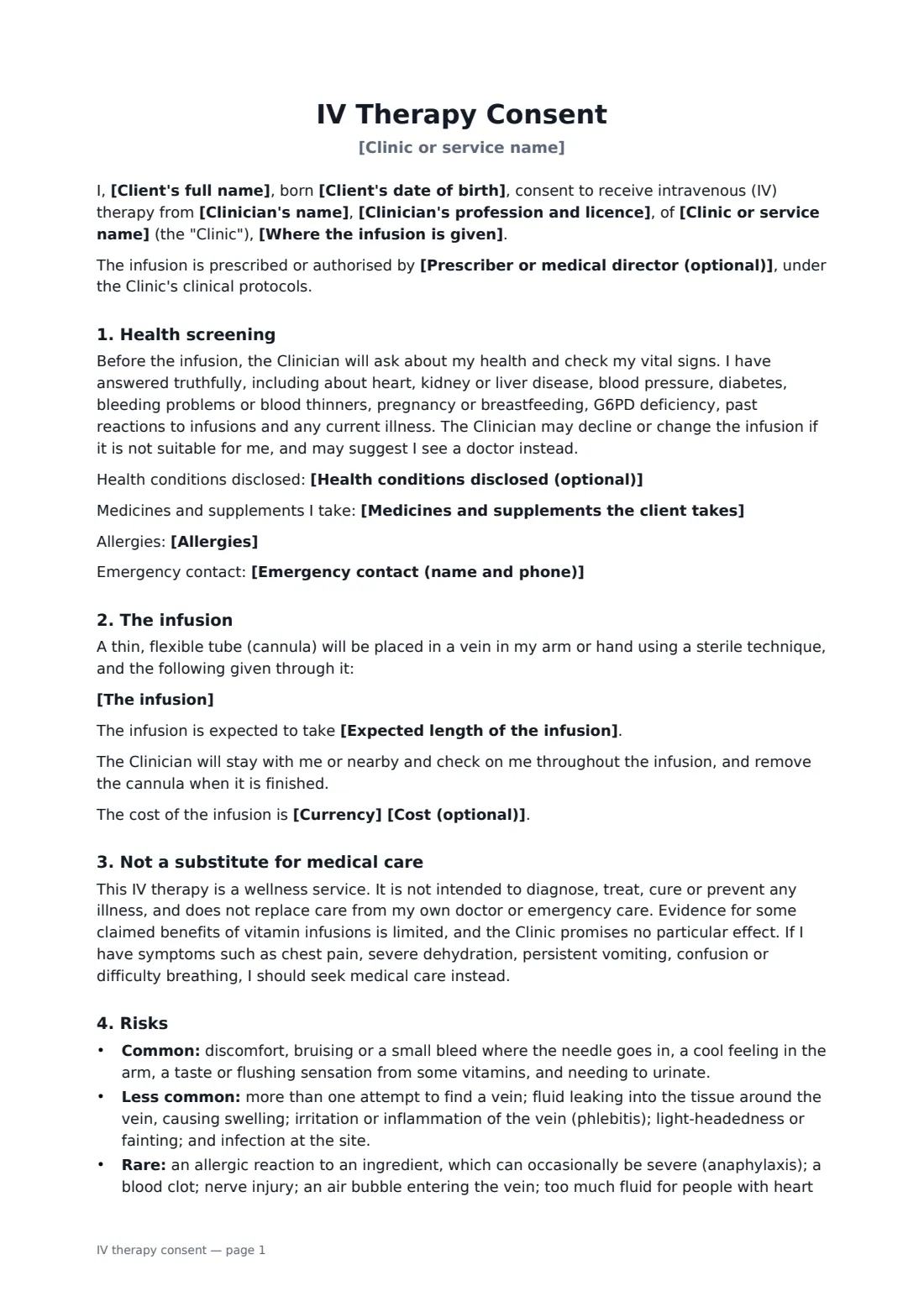
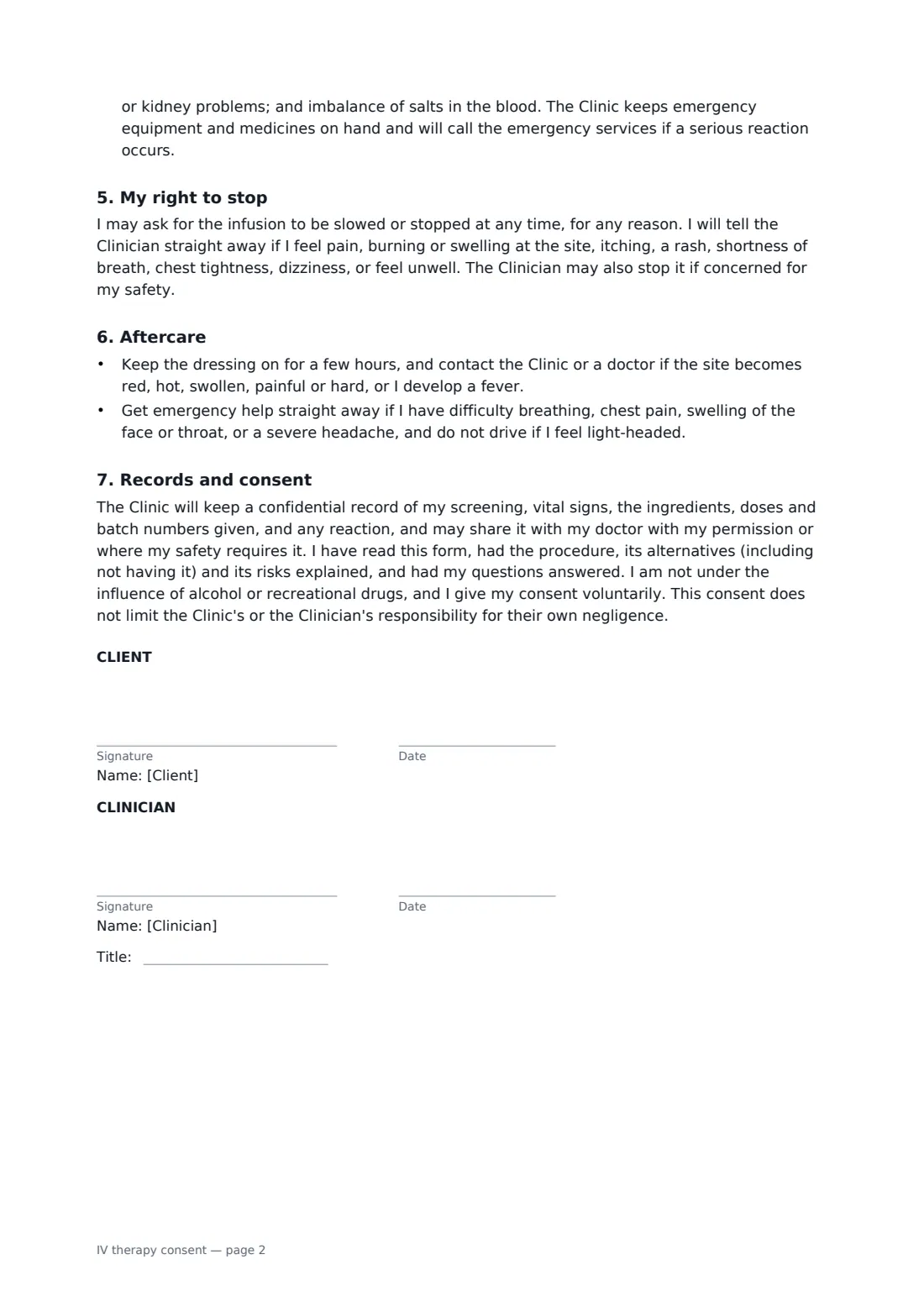
This form records the clinic or mobile service, the clinician's profession and licence, any prescriber or medical director, and whether the infusion is given at the clinic or elsewhere. It covers the client, date of birth and emergency contact, the infusion fluid and each added ingredient, the expected length and cost. The client confirms health screening covering heart, kidney and liver disease, blood pressure, diabetes, bleeding problems, pregnancy, G6PD deficiency and past reactions, and lists health conditions, medicines and allergies. The form says the therapy is a wellness service that does not diagnose or treat illness, with limited evidence for some claims. It sets out common, less common and rare risks, the right to stop at any time, aftercare and warning signs, and how records are kept.
- Best for
- Drip bars, med spas, wellness clinics, mobile IV services
- Signed by
- The client and the treating clinician
- Covers
- Screening, ingredients, risks, limits of the service, right to stop, aftercare
- Length
- 2 to 3 pages
When to use a iV therapy consent
- A hydration drip at a wellness clinic
- Vitamin infusions with B-complex, vitamin C or magnesium
- Mobile IV services visiting a client's home or hotel
- Clinics operating under a medical director's protocols
- First-time clients who need a full health screen
What you fill in
15 blanks, then the name and email of each person who signs: client, clinician.
1 The clinic
- Clinic or service name*
- Clinician's name*
- Clinician's profession and licence*
- Prescriber or medical director (optional)
- Where the infusion is given* at the Clinic · at my home or another location (mobile service)
2 The client
- Client's full name*
- Client's date of birth*
- Emergency contact (name and phone)
3 The infusion
- The infusion*
- Expected length of the infusion
- Currency
- Cost (optional)
4 Health screening
- Health conditions disclosed (optional)
- Medicines and supplements the client takes
- Allergies
5 Who signs
- Client signature and date · An adult client.
- Clinician signature and date, job title · The licensed clinician who screens the client and places the IV.
What the iV therapy consent covers
- Health screening
- The infusion
- Not a substitute for medical care
- Risks
- My right to stop
- Aftercare
- Records and consent
Using the iV therapy consent, step by step
1 Clinic and clinician
Your clinic name fills in from your account. Add the clinician, their profession and licence, any prescriber or medical director, and where the infusion is given.
2 The client
Enter the client's name, date of birth and an emergency contact.
3 The infusion
Describe the fluid and each added ingredient, the expected length and the cost.
4 Screening and signing
Record health conditions, medicines and allergies from the screening. The client signs before the cannula goes in and you countersign; the consent is filed in your FileIt vault.
Tips before you send it
- Check local rules on who may prescribe, mix and give IV infusions, and on medical oversight for wellness IV services.
- Check vital signs and screening questions at every visit, not only the first.
- Keep emergency equipment and an anaphylaxis protocol with you, especially on mobile visits.
- Avoid marketing claims that the drip treats or prevents illness; the form deliberately does not make them.
Sign it online in minutes
- Fill in the blanks. Names, dates and amounts go straight into the agreement — the preview shows exactly where.
- Name who signs. Tick “This is me” for your own part. FileIt builds the PDF with every signature, date box on the right line, and you can check or move anything before sending.
- Send it. Each signer gets a secure link and signs from any device — no account needed. The signed PDF, with an audit trail and a Certificate of Completion, is filed in your vault and emailed to everyone.
IV therapy consent: frequently asked questions
Does the form say IV therapy treats illness?
No. It describes the therapy as a wellness service that is not intended to diagnose, treat, cure or prevent illness, and says the evidence for some claimed benefits is limited.
Can the client stop the drip partway through?
Yes. The client can ask for it to be slowed or stopped at any time, for any reason, and should report any symptoms straight away.
Does it work for mobile IV services?
Yes. Choose the mobile option for the location, and add an emergency contact for the client.
Why does it ask about G6PD deficiency?
High doses of some ingredients, such as vitamin C, may be unsafe for people with G6PD deficiency, so it is one of the screening questions the client answers.