What is a field trip permission slip?
Every trip needs the same things from every family: permission, medical information and a number to call on the day. Paper slips get lost, come back half-filled or arrive on the morning of the trip. Sending the slip for e-signature gets you complete, legible answers well before the coach leaves.
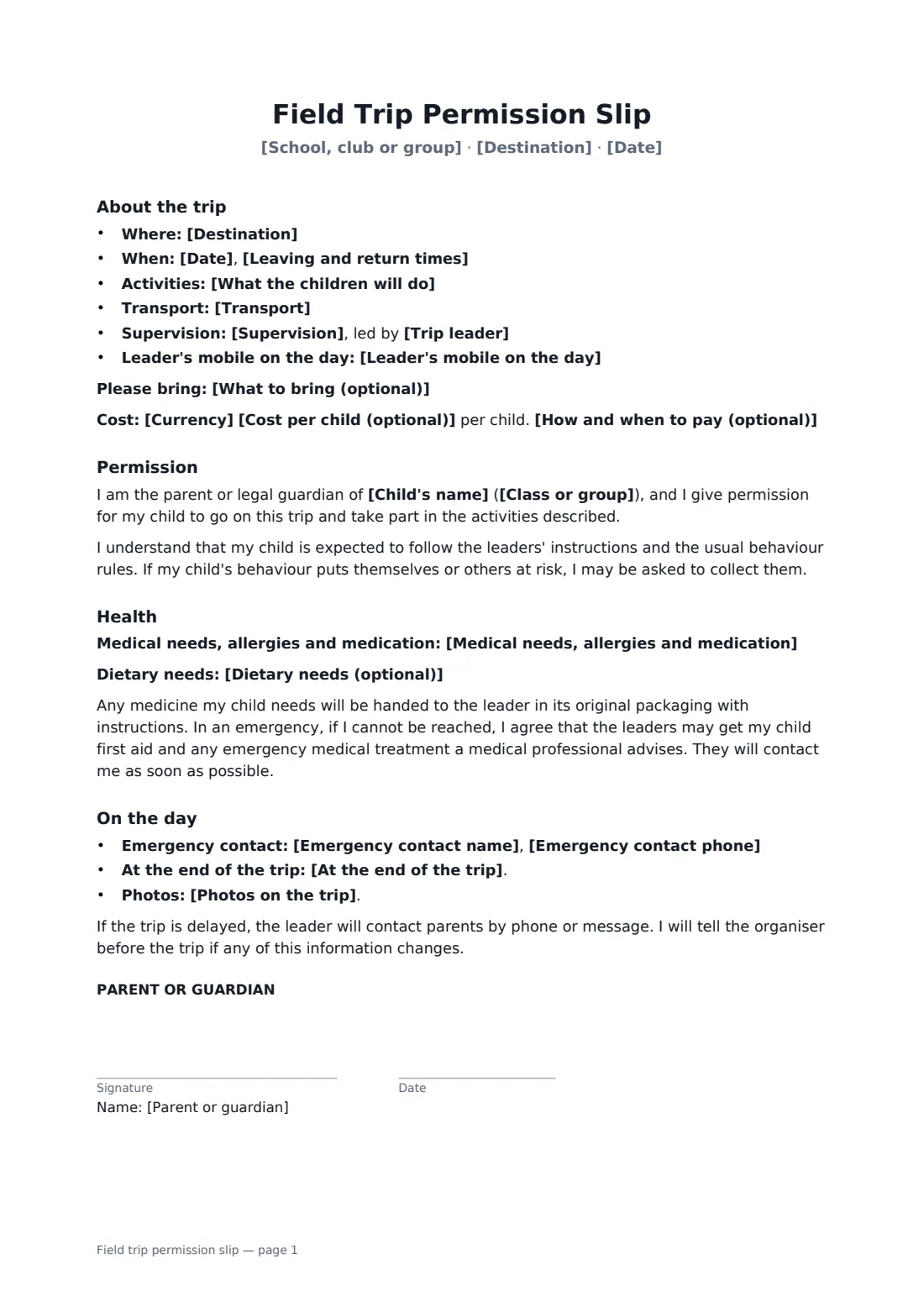
The slip sets out the trip: destination, date and times, activities, transport, supervision, the leader's mobile, what to bring, and the cost with how to pay, or that it's free. The parent names the child and class, gives permission, and agrees to the behaviour expectations. They record medical needs, allergies, medication and diet, and agree to first aid and emergency treatment if they can't be reached. They add an emergency contact and choose pickup and photo preferences.
- Best for
- Schools, nurseries, scouts and guides, sports clubs and youth groups
- Signed by
- A parent or guardian, one slip per child
- Collects
- Medical needs, emergency contact, pickup and photo choices
- Length
- 1 page, 2 with long answers
When to use a field trip permission slip
- A class trip to a museum or zoo
- A youth club visit to a climbing centre
- Sports team away matches
- Scout and guide day outings
- Nursery walks and local visits
What you fill in
22 blanks, then the name and email of each person who signs: parent or guardian.
1 The trip
- School, club or group*
- Trip leader*
- Leader's mobile on the day*
- Destination*
- What the children will do*
- Date*
- Leaving and return times*
- Transport*
- Supervision*
- What to bring (optional)
2 Cost
- Currency*
- Cost per child (optional)
- How and when to pay (optional)
3 The child
- Child's name*
- Class or group*
- Medical needs, allergies and medication
- Dietary needs (optional)
4 Emergency contact
- Emergency contact name*
- Emergency contact phone*
- At the end of the trip* my child will be collected from the school or meeting point · my child may walk home alone from the school or meeting point · my child will be collected by the person named below
- Person collecting (optional)
- Photos on the trip* may be taken for the organisation's own use · should not include my child
5 Who signs
- Parent or guardian signature and date · A parent or legal guardian of the child. Send one slip per child; the signed copies come back to you, the organiser.
What the field trip permission slip covers
- About the trip
- Permission
- Health
- On the day
Using the field trip permission slip, step by step
1 The trip
Your school or club fills in from your account. Add the leader and their mobile, destination, date, times, activities, transport and supervision.
2 Cost and kit
Enter the cost and how to pay, or leave it empty for a free trip, and list what children should bring.
3 Prepare one per child
Add the child's name and class for each family. The parent completes medical needs, the emergency contact and pickup and photo choices before signing.
4 Track who's signed
Parents sign on any device without an account. FileIt shows you who has signed and who still needs a reminder, and keeps every slip together.
Tips before you send it
- Send slips at least two weeks ahead, with a reminder a few days before the deadline.
- Take the signed slips, or a list of medical needs and emergency numbers, on the trip.
- Say clearly that no child will miss out because of cost, if that's your policy.
- Follow your school's or club's own risk assessment and safeguarding rules for trips.
Sign it online in minutes
- Fill in the blanks. Names, dates and amounts go straight into the agreement — the preview shows exactly where.
- Name who signs. Tick “This is me” for your own part. FileIt builds the PDF with every signature, date box on the right line, and you can check or move anything before sending.
- Send it. Each signer gets a secure link and signs from any device — no account needed. The signed PDF, with an audit trail and a Certificate of Completion, is filed in your vault and emailed to everyone.
Field trip permission slip: frequently asked questions
Do parents need a FileIt account?
No. They open the link, check the details, fill in any blanks and sign on their phone or computer.
Does it give permission for emergency treatment?
Yes. If the parent can't be reached, leaders may arrange first aid and any emergency treatment a medical professional advises, and contact the parent as soon as possible.
Can parents say no to photos?
Yes. They choose whether photos may be taken for the organisation's own use or should not include their child.
What about overnight trips?
This slip is written for day trips. For residential trips you'll usually want fuller medical, consent and code-of-conduct forms.