What is a event decor agreement?
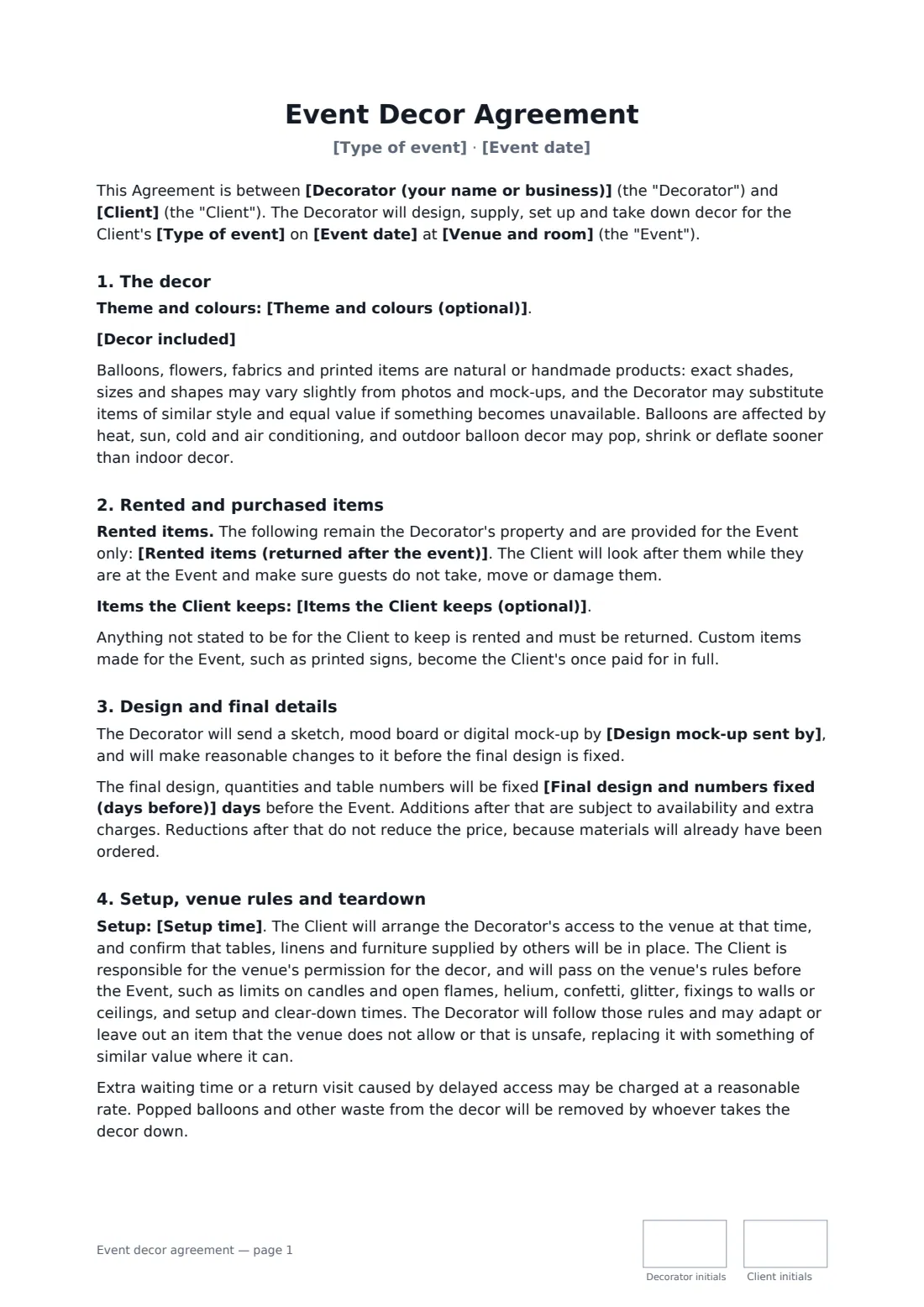
An event decor agreement makes clear what the decorator will create, what the client keeps and what must be returned, and when the decorator can get into the venue to set up and take down. Those three points cause most decor disputes.
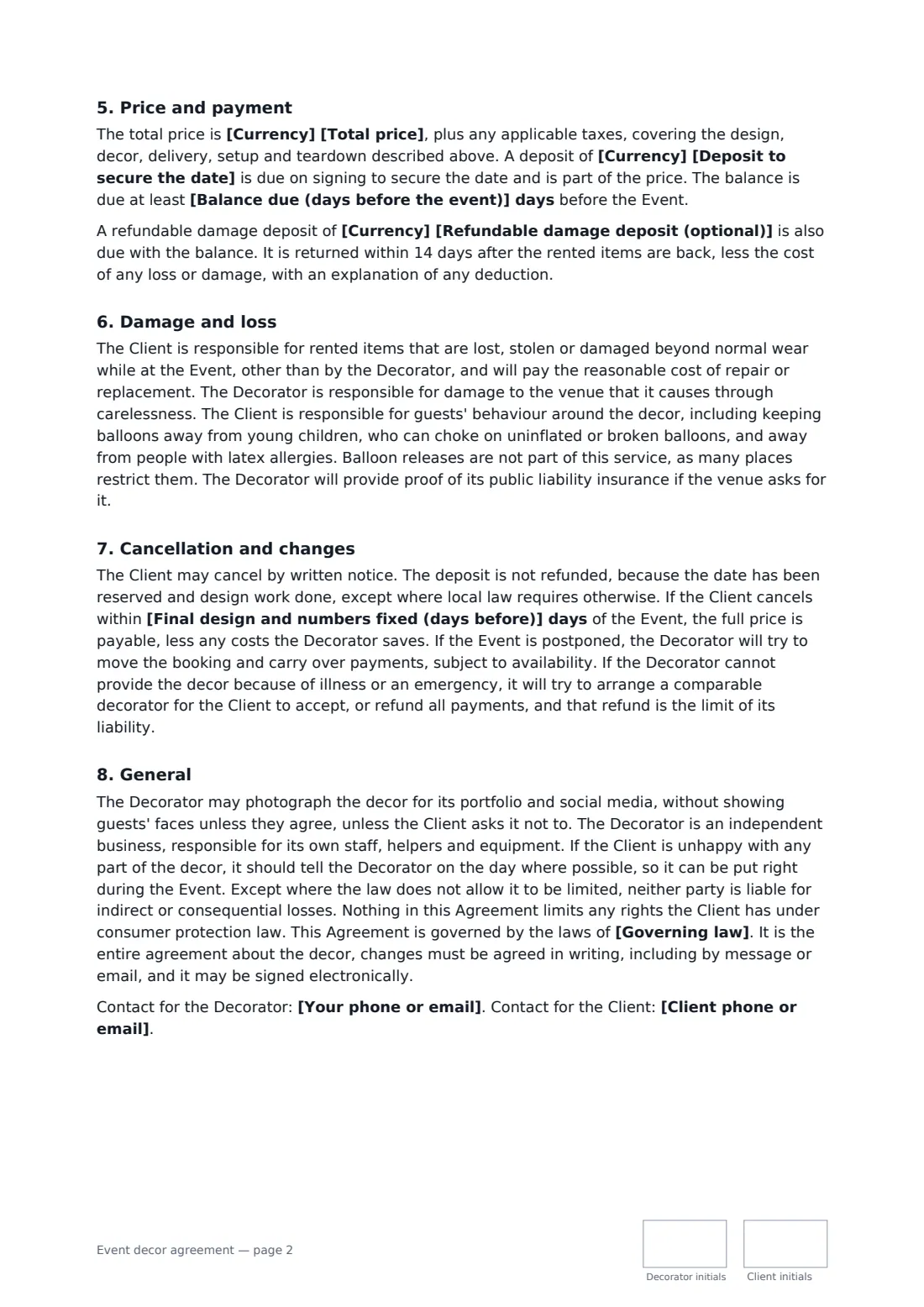
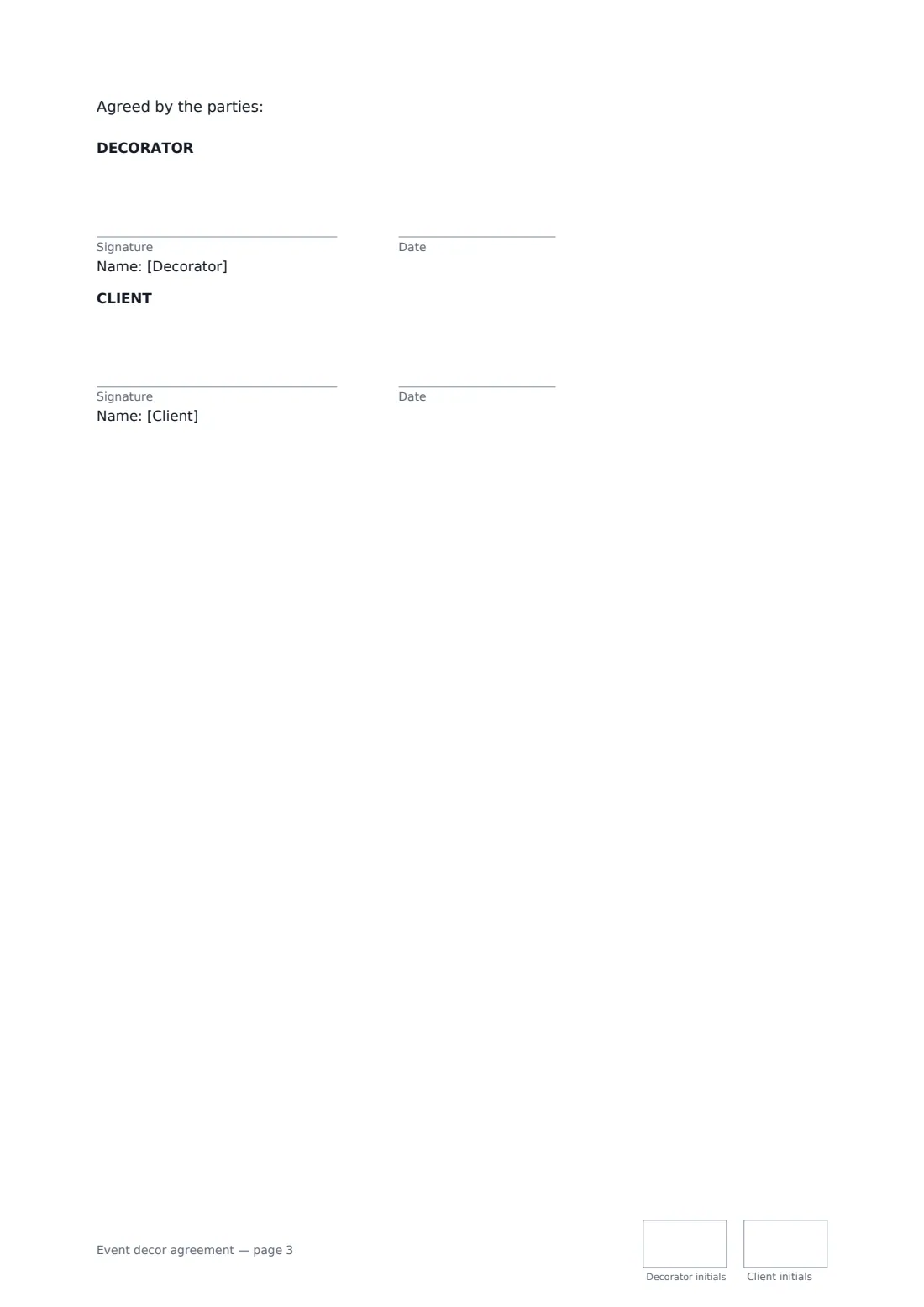
This template covers the theme and colours, the decor included, rented items versus items the client keeps, a mock-up date, when the final design and numbers are fixed, setup time, venue rules on candles, helium, confetti and fixings, three teardown options, price, deposit and an optional refundable damage deposit, responsibility for lost or damaged rentals, balloon safety, cancellation and portfolio photos. FileIt places the signature, date and initials boxes for both parties.
- Best for
- Balloon artists, event stylists, party and wedding decorators
- Signed by
- The decorator and the client
- Teardown
- Choose: decorator removes after the event, collects next day, or client takes down
- Length
- About 3 pages, initialled on every page
When to use a event decor agreement
- A balloon garland and backdrop for a birthday or baby shower
- Table centrepieces and a cake table for a wedding reception
- Themed decor for a corporate party or product launch
- Backdrop and neon sign rental for a photo wall
- Seasonal or holiday decor for a shop or office event
What you fill in
22 blanks, then the name and email of each person who signs: decorator, client.
1 The parties
- Decorator (your name or business)*
- Your phone or email*
- Client*
- Client phone or email*
2 The event
- Type of event*
- Event date*
- Venue and room*
- Theme and colours (optional)
3 The decor
- Decor included*
- Rented items (returned after the event)
- Items the Client keeps (optional)
4 Design
- Design mock-up sent by
- Final design and numbers fixed (days before)*
5 Setup and teardown
- Setup time*
- Teardown* The Decorator takes down and removes the decor after the event · The Decorator collects the rented items the next day · The Client takes down the decor and returns rented items
- Teardown, collection or return time*
6 Price and payment
- Currency*
- Total price*
- Deposit to secure the date*
- Balance due (days before the event)*
- Refundable damage deposit (optional)
7 Other terms
- Governing law*
8 Who signs
- Decorator signature and date, initials on every page · The decorator or event stylist providing the decor.
- Client signature and date, initials on every page · The person or business booking the decor.
What the event decor agreement covers
- The decor
- Rented and purchased items
- Design and final details
- Setup, venue rules and teardown
- Price and payment
- Damage and loss
- Cancellation and changes
- General
Using the event decor agreement, step by step
1 Enter the event
Add the type of event, date, venue and room, and the theme and colours.
2 Describe the decor
List the decor included, then the items that are rented and must be returned and anything the client keeps.
3 Design, setup and teardown
Add a mock-up date if you send one, how many days before the event the design is fixed, the setup time, and who takes the decor down and when.
4 Payment and send
Enter the price, deposit, when the balance is due and any refundable damage deposit, then add the client as a signer.
Tips before you send it
- Ask the venue for its decor rules early — open flames, helium, confetti and wall fixings are often restricted.
- List every rented item so there's no doubt later about what has to come back.
- Outdoor balloons in heat or sun don't last as long; the template says so, but mention it to the client too.
- Keep balloons away from young children and people with latex allergies.
Sign it online in minutes
- Fill in the blanks. Names, dates and amounts go straight into the agreement — the preview shows exactly where.
- Name who signs. Tick “This is me” for your own part. FileIt builds the PDF with every signature, date and initials box on the right line, and you can check or move anything before sending.
- Send it. Each signer gets a secure link and signs from any device — no account needed. The signed PDF, with an audit trail and a Certificate of Completion, is filed in your vault and emailed to everyone.
Event decor agreement: frequently asked questions
What if the client reduces the order late?
The final design and numbers are fixed a set number of days before the event. Additions after that depend on availability; reductions don't lower the price, because materials will already have been ordered.
How does the damage deposit work?
If you set one, it's paid with the balance and returned within 14 days after the rented items come back, less the cost of any loss or damage, with an explanation of any deduction.
What if the venue doesn't allow an item?
The decorator follows the venue's rules and may adapt or leave out an item the venue doesn't allow or that is unsafe, replacing it with something of similar value where possible.
What if the client takes the decor down?
Choose that teardown option. The client then takes the decor down and returns any rented items by the time you enter, complete and in the condition received apart from normal wear, and the decorator shows them how to pack rented items safely.
Is it valid if signed online?
In most countries, including the US (ESIGN Act and UETA), the UK, the EU (eIDAS) and Canada, an electronic signature is generally valid for an ordinary services contract like this one. FileIt keeps an audit trail and a Certificate of Completion with the signed PDF as evidence of who signed and when.
Can I change the wording?
You fill in the blanks and choose the options on the setup page; optional clauses appear only when you fill them in. If you need different clauses, draft your own document and upload it to FileIt eSignature instead — you can still place the signature boxes in the editor.
Is this template free?
Yes. The template is free to use with the eSignature app in FileIt. The person you send it to doesn't need a FileIt account to sign.