What is a escape room waiver?
Escape rooms are rarely dangerous, but excited players pull on props, climb shelves for a hidden key and stumble in the dark. Damaged locks take rooms out of service, and nervous players need to know they can walk out at any time. A short, plain agreement covers all of it.
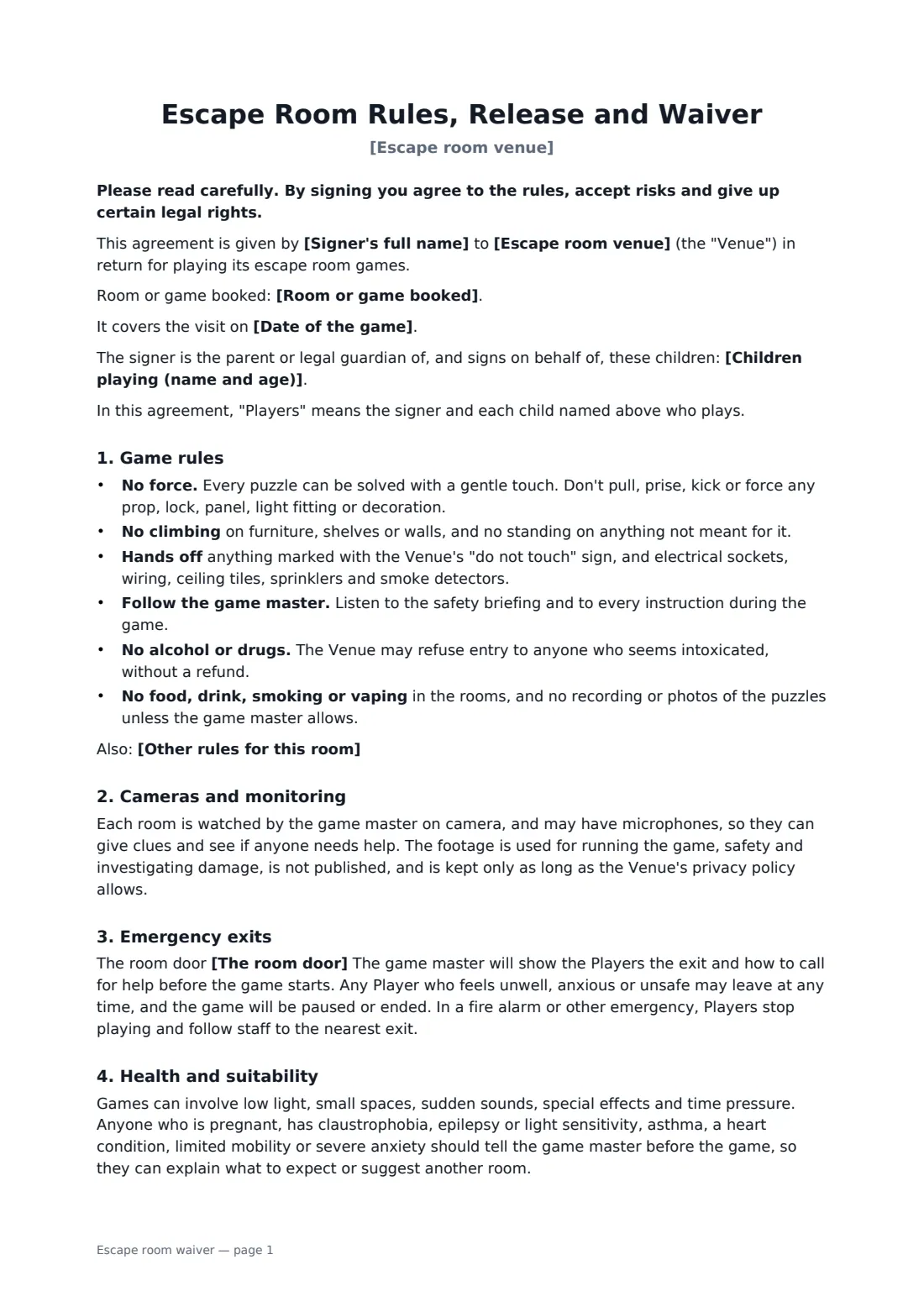
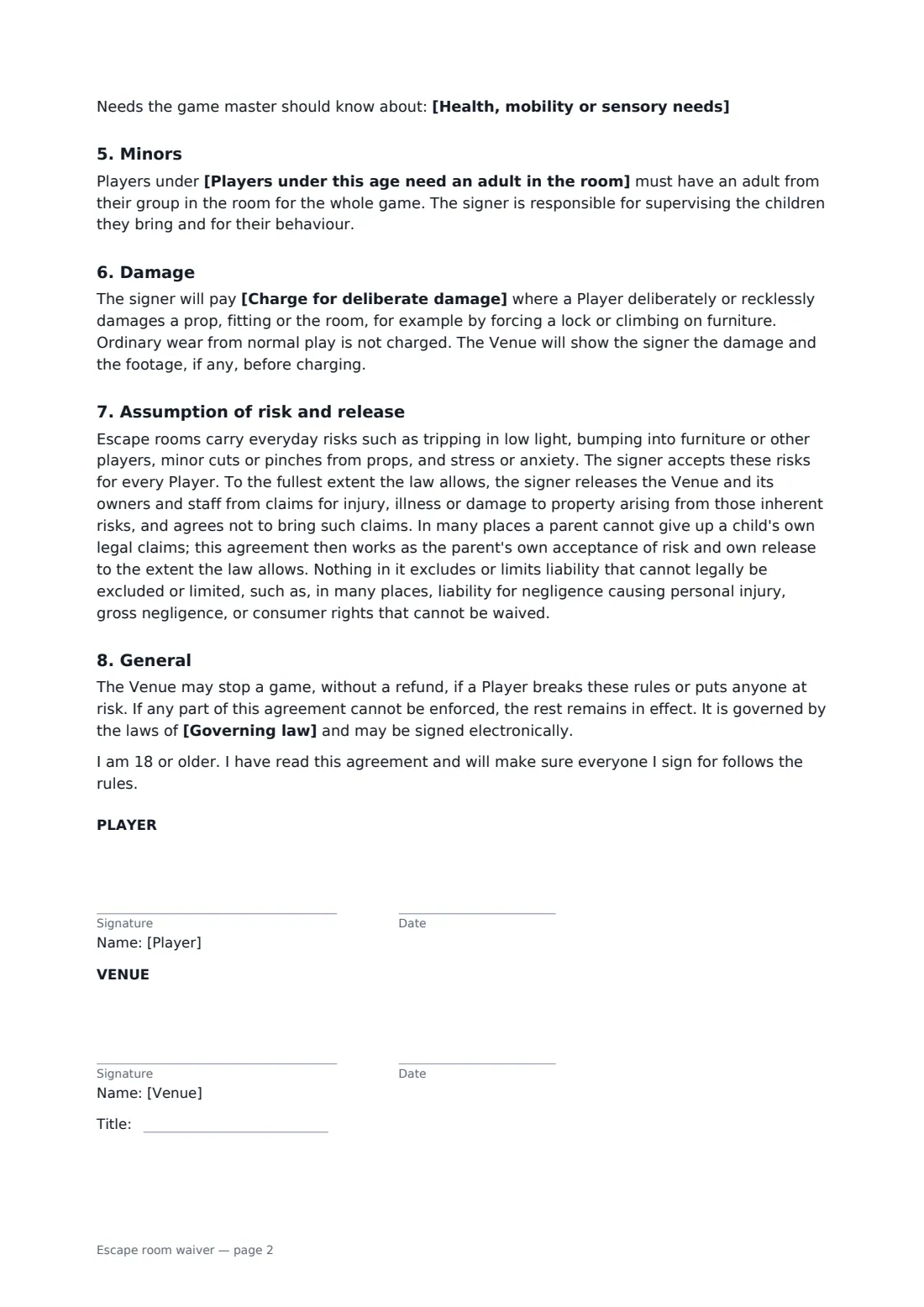
This template lets the person booking sign for themselves and the children they bring. It sets clear game rules (no force, no climbing, hands off fittings, no alcohol, follow the game master), explains camera and audio monitoring and how footage is used, and says whether the door is never locked or has an emergency release. It flags the conditions that matter in a dark, tight room, such as claustrophobia, epilepsy and asthma, lets players record their needs, and sets the age under which an adult must be in the room. It charges only for deliberate or reckless damage and releases the venue from the everyday risks to the extent the law allows.
- Best for
- Escape rooms, puzzle rooms and immersive game venues
- Signed by
- The adult player or parent, and the venue
- Covers
- One game or visits for 12 months, the signer and children listed
- Length
- 2 pages
When to use a escape room waiver
- The group organiser signing when they book online
- Families with children playing together
- Birthday parties with a parent signing for each child
- Corporate team events in escape rooms
- Rooms with dark sections, smoke or sound effects
What you fill in
11 blanks, then the name and email of each person who signs: player, venue.
1 The venue
- Escape room venue*
- Room or game booked
- Date of the game
- The room door* is never locked from outside. Players can open it at any time. · is closed during the game but has an emergency release that opens it instantly from inside.
- Players under this age need an adult in the room*
- Charge for deliberate damage* the reasonable cost of repair or replacement · the reasonable cost of repair or replacement, plus the value of any games that cannot run while the room is closed
2 The players
- Signer's full name*
- Children playing (name and age)
- Health, mobility or sensory needs
3 Rules
- Other rules for this room
- Governing law*
4 Who signs
- Player signature and date · An adult player, or the parent or legal guardian of children who will play. One signature can cover the signer and the children they list.
- Venue signature and date, job title · The escape room owner or manager.
What the escape room waiver covers
- Game rules
- Cameras and monitoring
- Emergency exits
- Health and suitability
- Minors
- Damage
- Assumption of risk and release
- General
Using the escape room waiver, step by step
1 Set your rules
Your venue name fills in. Choose how the door works, the supervision age and the damage charge, and add any room-specific rules.
2 Attach it to bookings
Send the link with each booking confirmation so players sign before they arrive.
3 Players fill in their details
The signer lists any children and any health, mobility or sensory needs, and signs on their phone.
4 Countersign and look up
You countersign and the waiver is kept in your FileIt vault, searchable by the booker's name.
Tips before you send it
- Repeat the key rules in the game master's briefing. Players remember what they hear at the door.
- Make sure your emergency exits and door releases meet your local fire safety rules.
- Keep camera footage only as long as your privacy policy says, and tell players in your privacy notice.
- If one person signs for a group of adults, consider asking each adult to sign their own copy.
Sign it online in minutes
- Fill in the blanks. Names, dates and amounts go straight into the agreement — the preview shows exactly where.
- Name who signs. Tick “This is me” for your own part. FileIt builds the PDF with every signature, date box on the right line, and you can check or move anything before sending.
- Send it. Each signer gets a secure link and signs from any device — no account needed. The signed PDF, with an audit trail and a Certificate of Completion, is filed in your vault and emailed to everyone.
Escape room waiver: frequently asked questions
Are players locked in?
You choose: the door is never locked from outside, or it closes with an emergency release that opens instantly. Either way players can leave at any time.
When can we charge for damage?
Only for deliberate or reckless damage, such as forcing a lock. Normal wear isn't charged, and the signer is shown the damage first.
Can a parent sign for children?
Yes. List each child with their age. Set the age under which an adult must be in the room.
Do we have to tell players about the cameras?
The waiver tells them and explains what footage is used for. Check your local privacy rules on recording too.