What is a domain name lease agreement?
A domain lease lets a business use a great domain name without paying the full price upfront, while the owner keeps the registration as security. It's a common way to sell premium domains on instalments, or to earn steady income from a name the owner wants to keep.
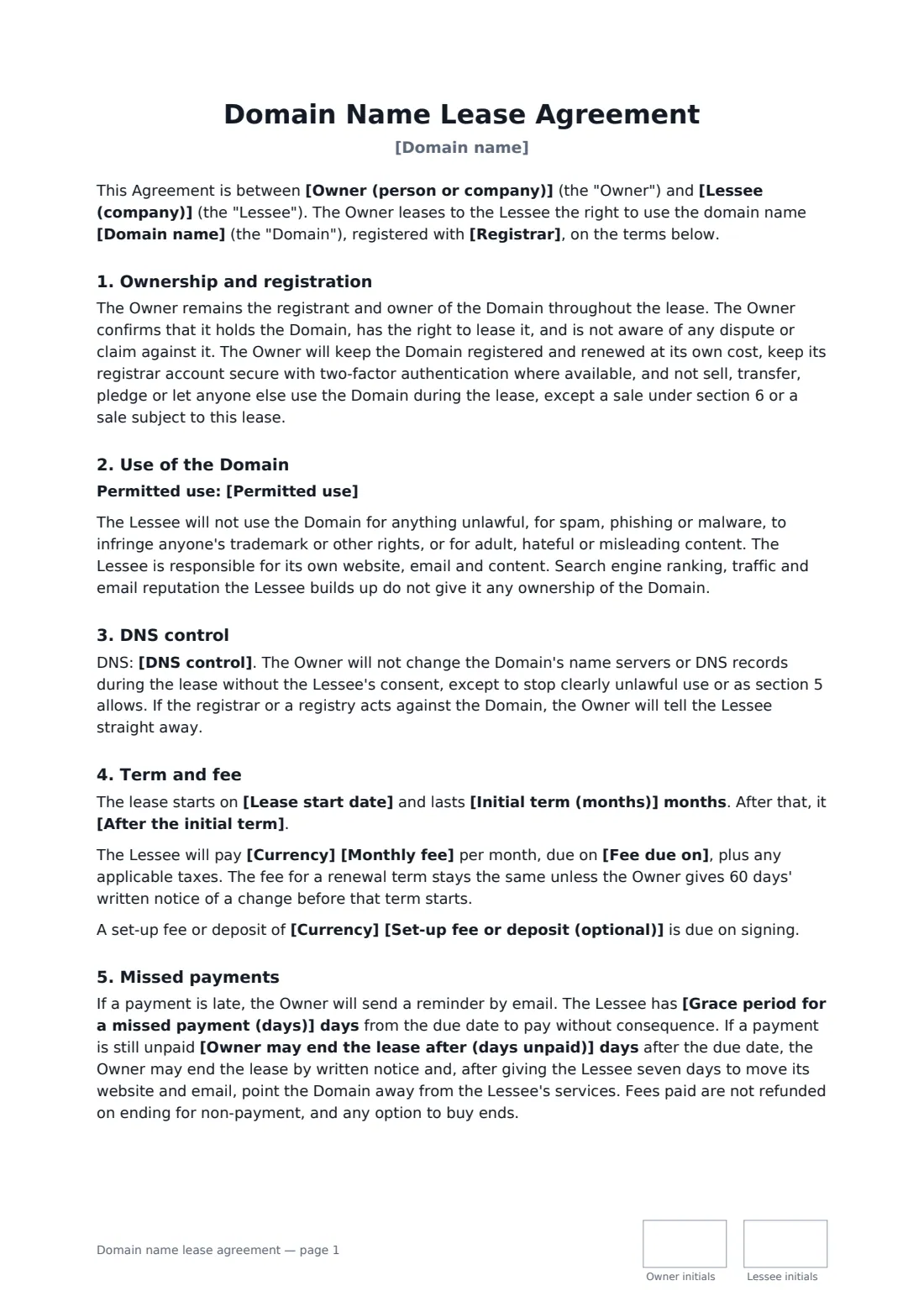
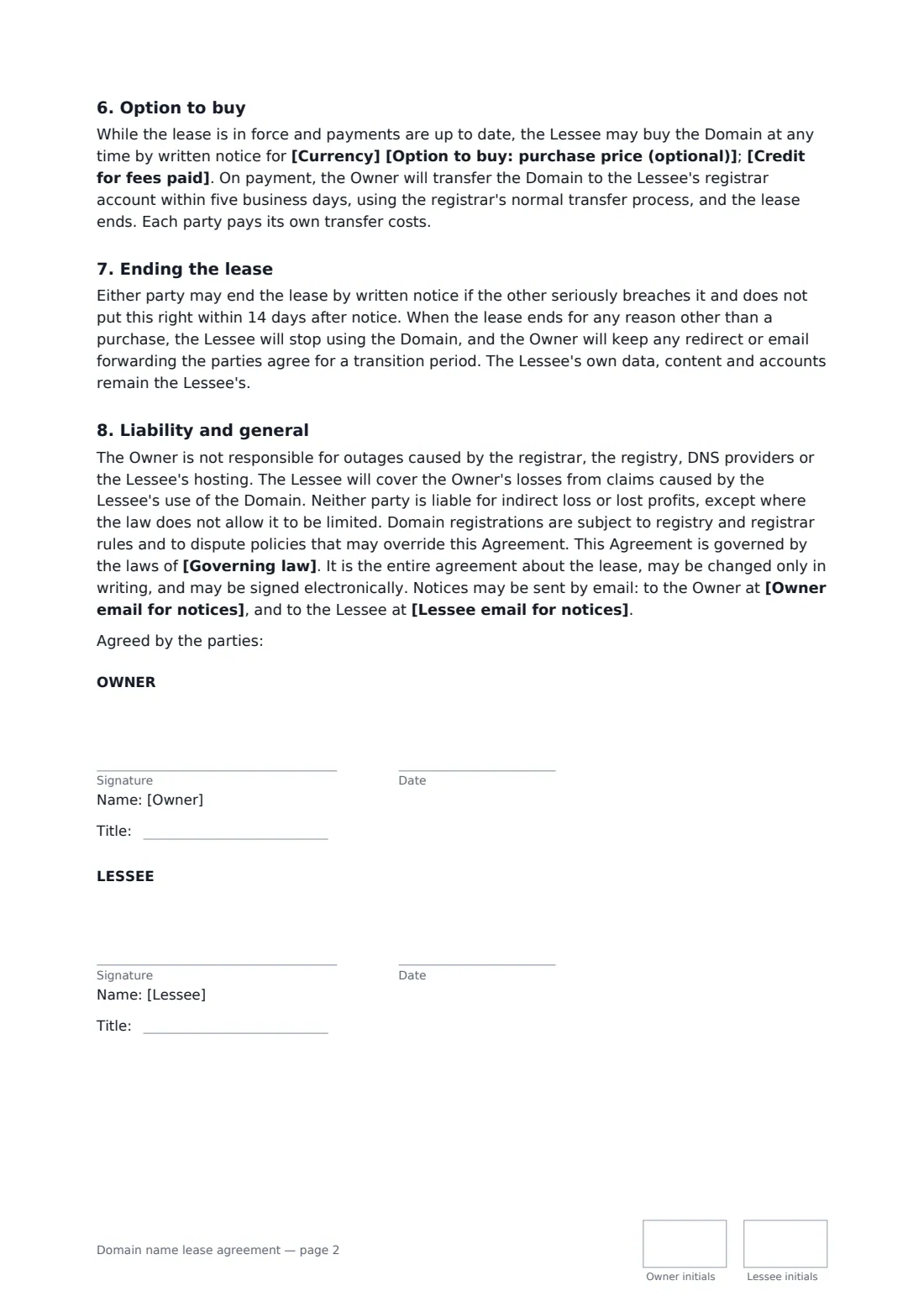
This template keeps the owner as the registrant and has it keep the domain renewed and secure, sets out the permitted use and what the lessee must not do, and gives a choice of DNS control, from the lessee using its own name servers to delegated access. It sets the start date, initial term and what happens after it, the monthly fee, payment day and an optional set-up fee. It covers missed payments with a grace period, a reminder, a later right to end the lease and a week to move the website and email. It includes an optional option to buy at a set price, with a choice of how much of the fees paid count towards it, or a right of first offer if there's no option.
- Best for
- Domain investors and owners leasing names to businesses
- Signed by
- The domain owner and the lessee
- Option to buy
- Optional, with 0%, 50% or 100% of fees credited
- Length
- About 2 pages, initialled on every page
When to use a domain name lease agreement
- Leasing a premium .com to a startup that can't pay the full price yet
- A lease-to-own arrangement paid monthly over two years
- Renting a local-keyword domain to a service business
- Letting a related business use a domain you don't need right now
- Turning an informal domain rental into a written agreement
What you fill in
20 blanks, then the name and email of each person who signs: owner, lessee.
1 The parties
- Lease start date*
- Owner (person or company)*
- Owner email for notices*
- Lessee (company)*
- Lessee email for notices*
2 The domain
- Domain name*
- Registrar*
- Permitted use*
- DNS control* the Lessee points the domain to its own name servers, while the Owner stays the registrant · the Owner manages DNS records as the Lessee reasonably asks, within two business days · the Lessee gets delegated DNS access at the registrar through a sub-account
3 Term and fee
- Initial term (months)*
- After the initial term* renews month to month until either party gives 30 days' notice · renews for another term of the same length unless either party gives 30 days' notice · ends, unless renewed in writing
- Currency*
- Monthly fee*
- Fee due on*
- Set-up fee or deposit (optional)
4 Missed payments
- Grace period for a missed payment (days)*
- Owner may end the lease after (days unpaid)*
5 Option to buy
- Option to buy: purchase price (optional)
- Credit for fees paid 50% of monthly fees paid are credited against the price · all monthly fees paid are credited against the price · no credit for fees paid
- Governing law*
6 Who signs
- Owner signature and date, job title, initials on every page · The registrant who owns the domain name.
- Lessee signature and date, job title, initials on every page · The business leasing the domain.
What the domain name lease agreement covers
- Ownership and registration
- Use of the Domain
- DNS control
- Term and fee
- Missed payments
- Option to buy
- Ending the lease
- Liability and general
Using the domain name lease agreement, step by step
1 Identify the domain
Enter the domain, the registrar, the parties and their notice emails, and the permitted use.
2 Choose DNS control
Pick whether the lessee points the domain to its own name servers, the owner manages records on request, or the lessee gets delegated access.
3 Set the term and fee
Enter the start date, initial term and renewal, the monthly fee and payment day, an optional set-up fee, and the grace and termination periods for late payment.
4 Decide on an option to buy, then send
Enter a purchase price to give the lessee an option to buy, or leave it blank for none, choose how much of the fees paid count towards it, then send to the lessee.
Tips before you send it
- Turn on registrar lock and two-factor authentication. The agreement asks the owner to keep the account secure.
- Set the domain to auto-renew well past the lease term so it can't lapse by accident.
- If the lessee runs email on the domain, agree a transition window if the lease ends, as the agreement does.
- Registry rules and dispute policies apply to every domain and can override a private agreement.
Sign it online in minutes
- Fill in the blanks. Names, dates and amounts go straight into the agreement — the preview shows exactly where.
- Name who signs. Tick “This is me” for your own part. FileIt builds the PDF with every signature, date and initials box on the right line, and you can check or move anything before sending.
- Send it. Each signer gets a secure link and signs from any device — no account needed. The signed PDF, with an audit trail and a Certificate of Completion, is filed in your vault and emailed to everyone.
Domain name lease agreement: frequently asked questions
Who owns the domain during the lease?
The owner stays the registrant and owner throughout. The lessee gets the right to use it. Traffic and search ranking the lessee builds don't give it ownership.
What happens if the lessee stops paying?
The owner sends an email reminder and the lessee has the grace period to pay. If payment is still outstanding after the number of days you set, the owner may end the lease and, after seven days for the lessee to move, point the domain away. Any option to buy ends.
How does the option to buy work?
While the lease is in force and payments are up to date, the lessee can buy the domain at the set price by written notice, with the credit you chose for fees paid. The owner transfers the domain within five business days of payment.
Is this the same as a domain transfer agreement?
No. A domain name transfer agreement is for an outright sale. This lease keeps the owner as the registrant, with an optional route to buy later.