What is a digital legacy instructions?
Most of us have dozens of online accounts: email, social media, cloud photos, streaming, shopping, payment apps. When someone dies or can no longer manage their affairs, their family often can't get in, doesn't know what exists, and has no idea whether a profile should stay up as a memorial or be taken down. Years of photos can be lost when an account is closed for inactivity.
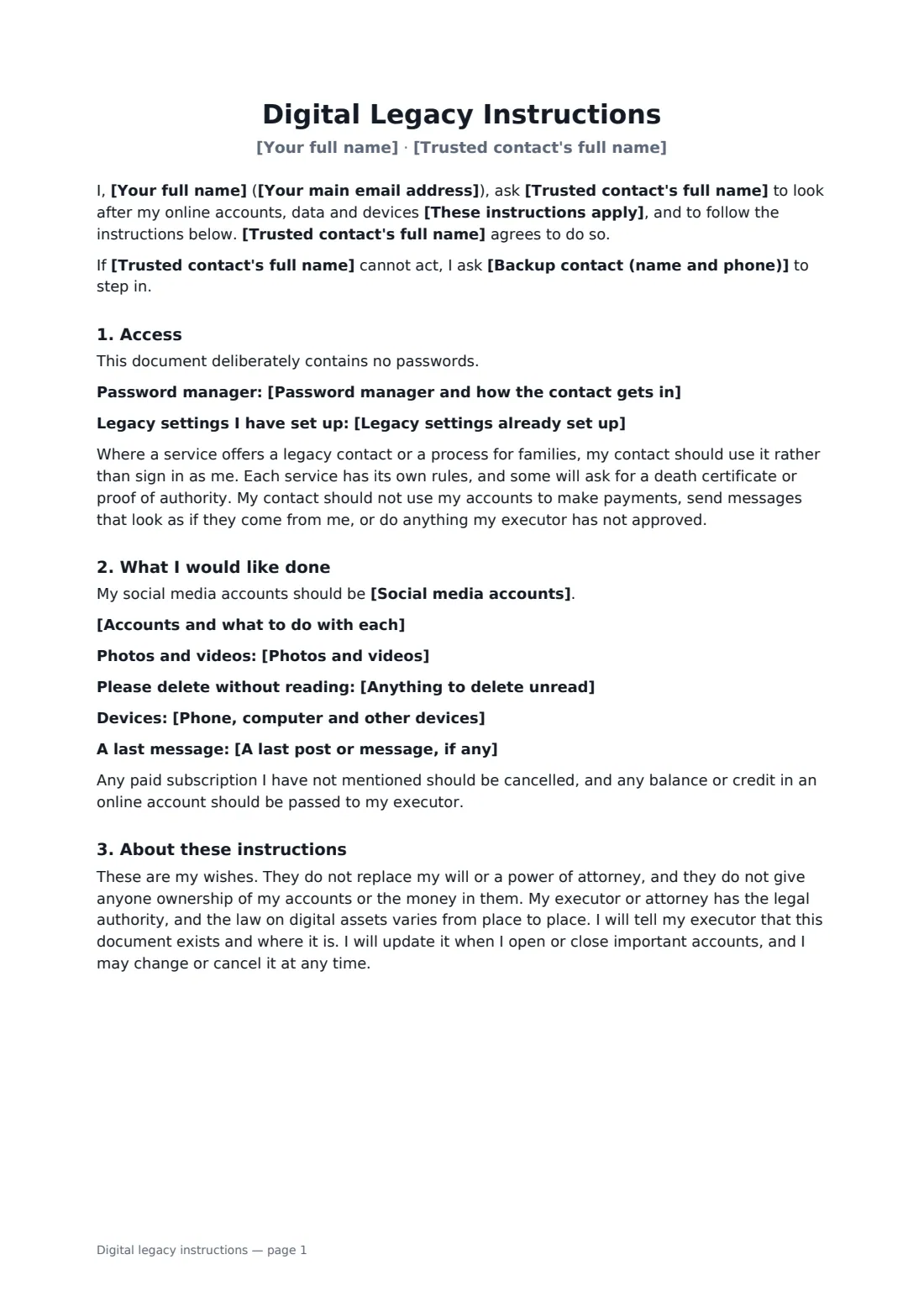
This template names a trusted contact and a backup, and says when the instructions apply. It records how they can reach your password manager and which legacy settings you've already turned on, such as a legacy contact on your phone or social accounts, without putting a single password on paper. You then list each account and what you'd like done with it, choose memorialise or delete for social media, and add your wishes for photos, private files, devices and a last message. The contact signs to accept the role and to keep what they see private. It sits alongside your will and does not replace it.
- Best for
- Anyone with an online life worth passing on, or tidying away
- Signed by
- You and your trusted contact
- Covers
- Password manager access, legacy settings, each account, social media, photos, private files, devices
- Passwords
- Never written in the document
- Length
- 2 pages
When to use a digital legacy instructions
- Making sure the family photo library is saved before any account closes
- Choosing whether your Facebook or Instagram profile becomes a memorial
- Letting a partner cancel subscriptions and close payment apps
- Asking a friend to delete a private journal or folder unread
- Pairing with a will so the executor knows what digital assets exist
What you fill in
14 blanks, then the name and email of each person who signs: account owner, trusted contact.
1 You and your contact
- Your full name*
- Your main email address*
- Trusted contact's full name*
- Trusted contact's phone*
- Backup contact (name and phone)
- These instructions apply* after my death, or if I lose the capacity to manage my own affairs · after my death only
2 Access
- Password manager and how the contact gets in
- Legacy settings already set up
3 Your wishes
- Social media accounts* memorialised where the service allows it, otherwise closed · closed and deleted · left to my contact to decide, account by account
- Accounts and what to do with each*
- Photos and videos*
- Anything to delete unread
- Phone, computer and other devices
- A last post or message, if any
4 Who signs
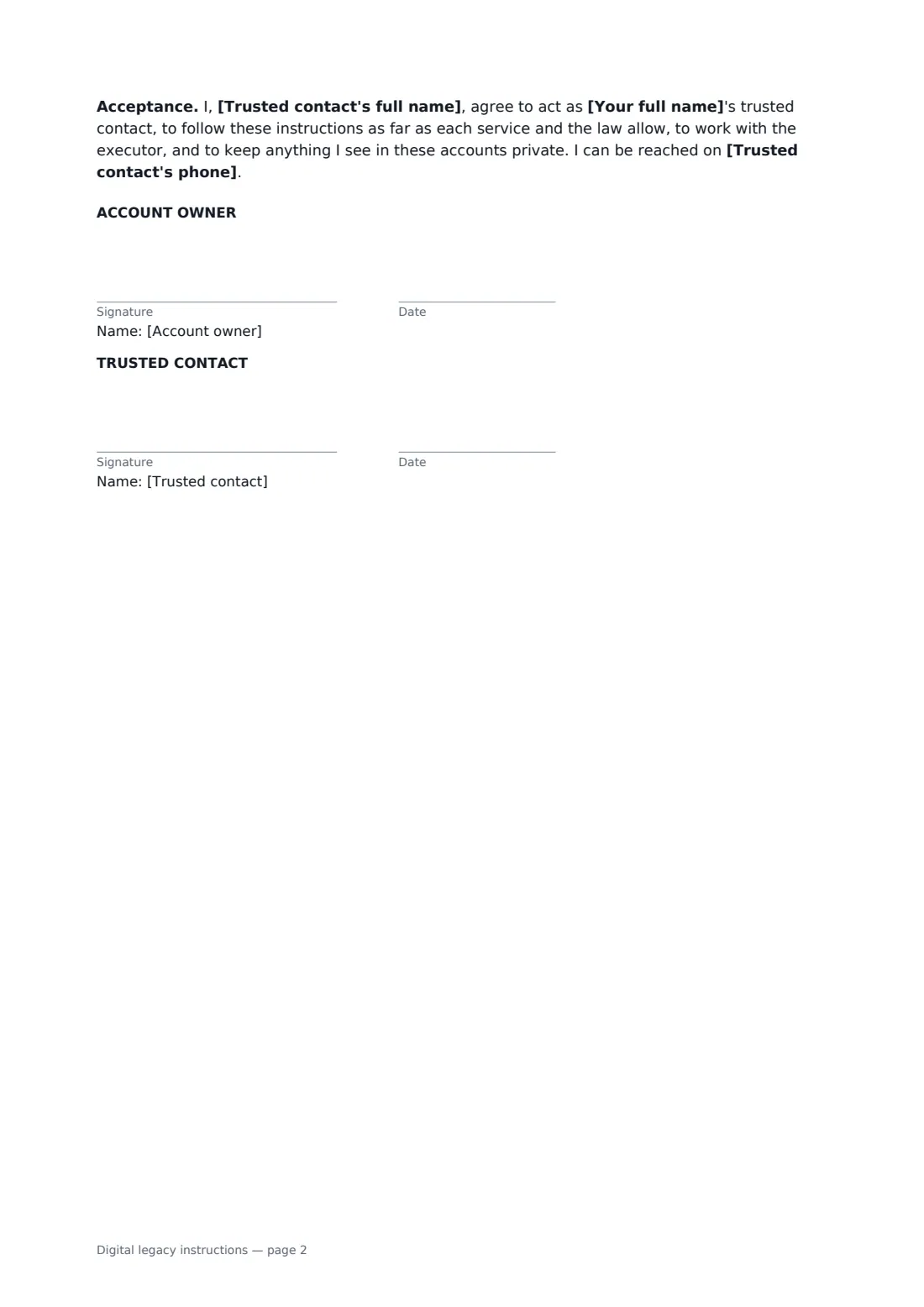
- Account owner signature and date
- Trusted contact signature and date · The person who will carry out these instructions. They sign to accept the role.
What the digital legacy instructions covers
- Access
- What I would like done
- About these instructions
Using the digital legacy instructions, step by step
1 Pick your trusted contact
Enter your details and your contact's, plus a backup if you like. Choose whether the instructions apply on death only, or also if you lose capacity.
2 Explain how they get in
Say which password manager you use and where its emergency kit is kept, and list any legacy contact settings you've already set up. Don't write passwords.
3 Go account by account
List the accounts that matter and what to do with each: download, memorialise, transfer, close or cancel. Add your wishes for photos, devices and anything to delete unread.
4 Send it for signature
Your contact signs online to accept the role. Keep the signed PDF in your FileIt vault and tell your executor it exists.
Tips before you send it
- Turn on the legacy features your phone, email and social accounts offer. They work better than any letter because the service already knows your wishes.
- Download your photos to somewhere family can reach before anything goes wrong. A shared album or an external drive both work.
- Update the account list once a year. New subscriptions creep in quietly.
- Your executor still has the legal authority over your estate. Make sure they and your trusted contact know about each other.
- Rules on access to a dead person's accounts differ by service and by country, so expect some requests for a death certificate.
Sign it online in minutes
- Fill in the blanks. Names, dates and amounts go straight into the agreement — the preview shows exactly where.
- Name who signs. Tick “This is me” for your own part. FileIt builds the PDF with every signature, date box on the right line, and you can check or move anything before sending.
- Send it. Each signer gets a secure link and signs from any device — no account needed. The signed PDF, with an audit trail and a Certificate of Completion, is filed in your vault and emailed to everyone.
Digital legacy instructions: frequently asked questions
Should I include my passwords?
No. Passwords change, and a document full of them is a security risk the day you sign it. The template asks where your password manager's emergency access is and which legacy settings you've set up instead.
Does this give my contact legal rights over my accounts?
No. It records your wishes and your contact's agreement. Each service has its own rules for families and legacy contacts, and your executor or attorney holds the legal authority. The document says so.
Is this the same as a digital will?
People often call it that, but it isn't a will. It works alongside your will by telling the people who'll handle things what you have and what you'd like done.
Does my trusted contact need a FileIt account to sign?
No. They open the link, read the instructions and sign. You both get the signed PDF and its Certificate of Completion.