What is a credentialing services agreement?
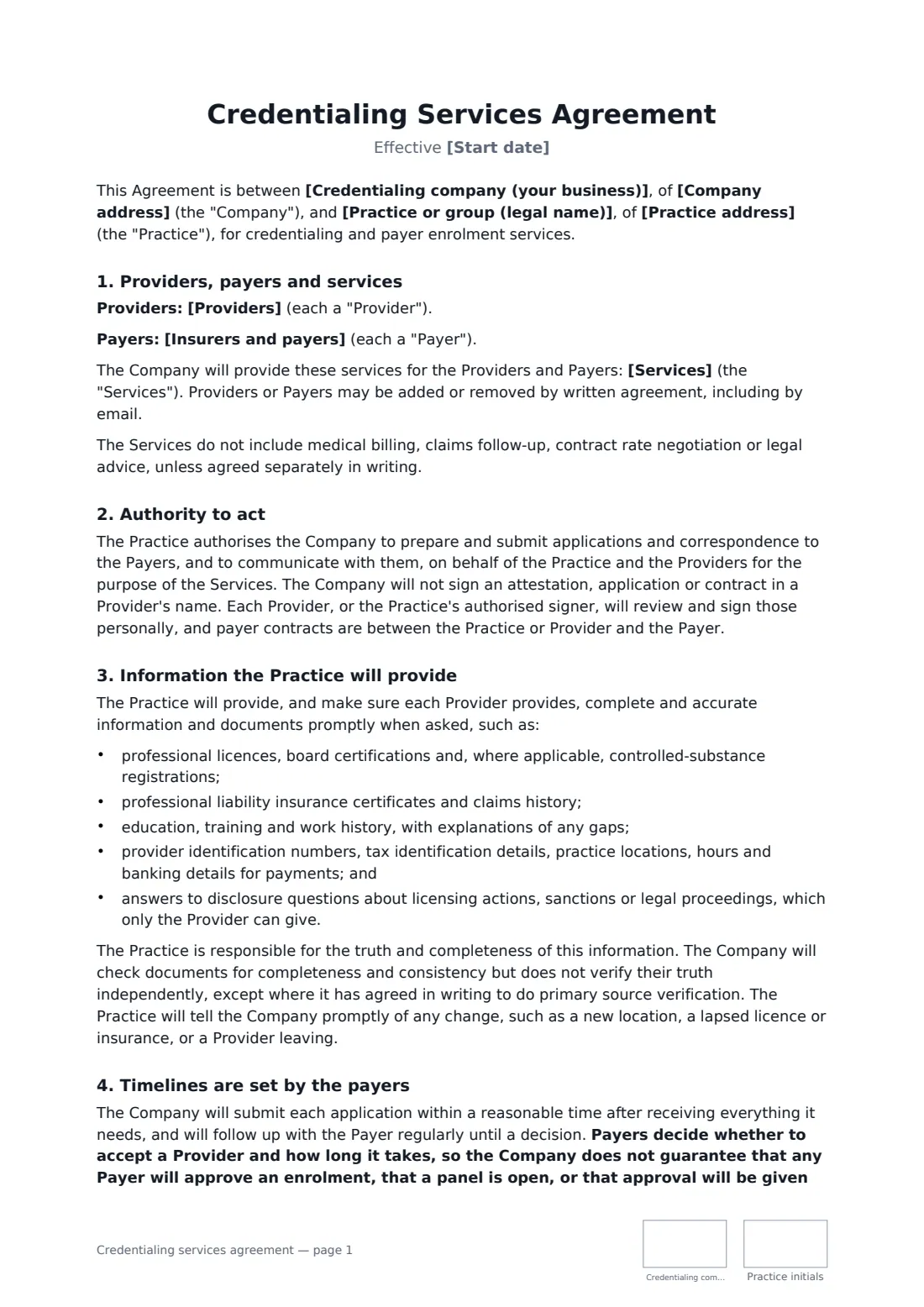
A credentialing services agreement is the contract between a credentialing or enrolment company and a medical, dental or therapy practice that hires it to get providers onto insurers' panels and keep them there. The work involves sensitive provider information, long payer timelines the company cannot control, and attestations only the provider can sign — so the agreement must divide responsibilities carefully.
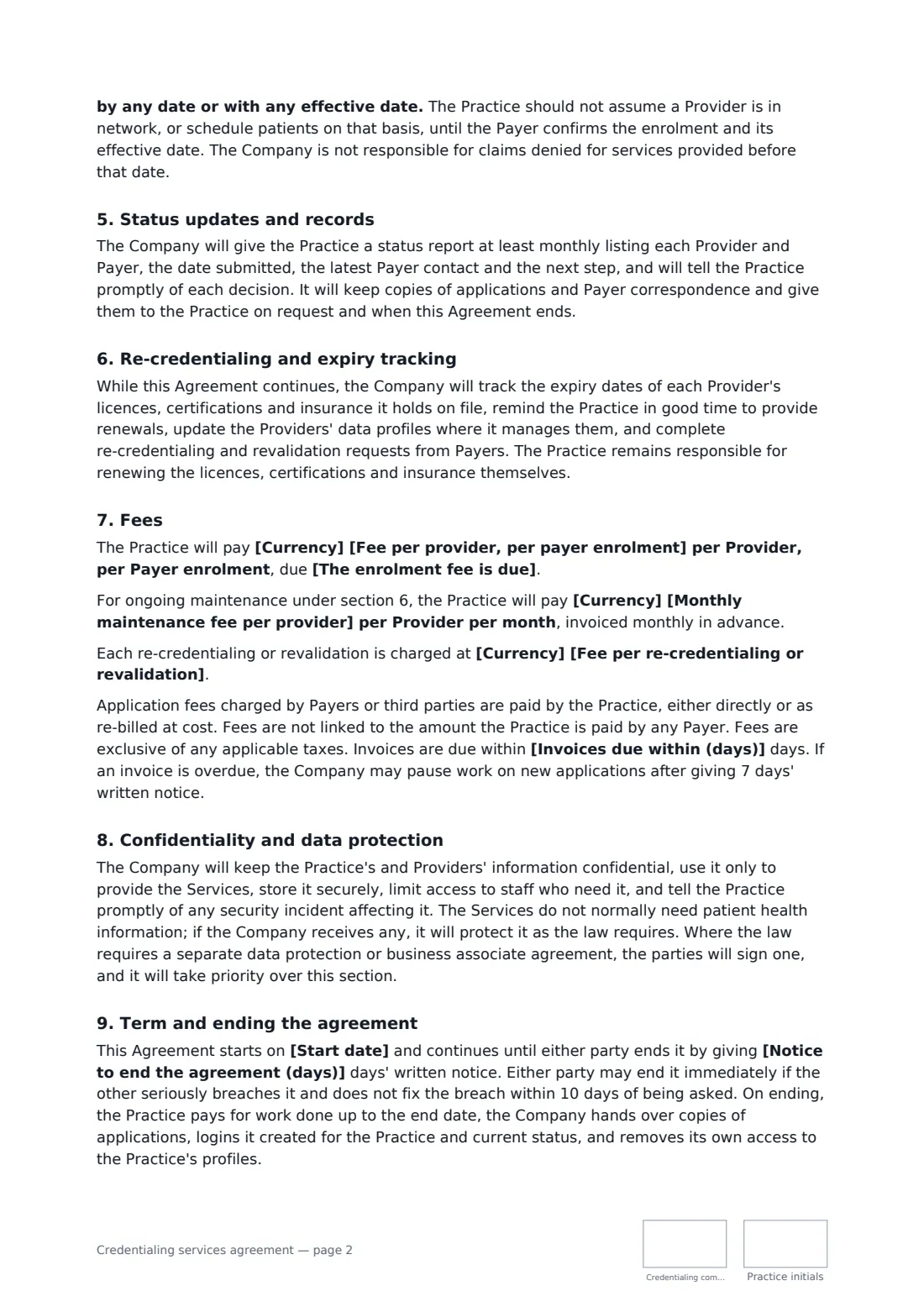
This template lists the providers, payers and services, and authorises the company to submit applications and talk to payers — while making clear it never signs attestations or payer contracts in a provider's name. It lists the documents the practice must provide and makes the practice responsible for their accuracy, states that payers decide approval and timing, and warns against treating a provider as in network before the payer confirms. It covers monthly status reports, expiry tracking and re-credentialing, a fee per provider per payer with your choice of when it's due, optional monthly maintenance and re-credentialing fees, confidentiality and data protection, notice to end and handover.
- Best for
- Credentialing companies and medical billing firms offering enrolment
- Signed by
- The credentialing company and the practice, both with job titles
- Fees
- Per provider, per payer, plus optional monthly maintenance
- Length
- About 3 pages, initialled on every page
When to use a credentialing services agreement
- A new group practice enrols three providers with its main insurers
- A therapist in private practice joins several insurance panels
- A clinic outsources re-credentialing and expiry tracking for its doctors
- A dental group adds a new associate to existing payer contracts
- A billing company adds credentialing to its services for a client
What you fill in
16 blanks, then the name and email of each person who signs: credentialing company, practice.
1 The parties
- Credentialing company (your business)*
- Company address
- Practice or group (legal name)*
- Practice address
2 The work
- Start date*
- Providers*
- Insurers and payers*
- Services*
3 Fees
- Currency*
- Fee per provider, per payer enrolment*
- The enrolment fee is due* when the application is submitted, whether or not the payer approves it · half on submission and half when the payer makes its decision · when the payer approves the enrolment
- Monthly maintenance fee per provider
- Fee per re-credentialing or revalidation
- Invoices due within (days)*
4 Other terms
- Notice to end the agreement (days)*
- Governing law*
5 Who signs
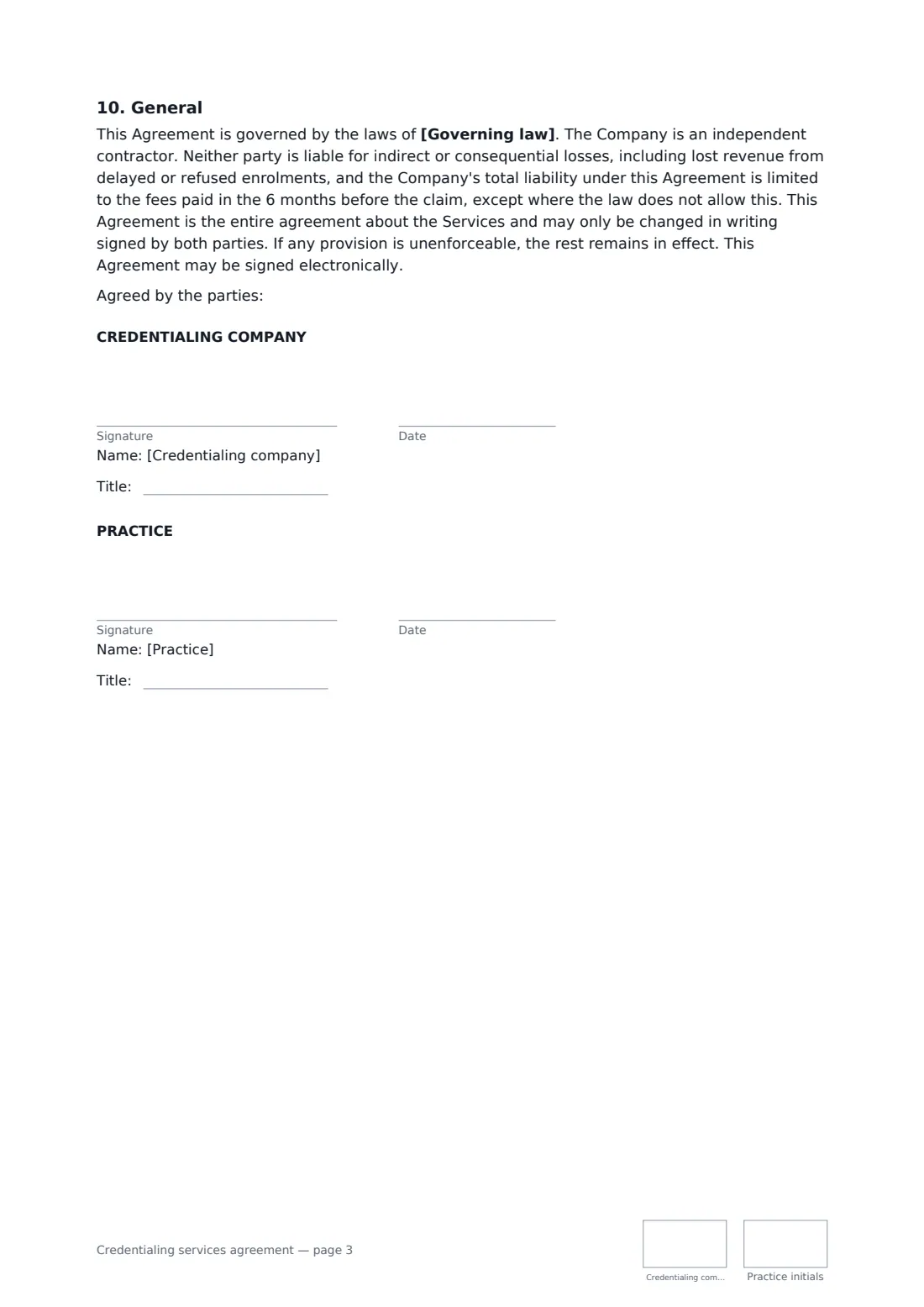
- Credentialing company signature and date, job title, initials on every page · The credentialing or enrolment service provider.
- Practice signature and date, job title, initials on every page · An owner or manager authorised to sign for the practice or group.
What the credentialing services agreement covers
- Providers, payers and services
- Authority to act
- Information the Practice will provide
- Timelines are set by the payers
- Status updates and records
- Re-credentialing and expiry tracking
- Fees
- Confidentiality and data protection
- Term and ending the agreement
- General
Using the credentialing services agreement, step by step
1 List providers and payers
Enter each provider (and the group, if enrolled) and the insurers and programmes to apply to, then edit the list of services.
2 Set the fees
Enter the fee per provider per payer and choose when it is due — on submission, half and half, or on approval — plus any monthly maintenance and re-credentialing fees.
3 Set the term
Enter the payment period, notice period and governing law.
4 Send for signature
Add the practice's authorised signer and send. Both sides sign with job titles and initial each page.
Tips before you send it
- Collect every document on the list before you submit — incomplete applications are the most common cause of delay.
- Never sign an attestation for a provider; the agreement says the provider signs personally.
- Tell the practice not to book patients as in network until the payer confirms the effective date.
- Where the law requires a business associate or data protection agreement, sign it alongside this one.
Sign it online in minutes
- Fill in the blanks. Names, dates and amounts go straight into the agreement — the preview shows exactly where.
- Name who signs. Tick “This is me” for your own part. FileIt builds the PDF with every signature, date and initials box on the right line, and you can check or move anything before sending.
- Send it. Each signer gets a secure link and signs from any device — no account needed. The signed PDF, with an audit trail and a Certificate of Completion, is filed in your vault and emailed to everyone.
Credentialing services agreement: frequently asked questions
Can the company guarantee approval or a timeline?
No. Payers decide whether to accept a provider and how long it takes. The agreement says no approval, open panel, date or effective date is guaranteed.
Who is responsible for the accuracy of the applications?
The practice and its providers. The company checks documents for completeness and consistency but doesn't independently verify them unless it has agreed in writing to do primary source verification.
What happens to the files if the agreement ends?
The company hands over copies of applications, logins it created for the practice and current status, and removes its own access to the practice's profiles.
Is a document signed electronically legally binding?
In most countries, including the US (ESIGN Act and UETA), the UK, the EU (eIDAS) and Canada, an electronic signature is generally valid for an ordinary agreement like this one. FileIt keeps an audit trail and a Certificate of Completion with the signed PDF as evidence of who signed and when.
Is this template free?
Yes. The template is free to use with the eSignature app in FileIt. The practice doesn't need a FileIt account to sign.