What is a locum cover agreement?
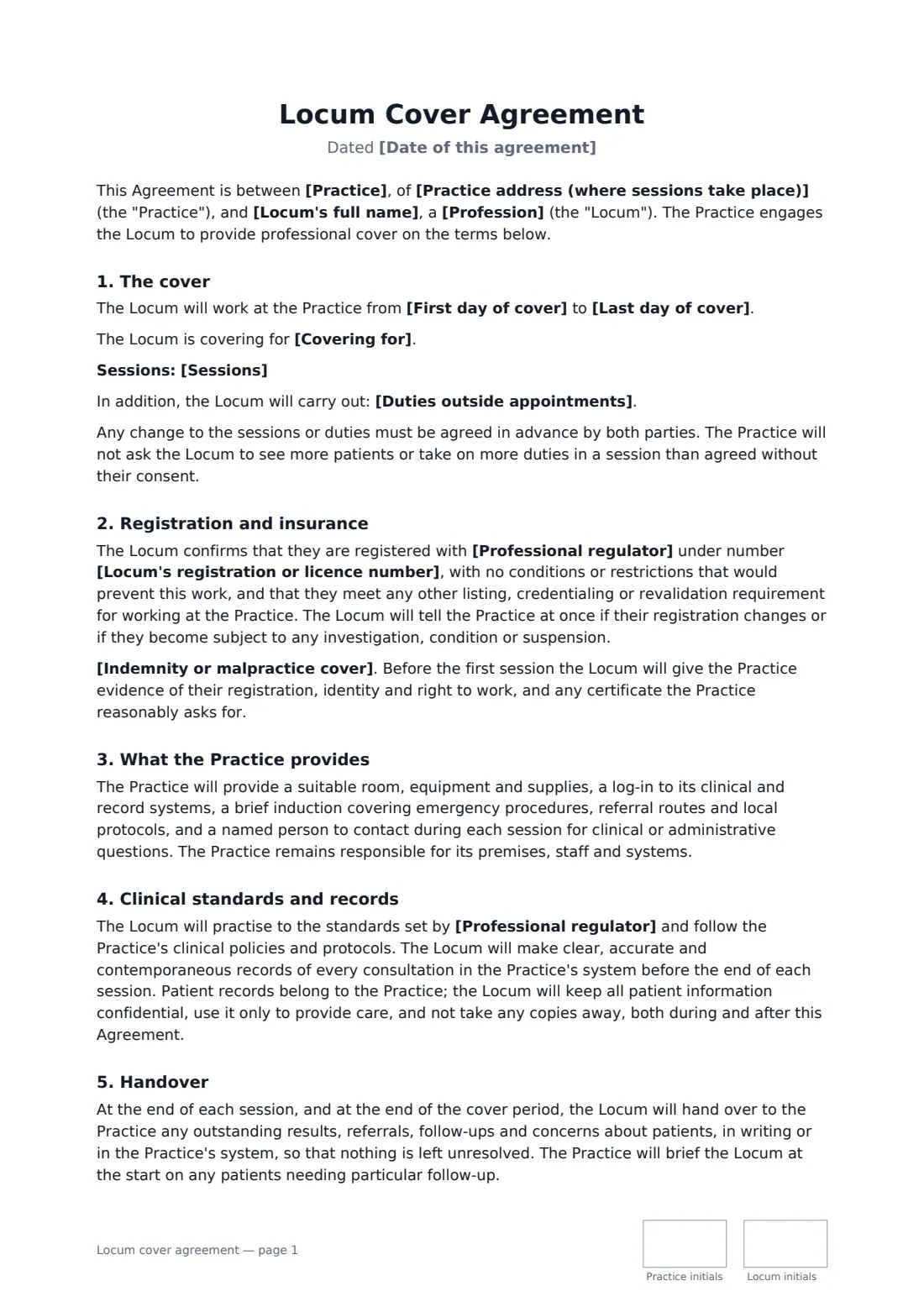
When a practitioner is on leave, off sick or between hires, a practice often brings in a locum: a doctor, dentist, pharmacist, vet, optometrist or therapist who covers sessions for a few days or months. Bookings are often made by phone or email, which leaves room for disagreement about how many patients a session includes, who covers indemnity, what happens when sessions are cancelled at short notice, and who follows up the test results that arrive after the locum has gone.
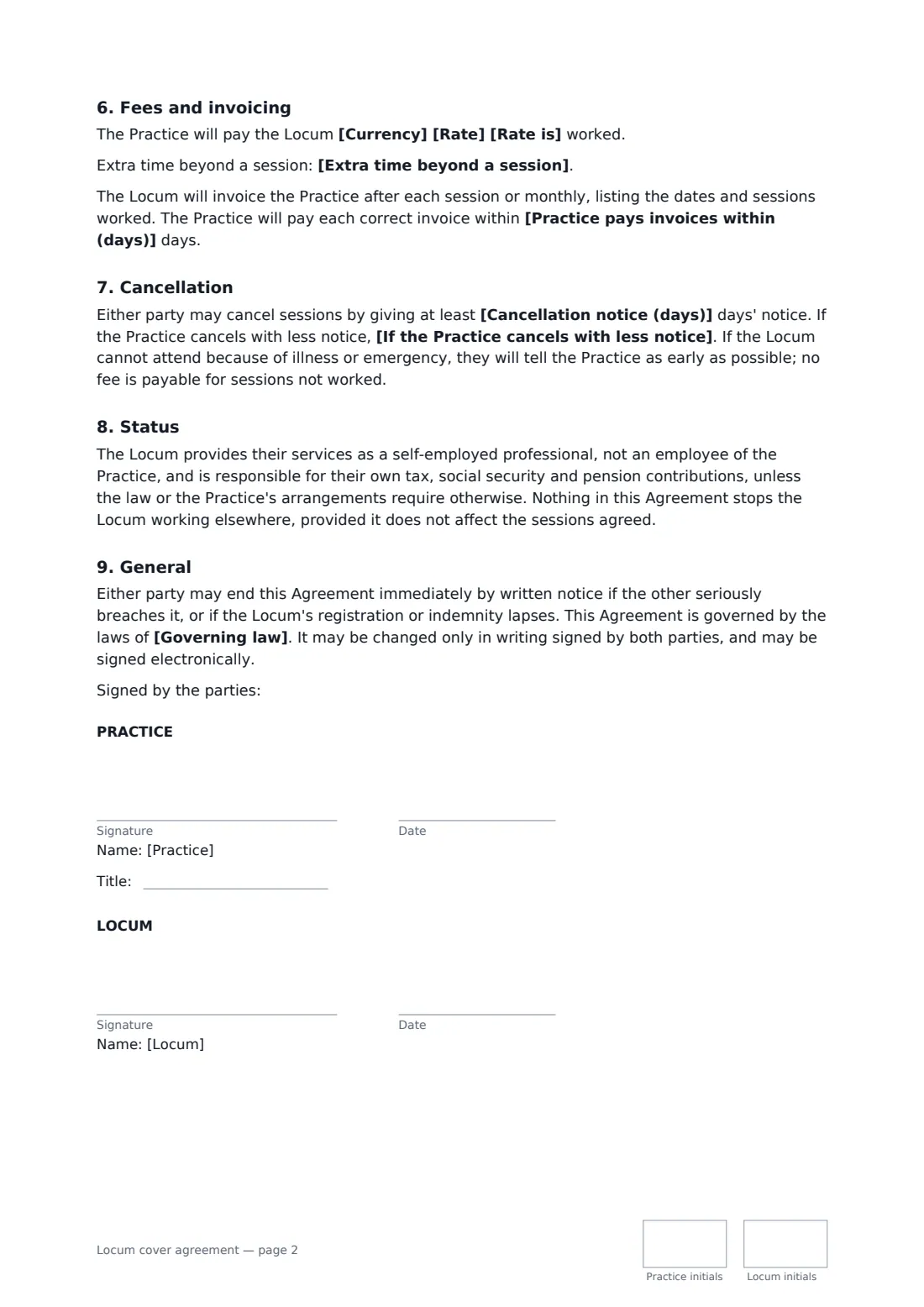
This template records the profession and the absent practitioner, the cover dates and session pattern, extra duties, the rate per session, hour or day and how extra time is paid, invoicing and payment terms, and the cancellation notice and fee. It confirms the locum's registration number and regulator, says whose indemnity or malpractice cover applies, lists what the practice provides, sets standards for records and confidentiality, and requires a written handover of anything outstanding.
- Best for
- GP and medical practices, dental surgeries, pharmacies, veterinary and therapy clinics
- Signed by
- The practice and the locum
- Rate options
- Per session, per hour or per day, with extra time and cancellation terms
- Length
- 2-3 pages, initialled on every page
When to use a locum cover agreement
- A GP practice covers a partner's parental leave with a regular locum
- A pharmacy books a locum pharmacist for weekend opening
- A dental surgery needs cover while recruiting a new associate
- A vet clinic books a locum vet for the holiday season
- A physiotherapy clinic covers a therapist's long-term sickness
What you fill in
21 blanks, then the name and email of each person who signs: practice, locum.
1 The parties
- Date of this agreement*
- Practice*
- Practice address (where sessions take place)*
- Locum's full name*
- Profession*
2 Registration and insurance
- Professional regulator*
- Locum's registration or licence number*
- Indemnity or malpractice cover* The Locum holds their own professional indemnity or malpractice cover · The Practice's cover extends to the Locum for these sessions
3 The cover
- Covering for
- First day of cover*
- Last day of cover*
- Sessions*
- Duties outside appointments
4 Fees
- Currency*
- Rate*
- Rate is* per session · per hour · per day
- Extra time beyond a session
- Practice pays invoices within (days)*
5 Cancellation
- Cancellation notice (days)*
- If the Practice cancels with less notice* the cancelled sessions are paid in full · half of the fee for the cancelled sessions is paid · no fee is payable
- Governing law*
6 Who signs
- Practice signature and date, job title, initials on every page · A partner, practice owner or practice manager authorised to engage locums.
- Locum signature and date, initials on every page
What the locum cover agreement covers
- The cover
- Registration and insurance
- What the Practice provides
- Clinical standards and records
- Handover
- Fees and invoicing
- Cancellation
- Status
- General
Using the locum cover agreement, step by step
1 Name the practice and the locum
Enter the practice and the address where sessions take place, the locum and their profession.
2 Confirm registration and cover
Enter the regulator and registration number, and choose whether the locum has their own indemnity or malpractice cover or the practice's cover extends to them.
3 Describe the cover
Add who is being covered, the first and last days, and what each session includes: hours, appointment numbers and duties such as results or home visits.
4 Agree fees and cancellation
Set the rate and basis, how extra time is paid, the invoice payment period, the cancellation notice and what is paid if the practice cancels late.
5 Sign before the first session
Send it to the locum for signature. The signed agreement is stored in your vault with their registration and insurance documents.
Tips before you send it
- Check the regulator's online register yourself before the first session, not just the number the locum gives you.
- Agree the session content upfront. "A session" means different things in different practices.
- Give locums their system log-in and a short induction before their first patient, not during clinic.
- Use FileIt to keep the locum's indemnity certificate and registration in your vault with a reminder before they expire.
Sign it online in minutes
- Fill in the blanks. Names, dates and amounts go straight into the agreement — the preview shows exactly where.
- Name who signs. Tick “This is me” for your own part. FileIt builds the PDF with every signature, date and initials box on the right line, and you can check or move anything before sending.
- Send it. Each signer gets a secure link and signs from any device — no account needed. The signed PDF, with an audit trail and a Certificate of Completion, is filed in your vault and emailed to everyone.
Locum cover agreement: frequently asked questions
Is a locum an employee?
Most locums work as self-employed professionals, and the template says so. But employment status depends on the real working arrangement and local law, and some systems engage locums through payroll. Check if the locum works for you regularly or exclusively.
Who provides indemnity or malpractice cover?
You choose. Either the locum holds their own cover and gives you a copy of the certificate, or the practice's cover extends to them for these sessions.
What happens to patient records?
They belong to the practice. The locum records every consultation in the practice's system during the session, keeps patient information confidential and takes no copies away.
What if the practice cancels sessions?
With at least the notice you set, no fee is due. With less, you choose whether cancelled sessions are paid in full, at half the fee or not at all.
Can a locum sign this electronically?
Yes. The locum signs through a secure link, and FileIt keeps the audit trail and Certificate of Completion with the signed PDF.