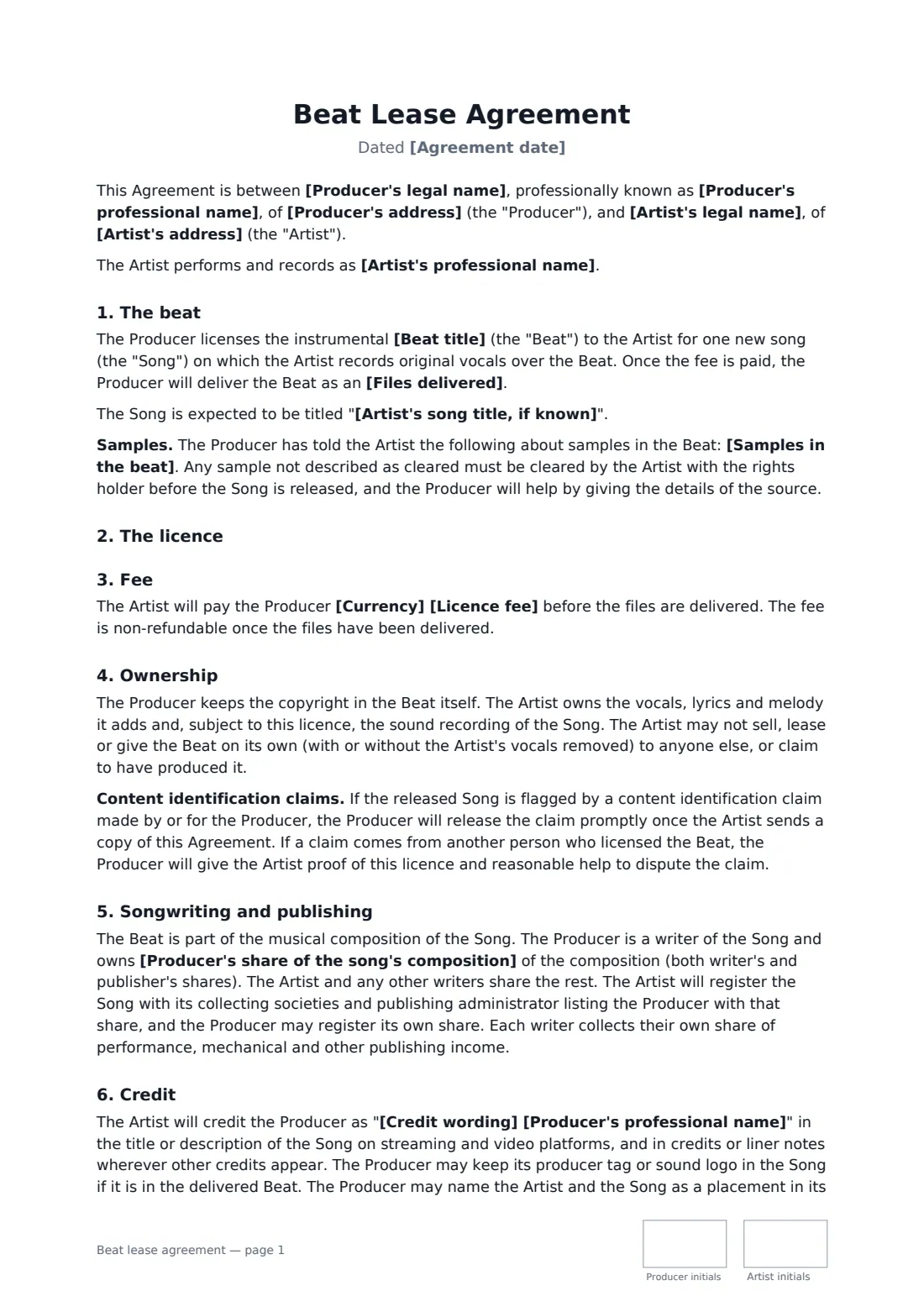
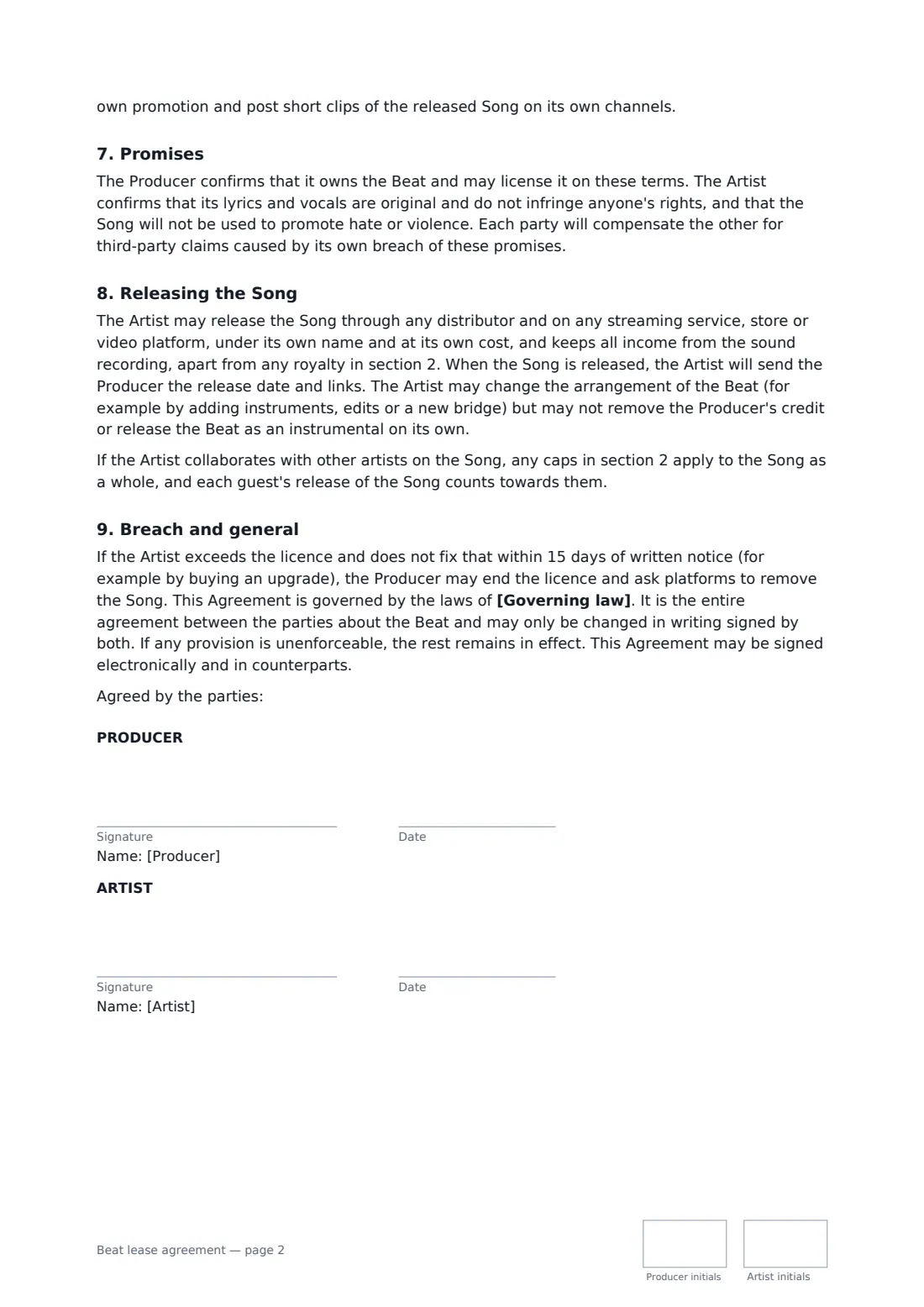
What is a beat lease agreement?
A beat lease is the licence a producer gives an artist to record a song over an instrumental. Under a non-exclusive lease the producer keeps selling the same beat to other artists, and the artist's use is limited by a term and caps on streams, sales and videos. Exclusive rights take the beat off the market for good.
This template handles both. For a non-exclusive lease you set the term and caps on audio streams, downloads or copies, music videos and video views, with unlimited live shows and radio, what happens when a cap is reached, no sync placements, no Content ID registration, and what happens if the beat is later sold exclusively (the lease runs to its term, or the artist is offered the exclusive first). For exclusive rights the beat comes off sale with no caps, earlier leases are disclosed, its distinctive elements aren't reused, and an optional producer royalty applies. Both cover the files delivered, samples, the fee, ownership, the producer's share of the composition, credit wording, releasing the song, help with content claims, and breach.
- Best for
- Beat makers selling leases online, and artists buying beats for a release
- Signed by
- The producer and the artist
- Licence types
- Non-exclusive lease with caps, or exclusive rights with no caps
- Length
- 3 pages, initialled on every page
When to use a beat lease agreement
- A producer selling an untagged WAV lease to an independent rapper
- An artist upgrading from a lease to exclusive rights before a bigger release
- A producer adding track-outs and a royalty to an exclusive sale
- Putting a beat-store purchase into a signed agreement with clear caps and credit
- Recording the publishing split on a song built on a leased beat
What you fill in
25 blanks, then the name and email of each person who signs: producer, artist.
1 The parties
- Agreement date*
- Producer's legal name*
- Producer's professional name*
- Producer's address
- Artist's legal name*
- Artist's professional name
- Artist's address
2 The beat
- Beat title*
- Artist's song title, if known
- Files delivered* untagged MP3 file · untagged WAV file · untagged WAV file and track-outs (stems)
- Samples in the beat
3 Licence and caps
- Type of licence* Non-exclusive lease · Exclusive rights
- Lease term (non-exclusive)
- Audio streams allowed (non-exclusive)
- Downloads or physical copies allowed (non-exclusive)
- Music videos allowed (non-exclusive)
- Video views allowed (non-exclusive)
- If the caps are reached
4 Money
- Currency*
- Licence fee*
- Producer royalty on the master (exclusive)
5 Credit and songwriting
- Producer's share of the song's composition*
- Credit wording*
6 Licence and caps
- Days the Artist has to take up exclusive rights first
7 Other terms
- Governing law*
8 Who signs
- Producer signature and date, initials on every page · The producer who made the beat, or their production company.
- Artist signature and date, initials on every page · The recording artist licensing the beat. For a group or label, an authorised person signs.
What the beat lease agreement covers
- The beat
- The licence
- Fee
- Ownership
- Songwriting and publishing
- Credit
- Promises
- Releasing the Song
- Breach and general
Using the beat lease agreement, step by step
1 Name the beat and the files
Enter the beat title, the artist's song title if known, and whether you deliver an untagged MP3, a WAV, or a WAV with track-outs. List any samples so the artist knows what must be cleared before release.
2 Choose lease or exclusive
For a non-exclusive lease, set the term and the caps on streams, downloads, music videos and views, and what the artist can buy when a cap is reached. For exclusive rights, add a royalty if there is one.
3 Set the fee and publishing split
Enter the licence fee, paid before files are delivered, and the producer's share of the song's composition. 50% is the default, but agree it with the artist.
4 Credit and later exclusive sales
Set the credit wording (for example "Prod. by"), and for a lease enter how many days the artist has to take up exclusive rights first if someone else wants to buy them, or leave it empty for no first offer.
5 Send for signature
Send it to the artist. Once signed, the PDF is filed in your vault and both of you get a copy — useful proof when a content claim needs releasing.
Tips before you send it
- Caps count across all platforms combined, and the template counts every guest's release of the song towards the same totals.
- Don't register a leased beat with Content ID — other artists are using it lawfully. The template bars the artist from doing so too.
- If a beat contains an uncleared sample, say so in writing. Clearing it is then the artist's job before release.
- Register the song with your collecting society and publishing administrator using the agreed split, so each writer collects their own share.
Sign it online in minutes
- Fill in the blanks. Names, dates and amounts go straight into the agreement — the preview shows exactly where.
- Name who signs. Tick “This is me” for your own part. FileIt builds the PDF with every signature, date and initials box on the right line, and you can check or move anything before sending.
- Send it. Each signer gets a secure link and signs from any device — no account needed. The signed PDF, with an audit trail and a Certificate of Completion, is filed in your vault and emailed to everyone.
Beat lease agreement: frequently asked questions
What is the difference between a non-exclusive lease and exclusive rights?
A non-exclusive lease lets the artist use the beat within a term and caps while the producer keeps licensing it to others. Exclusive rights mean the producer stops leasing or selling the beat, with no caps on the artist's use, although leases granted earlier continue until they expire.
What happens if someone buys the beat exclusively after I lease it?
Under the template, the artist's lease continues to the end of its term and caps but can't be renewed or upgraded afterwards. If you entered a first-offer period, the producer must first offer the exclusive rights to the artist at the same price and on the same terms, and the artist has that many days to accept and pay.
Does the producer get songwriting credit?
Yes. The beat is part of the song's composition, so the producer is a writer with the share you enter, covering both writer's and publisher's shares. Each writer registers and collects their own share.
Can a beat lease be signed electronically?
In most countries, including the US (ESIGN Act and UETA), the UK, the EU (eIDAS) and Canada, an electronic signature is generally valid for an ordinary commercial contract like this one. FileIt keeps an audit trail and a Certificate of Completion with the signed PDF as evidence of who signed and when.
Is this template free?
Yes. The template is free to use with the eSignature app in FileIt, and the people you send it to don't need a FileIt account to sign.