What is a bank details change confirmation?
One of the most common and costly frauds against businesses is simple: an email that looks like it comes from a real supplier asks you to pay future invoices into a new account. The email may come from the supplier's own hacked mailbox and may reference real invoices. By the time the real supplier chases payment, the money is gone. The defence that works is a disciplined call-back to a contact you already know, using a number that did not come from the request.
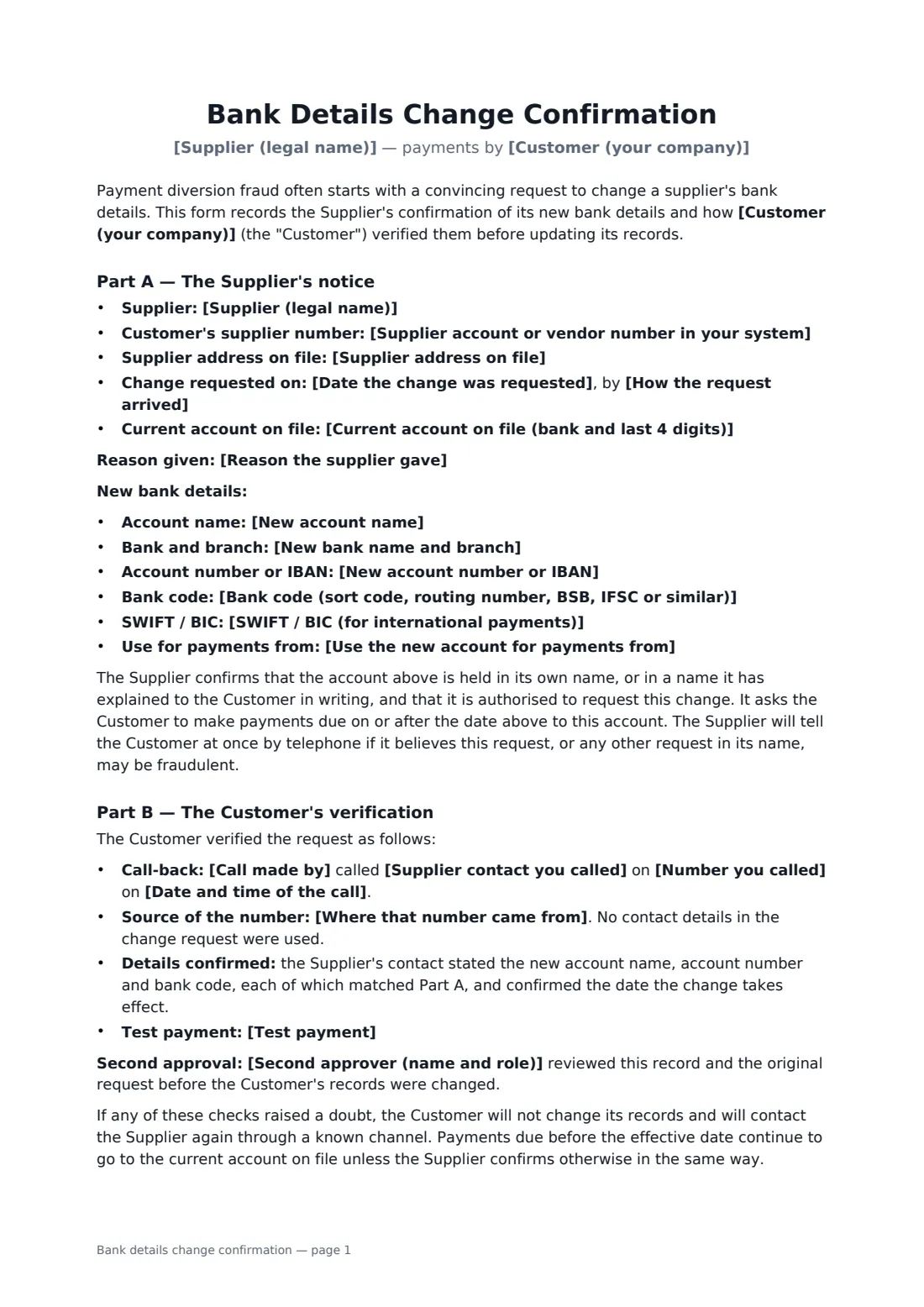
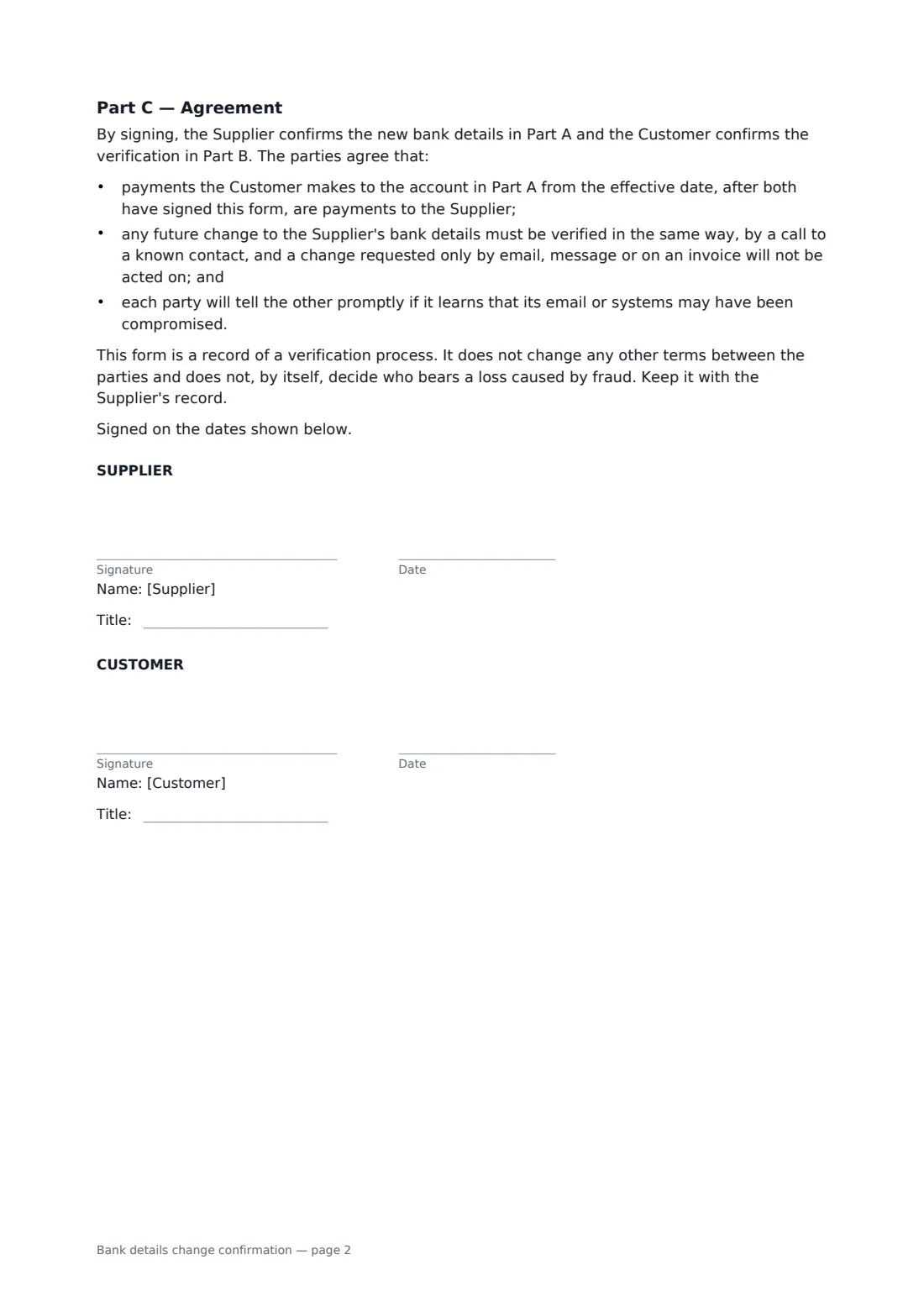
This form records the request (when it came in, how, the account it replaces and the reason given) and the new details the supplier confirms in its own name. It then records your verification: who called whom, on what number, where that number came from, the details the contact confirmed, any second approval and whether a test payment was made. Both parties sign, agree that later changes must go through the same process and never by email alone, and promise to warn each other if their systems may be compromised.
- Best for
- Accounts payable teams, bookkeepers and small businesses paying suppliers
- Signed by
- The supplier and the person at the customer who verified the change
- Records
- Request, new details, call-back source, details confirmed, second approval, test payment
- Length
- About 2 pages, no initials
When to use a bank details change confirmation
- A supplier emails to say it has moved banks and attaches new details
- An invoice arrives showing a different account number from last month
- A new finance manager setting a standard control for every bank change
- A bookkeeper documenting checks for a client's payment run
- An auditor asking for evidence of how vendor bank changes are approved
What you fill in
21 blanks, then the name and email of each person who signs: supplier, customer.
1 The supplier
- Supplier (legal name)*
- Supplier account or vendor number in your system
- Supplier address on file
- Customer (your company)*
2 The request
- Date the change was requested*
- How the request arrived* email · letter · phone call · supplier portal · on an invoice · in person
- Current account on file (bank and last 4 digits)*
- Reason the supplier gave
3 New bank details
- New account name*
- New bank name and branch*
- New account number or IBAN*
- Bank code (sort code, routing number, BSB, IFSC or similar)
- SWIFT / BIC (for international payments)
- Use the new account for payments from*
4 Verification
- Supplier contact you called*
- Number you called*
- Where that number came from* the supplier record set up before this request · the signed contract with the supplier · invoices or correspondence received before this request · the supplier's official website, checked independently · a known contact at the supplier, in person
- Date and time of the call*
- Call made by*
- Second approver (name and role)
- Test payment* No test payment was made. · A small test payment was made to the new account and the Supplier confirmed it was received.
5 Who signs
- Supplier signature and date, job title · An authorised person at the supplier who can confirm its bank account. Send this form to the contact you called, at an email address from your existing records, never one taken from the change request.
- Customer signature and date, job title · The person in your accounts team who carried out the verification.
What the bank details change confirmation covers
- Part A — The Supplier's notice
- Part B — The Customer's verification
- Part C — Agreement
Using the bank details change confirmation, step by step
1 Record the request
Enter the supplier, how and when the change was requested, the account currently on file and the reason given.
2 Enter the new details
Add the account name, bank, account number or IBAN, bank code, SWIFT if needed and the date from which payments go to the new account.
3 Call back and record it
Call a contact using a number from your existing records, the contract or earlier correspondence, never from the request. Ask the contact to read the new details to you rather than reading them out yourself, then enter who called whom, when, the source of the number, any second approver and any test payment.
4 Sign and file
Send it for signature to the supplier contact's email address from your existing records, then sign it yourself. Keep the signed form with the supplier's record in your vault.
Tips before you send it
- Send this form only to a supplier email address from your existing records, never one taken from the change request. A form sent to the address in a fraudulent request reaches the fraudster.
- Be suspicious of urgency, a change of account name, a foreign account for a local supplier, or a request to keep the change quiet.
- Use a second approver who did not make the call. Fraud often relies on one person under pressure.
- A small test payment confirmed by phone adds a further check before a large payment.
Sign it online in minutes
- Fill in the blanks. Names, dates and amounts go straight into the agreement — the preview shows exactly where.
- Name who signs. Tick “This is me” for your own part. FileIt builds the PDF with every signature, date box on the right line, and you can check or move anything before sending.
- Send it. Each signer gets a secure link and signs from any device — no account needed. The signed PDF, with an audit trail and a Certificate of Completion, is filed in your vault and emailed to everyone.
Bank details change confirmation: frequently asked questions
Why not just reply to the supplier's email?
Because the email account itself may be compromised. A call to a number you already had, from before the request, is a far more reliable way to reach the real supplier.
Does this form make the supplier liable if we are defrauded?
No. It records the verification and that payments to the confirmed account count as payments to the supplier. It does not by itself decide who bears a fraud loss, which depends on your contracts and local law.
What if the checks raise a doubt?
Do not change your records. Contact the supplier again through a known channel, and keep paying the current account on file until you are satisfied.
Do future changes need a new form?
Yes. Both parties agree that every future change goes through the same call-back process and is never made from an email, message or invoice alone.