What is a architect services agreement?
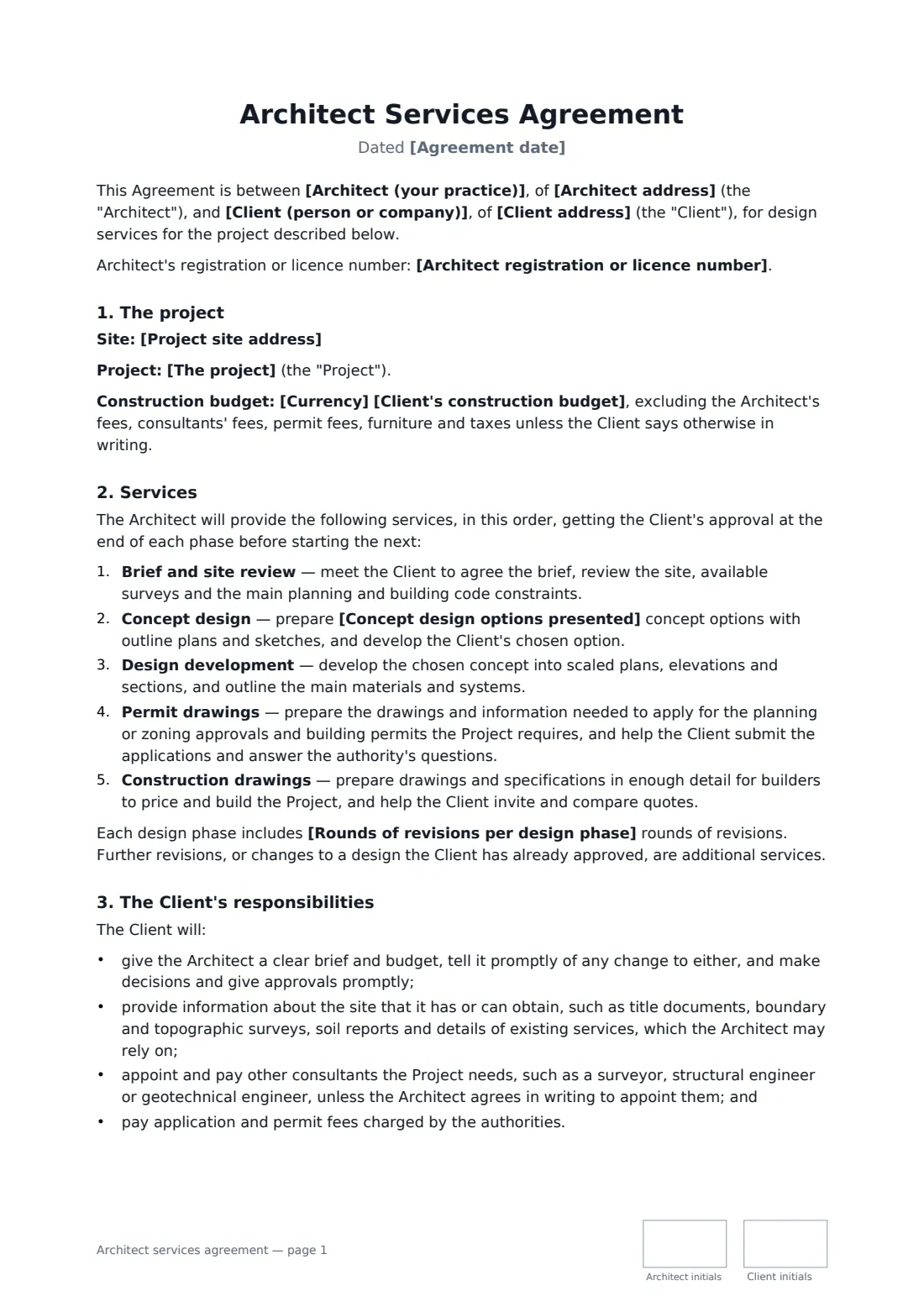
An architect services agreement sets out what an architect will design, in what stages, for what fee — and what the architect is not responsible for once building starts. Homeowners often assume their architect supervises the builder or guarantees the construction cost; a clear contract avoids that misunderstanding and the disputes that follow.
This template runs through five phases — brief and site review, concept design with a set number of options, design development, permit drawings and construction drawings — with an optional construction phase of site visits, builder queries and payment reviews. You choose a fixed fee, a percentage of construction cost or hourly rates, how the fee is split across phases, revision rounds, reimbursable expenses and a liability cap. It covers the client's responsibilities, additional services, budget estimates that are not guarantees, approvals decided by the authorities, copyright in the drawings with a licence for the project, insurance and ending the agreement.
- Best for
- Residential extensions, new homes and small commercial projects
- Signed by
- The architect (with job title) and the client
- Fee options
- Fixed fee, percentage of construction cost or hourly rates
- Length
- About 3 pages, initialled on every page
When to use a architect services agreement
- A homeowner commissions a rear extension through to permit drawings
- A couple hires an architect to design a new house with site visits during the build
- A small business plans a shop fit-out and needs drawings for a building permit
- An architect works on hourly rates for an early feasibility study and concept
- A developer appoints an architect for design only, with no construction phase
What you fill in
24 blanks, then the name and email of each person who signs: architect, client.
1 The parties
- Architect (your practice)*
- Architect address
- Architect registration or licence number
- Client (person or company)*
- Client address
2 The project
- Agreement date*
- Project site address*
- The project*
- Client's construction budget
- Currency*
3 Services
- Construction phase services* are included · are not included
- Site visits included during construction
- Concept design options presented*
- Rounds of revisions per design phase*
4 Fees
- Fee basis* a fixed fee · a percentage of the construction cost · hourly rates
- Fixed fee
- Fee percentage of construction cost
- Hourly rates
- How the fee is split across phases
- Markup on reimbursable expenses (%)
- Invoices due within (days)*
- Retainer paid on signing
5 Other terms
- Limit on the Architect's liability* the total fees paid under this Agreement · the amount of the Architect's professional liability insurance available for the claim
- Governing law*
6 Who signs
- Architect signature and date, job title, initials on every page · The architect or architecture practice providing the design services.
- Client signature and date, initials on every page · The property owner or developer commissioning the design.
What the architect services agreement covers
- The project
- Services
- The Client's responsibilities
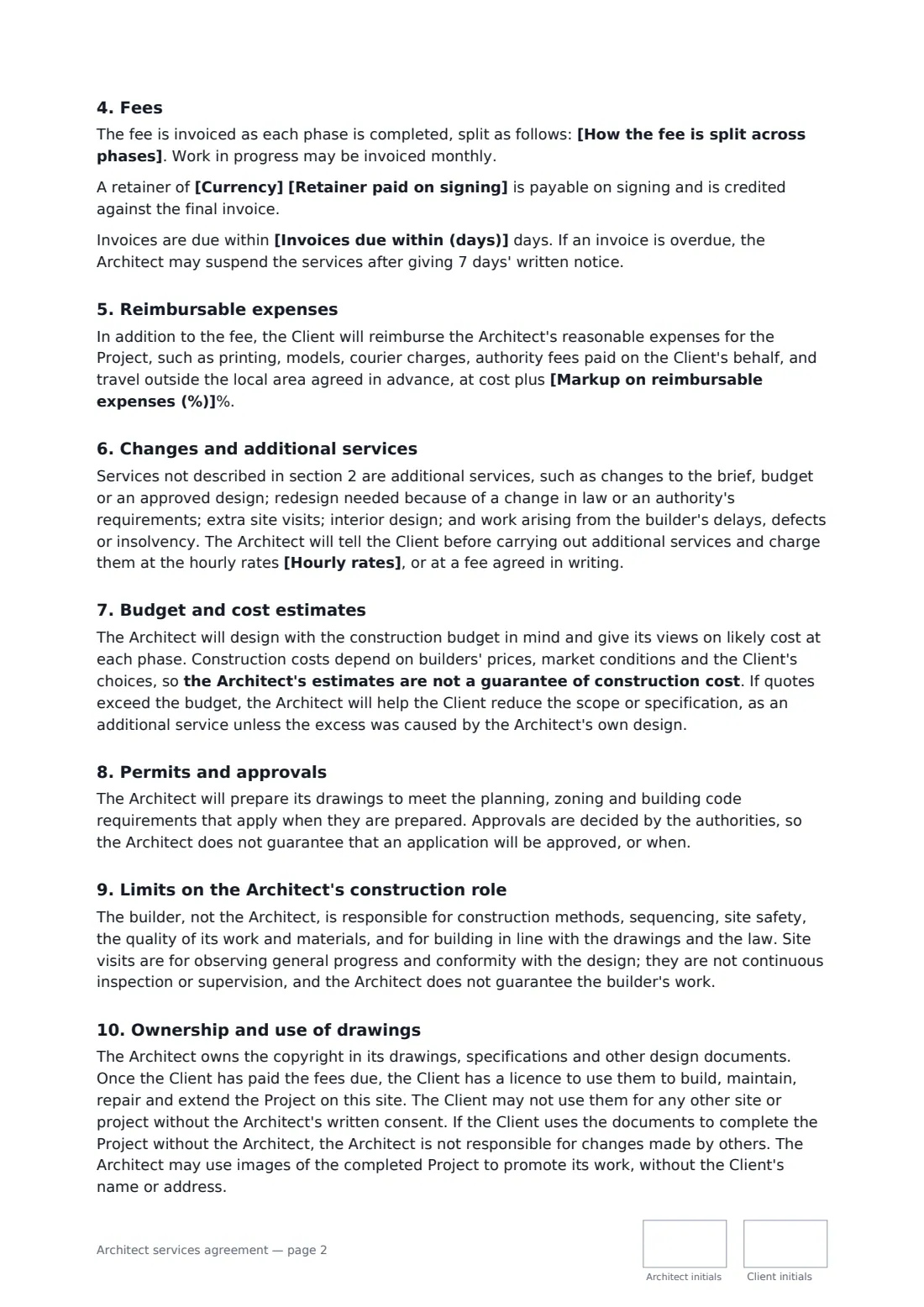
- Fees
- Reimbursable expenses
- Changes and additional services
- Budget and cost estimates
- Permits and approvals
- Limits on the Architect's construction role
- Ownership and use of drawings
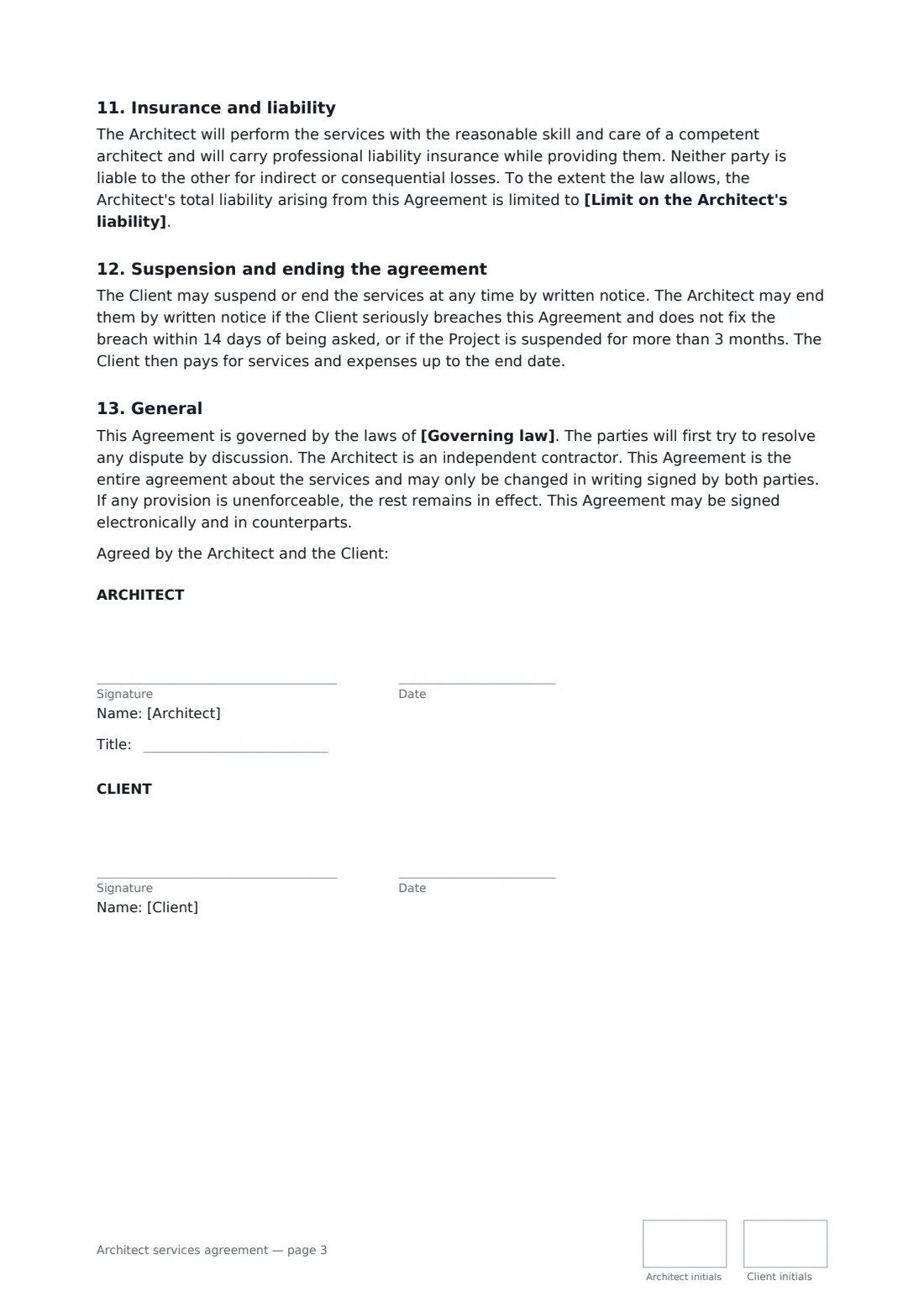
- Insurance and liability
- Suspension and ending the agreement
- General
Using the architect services agreement, step by step
1 Describe the project and budget
Enter the site, a short description of the project and the client's construction budget. The design aims for the budget, but estimates are not guaranteed.
2 Choose the services
Set how many concept options and revision rounds are included, and whether construction phase services are included and how many site visits.
3 Set the fee
Pick a fixed fee, a percentage of construction cost or hourly rates, how the fee splits across phases, any retainer and any markup on reimbursable expenses.
4 Send for signature
Add the client as a signer and send. Both of you initial each page; the signed agreement is filed in your vault.
Tips before you send it
- Ask the client for a boundary and topographic survey early — the agreement lets the architect rely on it.
- State plainly whether the construction phase is included; it is the part most often misunderstood.
- Fill in hourly rates even for a fixed fee, so additional services have an agreed price.
- Approvals and timelines are decided by the authorities, so avoid promising a permit date.
Sign it online in minutes
- Fill in the blanks. Names, dates and amounts go straight into the agreement — the preview shows exactly where.
- Name who signs. Tick “This is me” for your own part. FileIt builds the PDF with every signature, date and initials box on the right line, and you can check or move anything before sending.
- Send it. Each signer gets a secure link and signs from any device — no account needed. The signed PDF, with an audit trail and a Certificate of Completion, is filed in your vault and emailed to everyone.
Architect services agreement: frequently asked questions
Does the architect supervise the builder?
No. Under this agreement the builder is responsible for construction methods, safety and quality. Site visits, if included, are to observe progress and conformity with the design, not continuous supervision.
Who owns the drawings?
The architect keeps the copyright. Once the fees due are paid, the client has a licence to use the drawings to build, maintain and extend the project on that site, but not for another site.
What if builders' quotes come in over budget?
The architect helps reduce scope or specification. That redesign is an additional service unless the excess was caused by the architect's own design.
Is a document signed electronically legally binding?
In most countries, including the US (ESIGN Act and UETA), the UK, the EU (eIDAS) and Canada, an electronic signature is generally valid for an ordinary agreement like this one. FileIt keeps an audit trail and a Certificate of Completion with the signed PDF as evidence of who signed and when.
Is this template free?
Yes. The template is free to use with the eSignature app in FileIt. Your client doesn't need a FileIt account to sign.