What is a cost-plus construction contract?
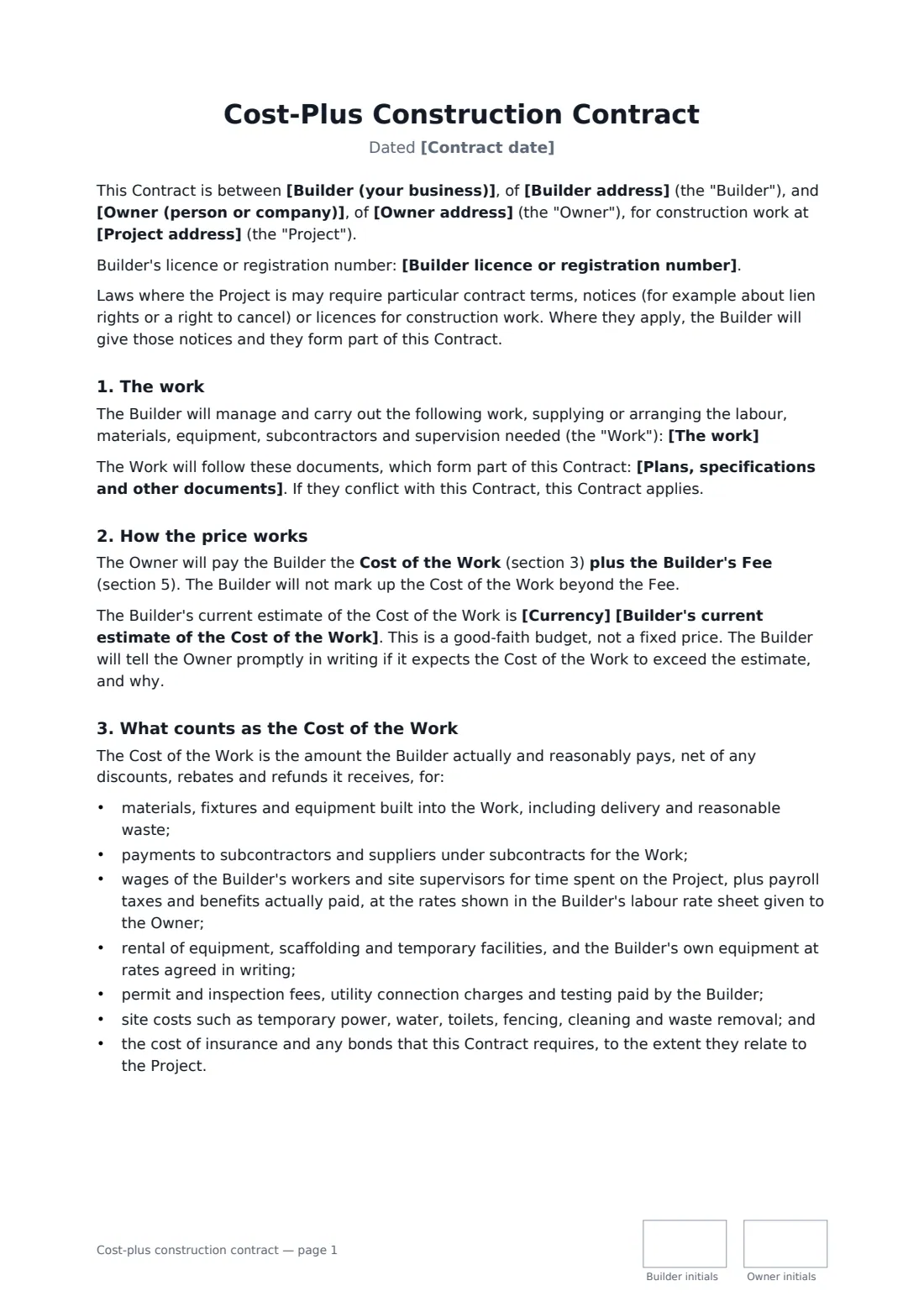
A cost-plus construction contract pays the builder what the work actually costs plus a fee for running the job, instead of a fixed lump sum. It suits custom homes, major renovations and projects where the design is still developing or hidden conditions are likely, because nobody has to pad a fixed price for risk. In exchange, the owner needs to see the numbers — so the contract has to say exactly what counts as cost and how it is checked.
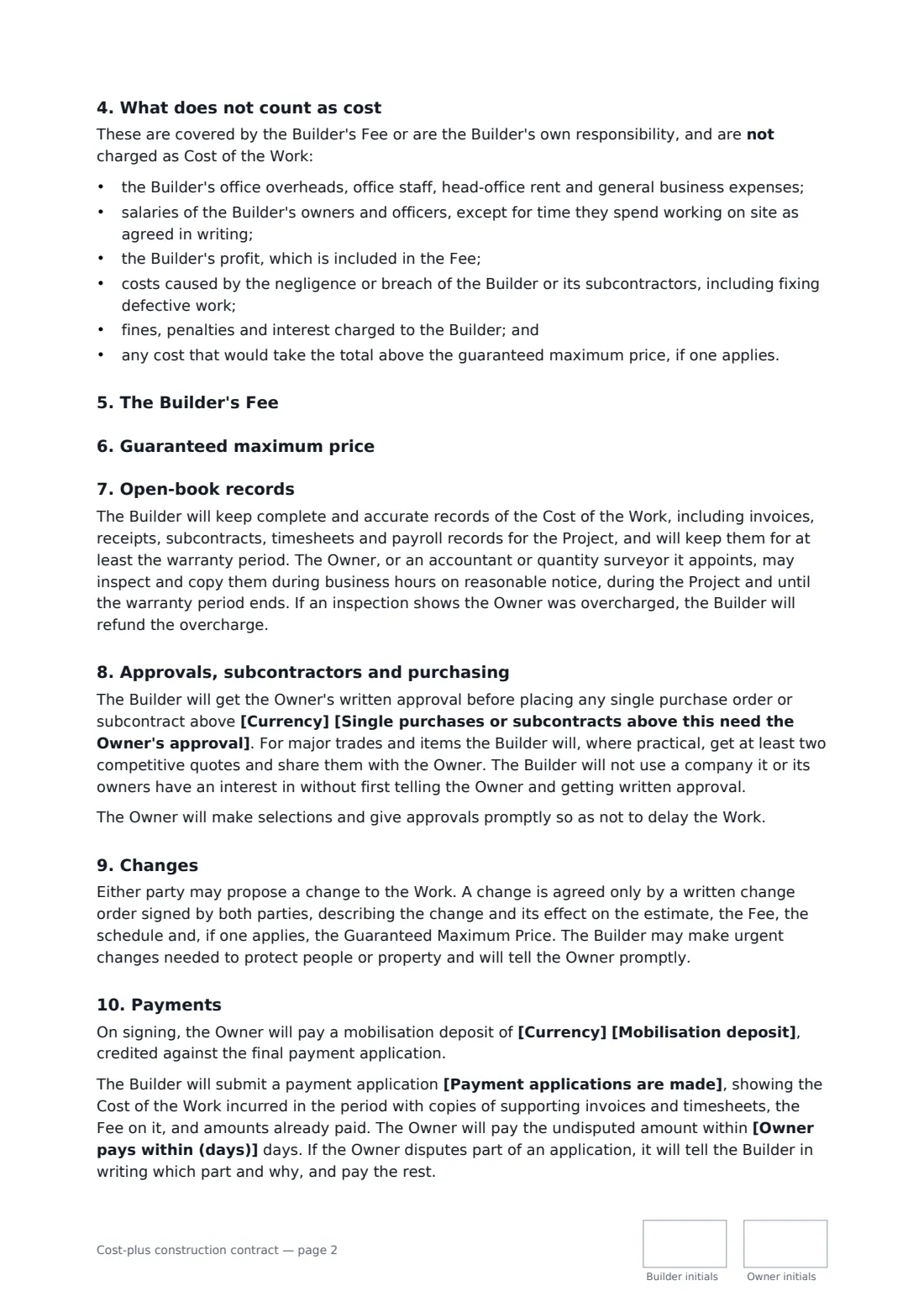
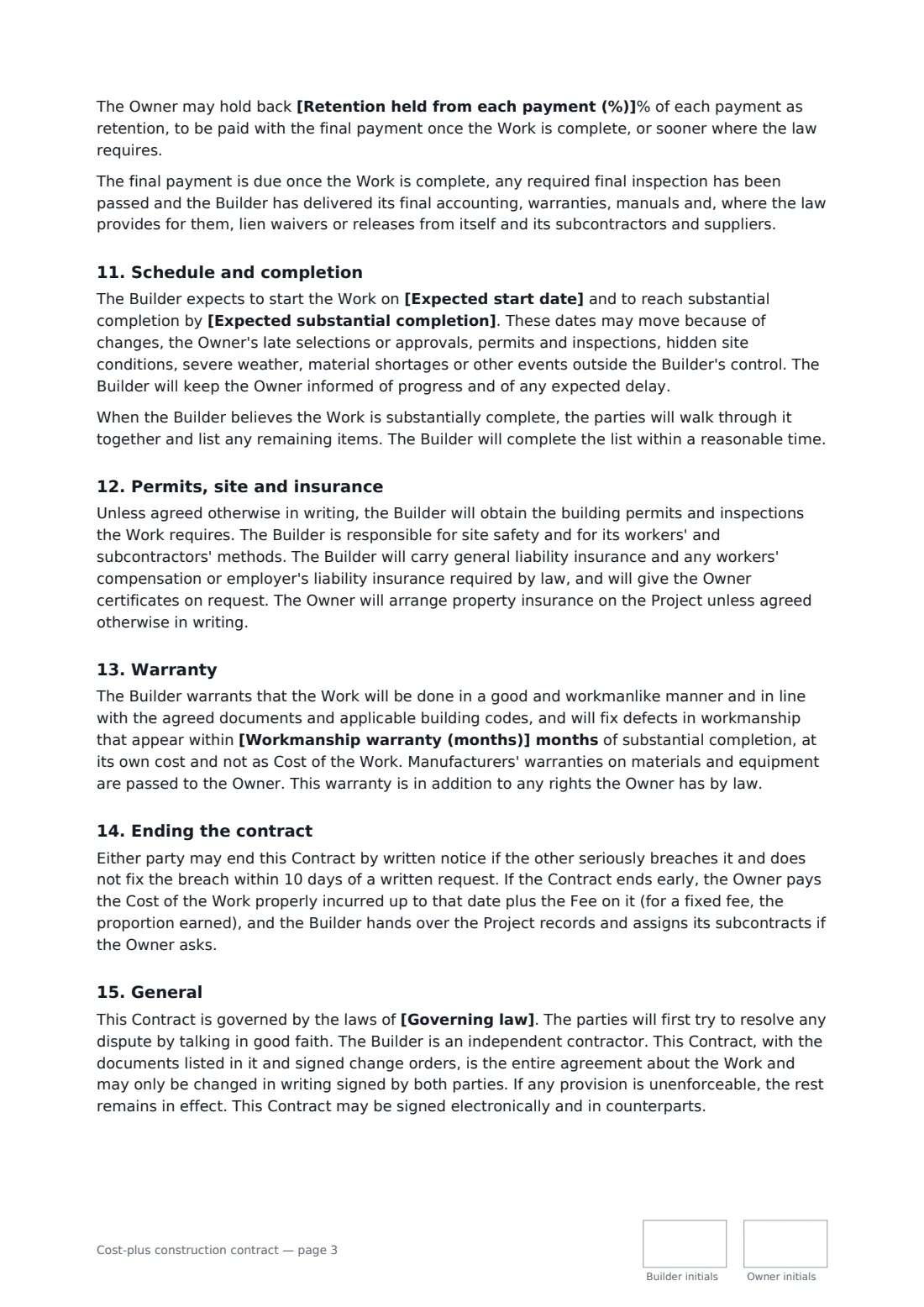
This template lists what is included in the Cost of the Work (materials, subcontractors, site labour at agreed rates, equipment, permits and site costs) and what is not (office overheads, the builder's profit, fixing defective work, fines). You choose a percentage or fixed fee, and whether a guaranteed maximum price applies and who keeps any savings. It adds open-book record keeping and audit rights, owner approval above a purchase limit, competitive quotes, signed change orders, payment applications with backup, optional retention, a workmanship warranty and early termination.
- Best for
- Custom homes, major renovations and design-and-build projects
- Signed by
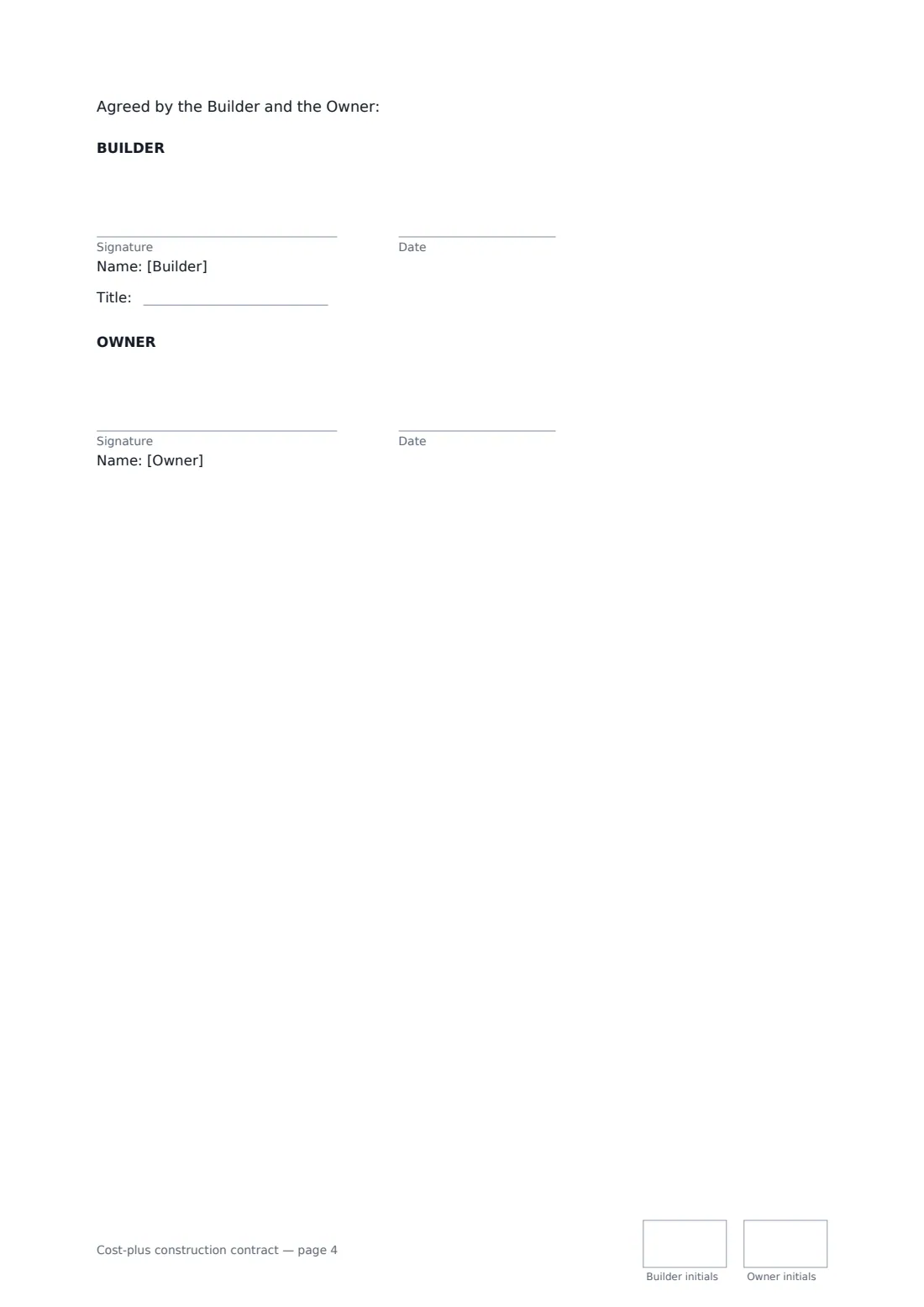
- The builder (with job title) and the owner
- Price options
- Cost plus a percentage or fixed fee, with or without a guaranteed maximum price
- Length
- About 4 pages, initialled on every page
When to use a cost-plus construction contract
- A builder constructs a custom home while finishes are still being chosen
- An owner renovates an older house where hidden conditions are likely
- A design-and-build project starts before drawings are complete
- An owner wants a price cap but still sees every invoice (guaranteed maximum price)
- A builder and owner agree to share savings below a maximum price
What you fill in
26 blanks, then the name and email of each person who signs: builder, owner.
1 The parties
- Builder (your business)*
- Builder address
- Builder licence or registration number
- Owner (person or company)*
- Owner address
2 The project
- Contract date*
- Project address*
- The work*
- Plans, specifications and other documents
- Expected start date*
- Expected substantial completion*
3 Price and fee
- Currency*
- Builder's current estimate of the Cost of the Work
- Builder's fee* a percentage of the Cost of the Work · a fixed fee
- Fee percentage
- Fixed fee amount
- Guaranteed maximum price* No guaranteed maximum price · A guaranteed maximum price applies
- Guaranteed maximum price (cost plus fee)
- If the final price is below the maximum, the savings* are kept entirely by the Owner · are shared equally between the Owner and the Builder
4 Approvals and payments
- Single purchases or subcontracts above this need the Owner's approval*
- Mobilisation deposit
- Payment applications are made* monthly · every two weeks
- Owner pays within (days)*
- Retention held from each payment (%)
5 Other terms
- Workmanship warranty (months)*
- Governing law*
6 Who signs
- Builder signature and date, job title, initials on every page · The builder or general contractor who manages the project and is paid cost plus a fee.
- Owner signature and date, initials on every page · The owner of the property who pays for the work. Name any joint owners in the Owner blank.
What the cost-plus construction contract covers
- The work
- How the price works
- What counts as the Cost of the Work
- What does not count as cost
- The Builder's Fee
- Guaranteed maximum price
- Open-book records
- Approvals, subcontractors and purchasing
- Changes
- Payments
- Schedule and completion
- Permits, site and insurance
- Warranty
- Ending the contract
- General
Using the cost-plus construction contract, step by step
1 Describe the work and documents
Summarise the project and list the drawings and specifications it follows. Add the builder's current cost estimate so the owner has a budget to track against.
2 Choose the fee and any price cap
Pick a percentage of cost or a fixed fee. If you agree a guaranteed maximum price, enter it and choose whether savings stay with the owner or are shared equally.
3 Set approvals and payments
Enter the purchase limit above which the owner must approve, how often payment applications are made, the payment period, any deposit and any retention.
4 Send for signature
Add the owner as a signer and send. Both of you initial each page and sign on the last; the signed contract is filed in your vault.
Tips before you send it
- Give the owner your labour rate sheet before signing — the contract charges site labour at those rates.
- Keep receipts and timesheets organised from day one; the owner can inspect them until the warranty ends.
- If the fee is a percentage, owners often ask for a guaranteed maximum price to balance the incentive to spend.
- Check local rules on deposits, retention, lien notices and home-improvement contracts before sending — the contract says required notices form part of it.
Sign it online in minutes
- Fill in the blanks. Names, dates and amounts go straight into the agreement — the preview shows exactly where.
- Name who signs. Tick “This is me” for your own part. FileIt builds the PDF with every signature, date and initials box on the right line, and you can check or move anything before sending.
- Send it. Each signer gets a secure link and signs from any device — no account needed. The signed PDF, with an audit trail and a Certificate of Completion, is filed in your vault and emailed to everyone.
Cost-plus construction contract: frequently asked questions
What is a cost-plus contract?
A contract where the owner pays the builder's actual, documented costs for the work plus a separate fee for overhead and profit. This template defines exactly which costs count and which are covered by the fee.
What is a guaranteed maximum price?
An optional cap on the total of cost plus fee. Costs above it are paid by the builder, unless a signed change order adjusts it. You choose whether any savings below the cap go to the owner or are shared equally.
Can the owner check the builder's costs?
Yes. The builder must keep invoices, subcontracts, timesheets and payroll records, and the owner or its accountant may inspect them on reasonable notice. Any overcharge found is refunded.
Is a document signed electronically legally binding?
In most countries, including the US (ESIGN Act and UETA), the UK, the EU (eIDAS) and Canada, an electronic signature is generally valid for an ordinary agreement like this one. FileIt keeps an audit trail and a Certificate of Completion with the signed PDF as evidence of who signed and when.
Is this template free?
Yes. The template is free to use with the eSignature app in FileIt. The owner doesn't need a FileIt account to sign.