What is Form WV/IT-104?
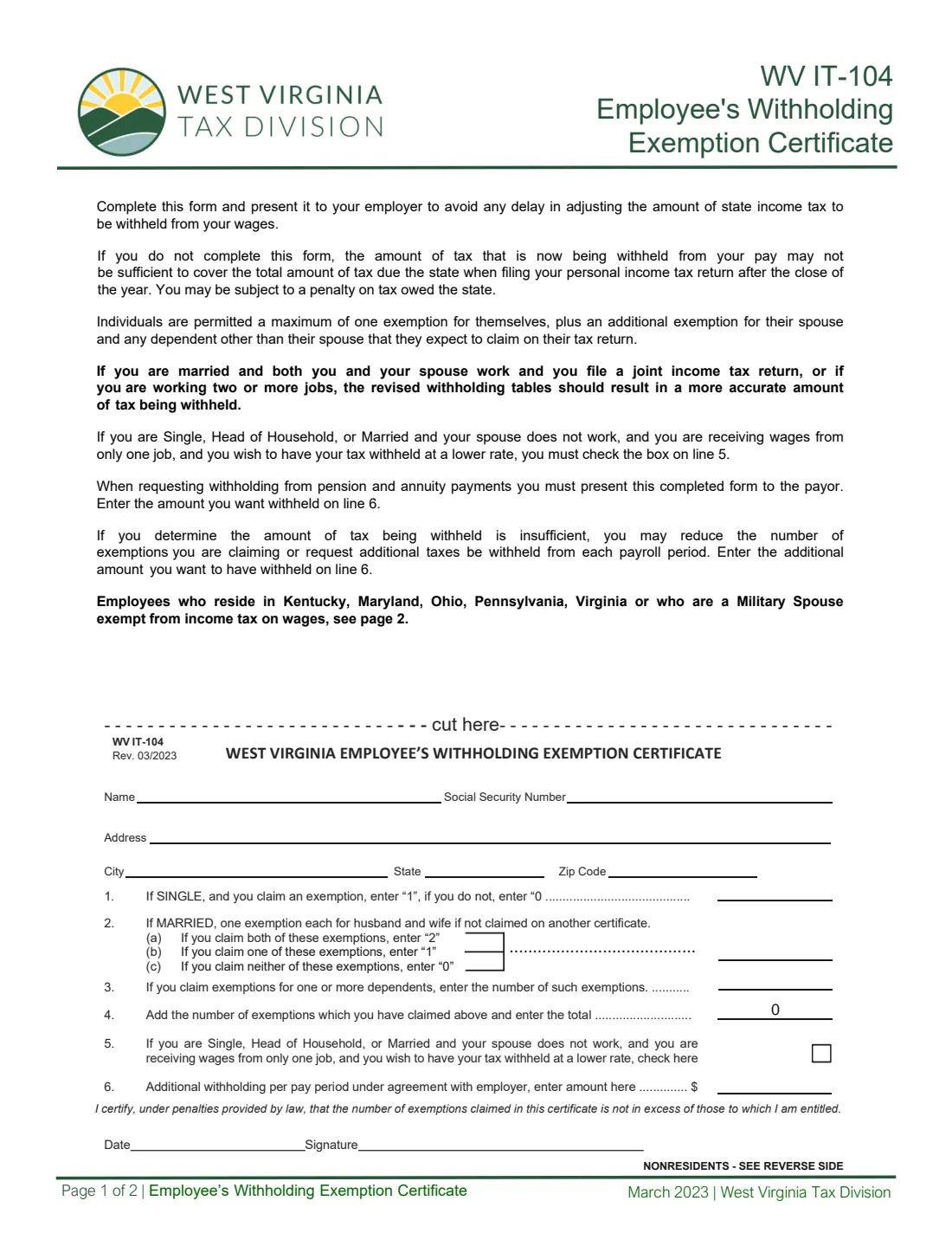
Form WV/IT-104 is West Virginia's Employee's Withholding Exemption Certificate. Your federal Form W-4 doesn't carry exemptions any more, so West Virginia uses its own certificate to work out how much state income tax to withhold from your wages. The current edition is WV/IT-104 (Rev. 03/2023).
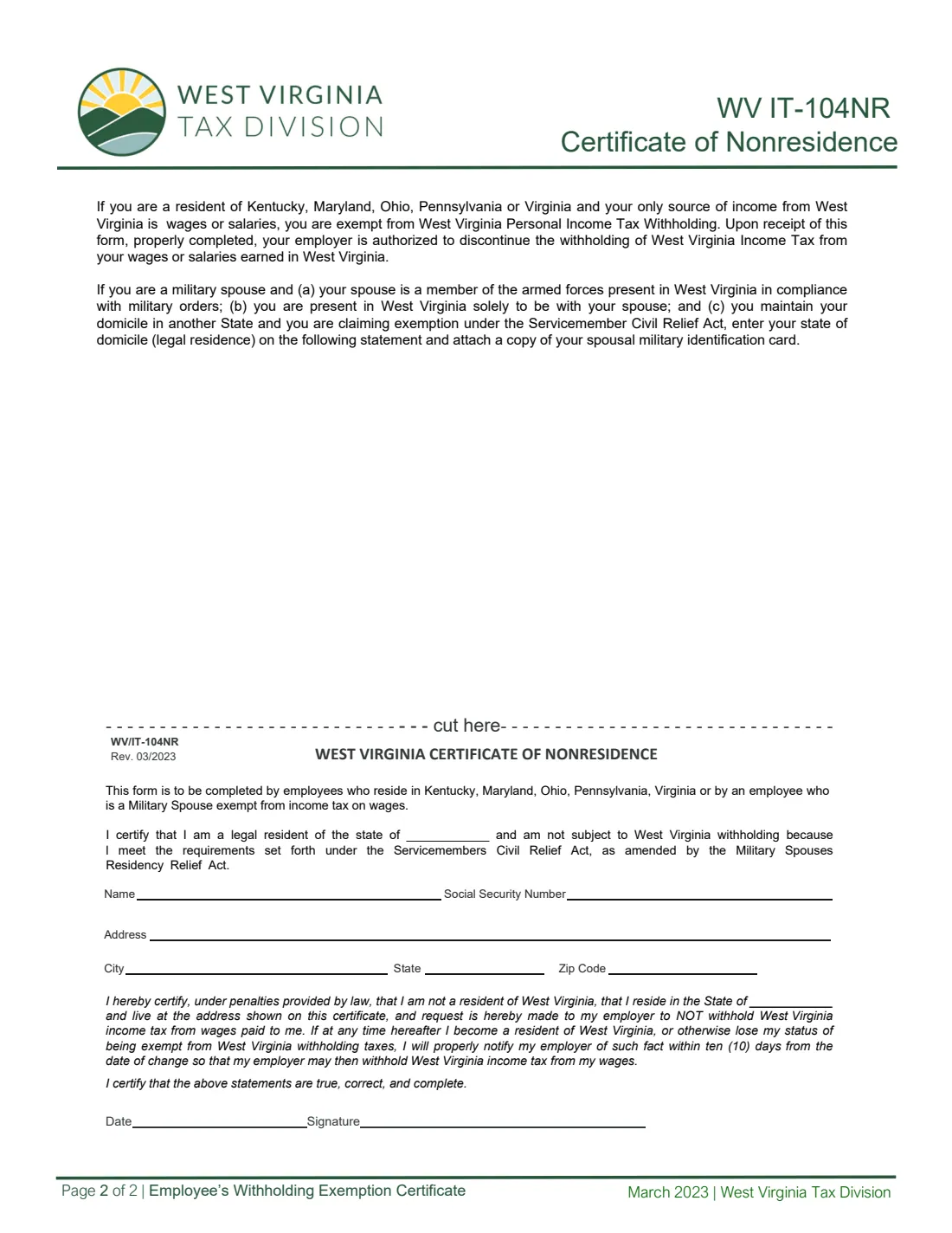
The certificate is short: your name, Social Security number and address, the exemptions you claim for yourself, your spouse and your dependents, a box to ask for withholding at the lower rate, and any additional amount per pay period. The same form is used to ask a payer to withhold West Virginia tax from pension and annuity payments. Residents of Kentucky, Maryland, Ohio, Pennsylvania and Virginia, and military spouses, use the WV/IT-104NR Certificate of Nonresidence on page 2 instead.
FileIt lets you fill out the WV/IT-104 online. It pre-fills your name from the People records in your vault, adds up line 4 for you and prints your answers on the West Virginia Tax Division's own PDF. The filled form is saved in your vault, and you can send it for e-signature. FileIt never submits anything: you give the signed certificate to your employer or payer yourself.
- Who fills it
- The employee, or a pension or annuity recipient asking for West Virginia withholding.
- Given to
- Your employer or payer, not the Tax Division.
- Exemptions
- At most one for yourself, one for your spouse, and one for each dependent you expect to claim on your return.
- Signatures
- You sign and date the certificate at the bottom of page 1.
- Edition
- WV/IT-104 (Rev. 03/2023). Page 2 is the separate WV/IT-104NR.
Who needs to fill out Form WV/IT-104?
- Employees who live in West Virginia and have West Virginia income tax withheld from their wages.
- New hires, and anyone whose exemptions change.
- People who want tax withheld at the lower rate because they have only one job and are single, head of household, or married with a spouse who doesn't work.
- People who want an additional amount withheld each pay period.
- Pension and annuity recipients asking the payer to withhold West Virginia tax.
When to use Form WV/IT-104
- When you start a new job.
- When you marry or divorce, or gain or lose a dependent.
- When you or your spouse start or stop working, or you take a second job.
- When you find too little tax is being withheld and want to claim fewer exemptions or add an amount on line 6.
- When you start receiving a pension or annuity and want West Virginia tax withheld.
What you need before you start
- Your name, Social Security number and address.
- Whether you are single or married, and whether your spouse claims their exemption on their own certificate.
- The number of dependents (other than your spouse) you expect to claim on your tax return.
- Whether you have only one job and your spouse doesn't work, for the lower-rate box.
- Any additional amount you want withheld each pay period.
What’s on Form WV/IT-104
The 2023 edition has 2 pages. FileIt asks for it in 4 parts, and it is signed by Employee:
- Your detailsEmployee
- Lines 1-4: ExemptionsEmployee
- Lines 5-6: Lower rate and additional withholdingEmployee
- Signature and dateEmployee
How to fill out Form WV/IT-104, step by step
1 Your details
Enter your name, Social Security number, address, city, state and ZIP code on the certificate below the 'cut here' line.
2 Line 1 or line 2: You and your spouse
If you are single, line 1 is 1 if you claim an exemption for yourself and 0 if you don't. If you are married, line 2 is the number of exemptions for husband and wife that aren't claimed on another certificate: 2 for both, 1 for one, 0 for neither. FileIt asks your status and shows the line that applies.
3 Lines 3 and 4: Dependents and total
Line 3 is the number of exemptions for dependents. Line 4 adds the exemptions you claimed, and FileIt does the sum for you.
4 Line 5: Lower rate
Tick the box if you are single, head of household, or married with a spouse who doesn't work, you receive wages from only one job, and you want your tax withheld at a lower rate. If you and your spouse both work and file jointly, or you have two or more jobs, the form says the revised withholding tables should give a more accurate result, so leave it unticked.
5 Line 6: Additional withholding
Enter any additional amount to be withheld each pay period under agreement with your employer. If you are asking for withholding from pension or annuity payments, enter the amount you want withheld here.
6 Sign and date
You certify, under penalties provided by law, that the number of exemptions claimed is not more than you are entitled to. FileIt prints the date; you sign on paper or through FileIt's e-signature.
Common mistakes to avoid
- Claiming more than one exemption for yourself, or claiming your spouse when your spouse already claims that exemption on their own certificate.
- Filling in both line 1 and line 2. Use the one for your status.
- Ticking the lower-rate box with two jobs or a working spouse.
- Using the WV/IT-104 when you live in Kentucky, Maryland, Ohio, Pennsylvania or Virginia. The WV/IT-104NR is for you.
- Not filing a new certificate when you find too little is being withheld. The form warns you may be subject to a penalty on tax owed.
After you fill it out
Sign and date the certificate and give it to your employer, or to the payer of your pension or annuity.
Check your next pay statement to see the new West Virginia withholding.
FileIt keeps the filled PDF in your vault. File a new certificate when your exemptions or jobs change.
Fill out Form WV/IT-104 online with FileIt
- Pick the person. Choose someone from People and FileIt fills in their name, date of birth, address and other details it already knows.
- Answer plain-language questions. One part of the form at a time, with the official help text beside each question — 14 fields in all. Your answers save as you go.
- Check the live preview. Watch your answers land on the real West Virginia Tax Division form, and let FileIt do any worksheet arithmetic.
- Generate the official PDF. FileIt prints your answers into the agency’s own PDF and files it in that person’s folder in your vault. Sign it, or send it for e-signature.
FileIt fills the form — it never files or submits anything for you. Deliver the finished form to whoever asked for it, the way the form’s instructions say.
Start Form WV/IT-104 now — it’s freeForm WV/IT-104: frequently asked questions
Do I need a WV/IT-104 if I filled out a federal W-4?
Yes, if West Virginia tax is withheld from your pay. The form says that if you don't complete it, what is withheld may not cover the tax you owe when you file, and you may be subject to a penalty.
How many exemptions can I claim?
One for yourself, one for your spouse, and one for each dependent other than your spouse that you expect to claim on your tax return.
What is the lower rate on line 5?
Line 5 lets someone who is single, head of household, or married with a spouse who doesn't work, and who has wages from only one job, ask for tax to be withheld at a lower rate.
I live in Ohio and work in West Virginia. Which form do I use?
The WV/IT-104NR Certificate of Nonresidence on page 2. Residents of Kentucky, Maryland, Ohio, Pennsylvania and Virginia whose only West Virginia income is wages or salaries are exempt from West Virginia withholding.
Can I use it for my pension?
Yes. To have tax withheld from pension and annuity payments, give the completed form to the payer and enter the amount you want withheld on line 6.
Can I fill out the WV/IT-104 online?
Yes. FileIt fills it out online and prints your answers on the official PDF. You sign it and give it to your employer yourself; FileIt does not submit it anywhere.
Official sources
- Blank form (PDF), published by West Virginia Tax Division: https://tax.wv.gov/Documents/Withholding/it104.pdf
- Official instructions and guidance: https://tax.wv.gov/Business/Withholding/Pages/WithholdingTaxForms.aspx
- Edition shown on this page: WV/IT-104 (Rev. 03/2023) (checked 2026-10-01).
FileIt is not affiliated with or endorsed by West Virginia Tax Division or any government. This page explains the form in general terms and is not legal, tax or immigration advice. Always read the official instructions, and check that you are using the edition the recipient accepts. Page last reviewed 2026-10-01.