What is SF 2800?
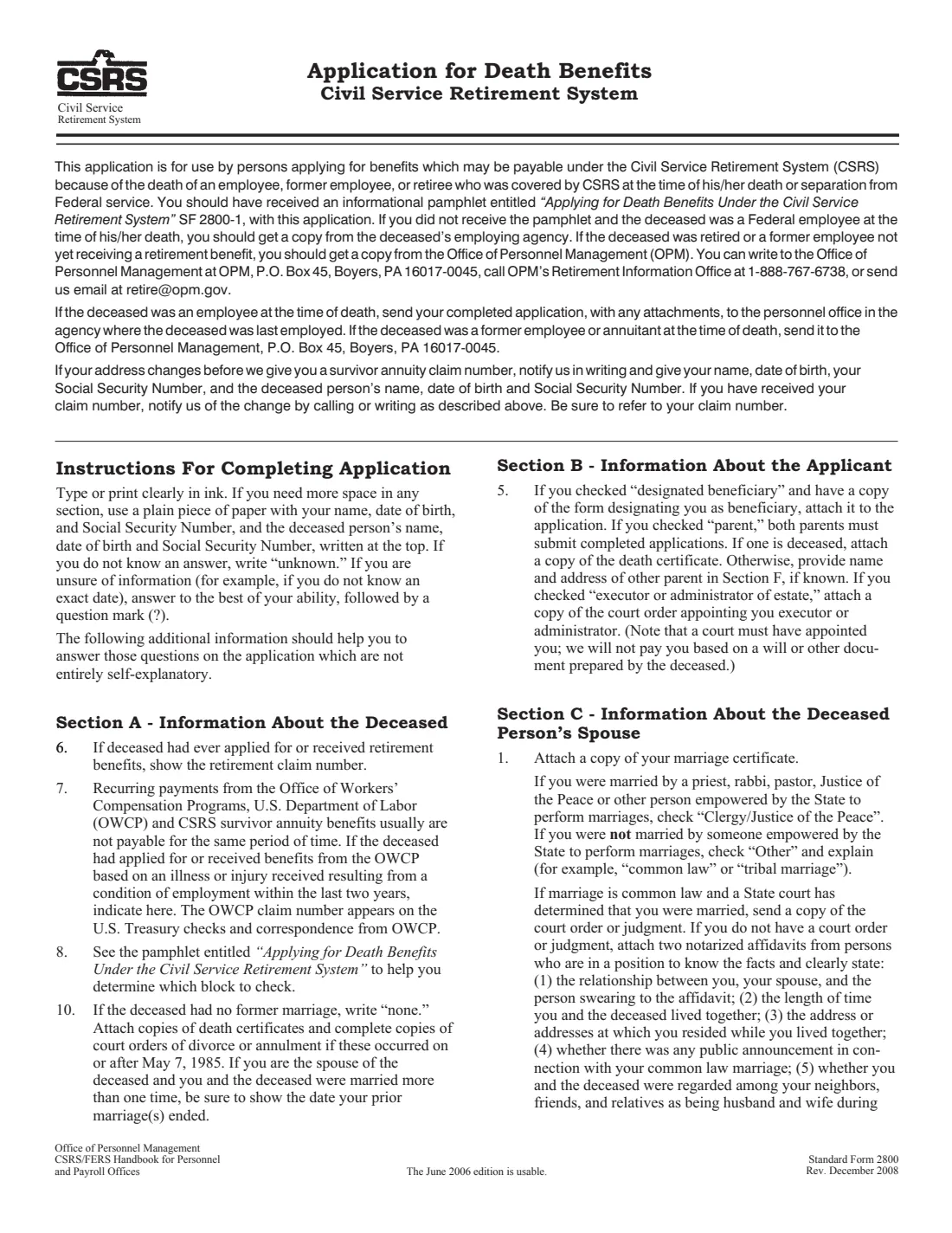
Standard Form 2800 is the application for benefits payable under the Civil Service Retirement System (CSRS) because of the death of an employee, former employee or retiree who was covered by CSRS. The widow(er), a former spouse, a designated beneficiary, children or their guardian, a parent or the court-appointed executor of the estate use it to claim a survivor annuity or a lump-sum payment.
It asks about the deceased (including former marriages and workers' compensation), about you and how you are applying, about the spouse or former spouse, dependent children, other heirs, the estate, active military service and how you want to be paid. The current edition is Rev. December 2008 (OMB 3206-0156). For a death under the Federal Employees Retirement System, use SF 3104 instead.
FileIt pre-fills your name and date of birth, shows only the sections that apply to you, prints "None" for no former marriages, and fills OPM's own PDF. It checks dates and that every answer fits its box, and saves the finished form in your vault folder. The application must be signed in ink, so you print it, sign it and send it yourself.
- Who files
- Survivors of a CSRS employee, former employee or retiree: widow(er), former spouse, designated beneficiary, child or guardian, parent, or the estate's executor.
- Send it to
- If the deceased was an employee: the personnel office of the agency where they last worked. If a former employee or annuitant: OPM, P.O. Box 45, Boyers, PA 16017-0045.
- Always attach
- A certified copy of the death certificate.
- Signed
- In ink by the applicant named in Section B.
- Questions
- OPM's Retirement Information Office, 1-888-767-6738.
- Edition
- Standard Form 2800, Rev. December 2008 (OMB 3206-0156)
Who needs to fill out SF 2800?
- The widow or widower of a federal employee or retiree covered by CSRS.
- A former spouse with a court order awarding a share of CSRS survivor benefits.
- A designated beneficiary, a child or guardian of a minor or disabled child, a parent, or the executor of the estate claiming a lump sum.
- Anyone settling the affairs of a CSRS retiree who has died.
When to use SF 2800
- After the death of a federal employee, former employee or retiree covered by CSRS.
- When you may be entitled to a survivor annuity or a lump-sum payment.
- Together with SF 2800A from the employing agency, when the deceased was an employee at the time of death.
What you need before you start
- The deceased's full name, date of birth, date of death, Social Security number and CSA claim number if retired.
- Details of the deceased's spouse and former marriages, with copies of the death certificates or divorce decrees that ended them.
- Your name, date of birth, Social Security number and citizenship.
- Your marriage certificate (widow(er)) or divorce decree and court order (former spouse).
- Each dependent child's name, date of birth, relationship and Social Security number, with their birth certificates.
- Your bank's routing number and your account number for direct deposit.
What’s on SF 2800
The 2008 edition has 7 pages. FileIt asks for it in 11 parts:
- Section A - Information about the deceasedApplicant (survivor or estate)
- Section B - Information about the applicantApplicant (survivor or estate)
- Section C - The deceased's spouseApplicant (survivor or estate)
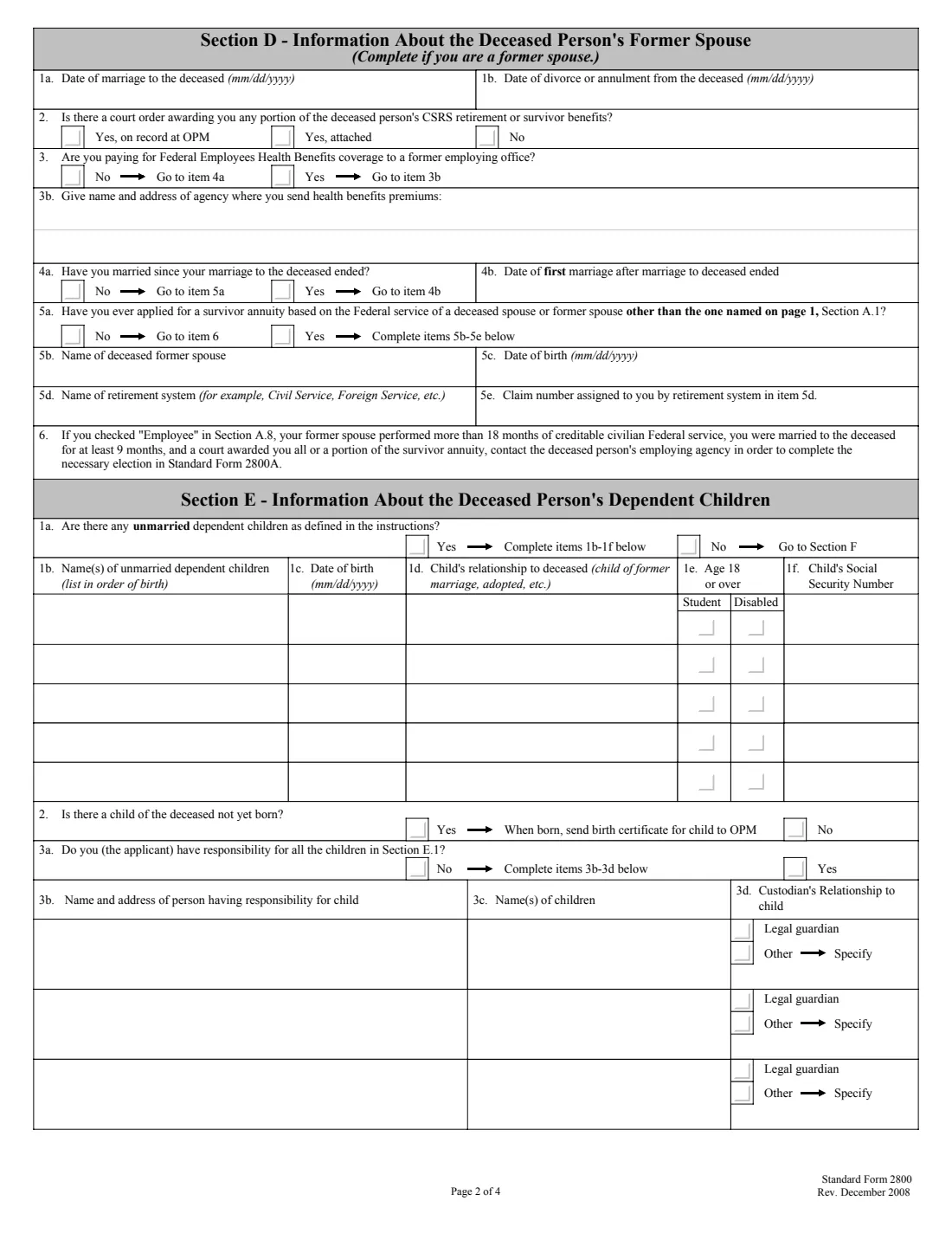
- Section D - The deceased's former spouseApplicant (survivor or estate)
- Section E - The deceased's dependent childrenApplicant (survivor or estate)
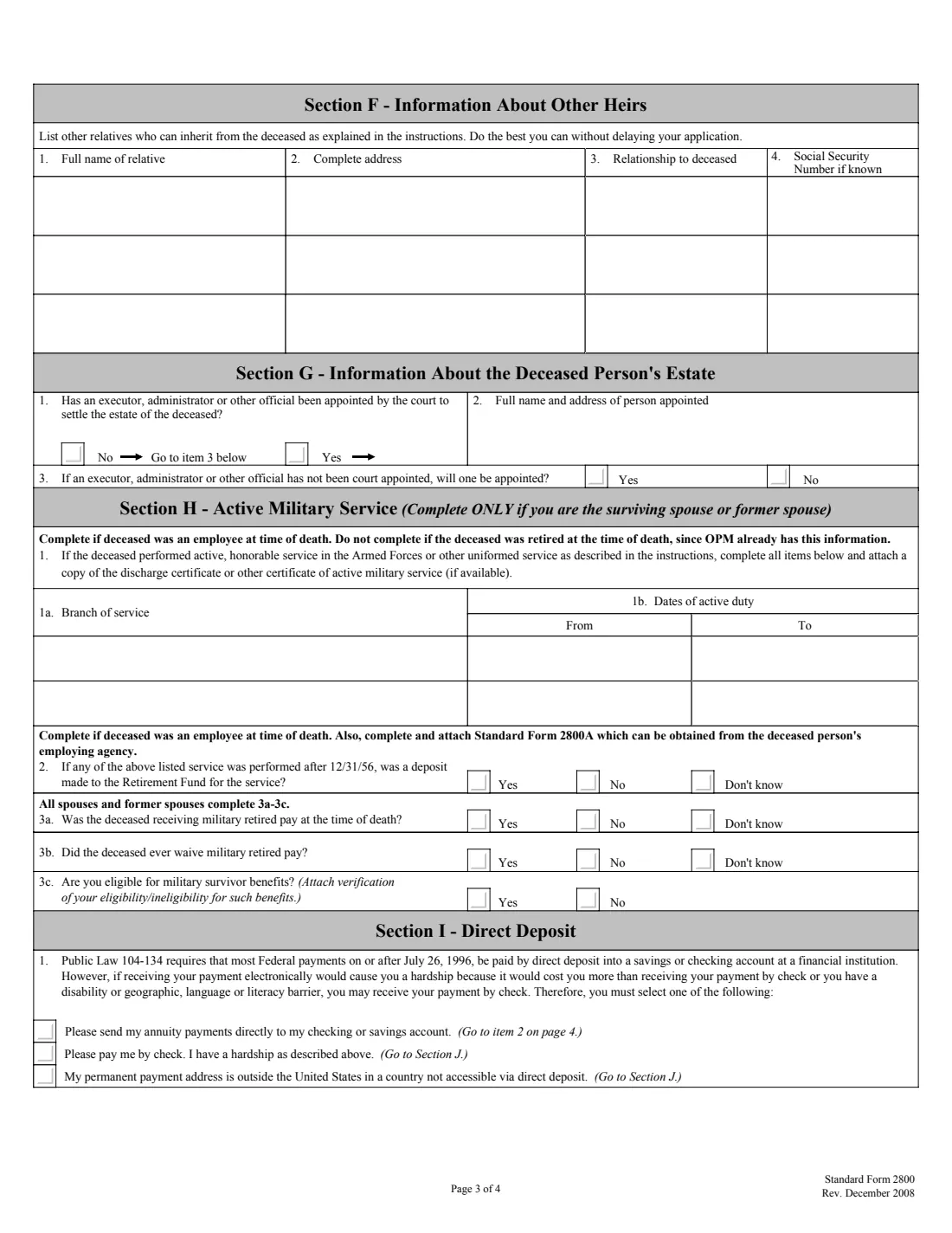
- Section F - Other heirsApplicant (survivor or estate)
- Section G - The deceased's estateApplicant (survivor or estate)
- Section H - Active military serviceApplicant (survivor or estate)
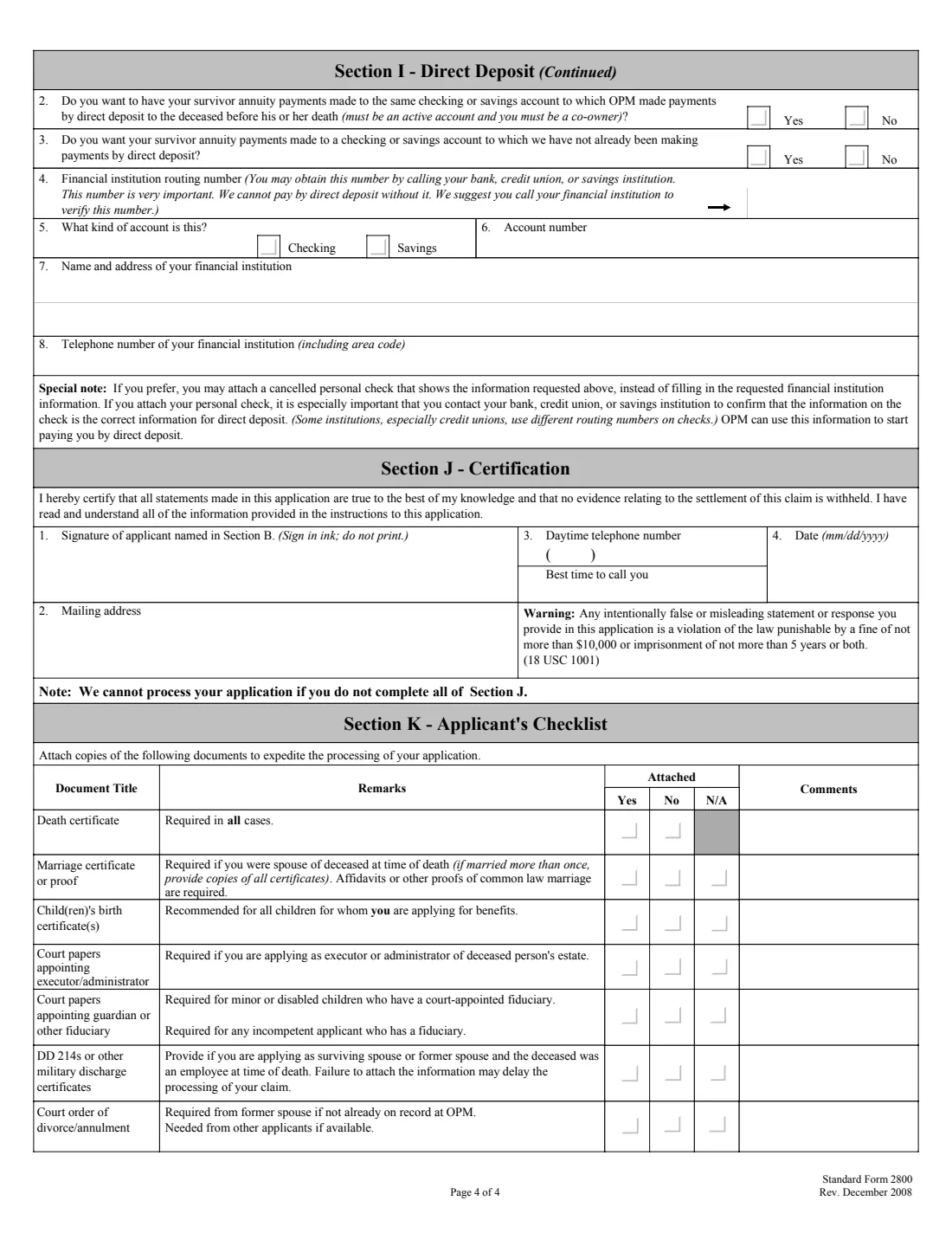
- Section I - Direct depositApplicant (survivor or estate)
- Section J - CertificationApplicant (survivor or estate)
- Section K - Applicant's checklistApplicant (survivor or estate)
How to fill out SF 2800, step by step
1 Section A - The deceased
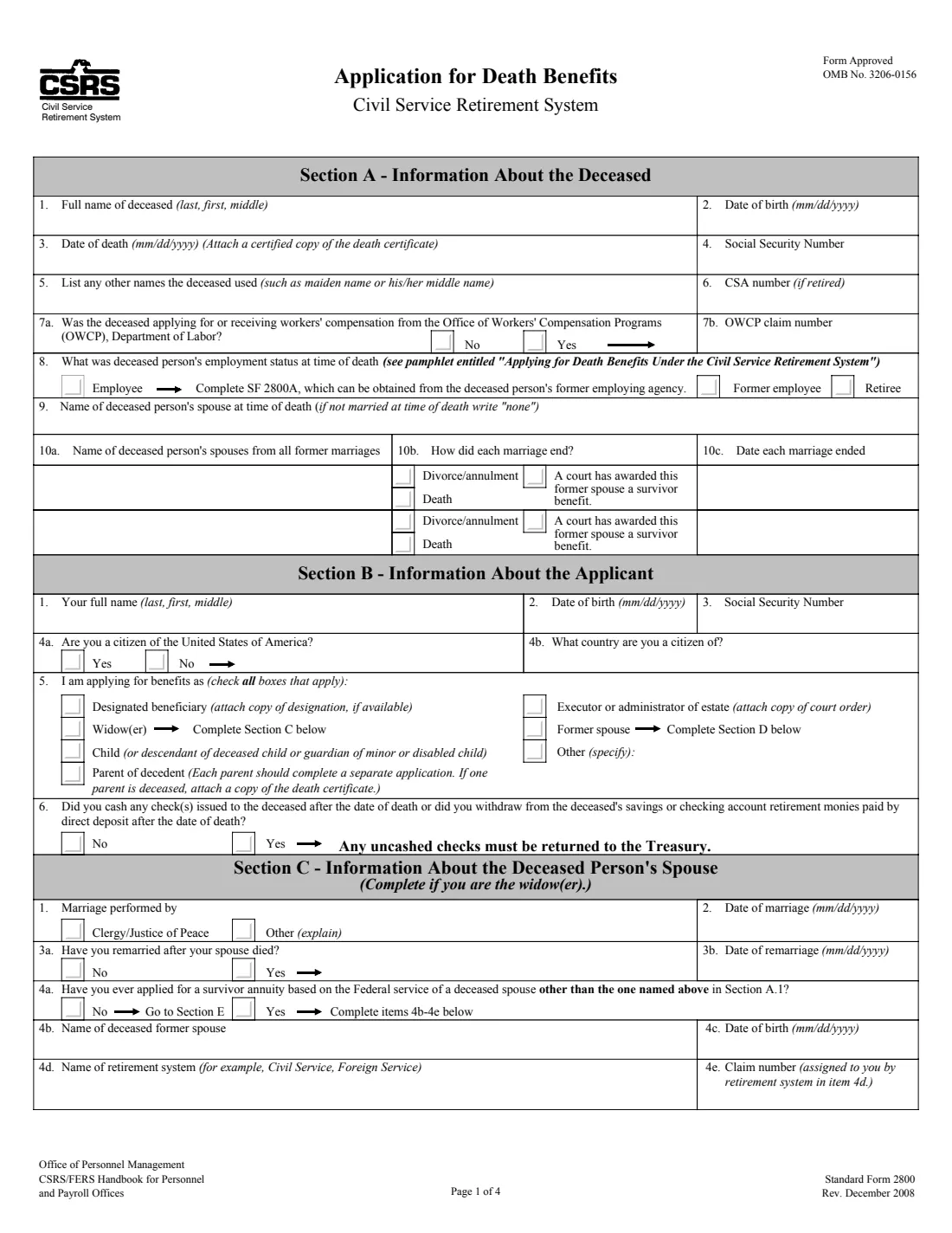
Name, dates of birth and death, SSN, other names, CSA number, any OWCP workers' compensation claim, employment status at death, the spouse at death, and every former marriage with how and when it ended.
2 Section B - You
Your name, date of birth, SSN and citizenship, every capacity you apply in, and whether you cashed any check or withdrew any direct deposit paid to the deceased after the death.
3 Sections C and D - Spouse or former spouse
A widow(er) gives the marriage details, any remarriage and any other survivor annuity applied for. A former spouse gives the marriage and divorce dates, any court order, FEHB premiums, remarriage and other survivor annuities.
4 Section E - Dependent children
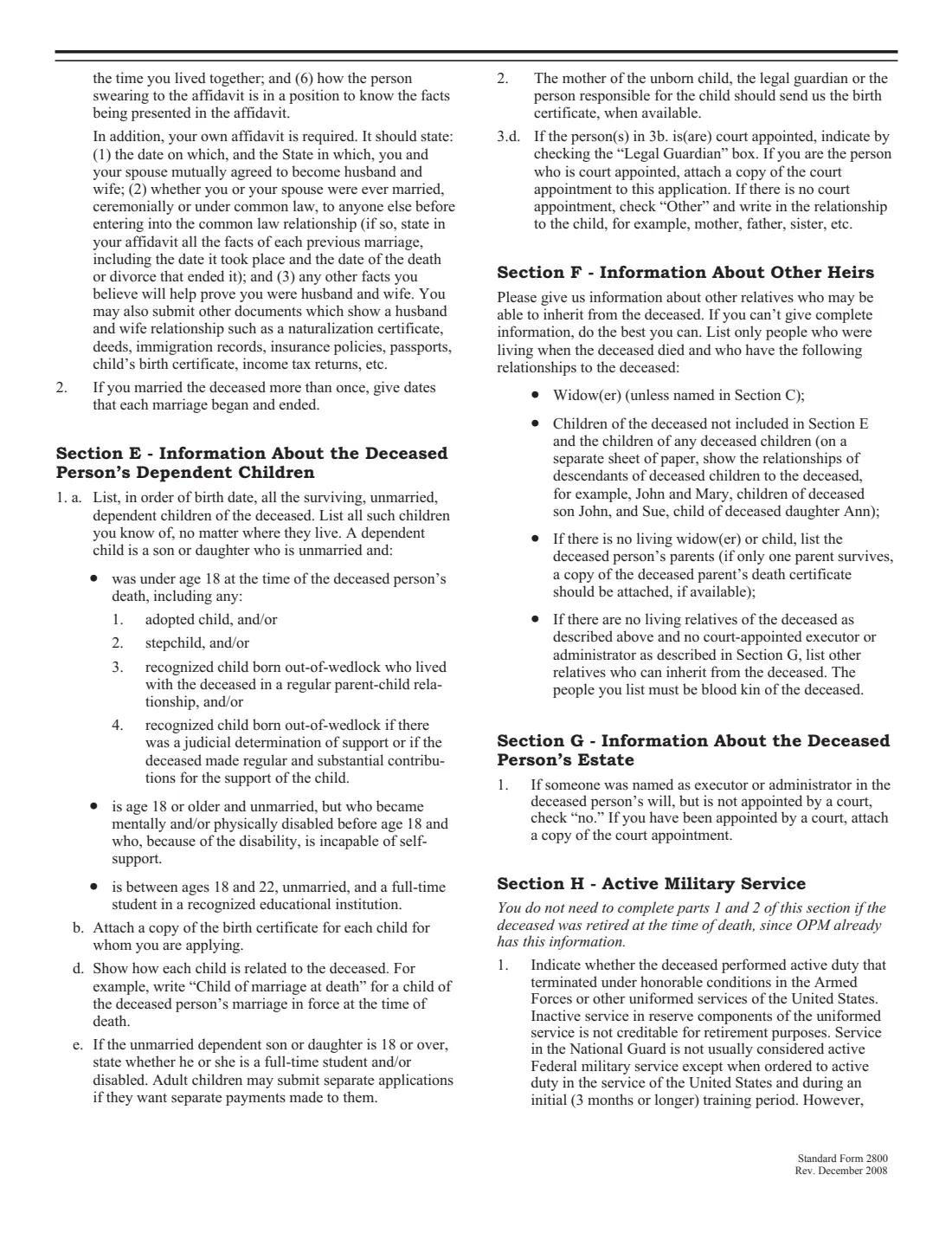
Unmarried children under 18, 18 to 22 and in school full time, or disabled before 18, in order of birth, plus who has responsibility for them.
5 Sections F to H - Heirs, estate and military service
Other relatives who can inherit, whether a court has appointed an executor, and (for spouses and former spouses) the deceased's active military service and military retired pay.
6 Sections I to K - Payment, certification and checklist
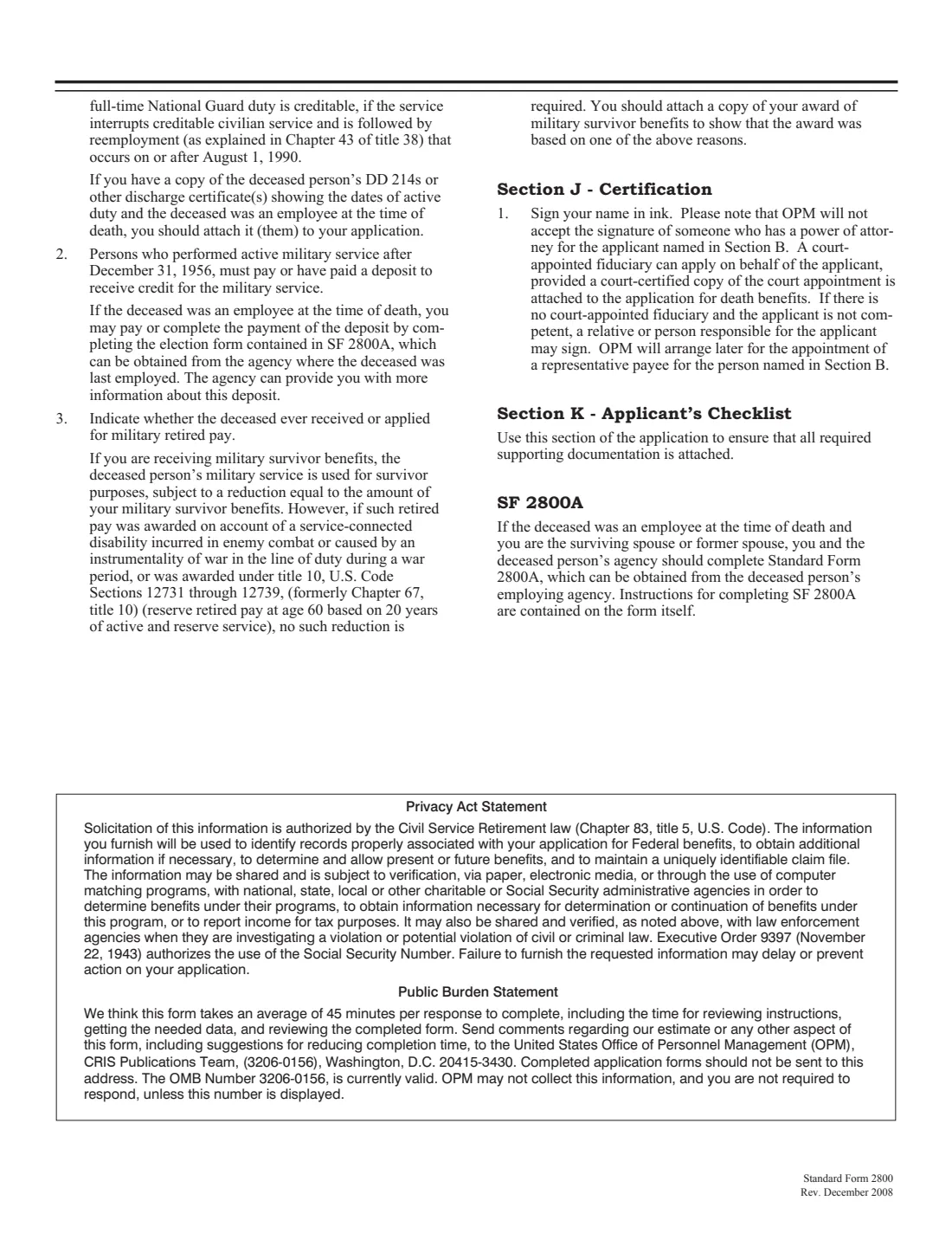
Direct deposit details or a hardship request for checks, your mailing address and phone number, your signature, and the checklist of documents you attach.
Common mistakes to avoid
- Leaving out former marriages: write "none" if there were none, and attach the documents that ended any that existed.
- Forgetting the certified copy of the death certificate, which is required in all cases.
- Applying as executor on the strength of a will: OPM pays only a court-appointed executor or administrator.
- Not returning checks issued to the deceased after the date of death: uncashed checks must be returned to the Treasury.
- Sending it to the wrong office: an employee's agency, or OPM for former employees and retirees.
After you fill it out
Print the form, sign it in ink and attach the documents in the Section K checklist.
Send it to the deceased's employing agency (if an employee at death) or to OPM, P.O. Box 45, Boyers, PA 16017-0045.
If your address changes before you get a claim number, write to OPM with your and the deceased's names, dates of birth and Social Security numbers.
Keep a copy. FileIt saves the PDF in your vault folder.
Fill out SF 2800 online with FileIt
- Pick the person. Choose someone from People and FileIt fills in their name, date of birth, address and other details it already knows.
- Answer plain-language questions. One part of the form at a time, with the official help text beside each question — 160 fields in all. Your answers save as you go.
- Check the live preview. Watch your answers land on the real U.S. Office of Personnel Management (OPM) form, and let FileIt do any worksheet arithmetic.
- Generate the official PDF. FileIt prints your answers into the agency’s own PDF and files it in that person’s folder in your vault.
FileIt fills the form — it never files or submits anything for you. Deliver the finished form to whoever asked for it, the way the form’s instructions say.
Start SF 2800 now — it’s freeSF 2800: frequently asked questions
What's the difference between SF 2800 and SF 3104?
SF 2800 is for deaths under the Civil Service Retirement System (CSRS); SF 3104 is for the Federal Employees Retirement System (FERS).
Can I sign SF 2800 electronically?
Not with FileIt. The form says to sign in ink and not print your signature.
Where do I send it?
If the deceased was an employee at the time of death, to the personnel office of the agency where they last worked. Otherwise to OPM, P.O. Box 45, Boyers, PA 16017-0045.
What if I don't know an answer?
The instructions say to write "unknown", and if you're unsure of something such as an exact date, to answer as best you can followed by a question mark.
Do I need SF 2800A too?
If the deceased was an employee at the time of death, the form says to complete SF 2800A, which you get from the deceased's former employing agency.
Official sources
- Blank form (PDF), published by U.S. Office of Personnel Management (OPM): https://www.opm.gov/forms/pdf_fill/sf2800.pdf
- Official instructions and guidance: https://www.opm.gov/forms/standard-forms/
- Edition shown on this page: Standard Form 2800, Rev. December 2008 (OMB 3206-0156) (checked 2026-10-25).
FileIt is not affiliated with or endorsed by U.S. Office of Personnel Management (OPM) or any government. This page explains the form in general terms and is not legal, tax or immigration advice. Always read the official instructions, and check that you are using the edition the recipient accepts. Page last reviewed 2026-10-25.