What is SF 1152?
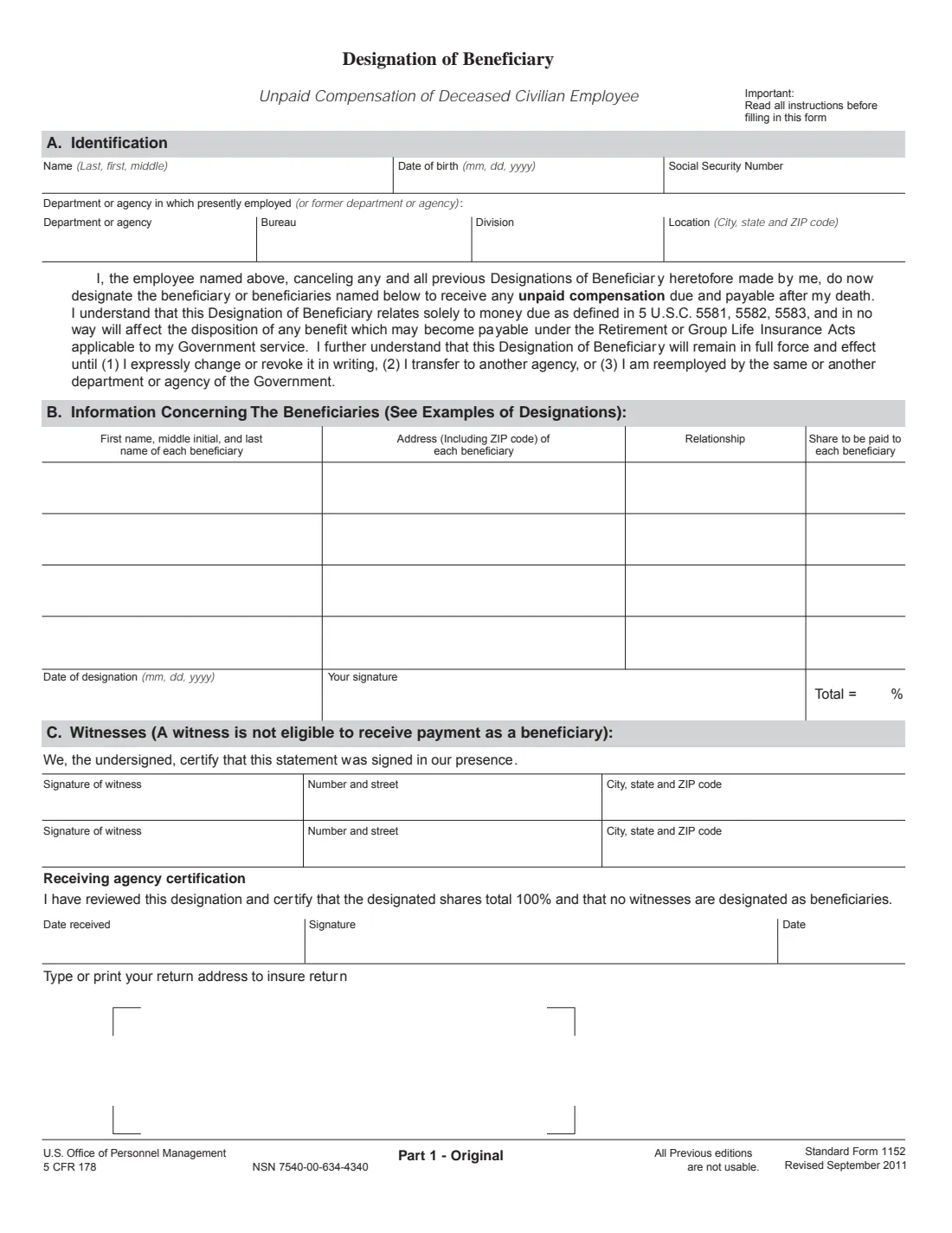
Standard Form 1152 names who receives a federal civilian employee's unpaid compensation after their death: the money due under 5 U.S.C. 5581, 5582 and 5583, such as the last paycheck and the lump sum for unused annual leave. It doesn't touch retirement or life insurance benefits, which have their own beneficiary forms.
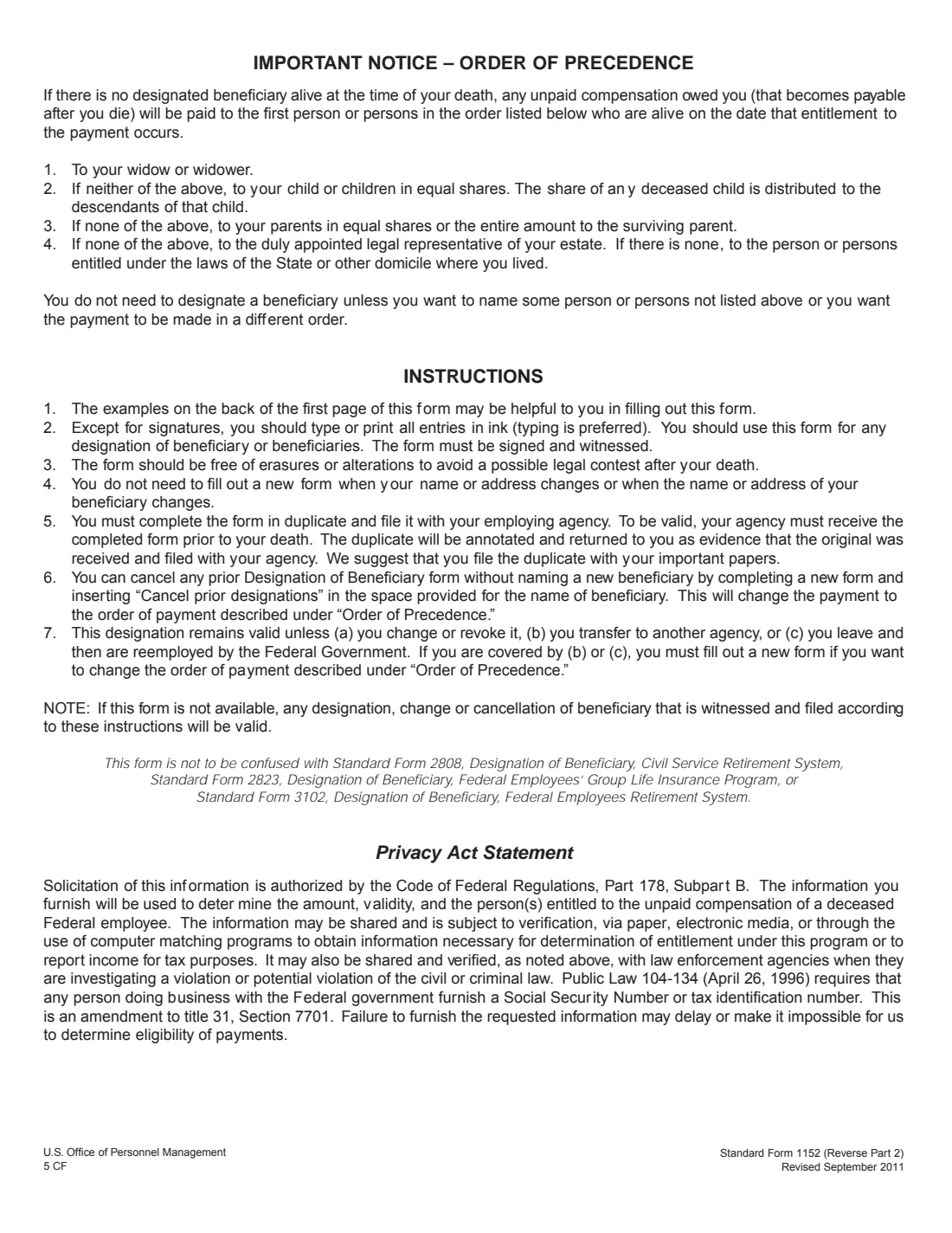
You don't need it if you're happy with the order of precedence printed on the form: your widow or widower, then your children in equal shares, then your parents, then the legal representative of your estate. Filing an SF 1152 cancels every earlier one, so list everyone you want paid. You can also use it to cancel all earlier designations and go back to the order of precedence.
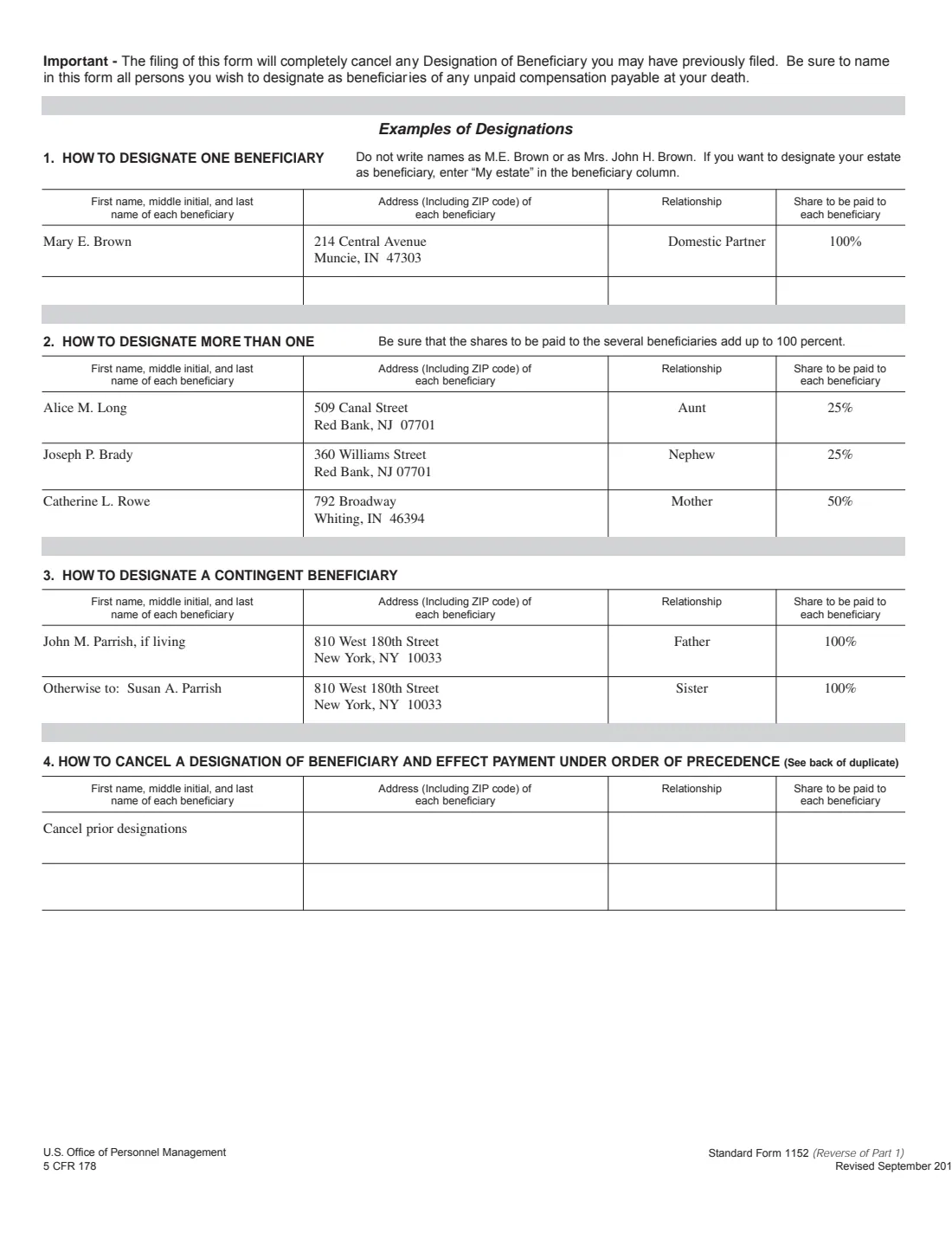
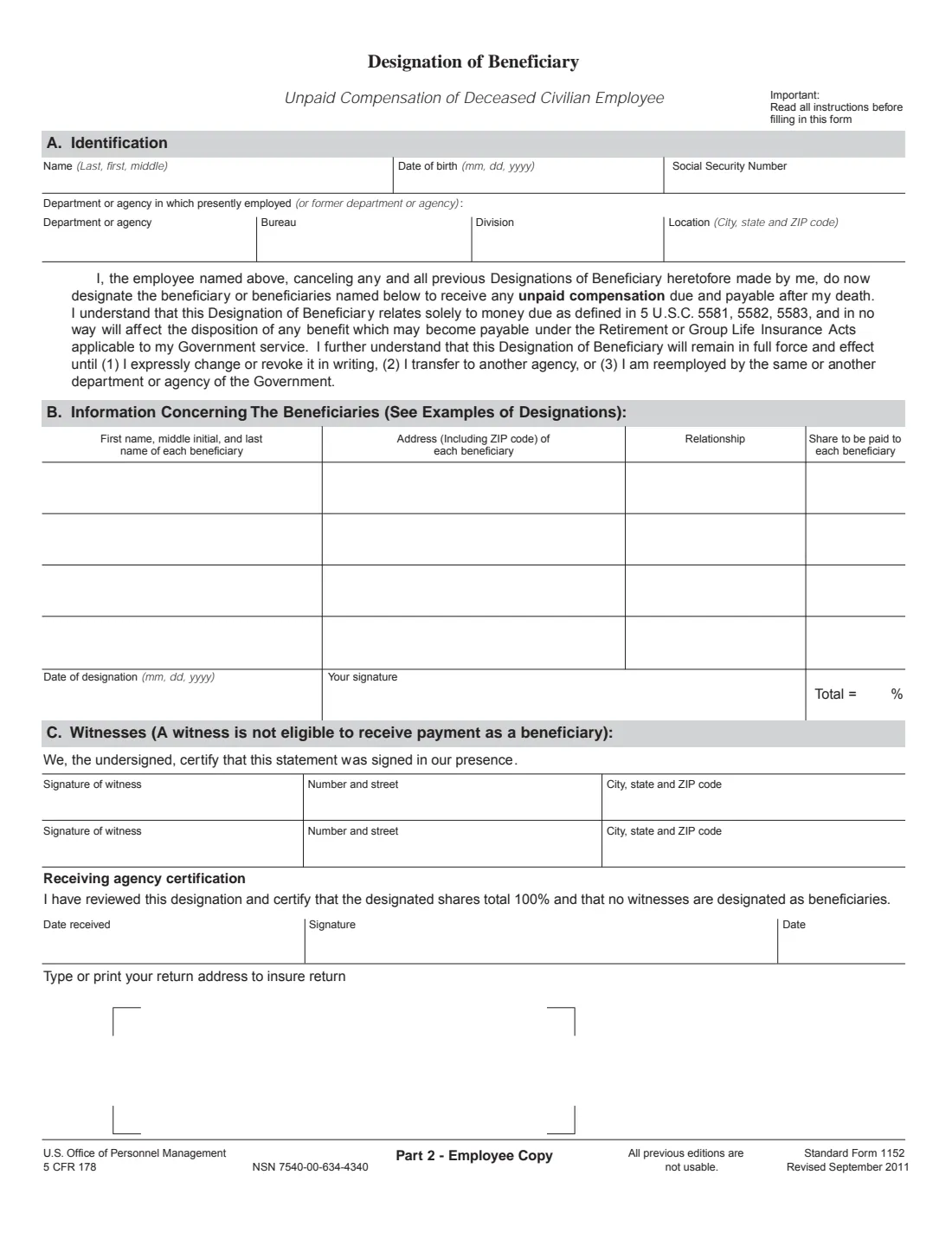
FileIt pre-fills your name and date of birth from your vault, checks that the shares total 100% (contingent beneficiaries separately), prints 'Otherwise to:' rows the way OPM's examples show, and fills both the Original and the Employee Copy of OPM's PDF, Revised September 2011. You sign in front of two witnesses, so you print and sign it yourself, and FileIt saves the PDF in your vault folder.
- Covers
- Unpaid compensation only: final pay, unused annual leave and other money due at death.
- Beneficiaries
- Four rows on the form, with shares that total 100%.
- Witnesses
- Two, who sign and can't be beneficiaries.
- Filed with
- Your employing agency, in duplicate, before your death.
- Edition
- Standard Form 1152, Revised September 2011
Who needs to fill out SF 1152?
- Federal civilian employees who want their final pay and leave paid to someone outside the order of precedence.
- Employees who want the money split between several people, or a contingent beneficiary named.
- Unmarried employees who want a partner, friend or relative paid before their parents.
- Anyone who wants to cancel an old SF 1152 after a divorce or another change.
When to use SF 1152
- When you join an agency and want a designation on file.
- After you transfer to another agency or are reemployed by the government: the old designation stops counting.
- When you want to change or revoke your current designation.
What you need before you start
- Your name, date of birth, SSN and your department, bureau, division and location.
- Each beneficiary's full name, address with ZIP code, relationship and share.
- Two adult witnesses who aren't beneficiaries.
- Your return address, so the agency can send back the Employee Copy.
What’s on SF 1152
The 2011 edition has 4 pages. FileIt asks for it in 4 parts:
- A. IdentificationEmployee
- B. BeneficiariesEmployee
- C. WitnessesEmployee
- Return addressEmployee
How to fill out SF 1152, step by step
1 A. Identification
Your name (last, first, middle), date of birth, SSN, and the department or agency, bureau, division and location where you work, or last worked.
2 B. Beneficiaries
Full names, not initials or 'Mrs. John Brown', with address, relationship and share. Enter 'My estate' to name your estate. A contingent beneficiary goes on a later row as 'Otherwise to:'. To cancel instead, FileIt prints 'Cancel prior designations' in the name column.
3 Date and signature
Date the form and sign it in front of both witnesses. The Total shows 100%.
4 C. Witnesses
Each witness signs and gives their street address and city, state and ZIP code.
5 Return address
Your name and mailing address in the box at the foot of the page, so the duplicate comes back to you.
Common mistakes to avoid
- Erasures or alterations: the instructions warn they can invite a legal contest. Print a fresh copy instead.
- Shares that don't add up to 100%.
- Naming a witness as a beneficiary: a witness can't receive payment.
- Writing initials or a married title instead of a beneficiary's full name.
- Leaving someone off: the new form cancels every earlier designation.
- Assuming it covers retirement or FEGLI benefits, which use SF 2808, SF 3102 or SF 2823.
After you fill it out
Print both pages that carry answers (the Original and the Employee Copy), and sign and date them in front of two witnesses, who sign Part C.
File both with your employing agency. It must receive them before your death for the designation to be valid.
The agency annotates the Employee Copy and returns it to you. Keep it with your important papers; FileIt keeps the PDF in your vault folder.
Fill out SF 1152 online with FileIt
- Pick the person. Choose someone from People and FileIt fills in their name, date of birth, address and other details it already knows.
- Answer plain-language questions. One part of the form at a time, with the official help text beside each question — 44 fields in all. Your answers save as you go.
- Check the live preview. Watch your answers land on the real U.S. Office of Personnel Management (OPM) form, and let FileIt do any worksheet arithmetic.
- Generate the official PDF. FileIt prints your answers into the agency’s own PDF and files it in that person’s folder in your vault.
FileIt fills the form — it never files or submits anything for you. Deliver the finished form to whoever asked for it, the way the form’s instructions say.
Start SF 1152 now — it’s freeSF 1152: frequently asked questions
Do I have to file SF 1152?
No. Without a designated beneficiary, unpaid compensation goes in the order of precedence on the form, starting with your widow or widower.
Does SF 1152 cover my retirement or life insurance?
No. It relates only to money due under 5 U.S.C. 5581-5583. FEGLI uses SF 2823, FERS uses SF 3102, and CSRS uses SF 2808.
Do I need a new form when I move?
No. The instructions say you don't need a new form when your name or address, or a beneficiary's, changes.
When does my designation stop counting?
When you change or revoke it, transfer to another agency, or leave and are later reemployed by the federal government.
How do I cancel a designation?
Complete a new form with 'Cancel prior designations' in the beneficiary name column. Payment then follows the order of precedence.
Can I name my estate?
Yes. Enter 'My estate' in the beneficiary column.
Official sources
- Blank form (PDF), published by U.S. Office of Personnel Management (OPM): https://www.opm.gov/forms/pdf_fill/sf1152.pdf
- Official instructions and guidance: https://www.opm.gov/forms/pdf_fill/sf1152.pdf
- Edition shown on this page: Standard Form 1152, Revised September 2011 (5 CFR 178); all previous editions are not usable (checked 2026-10-19).
FileIt is not affiliated with or endorsed by U.S. Office of Personnel Management (OPM) or any government. This page explains the form in general terms and is not legal, tax or immigration advice. Always read the official instructions, and check that you are using the edition the recipient accepts. Page last reviewed 2026-10-19.