What is Form ACD-31102?
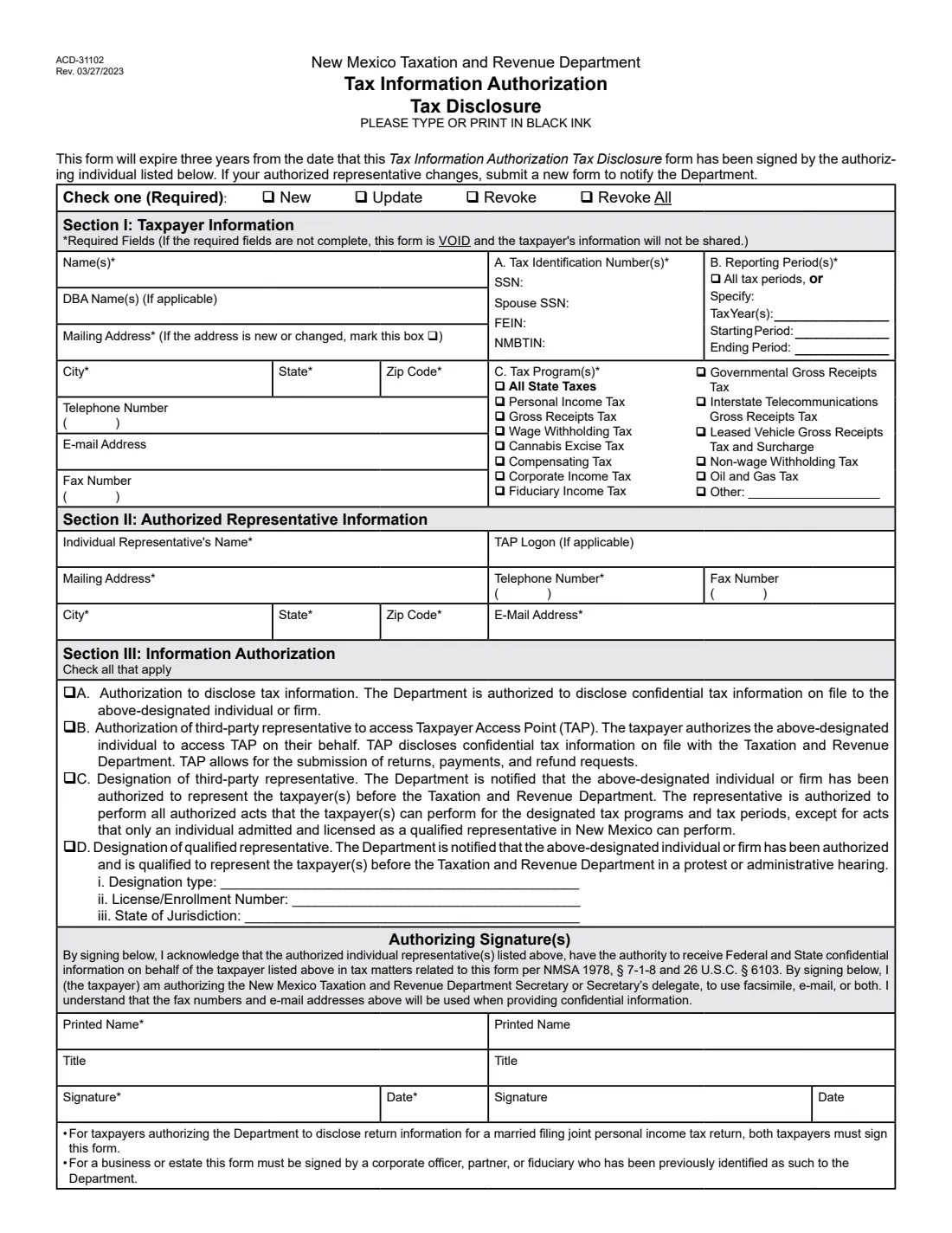
Form ACD-31102, known as the TIA, lets a New Mexico taxpayer authorize one individual or firm to receive their confidential tax information from the Taxation and Revenue Department. You choose the tax programs (from personal income and gross receipts tax to oil and gas tax), the reporting periods, and the level of access: disclosure, access to the Taxpayer Access Point (TAP), designation as third-party representative, or designation as a qualified representative for protests and hearings.
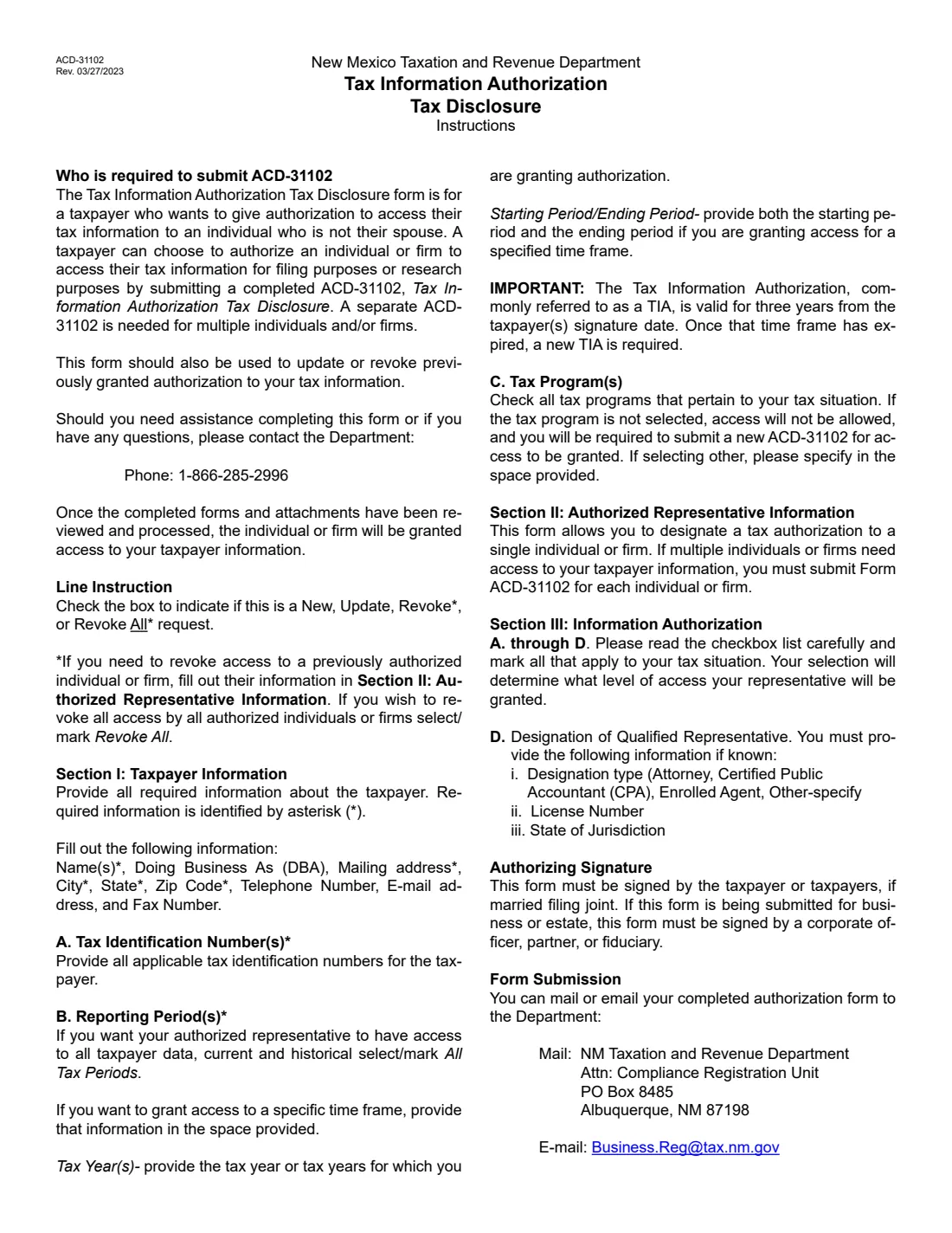
The same form updates or revokes an authorization, and Revoke All removes every authorized individual and firm. A TIA is valid for three years from the taxpayer's signature date; after that a new one is required. Each individual or firm needs its own form.
FileIt prints your answers onto TRD's own PDF (Rev. 03/27/2023), places each digit of your SSN, FEIN and NMBTIN in its box, checks the form's rules, saves the finished form in your vault folder and can send it for signature to you and a joint-filing spouse.
- Valid for
- Three years from the taxpayer's signature date.
- Representatives
- One individual or firm per form.
- Who signs
- The taxpayer; both spouses for a married filing joint return; an officer, partner or fiduciary for a business or estate.
- How to send it
- Mail to TRD, Attn: Compliance Registration Unit, PO Box 8485, Albuquerque, NM 87198, or email [email protected].
- Edition
- ACD-31102 Rev. 03/27/2023
Who needs to fill out Form ACD-31102?
- New Mexico taxpayers who want a tax preparer, CPA or attorney to discuss their account with TRD.
- Businesses that want a bookkeeper or payroll firm to use TAP for gross receipts or withholding tax.
- Families helping a relative with a New Mexico tax matter.
- Anyone who wants to remove a representative's access.
When to use Form ACD-31102
- Before a representative contacts TRD about a notice, audit or refund.
- When an earlier authorization is about to reach its three-year limit.
- When your representative changes: the form asks you to submit a new one to tell the department.
- When you want to revoke one representative, or all of them.
What you need before you start
- The taxpayer's name, DBA, mailing address, phone, email and fax.
- Every tax identification number that applies: SSN, spouse SSN, FEIN and NMBTIN.
- The reporting periods and tax programs the representative may access.
- The representative's name, TAP logon if any, address, phone, fax and email, and for a qualified representative their designation, license number and state.
What’s on Form ACD-31102
The 2023 edition has 2 pages. FileIt asks for it in 6 parts, and it is signed by Taxpayer and Second signer:
- Type of requestTaxpayer
- Section I: Taxpayer informationTaxpayer
- Section II: Authorized representativeTaxpayer
- Section III: Information authorizationTaxpayer
- Authorizing signatureTaxpayer
- Second signature (spouse on a joint return)Second signer
How to fill out Form ACD-31102, step by step
1 Check one
New, Update, Revoke or Revoke All. The form requires one.
2 Section I: Taxpayer
Name(s), address, contact details and tax identification numbers, then all tax periods or specific years or periods, and the tax programs.
3 Section II: Representative
One individual or firm with their contact details and TAP logon if they have one.
4 Section III: Authorization
Tick A to D: disclosure, TAP access, third-party representative, qualified representative (with designation, license number and state).
5 Signature
Print your name and title, sign and date. Both spouses sign for a joint personal income tax return.
Common mistakes to avoid
- Leaving a required field blank: the form says it's then void and the information won't be shared.
- Forgetting a tax program: access isn't allowed for a program that isn't ticked, and a new form is needed.
- Listing two representatives on one form instead of one form each.
- Missing the spouse's signature on a married filing joint return.
- Relying on an authorization older than three years.
After you fill it out
Sign and date it (and your spouse, for a joint return), on paper or through FileIt's e-signature request.
Mail it to NM Taxation and Revenue Department, Attn: Compliance Registration Unit, PO Box 8485, Albuquerque, NM 87198, or email it to [email protected].
Note the date three years after signing: the authorization then expires. FileIt keeps the PDF in your vault folder.
Fill out Form ACD-31102 online with FileIt
- Pick the person. Choose someone from People and FileIt fills in their name, date of birth, address and other details it already knows.
- Answer plain-language questions. One part of the form at a time, with the official help text beside each question — 56 fields in all. Your answers save as you go.
- Check the live preview. Watch your answers land on the real New Mexico Taxation and Revenue Department form, and let FileIt do any worksheet arithmetic.
- Generate the official PDF. FileIt prints your answers into the agency’s own PDF and files it in that person’s folder in your vault. Sign it, or send it for e-signature.
FileIt fills the form — it never files or submits anything for you. Deliver the finished form to whoever asked for it, the way the form’s instructions say.
Start Form ACD-31102 now — it’s freeForm ACD-31102: frequently asked questions
How long does the authorization last?
Three years from the date the taxpayer signs it. After that a new TIA is required.
Can I authorize two people on one form?
No. Submit a separate ACD-31102 for each individual or firm.
How do I revoke an authorization?
Tick Revoke and fill in Section II with the representative's details, or tick Revoke All to remove all authorized individuals and firms.
Who signs for a business?
A corporate officer, partner or fiduciary who has already been identified as such to the department.
Who can I call with questions?
The instructions give TRD's number, 1-866-285-2996.
Official sources
- Blank form (PDF), published by New Mexico Taxation and Revenue Department: https://www.tax.newmexico.gov/wp-content/uploads/2023/03/acd-31102_fill.pdf
- Official instructions and guidance: https://www.tax.newmexico.gov/wp-content/uploads/2023/03/acd-31102_fill.pdf
- Edition shown on this page: ACD-31102 Rev. 03/27/2023 (checked 2026-10-25).
FileIt is not affiliated with or endorsed by New Mexico Taxation and Revenue Department or any government. This page explains the form in general terms and is not legal, tax or immigration advice. Always read the official instructions, and check that you are using the edition the recipient accepts. Page last reviewed 2026-10-25.