What is Massachusetts Form M-2848?
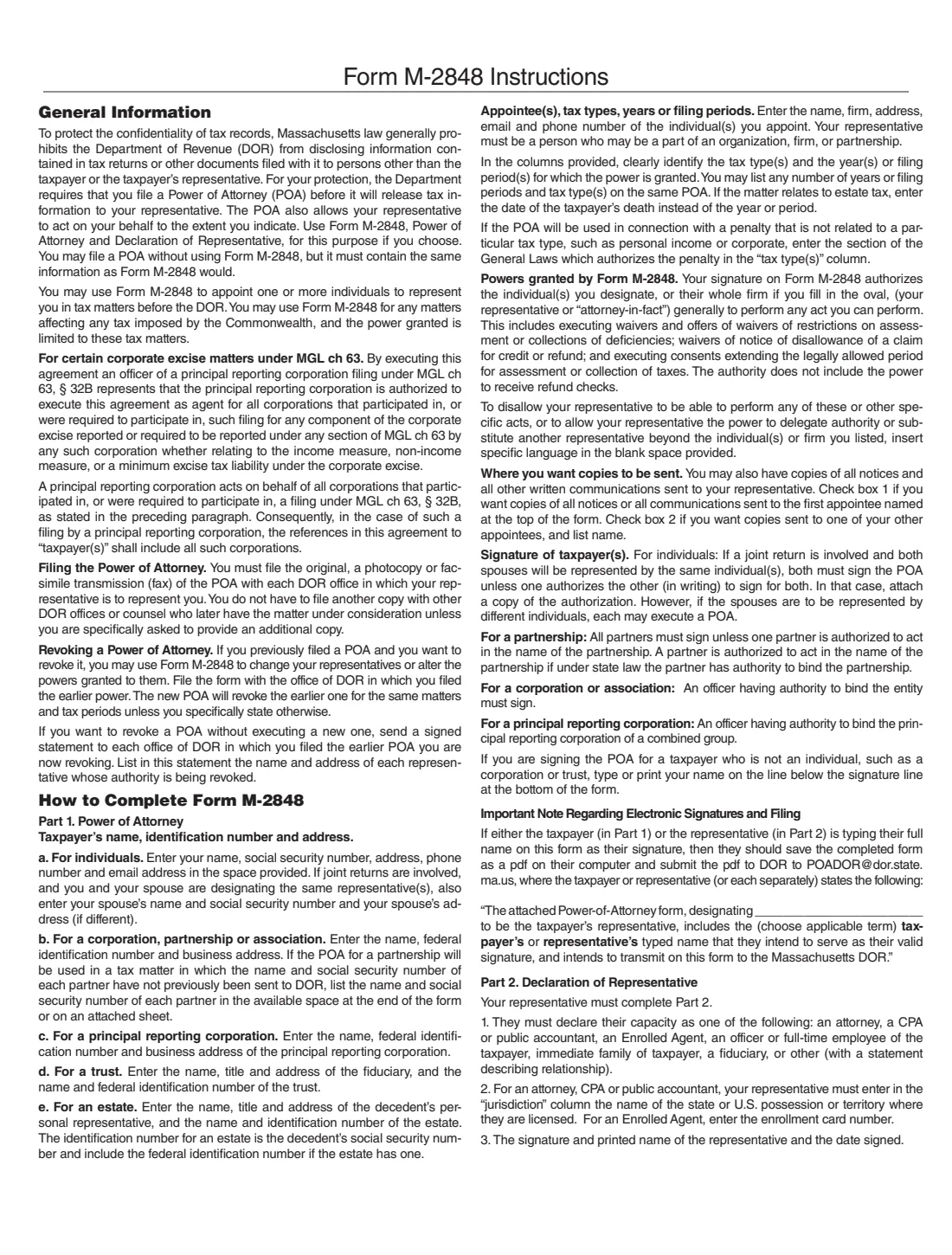
Form M-2848 is the Massachusetts Department of Revenue's power of attorney. Massachusetts law generally stops DOR from sharing what is in your tax returns with anyone but you or your representative, so DOR asks for a power of attorney before it releases tax information to the person helping you. The M-2848 names that person, the tax types and filing periods they may act on, and anything you want to add to or take away from their powers.
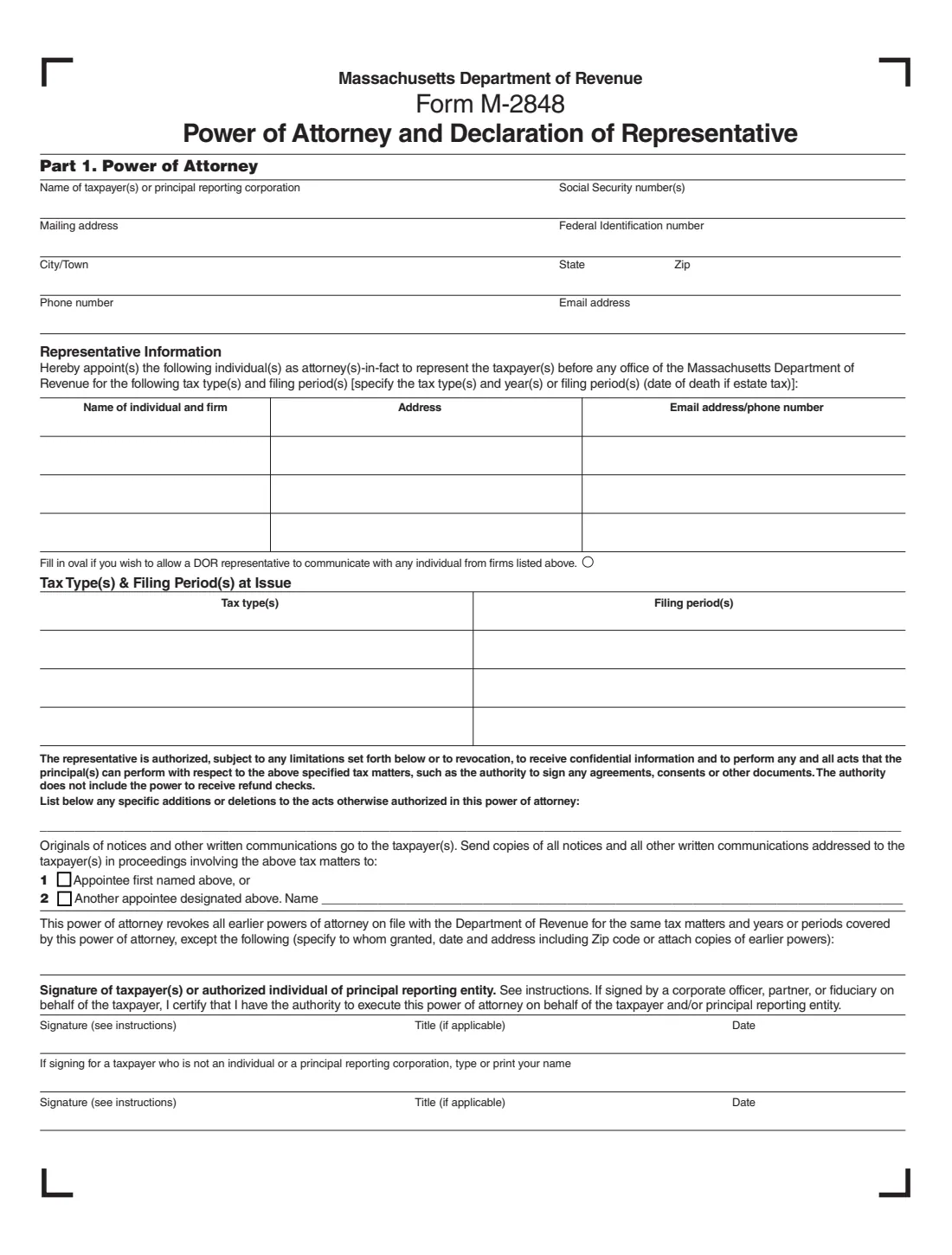
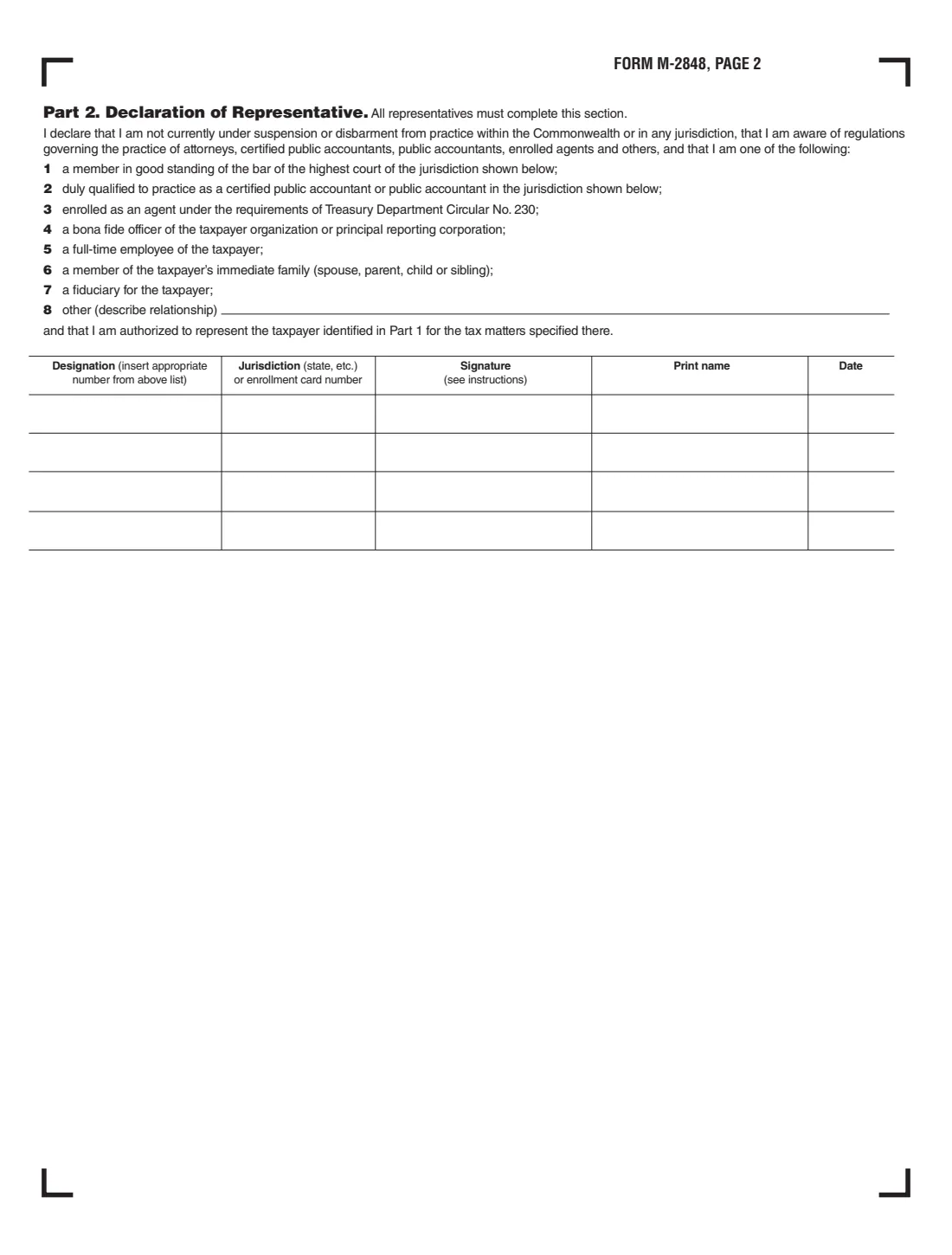
The form has two parts. In Part 1 the taxpayer lists the representatives (each an individual, who may belong to a firm), the tax types and periods, where copies of notices should go and any earlier powers of attorney to keep in force, and then signs. In Part 2 every representative declares what they are, from attorney or CPA to a family member or fiduciary, and signs. The PDF prints no revision date; FileIt uses the file mass.gov served on 1 October 2026.
FileIt lets you fill out Form M-2848 online. It pre-fills your name from the People records in your vault, prints each representative's details in their row on page 1 and their designation and name in Part 2, and saves the filled official PDF in your vault. You can send it for e-signature to the taxpayer and the representatives. FileIt never files anything with DOR: you or your representative send the signed form yourselves.
- Who fills it
- The taxpayer completes Part 1. Every representative completes and signs Part 2.
- Who can be appointed
- One or more individuals. A representative may be part of an organization, firm or partnership; filling in the oval lets DOR talk to anyone from the firms listed.
- What it covers
- Any tax imposed by the Commonwealth, limited to the tax types and periods you list. It does not include the power to receive refund checks.
- Filing
- The original, a photocopy or a fax goes to each DOR office where the representative will act for you.
- Signatures
- Taxpayer (both spouses for a joint return) and each representative. The instructions allow typed-name signatures when the PDF is emailed to [email protected] with their statement.
- Edition
- M-2848, 3 pages (form and declaration, then instructions). No revision date is printed on the form.
Who needs to fill out Massachusetts Form M-2848?
- Individuals who want an accountant, attorney, enrolled agent or family member to deal with the Massachusetts Department of Revenue for them.
- Married couples on a joint return who want the same representative.
- Corporations, partnerships and associations appointing a representative, signed by an officer or partner with authority.
- Principal reporting corporations of a combined group under MGL ch 63, § 32B.
- Fiduciaries of trusts and personal representatives of estates.
- Anyone changing or revoking an earlier Massachusetts power of attorney by filing a new one.
When to use Massachusetts Form M-2848
- Before your representative contacts DOR about a notice, audit or appeal for you.
- When a tax professional needs your confidential DOR information.
- When you change representatives: a new M-2848 revokes earlier ones for the same matters and periods unless you list them as exceptions.
- For estate tax matters, with the date of death as the period.
What you need before you start
- The taxpayer's name, Social Security number or federal identification number, mailing address, phone and email.
- Your spouse's name and Social Security number for a joint return.
- Each representative's name, firm, address, email and phone number.
- Each representative's designation (1 to 8) and, for an attorney, CPA or public accountant, the jurisdiction where they are licensed, or an enrolled agent's enrollment card number.
- The tax types and years or filing periods the power covers.
- Details of any earlier powers of attorney that should stay in force.
What’s on Massachusetts Form M-2848
The 2026 edition has 3 pages. FileIt asks for it in 10 parts, and it is signed by Taxpayer and Spouse / second signer and Representative 1 and Representative 2 and Representative 3:
- Part 1: TaxpayerTaxpayer
- Part 1: Spouse (joint return)Spouse / second signer
- Representative 1Representative 1
- Representative 2Representative 2
- Representative 3Representative 3
- Tax type(s) and filing period(s) at issueTaxpayer
- Powers, notices and earlier powers of attorneyTaxpayer
- Signature of taxpayerTaxpayer
- Second signature (spouse, partner or officer)Spouse / second signer
- Part 2: Declaration of representativeRepresentative 1
How to fill out Massachusetts Form M-2848, step by step
1 Part 1: Taxpayer information
An individual gives their name, Social Security number, mailing address, phone number and email. For a joint return where both spouses use the same representatives, add your spouse's name and Social Security number. A business gives its name, federal identification number and business address. For a trust or estate, the instructions ask for the fiduciary's or personal representative's details with the trust's or estate's name and identification number.
2 Representative information
List each individual you appoint as attorney-in-fact, with their firm, address, email and phone number. The page has three rows. Fill in the oval under the table if DOR may communicate with any individual from the firms listed, not only the named people.
3 Tax types and filing periods
Identify each tax type and the years or filing periods the power covers. You may list any number. For estate tax, enter the date of death. For a penalty that isn't tied to a particular tax type, enter the section of the General Laws that authorizes it as the tax type.
4 Acts authorized, notices and earlier powers
The representative can receive confidential information and perform any act you can for those matters, such as signing agreements and consents, but not receive refund checks. Use the blank line to add to or take away from those powers. Originals of notices go to you; tick box 1 or 2 if copies should go to the first appointee or another appointee. Finally, list any earlier powers of attorney that should not be revoked.
5 Taxpayer signature
An individual signs and dates. For a joint return both spouses sign, unless one authorizes the other in writing. An officer signs for a corporation, all partners (or one with authority) for a partnership. Someone signing for a taxpayer that isn't an individual or a principal reporting corporation also types or prints their name.
6 Part 2: Declaration of representative
Each representative declares that they aren't under suspension or disbarment and enters their designation: 1 attorney, 2 CPA or public accountant, 3 enrolled agent, 4 officer, 5 full-time employee, 6 immediate family, 7 fiduciary or 8 other (with the relationship described). They add their jurisdiction or enrollment card number where it applies, then sign, print their name and date.
Common mistakes to avoid
- Leaving out the tax types or the filing periods.
- Naming a firm instead of an individual as the representative.
- Only one spouse signing for a joint return, without a written authorization from the other.
- Forgetting Part 2: every representative must complete and sign the declaration.
- Choosing designation 8 without describing the relationship.
- Expecting the representative to receive refund checks. The form says the authority does not include that power.
- Overlooking that a new M-2848 revokes earlier powers for the same matters unless they are listed as exceptions.
After you fill it out
Have the taxpayer and every representative sign and date, on paper or through FileIt's e-signature. If anyone signs by typing their name, the instructions say to send the PDF to [email protected] with the statement given in the instructions.
File the original, a photocopy or a fax with each DOR office where the representative is to act for you. You don't have to file another copy with other offices that later handle the matter unless asked.
FileIt keeps the filled PDF in your vault. To revoke the power later without appointing anyone new, the instructions say to send a signed statement to each DOR office where you filed it, listing each representative whose authority is revoked.
Fill out Massachusetts Form M-2848 online with FileIt
- Pick the person. Choose someone from People and FileIt fills in their name, date of birth, address and other details it already knows.
- Answer plain-language questions. One part of the form at a time, with the official help text beside each question — 57 fields in all. Your answers save as you go.
- Check the live preview. Watch your answers land on the real Massachusetts Department of Revenue (DOR) form, and let FileIt do any worksheet arithmetic.
- Generate the official PDF. FileIt prints your answers into the agency’s own PDF and files it in that person’s folder in your vault. Sign it, or send it for e-signature.
FileIt fills the form — it never files or submits anything for you. Deliver the finished form to whoever asked for it, the way the form’s instructions say.
Start Massachusetts Form M-2848 now — it’s freeMassachusetts Form M-2848: frequently asked questions
Do I have to use Form M-2848?
No. The instructions say you may file a power of attorney without using Form M-2848, but it must contain the same information the M-2848 would.
Can my representative cash my refund?
No. The authority granted by Form M-2848 does not include the power to receive refund checks.
How many representatives can I appoint?
The form appoints one or more individuals; the page has rows for three. FileIt fills those three rows and their Part 2 declarations.
Does a new M-2848 cancel my old power of attorney?
Yes, for the same tax matters and periods, unless you list the earlier power as an exception on the form or attach a copy of it.
Can we sign Form M-2848 electronically?
The instructions say a taxpayer or representative who types their full name as their signature should save the completed form as a PDF and send it to [email protected] with the statement given in the instructions. FileIt's e-signature can collect the signatures; check that DOR accepts the result for your matter.
Where do I send Form M-2848?
To each DOR office where your representative will act for you, as an original, a photocopy or a fax. FileIt doesn't send it for you.
Is this the same as the federal Form 2848?
No. The federal Form 2848 covers the IRS. Form M-2848 covers Massachusetts taxes with the Department of Revenue.
Official sources
- Blank form (PDF), published by Massachusetts Department of Revenue (DOR): https://www.mass.gov/doc/form-m-2848-power-of-attorney-and-declaration-of-representative/download
- Official instructions and guidance: https://www.mass.gov/info-details/power-of-attorney-poa-and-third-party-authorization
- Edition shown on this page: M-2848 (no revision date printed; PDF of 26 Mar 2026) (checked 2026-10-01).
FileIt is not affiliated with or endorsed by Massachusetts Department of Revenue (DOR) or any government. This page explains the form in general terms and is not legal, tax or immigration advice. Always read the official instructions, and check that you are using the edition the recipient accepts. Page last reviewed 2026-10-01.