What is FS Form 5188?
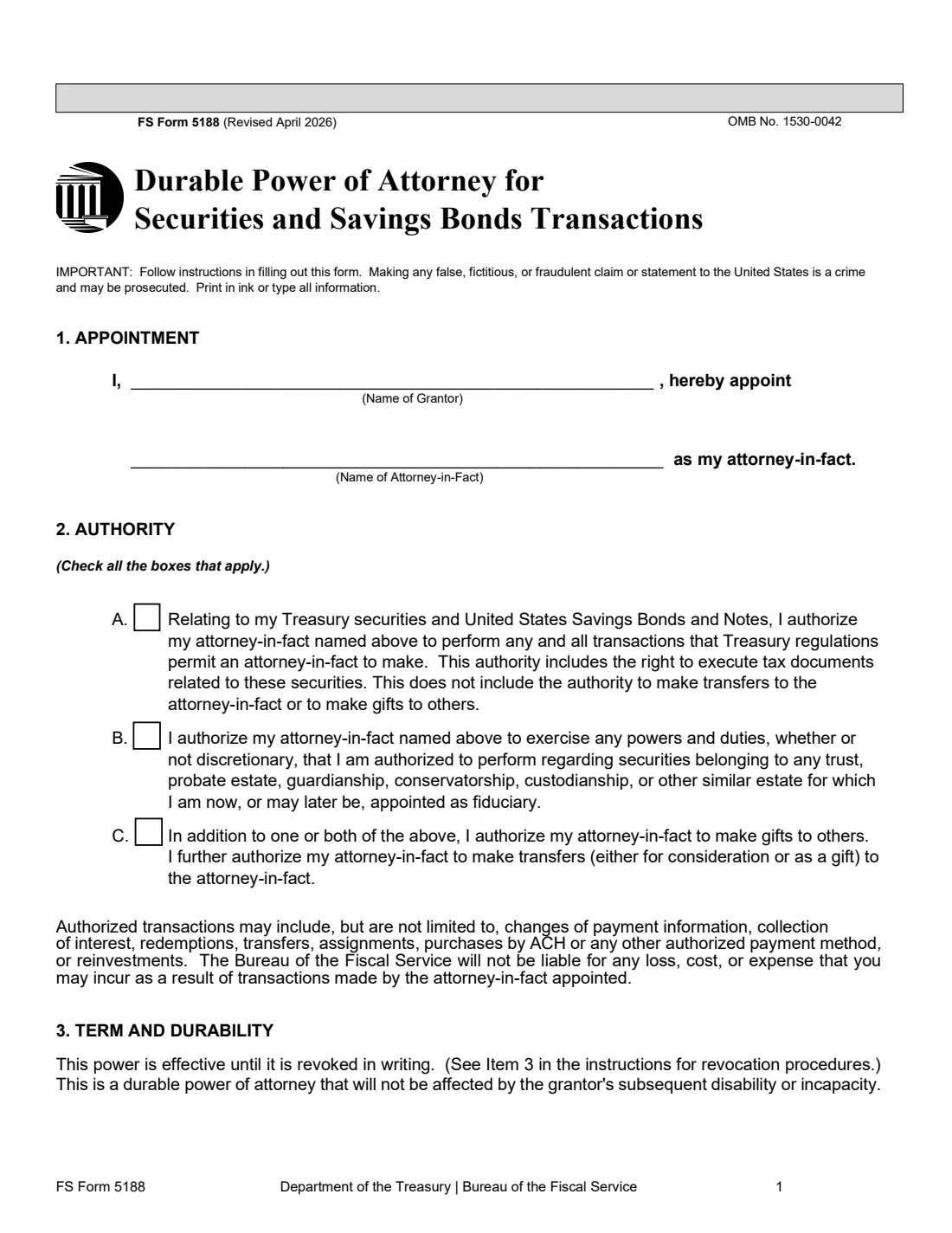
FS Form 5188 is the Bureau of the Fiscal Service's own power of attorney for Treasury securities. You, the grantor, name an individual or an organization as your attorney-in-fact, and that person can then carry out transactions on your Treasury bills, notes, bonds, TIPS, FRNs and every series of U.S. Savings Bonds and Savings Notes: redemptions, payment changes, interest, transfers, purchases and the related tax documents.
The power is durable. The April 2026 revision says it stays in effect until you revoke it in writing and isn't affected by your later disability or incapacity. You choose its reach with three boxes: your own securities, securities you hold as a fiduciary, and (on top of either) gifts to others and transfers to the attorney-in-fact. Your signature has to be certified by an authorized officer, usually at a bank or credit union.
FileIt asks for the names, the boxes you want and your contact details, checks that the combination of boxes makes sense, and prints everything onto the Treasury's PDF. The finished form is saved in the person's vault folder, ready to take to the certifying officer. FileIt doesn't send it to Treasury for you.
- Who signs
- The grantor (the owner, or the fiduciary for a trust or estate), in front of a certifying officer.
- Length
- 2 pages to complete, plus a page of instructions you don't send.
- Lasts
- Until revoked in writing. It survives the grantor's later incapacity.
- Certification
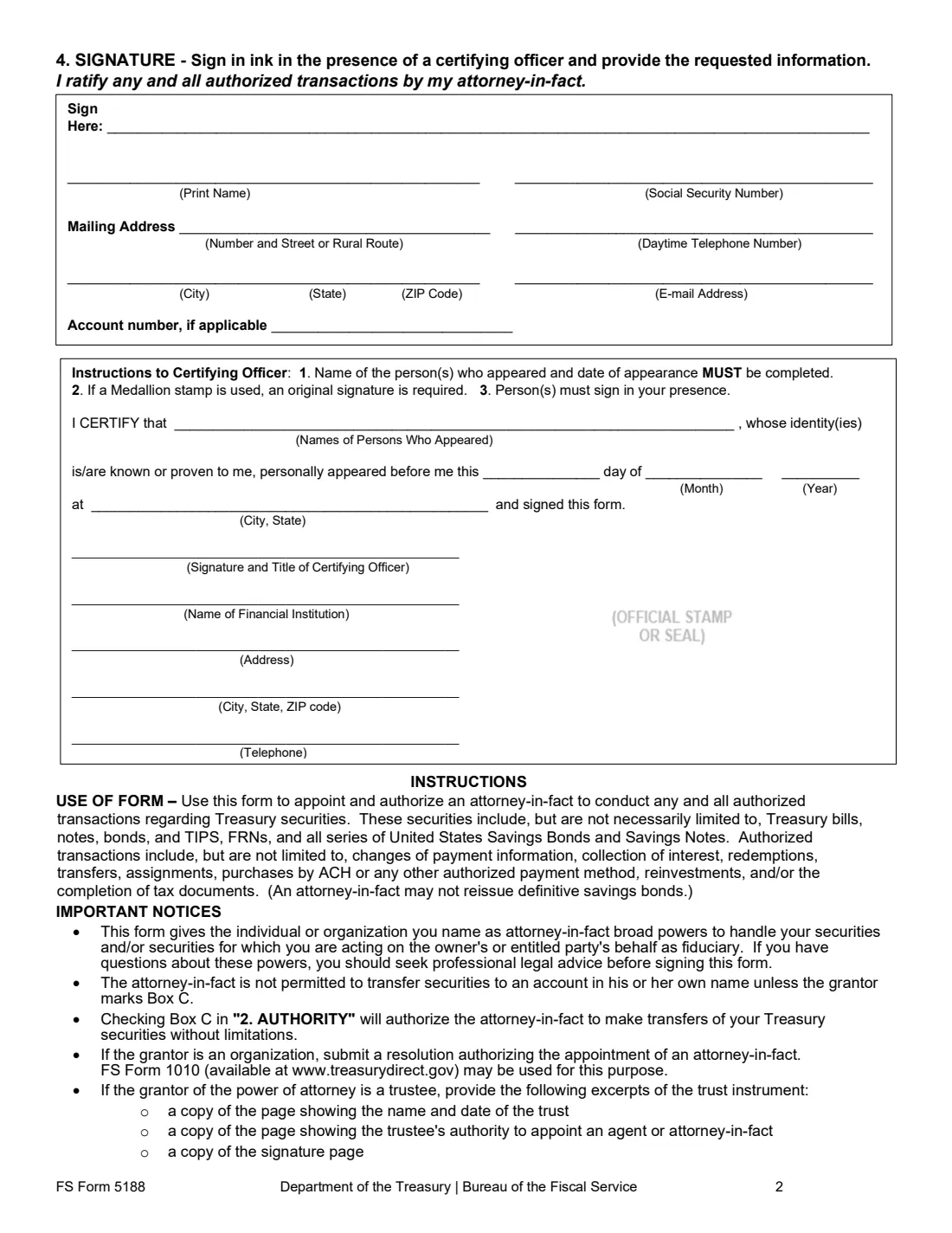
- A financial institution's seal or stamp, such as Signature Guaranteed, or a Treasury-approved Medallion program stamp.
- Send to
- Treasury Retail Securities Services, PO Box 9150, Minneapolis, MN 55480-9150 (unless your letters say otherwise).
- Edition
- Revised April 2026 (OMB No. 1530-0042)
Who needs to fill out FS Form 5188?
- Savings bond and Treasury security owners who want a family member or adviser able to act for them, now or if they become unable to.
- Older parents planning ahead so an adult child can cash or manage their bonds.
- Trustees, executors, guardians and other fiduciaries who want an agent to handle the securities they manage (box B).
- Organizations that hold Treasury securities and want to appoint an agent, along with a resolution such as FS Form 1010.
When to use FS Form 5188
- Before it's needed: a durable power signed while you can still sign keeps working if you later can't.
- When someone else will be dealing with Treasury Retail Securities Services on your behalf.
- When a general power of attorney isn't enough for Treasury and you'd rather use its own form.
What you need before you start
- Your full name and the attorney-in-fact's full name (or the organization's legal name).
- A decision on which of boxes A, B and C to tick.
- Your Social Security number (or EIN for an organization), mailing address, daytime phone and email.
- Your Legacy Treasury Direct, TreasuryDirect or HH/H account number, if you have one.
- For a trustee: copies of the trust pages showing its name and date, your power to appoint an agent, and the signature page.
- A visit to a certifying officer at a bank or credit union, with ID.
What’s on FS Form 5188
The 2026 edition has 3 pages. FileIt asks for it in 3 parts, and it is signed by Grantor (person giving the power):
- 1. AppointmentGrantor (person giving the power)
- 2. AuthorityGrantor (person giving the power)
- 4. Signature and contact detailsGrantor (person giving the power)
How to fill out FS Form 5188, step by step
1 1. Appointment
Write your name as grantor and the name of the person or organization you're appointing as attorney-in-fact. FileIt fills your name from your vault record.
2 2. Authority
Box A covers your own Treasury securities and savings bonds and includes signing related tax documents, but not gifts or transfers to the attorney-in-fact. Box B covers securities of any trust, estate, guardianship or similar where you're the fiduciary now or later. Box C, added to A or B, lets the attorney-in-fact make gifts and transfer securities to themselves, without limits. FileIt won't let you tick C on its own.
3 3. Term and durability
Nothing to fill in. The power lasts until you revoke it in writing, and changes or revocations also need to be notarized or certified and sent to the Bureau of the Fiscal Service.
4 4. Signature
Give your printed name, taxpayer ID, mailing address, daytime phone, email and any account number. Then sign in ink in front of the certifying officer, who completes the certification block with the names of the people who appeared, the date and place, and their seal or stamp.
Common mistakes to avoid
- Signing at home before you see the certifying officer. The signature must be made in their presence.
- Ticking box C without A or B, or ticking C without meaning to allow gifts and self-transfers.
- Correcting a mistake by hand: Treasury won't accept the form with alterations or corrections, so print a fresh copy.
- Using a stamped signature instead of an original one.
- Forgetting the trust excerpts or the organization's resolution when the grantor isn't an individual.
- Sending the instructions page along with the form.
After you fill it out
Take the printed pages to a certifying officer, sign in front of them and have them complete and stamp the certification.
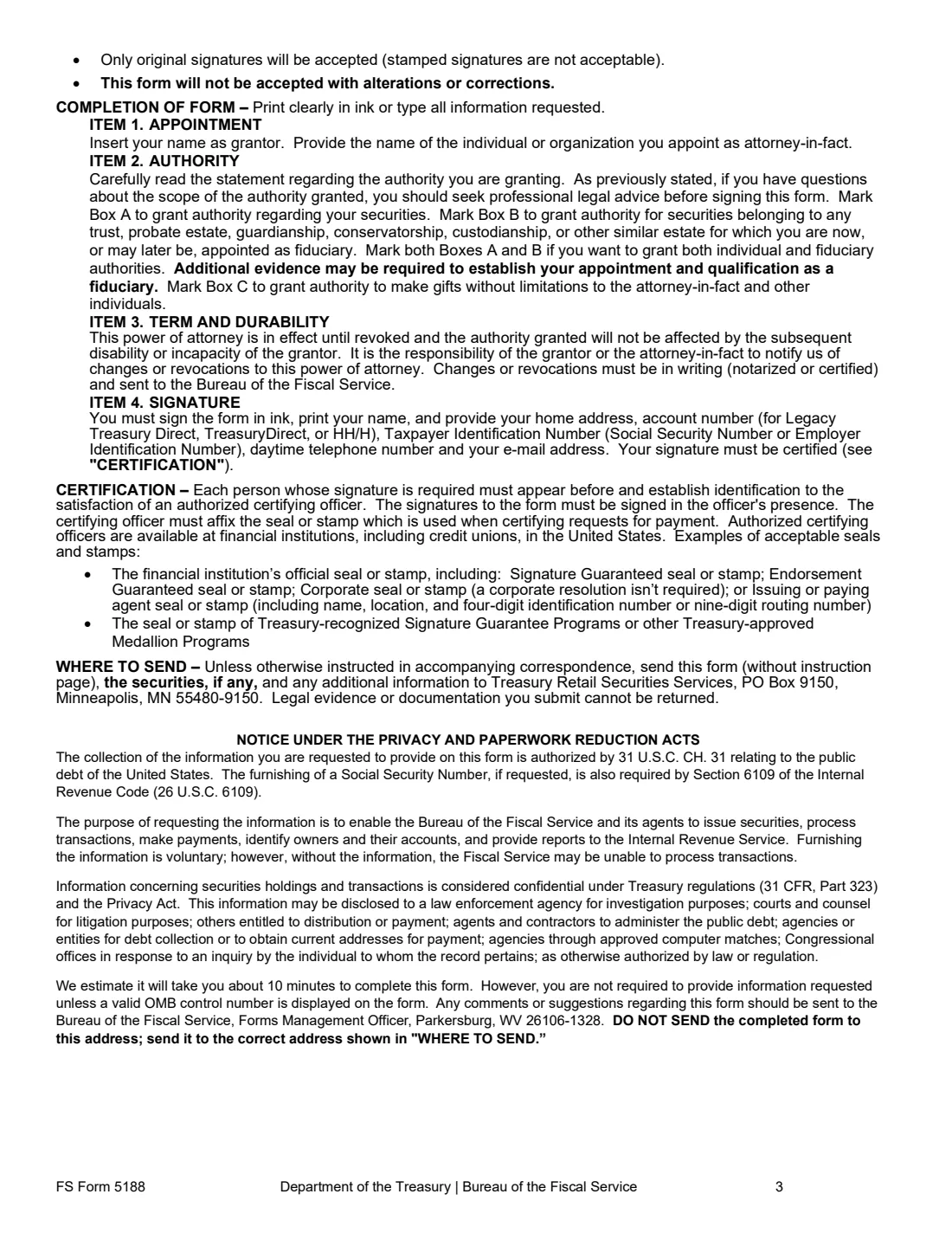
Mail pages 1 and 2, any securities and any extra documents to Treasury Retail Securities Services, PO Box 9150, Minneapolis, MN 55480-9150. The form says evidence you send can't be returned.
Keep a copy and let your attorney-in-fact know where it is. FileIt stores the filled form in your vault, so it's easy to find if it's ever needed.
Fill out FS Form 5188 online with FileIt
- Pick the person. Choose someone from People and FileIt fills in their name, date of birth, address and other details it already knows.
- Answer plain-language questions. One part of the form at a time, with the official help text beside each question — 14 fields in all. Your answers save as you go.
- Check the live preview. Watch your answers land on the real U.S. Department of the Treasury, Bureau of the Fiscal Service form, and let FileIt do any worksheet arithmetic.
- Generate the official PDF. FileIt prints your answers into the agency’s own PDF and files it in that person’s folder in your vault. Sign it, or send it for e-signature.
FileIt fills the form — it never files or submits anything for you. Deliver the finished form to whoever asked for it, the way the form’s instructions say.
Start FS Form 5188 now — it’s freeFS Form 5188: frequently asked questions
Can my attorney-in-fact cash my savings bonds?
Redemptions are among the transactions the form lists. The form also says an attorney-in-fact can't reissue paper (definitive) savings bonds.
Does the power end if I become incapacitated?
No. The form calls it a durable power of attorney that isn't affected by the grantor's later disability or incapacity. It ends when revoked in writing.
Do I need a notary?
The form asks for an authorized certifying officer, available at financial institutions including credit unions in the United States, who applies the institution's seal or stamp or a Medallion program stamp.
Can the attorney-in-fact move bonds into their own name?
Only if you tick box C. Without it, the form says transfers to the attorney-in-fact and gifts to others aren't allowed.
How do I cancel it later?
The instructions say changes or revocations must be in writing, notarized or certified, and sent to the Bureau of the Fiscal Service.
Does FileIt send the form to Treasury?
No. FileIt prints your answers onto the official PDF and keeps a copy in your vault. You sign it with the certifying officer and mail it yourself.
Official sources
- Blank form (PDF), published by U.S. Department of the Treasury, Bureau of the Fiscal Service: https://www.treasurydirect.gov/forms/sav5188.pdf
- Official instructions and guidance: https://www.treasurydirect.gov/forms/
- Edition shown on this page: FS Form 5188 (Revised April 2026), OMB No. 1530-0042 (checked 2026-10-19).
FileIt is not affiliated with or endorsed by U.S. Department of the Treasury, Bureau of the Fiscal Service or any government. This page explains the form in general terms and is not legal, tax or immigration advice. Always read the official instructions, and check that you are using the edition the recipient accepts. Page last reviewed 2026-10-19.